7 Best Aspera Alternatives for Large File Transfers in 2026
An Aspera alternative is a high-speed file transfer solution that offers similar large file capabilities to IBM Aspera, often with simpler setup, different pricing models, or specialized features. This guide compares seven options for teams transferring terabytes of data who want enterprise-grade speed without Aspera's licensing complexity.

Why Teams Look for Aspera Alternatives
IBM Aspera set the standard for high-speed file transfer. Its FASP protocol moves data faster than standard TCP, especially over high-latency connections. Media companies, broadcasters, and post-production houses have relied on it for years.
But Aspera comes with baggage.
The licensing structure is complex. Entry-level Aspera licenses start around $10,000 per year, and that's before you factor in additional costs for capacity, endpoints, or advanced features. A mid-sized post house can easily spend $30,000-50,000 annually once you add transfer volume.
Deployment requires infrastructure work. Aspera doesn't work out of the box. You need dedicated servers, proper network configuration, and often specialized IT staff to manage it. For teams that just want to send large files quickly, this overhead feels excessive.
The IBM acquisition changed things. Since IBM acquired Aspera in 2014, the product has shifted toward enterprise IT buyers rather than creative teams. The interface reflects this, and pricing has become less transparent.
Teams looking for alternatives typically fall into three camps:
- Organizations that need Aspera-level speed but can't justify the cost
- Teams that want cloud-native simplicity instead of on-premise complexity
- Companies that need collaboration features beyond point-to-point transfer
What Makes Aspera Fast (And What Alternatives Need to Match)
Before comparing alternatives, it helps to understand what Aspera actually does well.
FASP protocol: Aspera's proprietary protocol (Fast, Adaptive, and Secure Protocol) uses UDP instead of TCP. TCP slows down when it detects packet loss, which happens constantly on long-distance or high-latency links. UDP doesn't have this problem, so Aspera maintains speed regardless of distance.
Parallel transfers: Aspera splits files into chunks and transfers them simultaneously. This matters for large files where sequential transfer would bottleneck.
Encryption without slowdown: Many transfer solutions slow down when encryption is enabled. Aspera handles AES-128 encryption at line speed.
Any serious alternative needs to address at least one of these capabilities, either by matching the technology or solving the underlying problem differently (cloud edge nodes, for example).
Here's what to evaluate when comparing options:
- Transfer speed over distance: Test with actual long-haul connections, not just local transfers
- File size handling: Some solutions struggle with individual files over 100GB
- Deployment model: Cloud-native vs. on-premise vs. hybrid
- Total cost: Include infrastructure, setup, and per-GB fees
- Client experience: How easy is it for recipients to download files?

Aspera Alternatives Comparison Table
Here's a quick comparison of the top Aspera alternatives by pricing, speed approach, and best use case:
| Solution | Pricing Model | Speed Technology | Best For |
|---|---|---|---|
| Fast.io | Usage-based credits | Global CDN acceleration | Teams needing collaboration + delivery |
| MASV | Per-GB ($0.25/GB) | Cloud edge network | Pay-as-you-go video transfers |
| Signiant | Enterprise license | UDP acceleration | Broadcast media workflows |
| Resilio | Annual license | P2P mesh sync | Multi-site synchronization |
| FileCatalyst | Licensed capacity | UDP acceleration | On-premise enterprise |
| Filemail | Flat monthly fee | Standard HTTPS | Budget-conscious teams |
| JetStream | Flat annual fee | UDP acceleration | Single-price unlimited transfers |
The right choice depends on your transfer volume, whether you need collaboration features, and how much infrastructure complexity you can absorb.
Fast.io: Cloud-Native Collaboration + Delivery
Fast.io takes a different approach than Aspera. Instead of focusing purely on transfer speed, it combines file delivery with persistent workspaces where teams can collaborate on projects over time.
How it compares to Aspera:
- Usage-based pricing: No minimum commitment or capacity licensing. You pay for what you use.
- Cloud-native: No servers to deploy or maintain. Files live in the cloud and stream on demand.
- Collaboration built-in: Recipients can preview files, leave comments, and access shared workspaces rather than just downloading and disappearing.
Where Fast.io fits best:
Teams that need to deliver large files but also want clients to review, comment, and collaborate. Post-production houses sending dailies for review. Agencies delivering final assets to clients. Marketing teams distributing campaign materials.
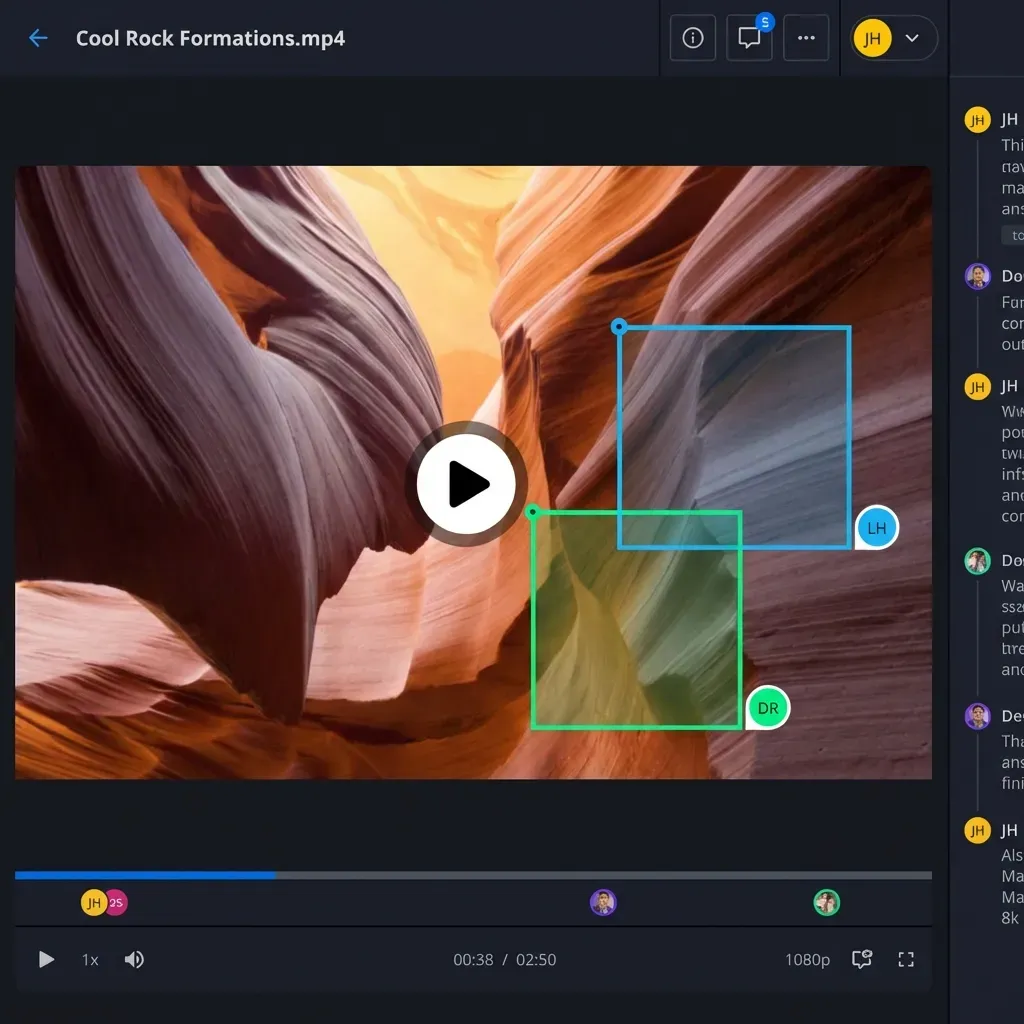
Fast.io uses HLS streaming for video, so clients can preview footage without downloading the full file first. For a creative team, this means faster feedback cycles and fewer "which version?" questions.
Limitations to consider:
Fast.io isn't trying to match Aspera's raw transfer speed on dedicated fiber connections. If your only requirement is moving 100TB between two data centers as fast as physically possible, Aspera or FileCatalyst will be faster. Fast.io's strength is combining good-enough speed with collaboration features that Aspera doesn't offer.
MASV: Pay-Per-GB Cloud Transfer
MASV built its reputation on simplicity. Upload a file, get a link, recipients download. The service handles the infrastructure, and you pay per gigabyte transferred.
Pricing structure:
- $0.25 per GB downloaded
- Free uploads (you only pay when recipients download)
- No monthly minimums
Speed approach:
MASV operates a global network of edge servers. When you upload a file, it routes to the nearest edge node. When a recipient downloads, they pull from their nearest node. This reduces latency without requiring the UDP protocol tricks that Aspera uses.
Best for:
Teams with unpredictable transfer volumes who want no monthly commitment. If you send 50GB one month and 500GB the next, pay-per-GB makes sense.
Watch out for:
Costs scale linearly. A team transferring 50TB monthly pays around $12,500 to MASV. At that volume, annual licensing from alternatives like Aspera or Signiant becomes more economical. The break-even point is roughly 2-3TB per month, where flat-fee alternatives start winning on price.
Signiant: Media Industry Standard
Signiant competes directly with Aspera in the broadcast and media space. Their Media Shuttle product is probably the most direct Aspera alternative for video professionals.
Technical approach:
Signiant uses UDP-based acceleration similar to Aspera's FASP. It achieves comparable speeds over long distances and handles files of any size. The technology is proven across thousands of media companies.
Pricing:
Enterprise licensing based on transfer volume and features. Expect pricing in the same ballpark as Aspera (thousands to tens of thousands annually), though Signiant tends to be more transparent about pricing during the sales process.
Integration strength:
Signiant integrates deeply with media workflows: MAM systems, editing software, cloud storage platforms. If you're running Avid, Premiere, or enterprise storage systems, Signiant probably has an integration.
Limitations:
Like Aspera, Signiant is built for media enterprises. The deployment isn't trivial, the pricing isn't accessible for small teams, and the feature set assumes you're running a professional media operation.
Other Alternatives Worth Considering
Resilio (formerly BitTorrent Sync)
Resilio uses P2P technology to sync files across multiple locations. Unlike Aspera's point-to-point model, Resilio excels when you need to keep several servers synchronized. Each location can pull changes from the nearest peer rather than a central server.
Best for: Organizations with multiple offices that need real-time sync rather than occasional large transfers. VFX studios with artists in different cities. Distributed development teams.
FileCatalyst
FileCatalyst offers UDP acceleration similar to Aspera but with more flexible licensing. They offer perpetual licenses (not just annual subscriptions) and their pricing tends to be lower than Aspera for equivalent capacity.
Best for: Organizations that want on-premise control and are comfortable managing their own infrastructure. Government and defense contractors with strict data sovereignty requirements.
Filemail
Filemail takes the opposite approach from Aspera. No UDP acceleration, no special protocols, just well-implemented HTTPS transfers with a clean interface. Transfer speeds are good but not exceptional.
Best for: Teams that don't need maximum speed but want predictable costs and simple setup. Unlimited file sizes on paid plans starting around $15/month.
JetStream
JetStream licenses by capacity rather than transfer volume. Pay an annual fee, transfer as much as you want. Their UDP acceleration matches Aspera's speed claims.
Best for: High-volume operations that want cost certainty. If you know you'll transfer 50+ TB monthly, JetStream's flat pricing beats per-GB alternatives.
How to Choose: Decision Framework
The Aspera alternative market splits into distinct categories. Here's how to narrow down your options:
If cost is the primary driver:
Calculate your monthly transfer volume. Under 2TB/month: MASV's pay-per-GB model probably wins. Over 10TB/month: licensed solutions (Signiant, FileCatalyst, JetStream) become more economical. In between: Fast.io or Filemail's flat-rate plans offer predictability.
If you need collaboration, not just transfer:
Aspera, MASV, Signiant, and FileCatalyst are transfer tools. Files go from point A to point B, and that's it. Fast.io adds workspaces, video streaming, comments, and client portals. If your workflow involves ongoing collaboration with external clients, that distinction matters.
If you're replacing an existing Aspera deployment:
Signiant is the most direct replacement. Similar technology, similar deployment model, comparable features. The migration path is clearer than switching to a completely different architecture.
If you want to avoid infrastructure entirely:
Cloud-native options like MASV and Fast.io require zero infrastructure. Upload through a browser or desktop app, share a link, done. This trades some control for simplicity, which is the right trade for most teams.
If transfer speed is non-negotiable:
For moving data between two data centers as fast as possible, Aspera, Signiant, and FileCatalyst still lead. Their UDP acceleration provides measurable speed advantages on high-latency links. Cloud services can't match dedicated infrastructure for pure throughput.
FAQ: Common Questions About Aspera Alternatives
Is Aspera worth the cost?
For large media companies transferring tens of terabytes daily, Aspera's speed advantage justifies the licensing cost. For teams transferring a few terabytes monthly, cheaper alternatives provide adequate speed at a fraction of the price. The crossover point is roughly 5-10TB per month, where Aspera's per-TB cost becomes competitive with cloud alternatives.
What is faster than Aspera?
On a dedicated fiber connection between two properly configured endpoints, very little. Aspera's FASP protocol can saturate available bandwidth regardless of distance. That said, cloud services like MASV can match Aspera's effective speed for most users by distributing content via edge servers. You might not match Aspera's theoretical maximum, but you'll hit practical speed limits imposed by your internet connection.
Why is Aspera so expensive?
Three factors: (1) The technology genuinely required significant R&D investment. UDP acceleration that works reliably at scale is hard engineering. (2) IBM acquired Aspera in 2014 and positioned it as an enterprise product. Enterprise pricing followed. (3) The target market (broadcasters, post-production facilities) historically had budget for premium tools. The pricing reflects what that market will pay, not the cost to deliver the service.
Frequently Asked Questions
Is Aspera worth the cost?
For large media companies transferring tens of terabytes daily, Aspera's speed advantage justifies the licensing cost. For teams transferring a few terabytes monthly, cheaper alternatives provide adequate speed at a fraction of the price. The crossover point is roughly 5-10TB per month.
What is faster than Aspera?
On dedicated fiber between properly configured endpoints, very little matches Aspera's raw speed. However, cloud services like MASV match effective speed for most users by using edge servers. You might not hit Aspera's theoretical maximum, but you'll reach your internet connection's practical limits.
Why is Aspera so expensive?
Three factors: the UDP acceleration technology required significant R&D, IBM positioned it as an enterprise product after acquiring Aspera in 2014, and the target market (broadcasters, post houses) historically budgets for premium tools. Pricing reflects what the market pays, not delivery cost.
Can I replace Aspera with a free tool?
Free tools like rsync or standard FTP won't match Aspera's speed over distance. Open-source alternatives like Syncthing work for sync use cases but lack Aspera's transfer acceleration. For occasional large transfers, free tiers from MASV or WeTransfer might suffice. For regular high-volume transfers, you'll need a paid solution.
Does Aspera work with cloud storage?
Yes, IBM offers Aspera on Cloud which integrates with AWS, Azure, and GCP. However, the cloud version still requires Aspera licensing on top of your cloud storage costs. Cloud-native alternatives like Fast.io or MASV include storage in their pricing.
Related Resources

Ready to replace Aspera?
Try Fast.io free and see how cloud-native file delivery compares to traditional transfer tools.