9 Best Async Collaboration Tools for Remote Teams in 2026
Async collaboration tools let teams work together without requiring everyone to be online at the same time. This guide covers the best options for messaging, file feedback, video updates, and project coordination, with a focus on tools that reduce meetings and keep distributed teams productive.
What Are Async Collaboration Tools?
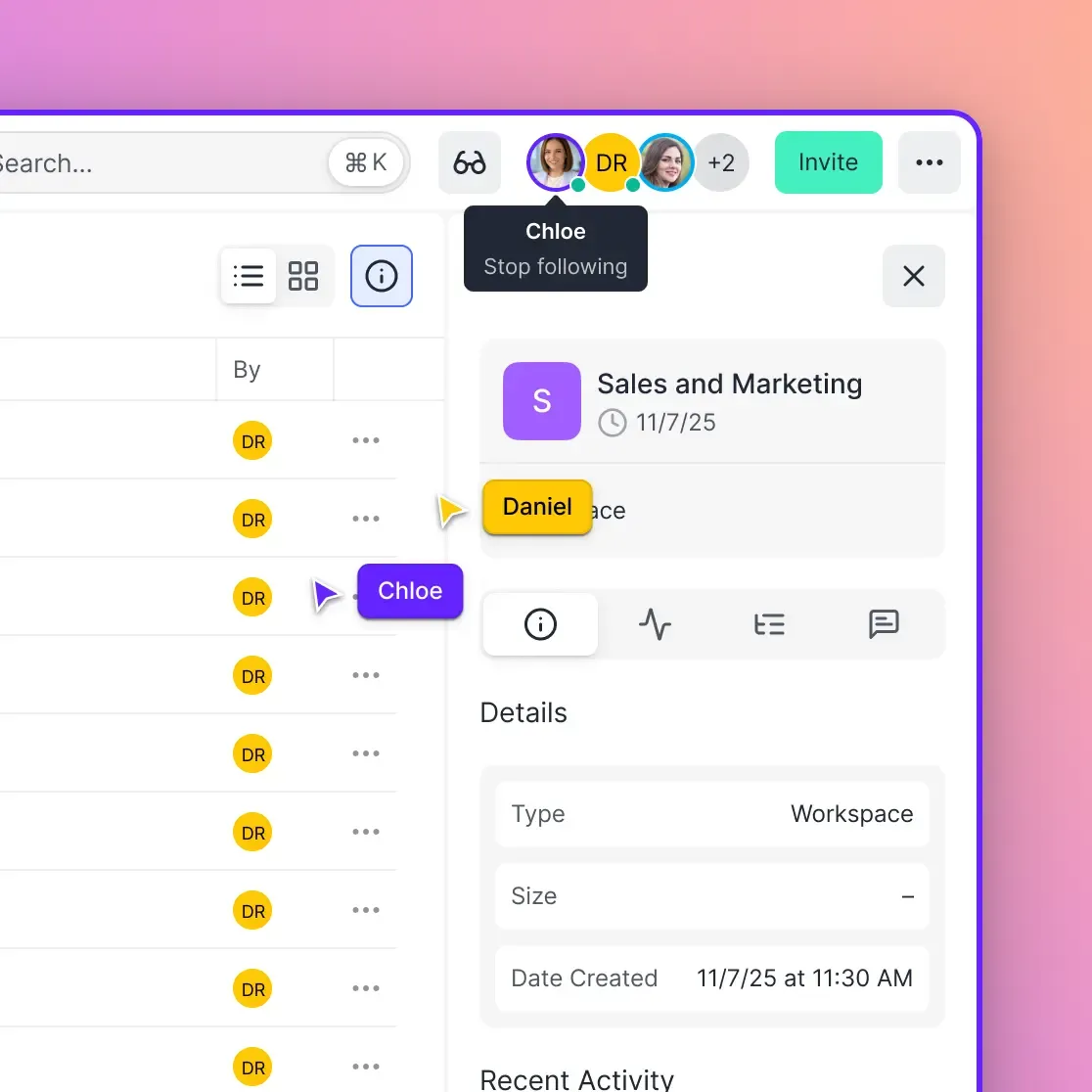
Async collaboration tools are software platforms that enable teams to work together without real-time presence. Instead of scheduling meetings or waiting for instant replies, team members contribute on their own schedules using comments, recorded feedback, and shared workspaces.
The shift toward async work has accelerated. According to industry research, 62% of remote workers now prefer asynchronous communication over real-time alternatives. Teams using async workflows report 25% fewer interruptions during focused work.
Async tools differ from real-time collaboration in key ways:
- Conversation threading: Discussions stay organized by topic, not lost in chat scroll
- Recorded context: Video messages and annotated files replace meetings
- Flexible response times: Contributors reply when they have thoughtful input, not immediate reactions
- Time zone neutrality: Teams spanning continents work without 2 AM calls
The best async tools create a searchable record of decisions and discussions. Six months later, you can find why something was decided, not just that it was decided.
Async Messaging and Discussion Tools
While Slack and Microsoft Teams dominate workplace messaging, true async work requires more than chat with delayed responses. These tools structure conversations for asynchronous access.
Slack (with Canvas and Threads)
Slack has evolved beyond real-time chat. Its Canvas feature creates persistent documents within channels, and threaded replies keep discussions organized. For async work, disable @channel notifications and use threads religiously.
Best for: Teams already using Slack who want to shift habits rather than platforms.
Limitations: The real-time culture is hard to escape. Most teams still expect quick replies.
Twist
Built by the team behind Todoist specifically for async communication. Twist organizes everything into threads by default. There's no presence indicator (intentionally), so nobody knows if you're online.
Best for: Fully distributed teams committed to async-first culture.
Limitations: Smaller ecosystem than Slack. Fewer integrations with other tools.
Threads (by Notion)
Notion's discussion layer brings async conversations into your workspace. Comments attach directly to docs, databases, and projects.
Best for: Teams already using Notion for documentation who want integrated discussion.
File-Based Async Collaboration
Most async collaboration happens around files, whether design reviews, document edits, or video feedback. These tools keep discussions attached to the work itself.
Fast.io
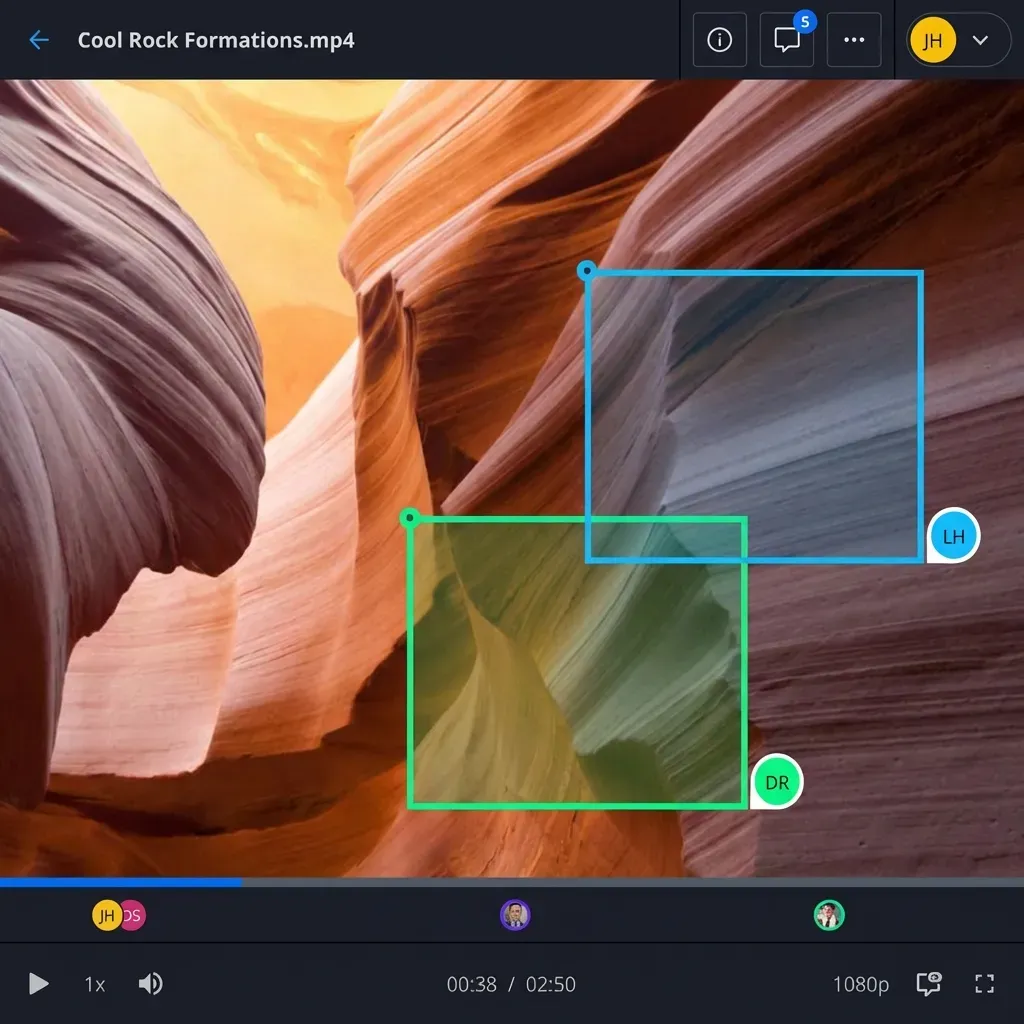
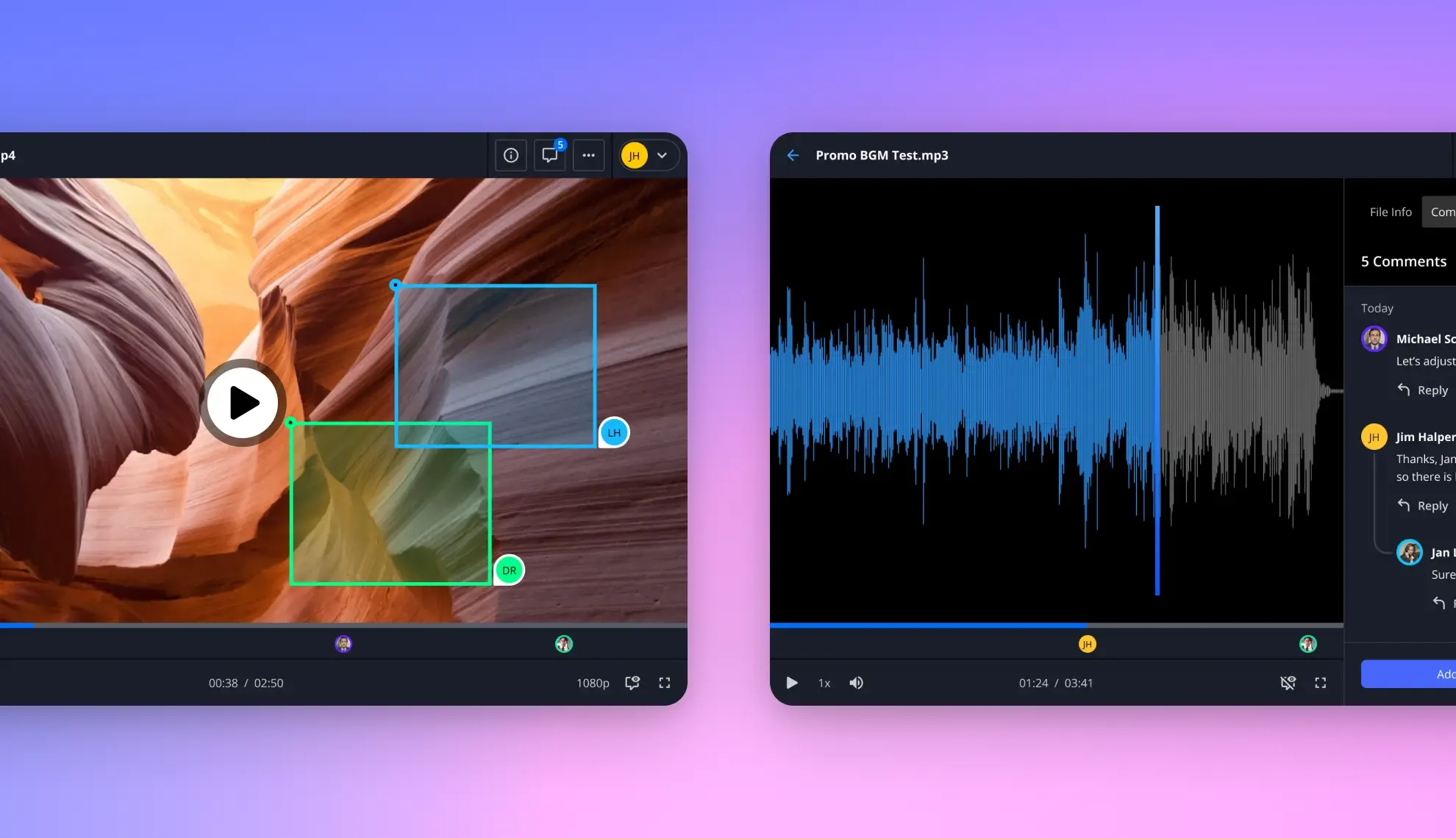
Fast.io approaches async collaboration through contextual comments on files and folders. Instead of email threads that lose context, feedback pins directly to documents, images, and video frames. Activity tracking shows who viewed what and when, creating transparency across time zones.
Key async features:
- Threaded comments: Discussions attach to specific files, regions, or frames
- Activity feeds: See workspace activity without asking "what did I miss?"
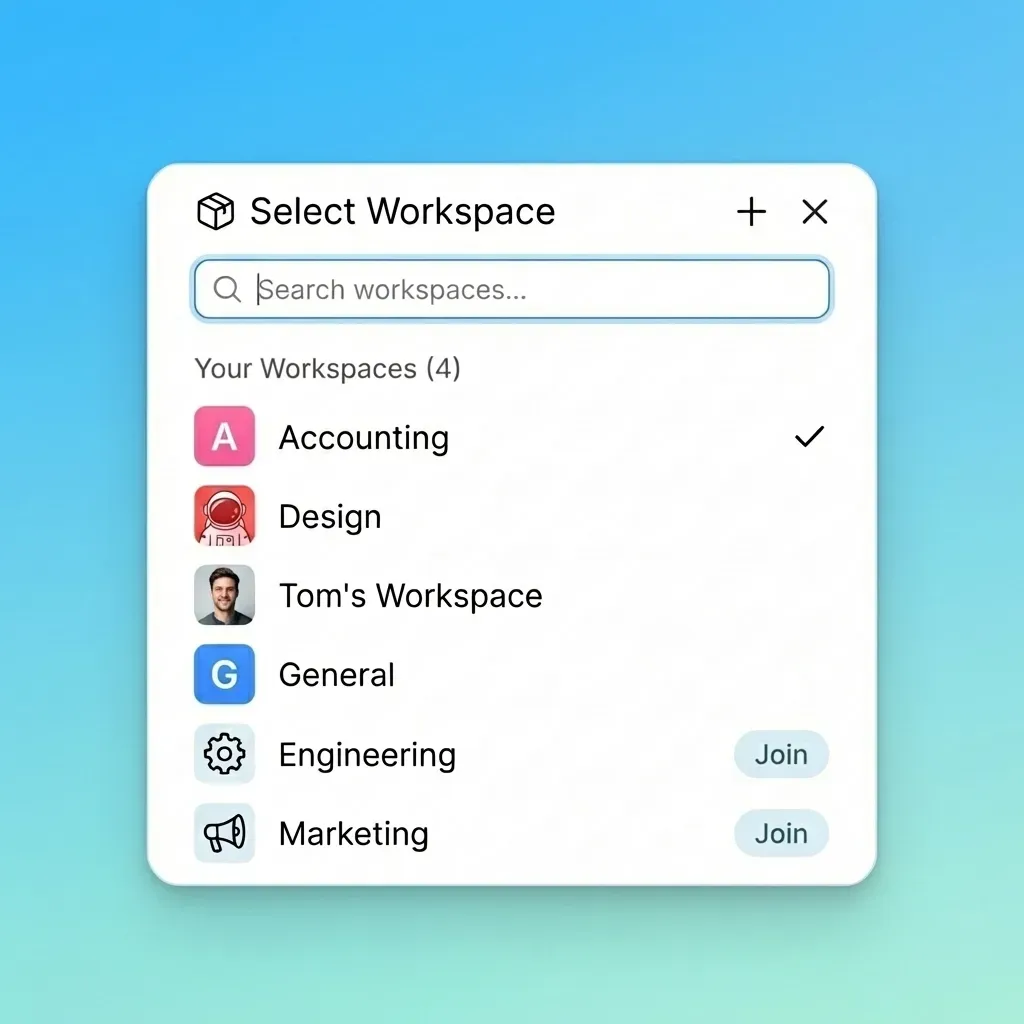
- Shared workspaces: Browse and join projects without access requests
- Async reviews: Clients comment on their schedule, you address feedback on yours
For teams dealing with large files like video or design assets, the cloud-native architecture means collaborators stream files instantly rather than waiting for downloads.
Best for: Creative teams, agencies, and any group where feedback happens on visual work.
Dropbox Paper
Dropbox's document layer supports inline comments, task assignments, and version history. Documents sync with Dropbox storage, keeping files and discussions connected.
Best for: Teams already using Dropbox who need lightweight async documentation.
Limitations: Limited to documents. Video and design feedback requires separate tools.
Frame.io
Purpose-built for video review, Frame.io lets stakeholders leave frame-accurate comments. The async model works well for productions where directors, editors, and clients operate across different schedules.
Best for: Video production teams with external stakeholders.
Async Video Messaging
Video messages replace meetings that could have been emails. Record once, share with everyone who needs to see it, let them watch and respond on their own time.
Loom
The market leader for async video. Loom captures your screen, camera, or both. Recipients watch at their convenience and leave timestamped comments or emoji reactions.
Teams using Loom report eliminating 29% of internal meetings. The auto-transcription makes videos searchable, so information stays accessible.
Best for: Product demos, quick updates, code walkthroughs, onboarding videos.
Limitations: Videos pile up fast. Without organization, you're searching through hundreds of recordings.
Vidyard
Similar to Loom with stronger analytics for sales and marketing use cases. Track who watched, how much they watched, and which sections they replayed.
Best for: Sales teams sending personalized video messages to prospects.
Vimeo Record
Vimeo's entry into async video messaging. Integrates with Vimeo's hosting platform, making it easier if you're already in that ecosystem.
Best for: Teams already using Vimeo for video hosting and distribution.
Async Project Management
Project management tools naturally support async work when used correctly. The key is creating enough context that teammates can take action without real-time clarification.
Linear
Linear has gained traction with engineering teams who want clean issue tracking without Jira's overhead. Updates flow through a feed, and everything is searchable. The tight scope keeps it async-friendly.
Best for: Product and engineering teams tracking issues and roadmaps.
Notion
Notion's flexibility makes it async-capable across documentation, databases, and project tracking. The learning curve is real, but teams that invest in setup get a central hub that reduces tool switching.
Best for: Teams wanting an all-in-one workspace for docs, projects, and discussions.
Basecamp
Explicitly designed for async work. Campfires (chat) exist but message boards and check-ins drive most communication. Automatic check-ins ("What did you work on today?") replace daily standups.
Best for: Teams who want opinionated tooling that enforces async habits.
Height
A newer project management tool that emphasizes async collaboration. Tasks have built-in chat, so discussions happen in context rather than separate channels.
Best for: Teams frustrated with context-switching between task trackers and chat.
Document Collaboration Tools
Collaborative documents are inherently async. These tools extend that model with comments, suggestions, and approval workflows.
Google Docs and Workspace
The default for collaborative documents. Comments, suggestions, and version history work well for async editing. Where it falls short: organizing documents across large teams is difficult, and files live in individual Drives.
Best for: Teams already in Google's ecosystem who need basic async document editing.
Coda
Coda combines documents, spreadsheets, and databases into interactive docs. For async work, the structured data approach means less ambiguity. Instead of discussing in a doc, you update a database that everyone reads.
Best for: Teams wanting more structure than Google Docs without separate databases.
Almanac
Purpose-built for async documentation. Docs have formal approval workflows, version control like GitHub, and handbook-style organization.
Best for: Companies building formal documentation practices (handbooks, policies, procedures).
Making Async Work Actually Work
Tools alone don't create async culture. Teams fail at async collaboration when they buy tools but keep old habits.
Write More, Meet Less
Async communication requires writing skills. If your team can't articulate thoughts clearly in text, they'll fall back to calls. Invest in writing culture: longer messages with full context, not "let's hop on a call."
Set Response Expectations
"Async" doesn't mean "never respond." Define what response times make sense for your team. Maybe urgent items get 4 hours; routine threads get 24-48 hours. Without explicit norms, async becomes anxiety.
Create Information Architecture
Files and discussions need findable homes. If you're using multiple async tools, establish where different types of work live:
- File feedback: Fast.io or Frame.io
- Documentation: Notion or Coda
- Quick updates: Loom or Slack threads
- Project tracking: Linear or Basecamp
Build Context Into Everything
Every async message should make sense to someone reading it tomorrow. Include:
- What you're responding to (quote it)
- What decision you're making or requesting
- What happens next
The upfront investment in context pays off when teammates can act without follow-up questions.
Frequently Asked Questions
What are examples of asynchronous collaboration?
Asynchronous collaboration includes leaving comments on shared documents, recording video messages instead of holding meetings, reviewing designs with frame-accurate feedback, updating project boards with status changes, and writing detailed briefs that teammates read on their own schedule. The common thread is that participants contribute at different times rather than all being present simultaneously.
What is the best tool for async communication?
The best tool depends on what you're communicating about. For file feedback and creative work, Fast.io attaches comments directly to documents and video frames. For quick updates that would otherwise be meetings, Loom lets you record and share video messages. For project tracking with built-in discussion, Linear or Basecamp keep conversations attached to work. Most teams use 2-3 tools for different async use cases.
How do you collaborate asynchronously?
Effective async collaboration requires writing clearly (with full context so readers don't need clarification), setting response time expectations (so 'async' doesn't become 'never'), organizing information systematically (so discussions are findable later), and using tools that attach conversations to work (so feedback doesn't scatter across email and chat). The goal is enabling action without real-time coordination.
What is the difference between sync and async collaboration?
Synchronous collaboration happens in real-time: meetings, calls, live chat. Everyone participates at the same moment. Asynchronous collaboration allows participation at different times through recorded videos, threaded comments, and document edits. Sync works for urgent decisions and relationship building. Async works for thoughtful input, teams spanning time zones, and reducing meeting overload. Most teams need both.
How do remote teams stay connected without constant meetings?
Remote teams stay connected through async updates (regular written check-ins or video messages), organized workspaces (where activity is visible without asking), and clear documentation (decisions and context recorded for future reference). Tools like Loom replace meetings with videos. Workspace activity feeds (in tools like Fast.io) show what's happening without requiring calls. What matters is making information accessible without requiring real-time presence.
Related Resources

Try async-first file collaboration
Fast.io keeps feedback attached to files with contextual comments, activity tracking, and shared workspaces that work across time zones.