Cloud Storage Comparison: Top 7 Providers Ranked for 2025
Choosing the right cloud storage is harder than ever. With the market worth over $100 billion and pricing varying by 10x between providers, the wrong choice costs you time and money. This guide compares the top services to help you find the perfect fit for your files.
The State of Cloud Storage in 2025
Cloud storage has evolved from a simple "hard drive in the sky" to a complex ecosystem of collaboration tools, AI integrations, and specialized workflows. The market is now worth over $100 billion, and the average user manages accounts across three or more different services.
This fragmentation happens because no single provider does everything perfectly. Google Drive excels at documents but struggles with large video files. Dropbox syncs well but gets expensive for large teams. Fast.io handles massive datasets and creative assets but isn't a document editor.
In 2025, the biggest shift is away from "one size fits all" toward specialized storage. Creative teams need different tools than accounting firms. This comparison breaks down the top players not just by price, but by purpose. We look at storage capacity, pricing models, sharing features, security, and performance to help you make an informed choice.
How We Compared These Services
To provide a fair cloud storage comparison, we evaluated each provider against four critical criteria that impact businesses and professionals the most:
1. Pricing Models: Per-User vs. Usage-Based Most legacy providers like Dropbox and Box charge per user (seat). If you have 50 employees, you pay for 50 licenses, even if only 5 people need heavy storage. Newer models like Fast.io charge based on usage (bandwidth and storage credits), which often results in 70%+ savings for teams.
2. Architecture: Sync vs. Cloud-Native Services like Dropbox rely on "sync," copying files to your local hard drive. This works for small docs but fails with terabytes of data. "Cloud-native" services stream files on demand without taking up local space, which is essential for video production and large-scale data handling.
3. Performance & Speed We looked at upload/download speeds and global availability. Does the service use a Content Delivery Network (CDN) to accelerate transfers? Can it handle a 100GB file without crashing?
4. Security & Permissions Beyond basic encryption, we checked for granular permissions. Can you password-protect a link? Can you expire access automatically? Do files belong to the company or the individual user?
1. Fast.io: Best for Teams and Large Files
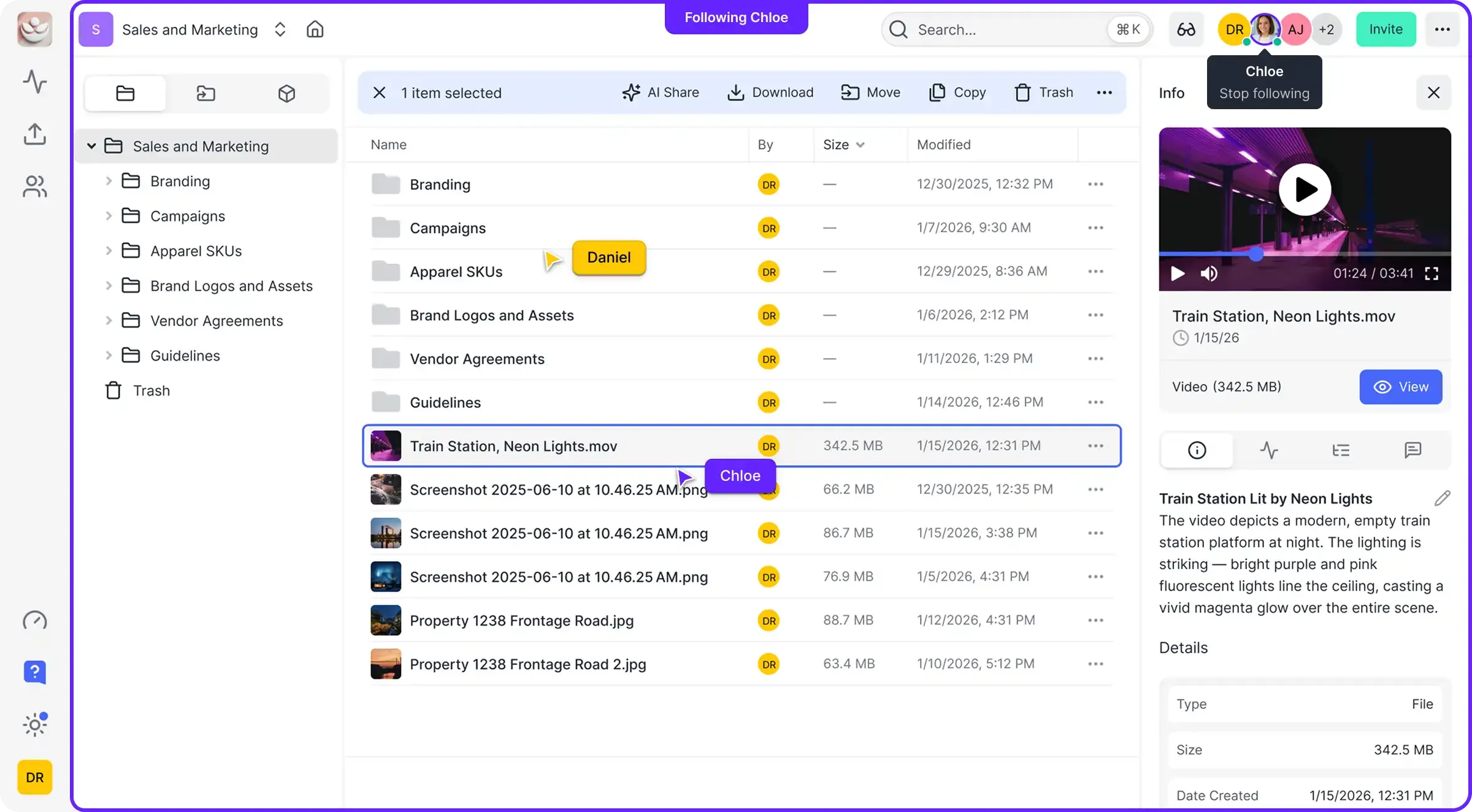
Fast.io takes a different approach than the old guard. Instead of charging per seat and forcing you to sync files locally, it uses a cloud-native model with usage-based pricing. This makes it ideal for creative agencies, video production teams, and businesses with many external collaborators.
The "No-Seat-Tax" Advantage Unlike Dropbox or Box, Fast.io doesn't penalize you for growing your team. You get a set number of seats (25 on Pro, 100 on Business) and pay mainly for the storage and bandwidth you actually use. This model is often 10x cheaper for organizations with fluctuating team sizes or many freelancers.
Performance Fast.io runs on a global edge network. It treats your files like a CDN (Content Delivery Network) would, serving them from the server closest to the user. Downloads and uploads are noticeably faster as a result.
Key Features:
- HLS Video Streaming: Plays video instantly without buffering (like Netflix), rather than downloading the whole file first.
- Organization-Owned Files: Files belong to the company workspace, not individual user accounts. This prevents data loss when employees leave.
- AI Integration: Contextual search and "chat with your files" capabilities are built-in.
Verdict: Best for teams, creatives, and anyone moving large files who wants to avoid per-user fees.
2. Google Drive: Best for Workspace Productivity
Google Drive is the default choice for millions because it's likely already included in your email subscription. Its strength lies in its deep integration with Google Docs, Sheets, and Slides.
Collaboration King For pure document collaboration, Google Drive is unbeatable. Multiple people can edit a text document simultaneously with zero lag. It's the standard for office work.
The "My Drive" Problem Google Drive's biggest weakness is its file structure. The distinction between "My Drive" and "Shared Drives" often leads to data silos. If a user creates a file in "My Drive" and leaves the company, retrieving that file can be a nightmare for IT.
Verdict: Essential for general office documents and Google Workspace users, but struggles with media assets and structured team organization.
3. Dropbox: Best for File Sync
Dropbox invented the modern sync folder, and they still do it better than almost anyone. Their "block-level sync" technology only uploads the parts of a file that changed, not the whole file, making it very fast for syncing changes to large files.
User Experience Dropbox has a polished, easy-to-use interface that most people are familiar with. It integrates well with tools like Slack and Zoom.
The Pricing Trap Dropbox is expensive. Their plans are strictly per-user, and they often force you to upgrade to higher tiers to get basic administrative features. For a team of 50, the costs add up incredibly fast compared to usage-based alternatives.
Verdict: Great for individuals and small teams who live in their file explorer, but expensive for larger organizations.
4. Box: Best for Enterprise Compliance
Box has always focused on the Fortune 500. They prioritize security, compliance, and detailed administrative controls over user experience.
Security First Box offers strong security tools like "Box Shield" for threat detection and deep governance controls. If you need to comply with complex internal IT policies, Box likely has a checkbox for it.
Clunky for Creatives The trade-off for all that security is a user interface that feels dated and slow. It's not designed for visual browsing or media playback, so previewing a large video or design file can be painful.
Verdict: The go-to for large enterprises with strict compliance needs, but overkill and overpriced for everyone else.
5. Microsoft OneDrive: Best for Windows Shops
If your company lives in the Microsoft ecosystem (Windows, Office 365, Teams), OneDrive is the logical default. It's deeply baked into Windows 10 and 11.
Native Integration OneDrive feels like a natural extension of the Windows OS. It handles Word and Excel files natively and supports "Files On-Demand" to save local space.
SharePoint Backend For business plans, OneDrive is essentially a front-end for SharePoint. This adds a layer of complexity. SharePoint is powerful but notoriously difficult to manage and organize without a dedicated IT specialist.
Verdict: A no-brainer if you already pay for Microsoft 365, but rarely chosen as a standalone solution.
6. pCloud: Best for Personal Lifetime Storage
pCloud stands out for offering "lifetime" plans: pay once, keep the storage forever. This is a unique value proposition in a world of monthly subscriptions.
Multimedia Features pCloud has a decent built-in media player and audio player, making it popular for personal media collections. It also offers a "Crypto" folder for client-side encryption, ensuring even pCloud can't see your most sensitive files.
Not for Teams pCloud is primarily a consumer product. Its team features are limited, and it lacks the sophisticated administrative controls and integrations that businesses need.
Verdict: Excellent for individuals wanting to escape monthly bills, but not a serious contender for business collaboration.
7. Backblaze B2: Best for Cold Storage & Backup
Backblaze B2 isn't a collaboration platform. It's raw infrastructure storage (IaaS) that competes with Amazon S3, and it's very cheap.
The Price Leader At around $6/TB/month, it's a fraction of the cost of the others. It's perfect for dumping archival data that you rarely access.
No Frills You don't get a nice interface, previews, or sharing links. You typically use B2 with a third-party tool (like a NAS or backup software) to move files in and out. It's for storage, not sharing.
Verdict: The best backend for backups and archives, but useless for day-to-day team file sharing.
Comparison Table: Features & Pricing
| Provider | Pricing Model | Best For | Max File Size | Sync/Stream |
|---|---|---|---|---|
| Fast.io | Usage-Based (Credits) | Teams, Creatives, Large Files | Unlimited | Cloud-Native / Stream |
| Google Drive | Per User | Office Docs, Workspace Users | 5TB | Sync |
| Dropbox | Per User | General Sync | 2TB+ | Block-Level Sync |
| Box | Per User | Enterprise Compliance | 150GB | Sync |
| OneDrive | Per User | Windows/Office Users | 250GB | Sync |
| pCloud | Lifetime / User | Individuals, Personal Media | Unlimited | Sync |
| Backblaze | Per GB | Backup / Archive | Unlimited | Object Storage |
Deep Dive: Why 'Per Seat' Pricing is Broken
One of the most important factors in your cloud storage comparison should be the pricing model. The industry standard "Per User" model is increasingly outdated for modern teams.
The Problem: Imagine you have a core team of 10 people, but you work with 20 freelancers and 50 clients throughout the year. With Dropbox or Box, you might have to pay for 80 seats, even though the freelancers only need access for a week. This gets expensive fast, easily exceeding $15,000/year.
The Usage-Based Solution: Fast.io's model gives you a generous allowance of seats (25 or 100) included in the base price. You then pay for the storage and bandwidth you use. This means you can invite those 20 freelancers and 50 clients without your bill skyrocketing. For many agencies, this simple switch cuts their storage bill by 70%.
Security Comparison: Who Keeps Your Data Safe?
All providers listed here use standard AES-256 encryption at rest and TLS/SSL in transit. However, there are nuances:
- Zero-Knowledge Encryption: pCloud and Sync.com (not listed in top 7 but notable) offer this. It means if you lose your password, your data is gone forever because they don't have the keys. Great for privacy, bad for business recovery.
- Enterprise Governance: Box and Fast.io offer granular audit logs. You can see exactly who downloaded which file and when. This is critical for legal and creative workflows where intellectual property is at stake.
- Permissions: Fast.io allows you to mix "Public" (org-wide) and "Private" (invite-only) workspaces, giving you flexibility that rigid folder structures often lack.
Conclusion: Which Cloud Storage Wins?
There is no single winner, but there is a right choice for your specific needs:
- Choose Fast.io if you are a team, agency, or production house. The usage-based pricing, handling of large files, and client sharing features make it the superior choice for professional workflows.
- Choose Google Drive or OneDrive if your needs are purely text documents and spreadsheets, and you are already committed to their respective ecosystems.
- Choose Dropbox if you are a small team that needs excellent local file syncing and doesn't mind paying a premium for seats.
- Choose Backblaze B2 if you just need a digital attic to store old files cheaply and don't need to look at them often.
Frequently Asked Questions
Which cloud storage is the cheapest per TB?
For raw storage, Backblaze B2 is the cheapest at ~$6/TB/month. For active team storage with features, Fast.io is often the most cost-effective because its usage-based model avoids expensive per-seat licensing fees for every user.
Is Google Drive or Dropbox better?
Google Drive is better for collaboration on documents (Docs, Sheets) and integrates perfectly with Google Workspace. Dropbox is better for syncing non-Google files (like design or CAD files) across devices and generally offers faster sync speeds for large files.
What is the best cloud storage for video editors?
Fast.io is the top choice for video editors because it supports HLS streaming (instant playback without download), frame-accurate comments, and has no file size limits. It allows editors to share massive files with clients who can review them instantly in the browser.
Can I use cloud storage for backup?
Yes, but they are different tools. Services like Backblaze (Computer Backup) or IDrive are designed for disaster recovery and automated background backup. Cloud storage like Dropbox or Fast.io is designed for access and sharing. For pure backup, dedicated backup services are usually cheaper and more reliable.
What is the difference between object storage and file storage?
File storage (like Dropbox) organizes data in a hierarchy of folders, exactly like your computer. Object storage (like AWS S3 or Backblaze B2) manages data as objects in a flat structure, which is more scalable but harder for humans to browse. Fast.io bridges this gap by providing a user-friendly file interface over scalable cloud object storage.
Related Resources

Ready to Upgrade Your Cloud Storage?
Join thousands of creative teams who have switched to Fast.io for faster file transfers and fair usage-based pricing. Try it free today.