How to Manage Creative Projects Without Drowning in Files and Feedback
Creative project management is the discipline of planning, organizing, and overseeing creative work from concept to delivery, balancing artistic vision with deadlines and client requirements. This guide covers the five phases every creative project moves through, why asset-heavy workflows break generic PM tools, and how to fix the handoff problems that cause 40% of revision cycles.
What Is Creative Project Management?
Creative project management is the discipline of planning, organizing, and overseeing creative work from concept to delivery. It balances artistic vision with deadlines and client requirements.
Unlike traditional project management, creative work produces massive files, involves subjective feedback, and requires constant collaboration between people who speak different professional languages. A video editor, a brand manager, and a client executive all have opinions about the same deliverable, but they express those opinions differently.
The numbers tell the story:
- Creative teams spend 25% of their time on administrative tasks instead of creative work
- Poor project handoffs cause 40% of revision cycles
- The average creative project involves 7 stakeholders across 3+ departments
Generic project management tools like Asana or Monday.com track tasks and deadlines. They were designed for spreadsheet work and software sprints. But they were not built to handle 50GB video files, frame-specific feedback, or the chaos of client review rounds.
Creative project management requires specialized approaches for three reasons:
The files are huge. A single 4K raw video can exceed 100GB. Design source files with embedded assets hit 5-10GB routinely. Email cannot handle this. Most cloud storage chokes on it.
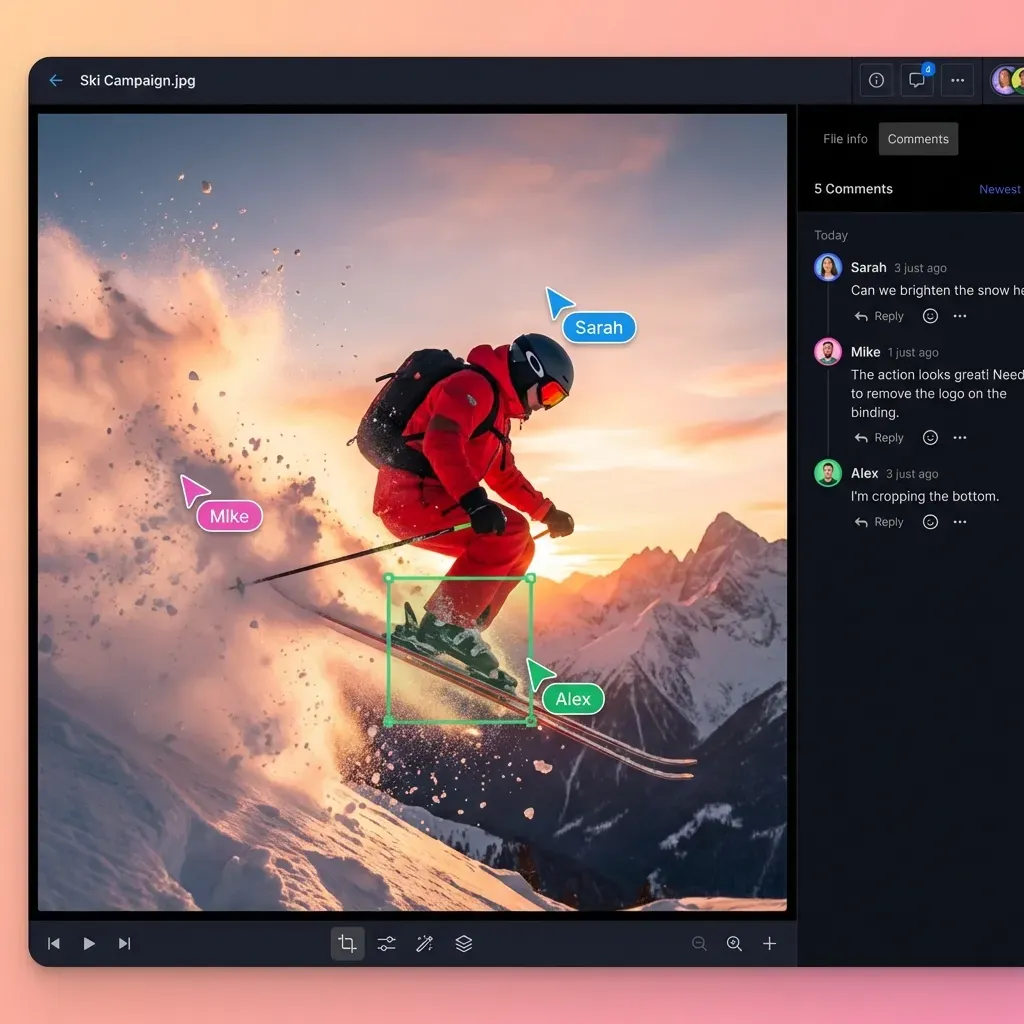
The feedback is visual. "Make it pop more" does not help anyone. Creative feedback needs to point to specific frames, regions, or elements. Generic PM tools do not support this.
The handoffs multiply. Creative work passes through many hands: internal teams, clients, legal reviewers, brand managers, executives with last-minute notes. Each handoff is an opportunity for version confusion, lost files, or misunderstood feedback.
The Five Phases of Creative Project Management
Every creative project moves through five phases. Understanding these phases helps you anticipate bottlenecks before they derail your timeline.
Phase 1: Discovery and Brief
The project starts with understanding what you are making and why. This phase produces the creative brief, which becomes the reference document for everything that follows.
What happens:
- Client shares requirements, goals, and constraints
- Team gathers reference materials and inspiration
- Creative brief gets drafted and approved
- Success metrics get defined
Common failure: Skipping the written brief. Verbal agreements lead to scope creep and "that's not what I meant" conversations three weeks later.
File management need: A dedicated intake folder where all brief materials live. Clients should upload directly rather than emailing attachments.
Phase 2: Concept Development
This is where ideas form. Designers sketch concepts. Writers draft copy. Video teams create storyboards. The goal is exploring options before committing resources.
What happens:
- Initial concepts get created
- Internal reviews narrow options
- Selected concepts go to client for direction
Common failure: Too many concepts, too early. Presenting ten directions means clients pick the worst one. Present three strong options.
File management need: Working folders that stay internal. Clients should not see rough sketches or rejected concepts.
Phase 3: Production
With direction approved, production begins. This is where most of the work happens and where file management typically falls apart.
What happens:
- Assets get created (video, design, photography, animation)
- Multiple team members contribute simultaneously
- Work-in-progress files multiply rapidly
Common failure: Files scattered across personal drives, Slack channels, and email threads. Nobody can find the approved logo. The B-roll from the shoot is somewhere.
File management need: A single cloud workspace where all production files live. Not sync folders that fill up laptops, but actual cloud storage where files exist in one place.
Phase 4: Review and Revision
Stakeholders review the work and provide feedback. This phase causes the most frustration for creative teams because feedback often arrives scattered, vague, and contradictory.
What happens:
- Work gets shared with reviewers
- Feedback gets collected from multiple stakeholders
- Revisions get made
- Approval gets documented
Common failure: Feedback arrives through five different channels: email, Slack, text messages, verbal notes from meetings, that one executive who calls the designer directly. Collecting and reconciling this feedback eats hours.
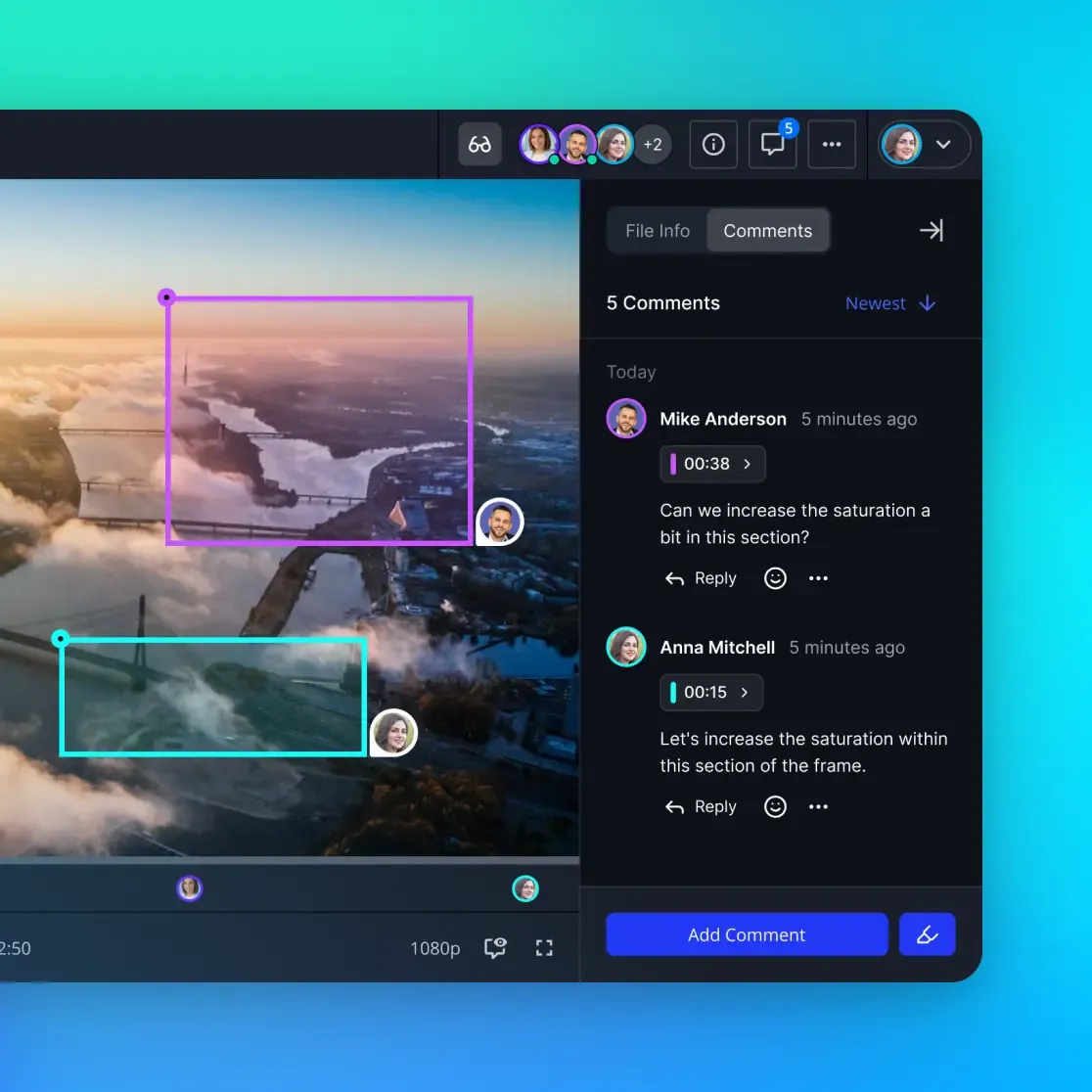
File management need: A single review environment with timestamped, contextual comments. For video, comments should pin to specific frames. For design, comments should pin to specific regions.
Phase 5: Delivery and Archive
The project completes. Final assets go to clients. Project files get archived for future reference.
What happens:
- Final deliverables get exported in required formats
- Clients receive files through a controlled delivery channel
- Source files get archived with clear organization
- Project wraps and team moves on
Common failure: Rushing to the next project without properly archiving. Six months later, the client calls asking for "that video we did" and nobody can find the source files.
File management need: A delivery portal where clients can download what they need. An archive structure that makes files findable years later.
Why Creative Workflows Break Generic PM Tools
Generic project management tools work well for what they were designed for: tracking tasks, managing timelines, and assigning work. But creative workflows expose their limits.
The file size ceiling
Most PM tools were not built for large files. They link to external storage or cap uploads at a few hundred megabytes. A video team generating 500GB of footage per project needs something different.
The feedback problem
Task comments work for text-based work. "Update the contract language in section 3.2" is clear. But "the video feels slow around the middle" is useless without a timestamp. Generic tools do not support visual, contextual feedback.
The version control gap
Software projects have Git. Creative projects have "Final_v3_ACTUALLY_FINAL_revised.psd" and the hope that someone remembers which one the client approved.
The access control mess
Creative projects involve external collaborators: clients, freelancers, contractors. Per-seat pricing punishes this collaboration. Inviting a client to review work should not cost $20/month.
The sync conflict spiral
Sync-based storage creates duplicate files when two people edit simultaneously. For a 10GB Premiere project, that's 20GB of confusion. Cloud-native storage, where files live in the cloud and stream on demand, avoids this entirely.
The solution is not abandoning PM tools. It's pairing them with file management built for creative work. Use Monday or Asana for tasks and timelines. Use a creative-focused platform for files, reviews, and delivery.
How to Fix Creative Handoffs
Poor handoffs cause 40% of revision cycles. Every time work passes from one person or team to another, there is an opportunity for something to go wrong: missing files, unclear instructions, outdated assets.
Internal Handoffs
Designer to developer: Include specs alongside visual files. What font sizes, color codes, spacing values? Developers should not have to guess or ask.
Video editor to colorist: Provide the project file, not just an export. Include notes on intended look and any client feedback about color.
Writer to designer: Do not send copy in an email body. Use a document with clear hierarchy showing headlines, subheads, body text, and CTAs.
Client-Facing Handoffs
Brief intake: Create a dedicated upload folder where clients submit all materials. Send one link, not back-and-forth email threads. This prevents the "Can you resend that file?" loop that wastes everyone's time.
Review rounds: Present work in a controlled environment. Clients see what you want them to see. They leave feedback in one place. They do not accidentally open your internal working folder.
Final delivery: Use a delivery portal with download tracking. You have a record of when files were accessed. The client cannot claim they never received assets.
The Handoff Checklist
Before any handoff, confirm:
- All files are in the designated location (not scattered across personal folders)
- File naming follows the agreed convention
- Version numbers are clear and current
- Required formats are included
- Instructions or notes accompany the files
- The recipient knows the files are ready
This takes two minutes. It prevents hours of confusion.
Building Your Creative Workflow Stack
Creative teams need tools from three categories. Trying to force one tool to handle everything leads to compromise.
Category 1: Project Management
Tools like Monday.com, Asana, ClickUp, or Notion track tasks, deadlines, and team workloads. They answer "what needs to happen and when."
Best for: Timeline visualization, task assignment, resource planning, status tracking
Not built for: Large file storage, visual feedback, client delivery
Category 2: Creative Production
Adobe Creative Cloud, Figma, DaVinci Resolve, Blender, and similar tools are where work gets made. They need reliable access to source files and a place to save outputs.
Best for: Creating the actual work
Not built for: Organization, collaboration with non-creators, client presentation
Category 3: File Management and Collaboration
This is the layer most teams cobble together from Dropbox, Google Drive, WeTransfer, and email. It answers "where do files live, who can access them, and how do they move between stages."
Best for: Central file storage, version tracking, review workflows, client portals, secure delivery
Not built for: Task management, timeline planning
Recommended Stacks by Team Size
Solo or small studio (1-5 people):
- PM: Notion or a simple kanban board
- Files: One platform that handles storage, review, and delivery
- Budget: Under $200/month
Growing agency (5-20 people):
- PM: Monday.com or Asana for visibility across projects
- Files: Dedicated creative storage with client portals
- Budget: $300-800/month
Large agency (20+ people):
- PM: Full-featured tool with resource management and reporting
- Files: Enterprise-grade storage with granular permissions
- Potentially separate review and delivery tools for specialized needs
- Budget: $1,500+/month
What to Look For in Creative PM Tools
When evaluating tools for creative project management, prioritize these capabilities:
Must-Have Features
Large file support: If it chokes on files over 5GB, it is not built for creative work. Video, design, and 3D files regularly exceed this.
Streaming playback: Video should play instantly without downloading. HLS adaptive bitrate streaming, the same technology Netflix uses, is the standard for professional tools.
Visual feedback: Comments should attach to specific frames, regions, or elements. Vague feedback without context wastes everyone's time.
Version history: Every iteration should be tracked automatically. You should be able to find and restore any previous version.
External sharing without friction: Clients and freelancers need access without creating accounts, installing software, or counting against seat limits.
Organization-owned files: Assets should belong to the company, not individuals. When someone leaves, files should not leave with them.
Nice-to-Have Features
Branded portals: Professional presentation matters. Custom logos, colors, and vanity URLs reinforce your brand.
Audit logs: Track who viewed, downloaded, or modified files. Useful for sensitive projects.
Semantic search: Find files by describing them ("that product launch video from Q3") rather than remembering exact filenames.
Activity digests: Daily or weekly summaries of what happened in a workspace, so you stay informed without constant monitoring.
Red Flags
- Per-seat pricing that penalizes external collaboration
- Sync-based architecture that fills local drives
- Video that must fully download before playing
- No commenting or annotation on visual files
- File size limits under 10GB
Managing Remote Creative Teams
Remote creative work is standard now. Designers work from home. Clients review from their phones. Freelancers contribute from different time zones.
The challenge is keeping everyone aligned without constant meetings.
Async by Default
Synchronous work, everyone online at the same time, does not scale across time zones. Design your workflow for asynchronous collaboration:
- Upload work-in-progress regularly, even rough versions
- Leave detailed notes explaining context and decisions
- Use threaded comments to keep discussions organized
- Record video walkthroughs instead of scheduling live presentations
- Save meetings for creative decisions, not status updates
Clear Accountability
Remote work requires explicit ownership. For every deliverable:
- Who is responsible for creating it?
- Who needs to review it?
- What is the deadline for feedback?
- Who has final approval authority?
Document these answers. Do not assume everyone knows.
Presence Without Surveillance
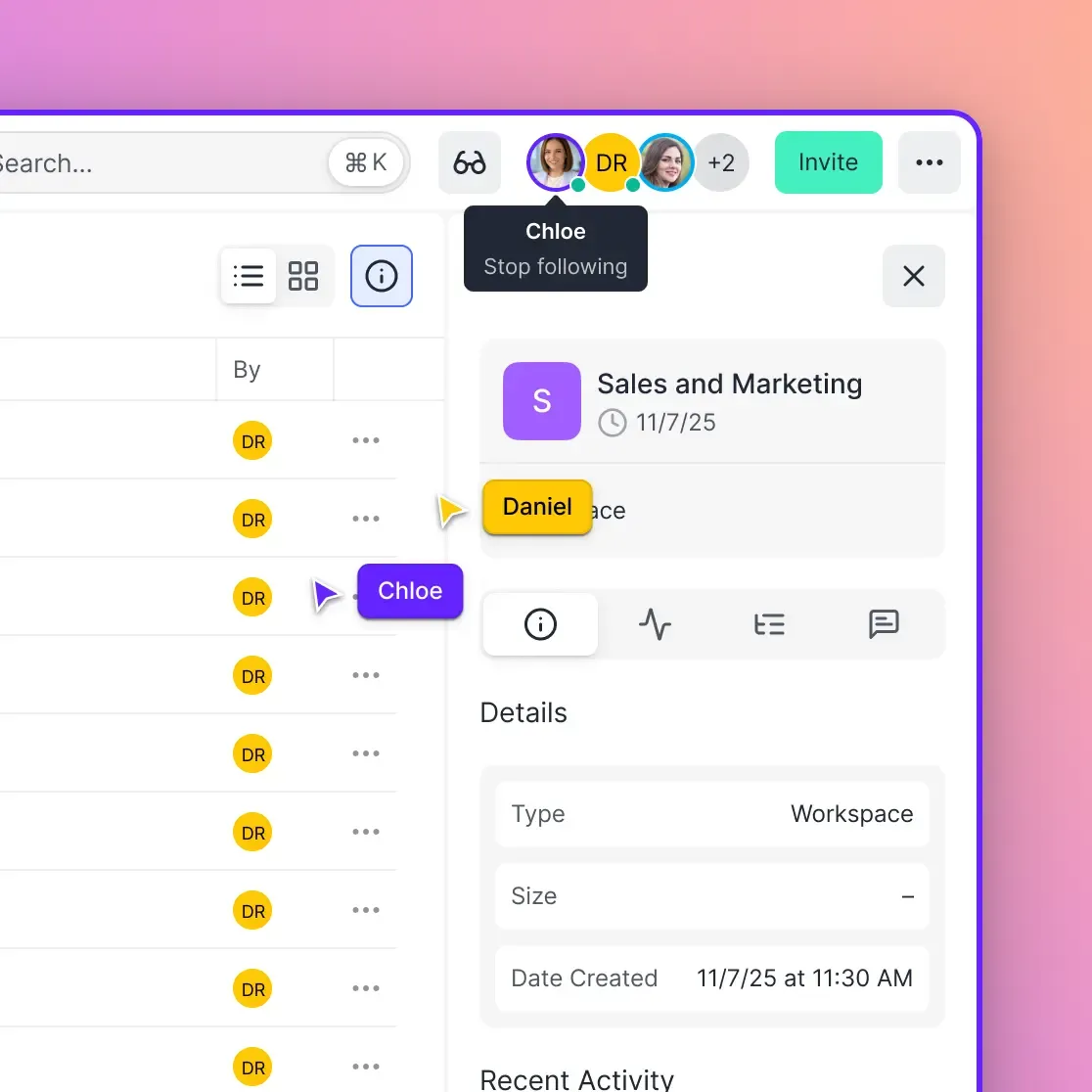
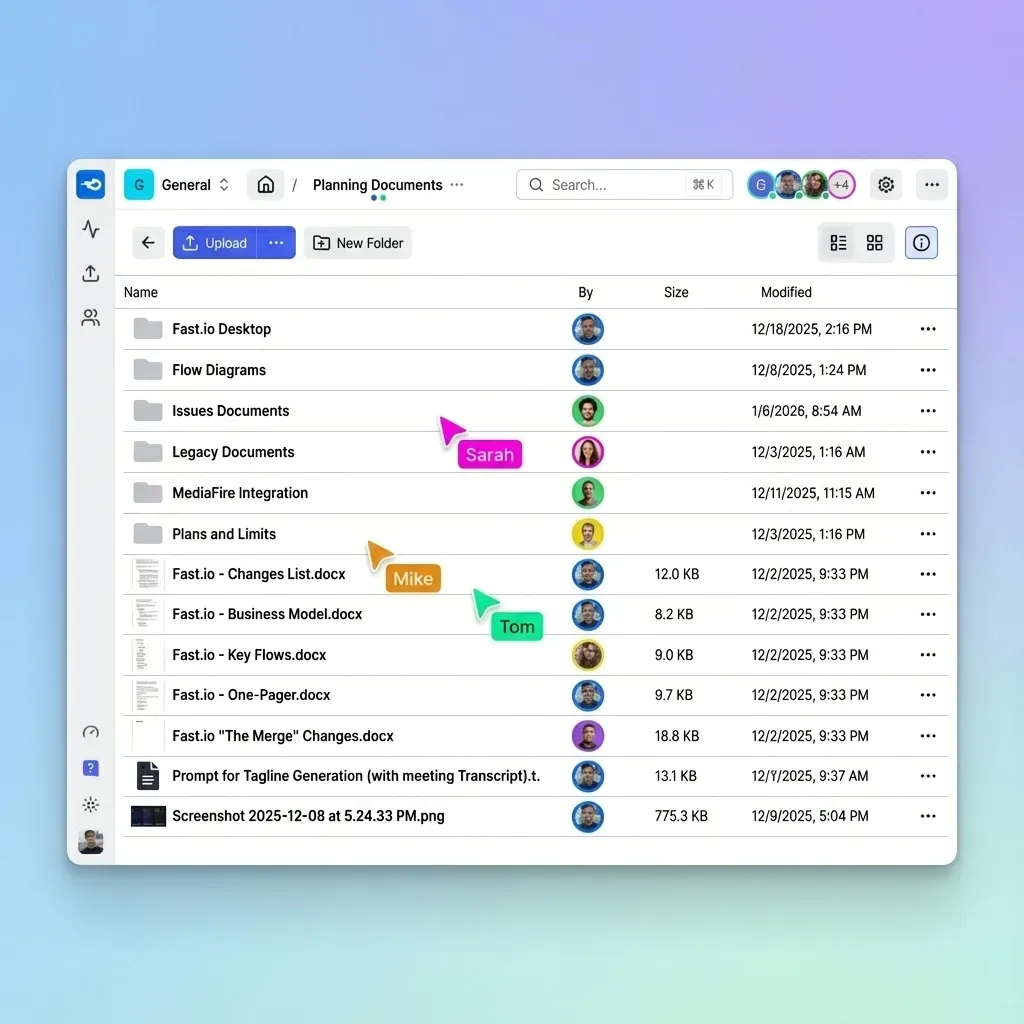
Creative teams benefit from knowing who is working on what without invasive tracking. Presence indicators show who is currently viewing a workspace. Follow mode lets you sync views with a teammate during reviews. These features create connection without the overhead of constant video calls.
Client Communication
Clients do not need visibility into everything. Create a separate client-facing area with:
- Approved work only (not internal drafts)
- Final deliverables
- Clear status updates with what needs their input
This keeps clients informed without overwhelming them with production chaos or giving them ammunition to micromanage.
Common Mistakes in Creative Project Management
After years of creative projects, these are the mistakes that sink productions:
Starting Without a Written Brief
Verbal agreements lead to scope creep. "I thought we discussed..." is the prelude to every project disaster. Get the brief in writing. Get sign-off before work begins.
Showing Too Much Work Too Early
Clients do not need to see every rough sketch. They do not need ten options when three strong ones will do. Present curated work, not process chaos. Save internal iterations for internal review.
Letting Feedback Scatter
When feedback arrives through email, Slack, text, and verbal conversations, something gets lost. Consolidate feedback in one place. If stakeholders will not use your review tool, assign someone to collect and enter their notes.
Skipping Version Discipline
"Final.psd" is a lie. Use dates and sequential version numbers: ProjectName_V01_2026-02-01.psd. Never save over existing files. Archive old versions rather than deleting them.
Ignoring the Archive
When a project ends, archive it properly before moving on. Include: source files, working files, final exports, the approved brief, and any contracts or agreements. Storage is cheap. Reshooting because someone deleted the footage is not.
Over-Sharing with External Collaborators
Not everyone needs access to everything. Freelancers need their assigned assets, not your entire client portfolio. Create scoped access that gives people what they need without exposing what they do not need.
Frequently Asked Questions
What is creative project management?
Creative project management is the discipline of planning, organizing, and overseeing creative work from concept to delivery. It involves balancing artistic vision with deadlines and client requirements. Unlike traditional project management, creative PM must handle large files, visual feedback, and collaboration between people with different creative backgrounds.
How do you manage creative projects?
Effective creative project management follows five phases: discovery and brief, concept development, production, review and revision, and delivery and archive. At each phase, you need clear file organization, defined handoff points, and centralized feedback collection. Use project management tools for tasks and timelines, and specialized creative tools for file storage, review, and delivery.
What tools do creative teams use for project management?
Creative teams typically use three categories of tools: project management software (Monday.com, Asana, ClickUp) for tasks and timelines, creative production tools (Adobe Creative Cloud, Figma, DaVinci Resolve) for making the work, and file management platforms for storing, reviewing, and delivering assets. The most overlooked category is file management, which connects everything else.
Why do creative projects have so many revisions?
About 40% of revision cycles stem from poor handoffs: missing files, unclear instructions, feedback scattered across channels, or outdated assets being used. Fixing handoff problems through clear file organization, centralized feedback, and documented approvals reduces unnecessary revisions. The remaining revisions are normal creative refinement.
What's the difference between creative PM and regular project management?
Traditional project management tracks tasks, timelines, and resources. Creative project management adds specialized needs: handling large files (video, design, 3D), collecting visual feedback (frame-specific, region-specific), managing subjective approval processes, and collaborating with external stakeholders like clients and freelancers. Generic PM tools need to be paired with creative-specific file and review platforms.
How do you organize files for a creative project?
Create a main project folder with subfolders for each phase: Brief (incoming materials), Assets (logos, brand files), Working (production in progress), Review (versions for feedback), Deliverables (final exports), and Archive (old versions). Use consistent file naming with project name, version number, and date. Keep client-facing files separate from internal working files.
Related Resources

Ready to simplify your creative workflow?
Fast.io handles large files, visual feedback, and client delivery in one platform built for creative teams.