How to Master Design Handoff: Best Practices & Tools (2025)
Design handoff is the critical phase where designers transfer assets, specifications, and files to developers for implementation. Poor handoffs cause 30% of development delays. This guide covers the best practices, tools, and checklists to ensure a smooth transition.
What Is Design Handoff?
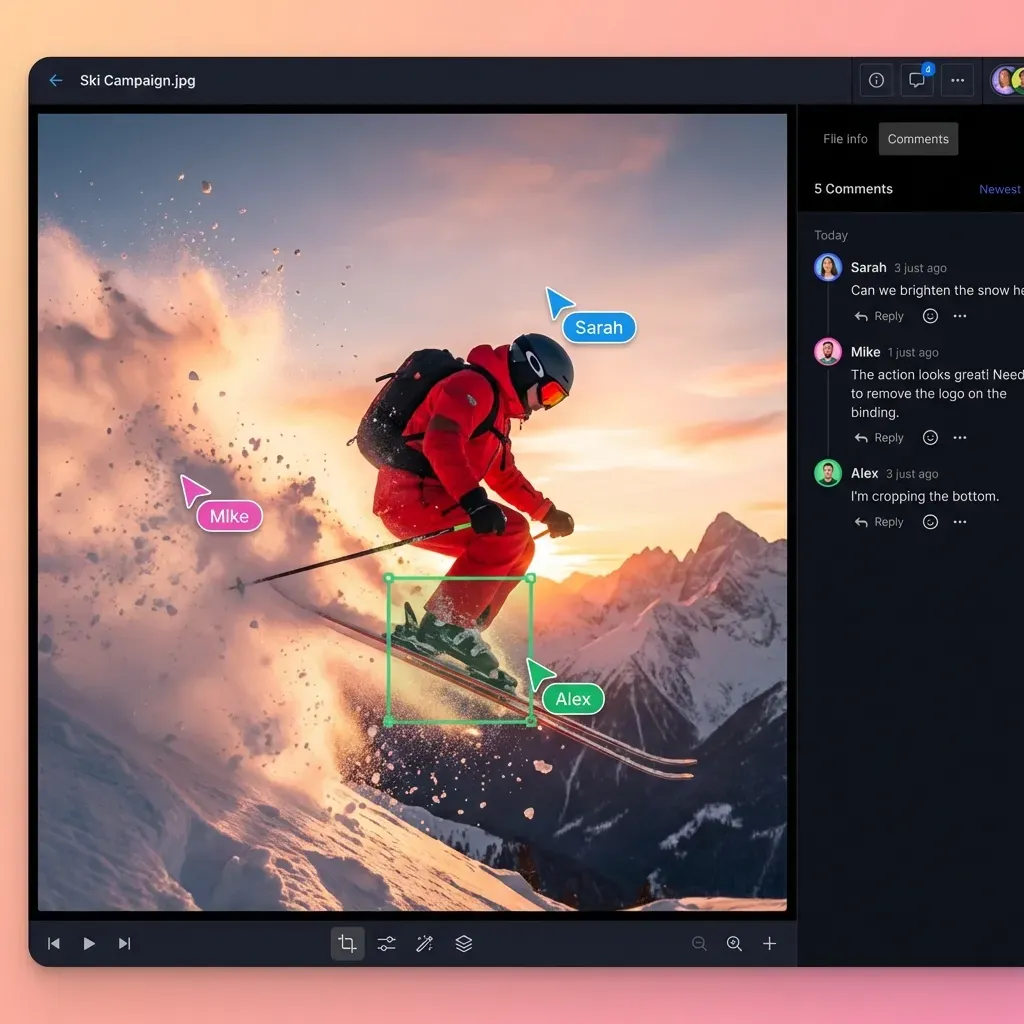
Design handoff is the process of transferring design assets, specifications, and files from designers to developers for implementation. It marks the transition from the "what it should look like" phase to the "how it works" phase.
In the past, this meant throwing a folder of PSDs over the wall and hoping for the best. Today, it's a collaborative workflow involving interactive prototypes, design systems, and automated specifications.
However, even with modern tools, the core challenge remains: translation. Designers think in pixels, vectors, and flows. Developers think in components, logic, and constraints. A successful handoff translates the designer's intent into a language the developer can execute without ambiguity.
The Cost of Poor Handoffs
When the handoff process fails, projects stall. Industry data suggests that poor communication and unclear requirements cause up to 30% of development delays.
The "Pixel Perfect" Trap
Without clear specs, developers have to guess spacing, font sizes, and colors. This leads to "visual QA" hell, where designers waste days logging tickets for minor visual fixes that should have been documented upfront.
The "Missing Asset" Scavenger Hunt
"Hey, where's the icon for the hover state?" "Do we have the 3D model for the hero section?" When assets are scattered across Figma files, Dropboxes, and Slack DMs, developers spend hours hunting for files instead of coding.
The "Impossible Design" Friction
Designers sometimes create beautiful interfaces that are technically nightmare-inducing or performance-heavy. Without early collaboration, these issues aren't discovered until code is already written, forcing costly rewrites.
The Complete Design Handoff Checklist
To ensure nothing gets lost in translation, every handoff package should include these five core elements.
1. Finalized Mockups and States
Don't just hand off the "happy path." Include:
- Empty states: What does the dashboard look like with no data?
- Error states: What happens when the form submission fails?
- Loading states: What does the user see while data fetches?
- Responsive breakpoints: How does the layout shift on mobile vs. desktop?
2. Design Specifications (Redlines)
Modern tools like Figma's Dev Mode automate much of this, but you still need to verify:
- Typography: Font family, weight, size, line height.
- Spacing: Margins and padding (ideally using a spatial grid system).
- Colors: Hex or RGBA codes, mapped to your design system tokens.
3. Production-Ready Assets
Developers need files they can drop directly into the codebase.
- Icons: SVG format (clean code, no extra groups).
- Images: WebP or optimized JPG/PNG @1x, @2x, and @3x.
- Animations: Lottie JSON files or MP4s for complex motion.
4. Interaction Prototypes
Static images can't show behavior. Provide a clickable prototype or screen recording to demonstrate:
- Transitions between screens.
- Micro-interactions (hover effects, button clicks).
- Navigation flows.
5. Copy Deck
Never lock final text inside image layers. Provide a separate document or ensure copy in the design file is copy-pasteable and finalized to avoid "lorem ipsum" making it to production.
The Hidden Gap: Managing Large Design Assets
Most design handoff content focuses on UI components—buttons, icons, and layout. Tools like Figma excel here. But what happens when your design includes "heavy" assets?
The 1GB+ Problem
Modern web and app experiences often rely on:
- High-fidelity 3D models (GLB/USDZ)
- 4K background videos
- Massive texture packs for WebGL experiences
- Raw audio stems
Figma and Zeplin aren't built to host 50GB of raw video footage or complex 3D architecture files. Attempting to embed these crashes the browser.
The Solution: Dedicated Asset Storage
For these heavy assets, you need a specialized delivery pipeline. Instead of trying to force-fit them into design tools, use organization-owned cloud storage.
With Fast.io, you can create a dedicated "Handoff Assets" workspace. Developers can preview 4K video and 3D models directly in the browser without downloading terabytes of data. They stream what they need, when they need it, so the build process isn't stuck waiting on file transfers.

Top Design Handoff Tools for 2025
A solid toolset covers both the "light" UI code and the "heavy" creative assets.
1. Figma (Dev Mode)
The industry standard. Its Dev Mode allows developers to inspect CSS, iOS, and Android code, download assets, and view annotations directly alongside the design. Best for: UI components, CSS inspection, SVG export.
2. Zeplin
Still a powerhouse for strict governance. Zeplin locks designs, preventing the "oops, I moved that layer" accidents common in Figma. It provides excellent version history and organized screens. Best for: Enterprise teams, strict version control.
3. Storybook
While technically a developer tool, Storybook bridges the gap by serving as a living library of UI components. Designers can see exactly how their components render in code. Best for: Component library management.
4. Fast.io
The missing link for heavy assets. When your design includes video headers, 3D elements, or massive image libraries, Fast.io handles the storage and delivery that UI tools can't touch. Best for: Large file delivery, 4K video, 3D models, raw assets.
Step-by-Step Handoff Workflow
Follow this process to standardize your delivery.
Step 1: The Cleanup Delete unused layers. Detach local styles that should use global tokens. Rename layers to match the code components (e.g., rename "Frame 12" to "Card_Header").
Step 2: The Documentation Add "sticky notes" in your design file explaining complex logic. Link to the Jira ticket or PRD (Product Requirements Document) for context.
Step 3: The Asset Packet Export all SVGs and UI graphics. For large media, upload to your Fast.io workspace and generate a shared link to paste into the design file. This keeps the design file light while keeping heavy assets accessible.
Step 4: The Handoff Meeting Never just send a link. Schedule a 30-minute walkthrough. Click through the prototype, explain the "why" behind complex decisions, and let developers ask questions before they write a line of code.
Step 5: The Support Phase Handoff isn't a one-time event. Be available for "visual QA" during the build to catch implementation details that drift from the design.
Frequently Asked Questions
What should be included in a design handoff?
A complete design handoff includes final mockups for all states (empty, error, loading), design specifications (redlines for spacing, typography, color), production-ready assets (SVGs, images), interactive prototypes to show behavior, and a copy deck with final text.
How do you hand off large files to developers?
For large files like 4K video backgrounds or 3D models that don't fit in tools like Figma, use a dedicated cloud-native storage solution like Fast.io. Upload the heavy assets to a shared workspace and provide the link in your design documentation. This allows developers to preview and stream assets without downloading massive files.
What is the best tool for design handoff?
There is no single 'best' tool, but the standard stack includes Figma (for UI/CSS), Zeplin (for strict versioning), and a file management platform like Fast.io (for heavy assets). The best tool is one that integrates into your developers' existing workflow.
When should design handoff happen?
Design handoff should happen when the design is approved by stakeholders and 'code-ready.' However, collaboration should start much earlier. Involving developers in the design phase prevents technical feasibility issues later.

Ready to Fix Your Design Handoff?
Don't let massive assets slow down your development. Use Fast.io to deliver 4K video, 3D models, and high-res files directly to your dev team.