How to Choose Digital Asset Management for Video Production
Digital asset management for video is a specialized DAM approach that addresses video-specific needs: large file handling, format transcoding, frame-accurate previews, and collaborative review workflows. This guide covers what sets video DAM apart from generic systems and how to evaluate options for your production team.
What Makes Video DAM Different from Standard DAM
Digital asset management for video is the practice of organizing, storing, and distributing video files using systems built to handle video-specific challenges that standard DAM platforms ignore.
Standard DAM treats all files equally. A 5KB logo and a 50GB ProRes master get the same treatment. That breaks down fast with video because:
- Video files are 100-1000x larger than images. A single day of 4K footage can produce terabytes of data. Generic DAM wasn't built for this scale.
- Video requires playback, not just storage. Stakeholders need to watch content without downloading entire files. Progressive download makes review workflows painful.
- Video has time-based metadata. Timecode, markers, and scene information matter for production. Standard DAM ignores this data entirely.
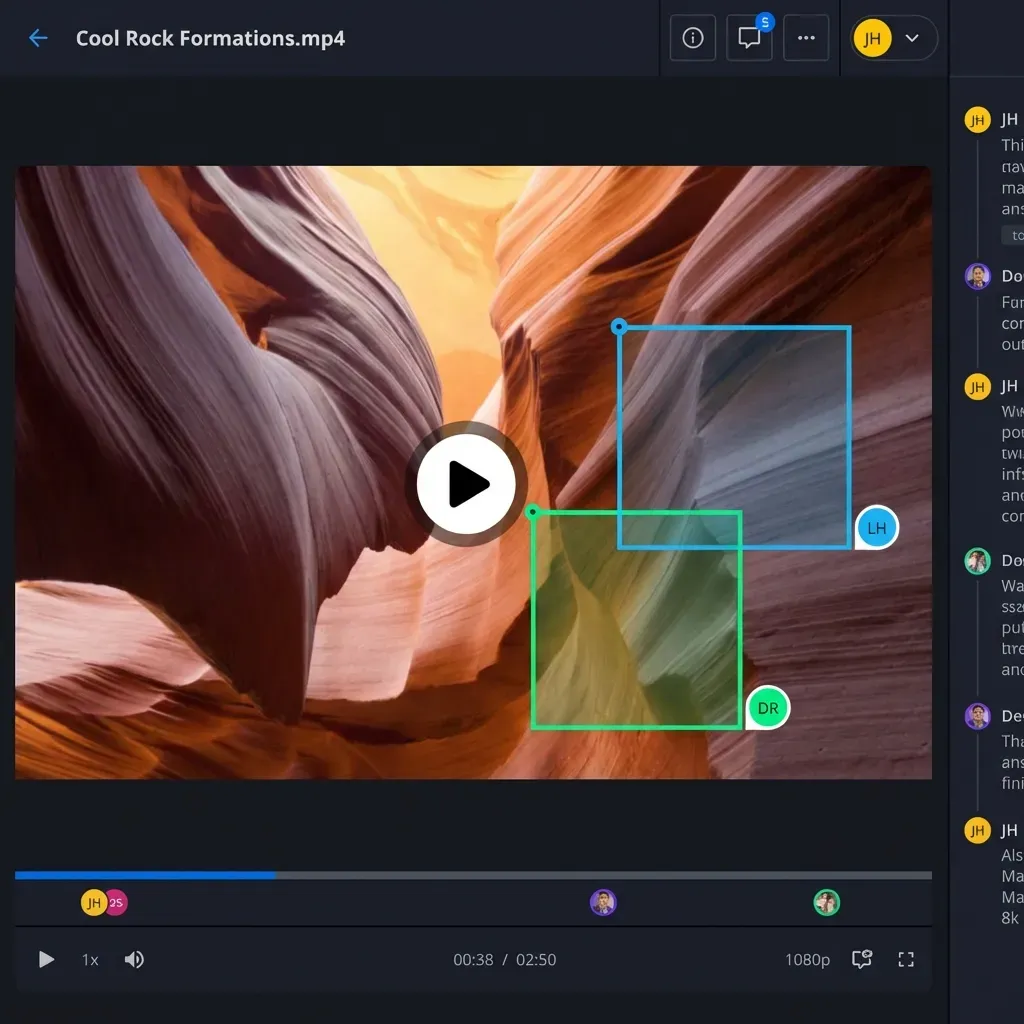
- Video review needs frame precision. "Fix the color around 01:23:15" beats "the middle looks off." File-level comments don't work for video feedback.
The numbers back this up: 90% of video teams struggle with file organization, and production timelines can shrink by 40% with proper video DAM in place.
If your current system makes you wait for files to buffer, forces manual transcoding for reviews, or loses metadata on upload, you're using a tool that wasn't designed for video.
Must-Have Features for Video DAM Systems
Evaluating video DAM means checking for capabilities that generic platforms lack. Here's the checklist:
Large File Handling
Can the system upload and manage files over 100GB without timeouts or chunking issues? Video masters routinely exceed what standard file sharing handles reliably. Look for:
- Resumable uploads that survive connection interruptions
- No arbitrary file size limits
- Background processing that doesn't lock up the interface
Adaptive Streaming Playback
Does the platform stream video using HLS (adaptive bitrate) or force progressive download? This single feature determines whether stakeholders can review content immediately or wait 45 minutes for a file to buffer.
HLS streaming starts playback in seconds, adjusts quality to connection speed, and enables smooth scrubbing through footage. Progressive download requires the whole file before playback begins.
Automatic Proxy Generation
When you upload a 50GB master, does the system automatically create a lightweight streaming copy for review? Manual transcoding kills productivity. Good video DAM creates proxies in the background while keeping originals intact.
Professional Format Support
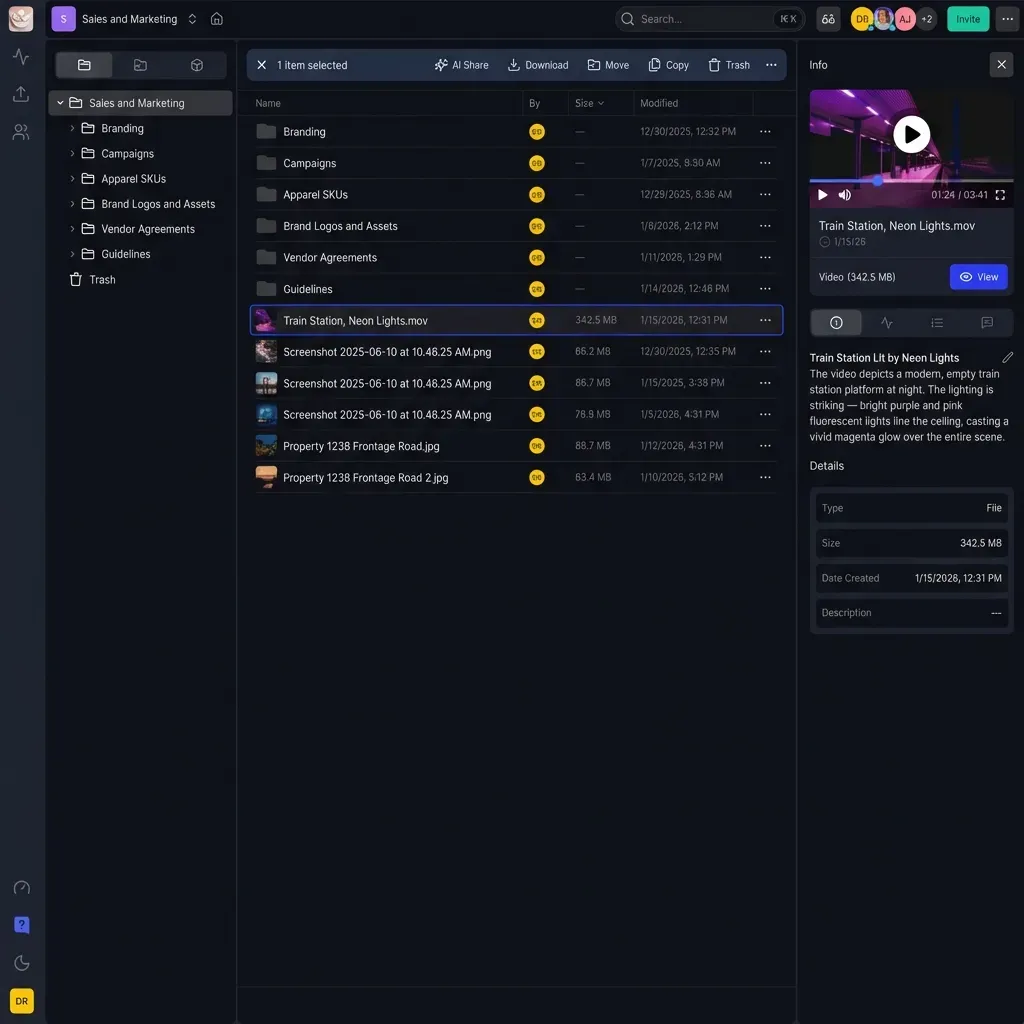
Can reviewers preview ProRes, DNxHD, BRAW, and other production codecs in the browser? Many platforms show generic icons instead of actual thumbnails. Without native format support, teams waste time downloading files just to see what they contain.
Frame-Accurate Comments
Can feedback pin to specific timecodes and frames? Video review lives and dies on precision. Vague comments create revision loops.
Metadata Preservation
Does the system preserve camera metadata, timecode, and technical specs on upload? Production workflows depend on this information.
Fast.io's Universal Media Engine handles all of these: HLS streaming, automatic proxies, professional format preview, and frame-accurate commenting built in.
How Proxy Workflows Transform Video Review
Proxy workflows are the difference between video DAM that works and video DAM that frustrates everyone.
Here's the problem: a 20GB file on average internet takes 45 minutes to download. Multiply that by every stakeholder who needs to review a cut, and you've burned hours on file transfer alone.
The proxy workflow solves this:
- You upload the original master (full resolution, professional codec)
- The system generates a streaming proxy (H.264, reasonable bitrate, built for web playback)
- Reviewers watch the proxy instantly via HLS streaming
- Downloads deliver the original untouched
This happens automatically. No manual transcoding. No separate storage locations. The system handles the split between review copies and delivery masters.
For stakeholders, the experience changes completely. Click a link, start watching. No software to install, no wait time, no confusion about which file to download.
For editors, proxy workflows mean faster feedback cycles. Send a cut for review and get frame-accurate comments within hours instead of days.
Most generic DAM doesn't offer this. You're left transcoding manually, managing duplicate files, or forcing clients to download originals. Any of those kills the workflow.
Collaborative Review Without Email Chains
Video review traditionally means email threads with comments like "the part in the middle needs work." That approach creates version confusion, scattered feedback, and no clear approval trail.
Video DAM centralizes review:
Single source of truth. One link, one version, one place for all feedback. No more "which cut are we discussing?"
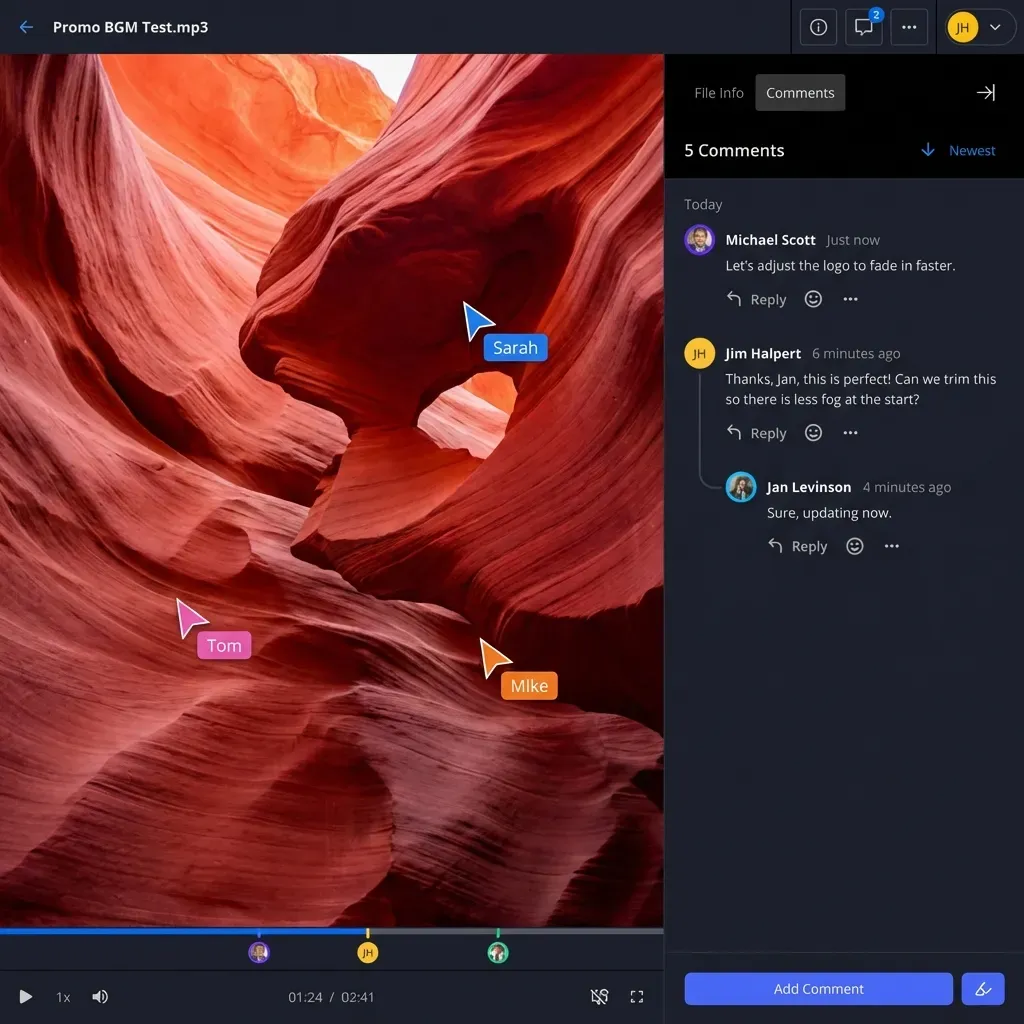
Frame-accurate feedback. Comments attach to specific timecodes. "Color shift at 01:14:23" beats "somewhere around the middle." Drawing tools let reviewers circle exactly what needs attention.
Real-time collaboration. See who's watching. Sync views during live review sessions. Discuss changes in context instead of through separate calls.
Approval tracking. Track status per asset: pending review, changes requested, approved. Eliminate "did they sign off on this?"
External sharing with controls. Share review links outside your organization with password protection, expiration dates, and domain restrictions. Revoke access instantly when needed.
Fast.io handles contextual video comments, real-time presence indicators, and Follow Mode where reviewers can sync their view with whoever's presenting. Combined with client collaboration portals, external review just works.
Organizing Video Assets at Scale
As video libraries grow, finding specific footage becomes harder. Video DAM needs organization features that scale.
Workspace-Based Organization
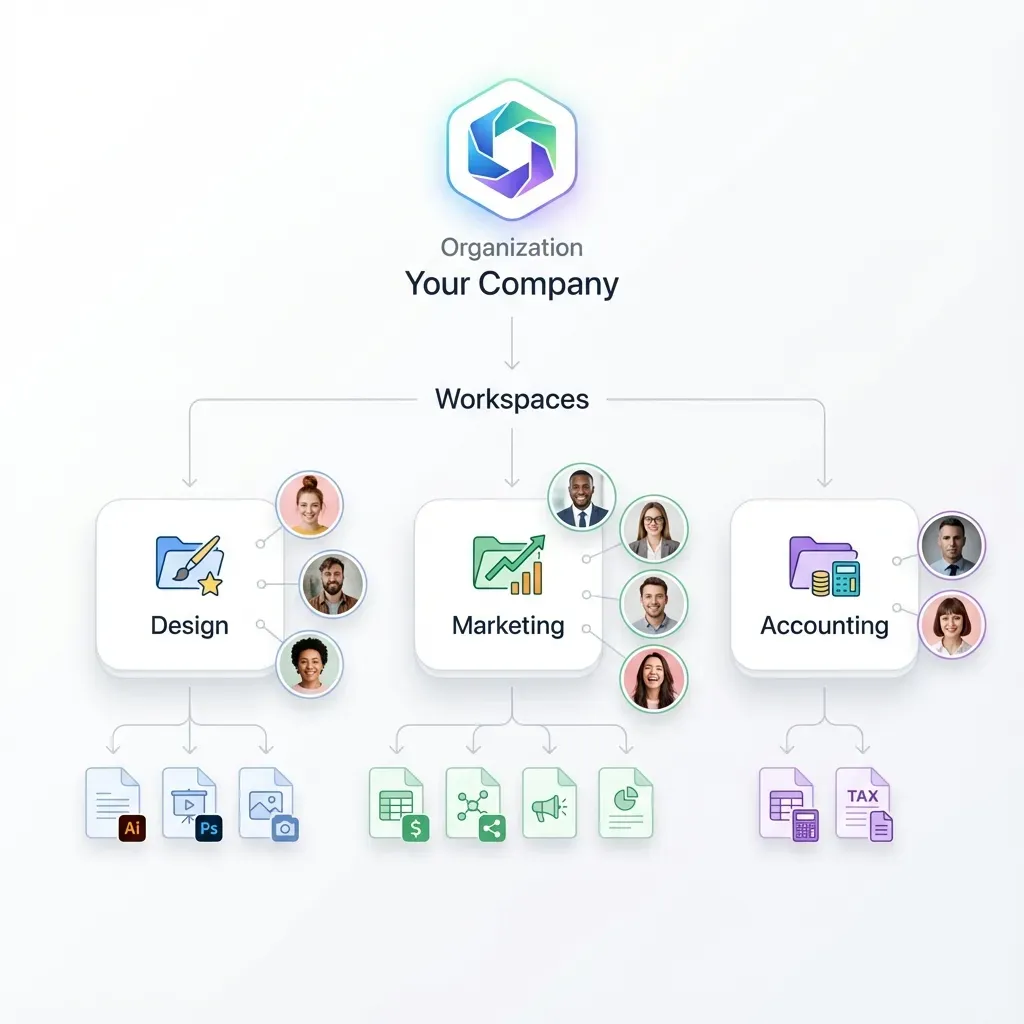
Project-based workspaces beat deep folder hierarchies. Each project gets its own space with clear boundaries. Team members join the workspaces they need rather than navigating a maze of nested folders.
Fast.io uses discoverable workspaces where team members can browse and join open projects. This reduces manual invitations while keeping sensitive content private.
Metadata and Tagging
Filenames and folders only go so far. Metadata lets you search by content, not just location:
- Project: Which project this asset belongs to
- Content type: Interview, b-roll, product shot, animation
- Status: Raw, in-progress, approved, archived
- Resolution: 1080p, 4K, 8K
- Rights: Licensed, original, restricted
Build a controlled vocabulary for tags. "aerial" vs "drone" vs "aerials" fragments search results.
AI-Powered Search
Modern video DAM uses AI to identify content automatically. Search "outdoor interview mountains" and find matching clips even without manual tags.
Fast.io's semantic search understands natural language. Describe what you're looking for and the system finds visually matching content. This matters more as video libraries grow beyond what manual tagging can cover.
Security and Access Control for Video
Video content often involves sensitive material: unreleased campaigns, client assets under NDA, footage with legal restrictions. Access control matters.
Granular Permissions
Control access at multiple levels:
- Workspace level: Who can see this project at all
- Folder level: Which assets within a project
- File level: Individual asset restrictions
- Link level: Per-share controls for external access
Match permissions to roles. Clients get view-only. Editors get full access. External reviewers get time-limited links with watermarks.
External Sharing Controls
Sharing outside your organization needs additional safeguards:
- Password protection: Basic security layer
- Expiration dates: Access ends automatically after review period
- Domain restrictions: Only allow access from specific email domains
- Watermarking: Visible identifier on preview to discourage leaks
- View-only mode: No download option for sensitive pre-approval content
Audit Trails
Know who accessed what and when. Audit logs track views, downloads, permission changes, and login activity. This becomes essential for client assets, content under NDA, and anything requiring accountability.
Fast.io logs activity at workspace, folder, and file levels. Combined with data room features for sensitive deals, you get deal intelligence showing viewer engagement and time spent on specific assets.
Video DAM vs. MAM: Which Do You Need?
You'll see two terms in this space: DAM (Digital Asset Management) and MAM (Media Asset Management). They're related but serve different needs.
DAM is a broad category covering any digital files: images, documents, videos, brand assets. Video DAM is a specialized subset focused on video-specific workflows within this category.
MAM typically refers to broadcast systems with scheduling, playout automation, and transmission features. MAM handles ingest from live feeds, commercial insertion, and distribution to broadcast networks.
For most video production teams, video DAM covers what you need without the broadcast complexity.
Video DAM handles:
- Storing and organizing video files
- Review and approval workflows
- Delivering finals to clients
- Team collaboration on projects
MAM handles:
- Broadcast scheduling and playout
- Live feed ingest and routing
- Commercial insertion automation
- Transmission to networks
If your workflow involves shooting, editing, reviewing, and delivering video to clients or internal stakeholders, video DAM fits. If you're running a broadcast operation with live feeds and scheduled programming, MAM makes more sense.
Fast.io sits in the video DAM category, built for production teams who need to manage, review, and deliver video assets without the overhead of broadcast infrastructure.
Frequently Asked Questions
What is the best DAM for video?
The best DAM for video depends on your workflow, but key requirements include HLS streaming for instant playback, automatic proxy generation, professional format support (ProRes, DNxHD), frame-accurate commenting, and granular access controls. Fast.io offers all of these with usage-based pricing that doesn't charge per seat.
Can you store videos in a DAM?
Yes, but standard DAM systems often struggle with video-specific needs. Generic DAM treats a 50GB video file like any other document, forcing downloads for preview and ignoring timecode metadata. Video-specific DAM handles large files, generates streaming proxies automatically, and preserves production metadata.
What features should video DAM have?
Essential features include adaptive bitrate streaming (HLS) for instant playback, automatic proxy generation, professional codec support in browser preview, frame-accurate commenting for review, metadata preservation including timecode, version control, granular permissions, external sharing with expiration and password controls, and full audit logging.
How do video teams manage assets?
Video teams typically organize by project in workspace-based systems, use automatic proxy generation for review workflows, collect feedback through frame-accurate commenting, track versions with clear naming conventions, and deliver finals through secure branded portals. The goal is reducing time spent on file logistics so more time goes to creative work.
What is the difference between video DAM and MAM?
DAM (Digital Asset Management) is a broad category for managing digital files. Video DAM is a specialized subset for video-specific workflows like transcoding, streaming preview, and frame-accurate review. MAM (Media Asset Management) refers to broadcast systems with scheduling, playout, and live feed handling. Most production teams need video DAM, not MAM.
How much does video DAM cost?
Video DAM pricing varies widely. Enterprise platforms like Adobe Experience Manager charge based on users and storage. Fast.io uses usage-based pricing with credits instead of per-seat licensing, which often saves 70% or more compared to traditional per-user models. The right choice depends on team size and storage needs.
Do I need special software to preview video in DAM?
With proper video DAM, no. Platforms with universal media engines stream professional formats like ProRes and DNxHD directly in the browser. Reviewers don't need editing software or specialized codecs installed. If your current DAM requires downloading files to preview them, you're using a system not built for video.
Related Resources

Ready to try video DAM that works?
Fast.io handles large video files with streaming preview, professional format support, and usage-based pricing. No per-seat costs for your production team.