Enterprise File Transfer: A Complete Guide for IT Teams
Enterprise file transfer is how organizations move sensitive data between employees, partners, and systems while maintaining security and compliance. This guide covers the key components, common methods, and what to look for when choosing a solution for your business.
What Is Enterprise File Transfer?
Enterprise file transfer encompasses the secure methods, policies, and tools organizations use to move sensitive data between employees, partners, and systems. Unlike consumer file sharing (think Dropbox for personal use), enterprise solutions prioritize security controls, audit trails, and integration with existing business systems. The stakes are high. Enterprises transfer an average of 2.5TB of data daily, and the average data breach costs $4.45 million globally. A single misconfigured file share or compromised transfer can expose customer data, intellectual property, or financial records. Enterprise file transfer isn't just about moving bytes from point A to point B. It's about:
- Access control: Ensuring only authorized users can send, receive, or view files
- Encryption: Protecting data both in transit and at rest
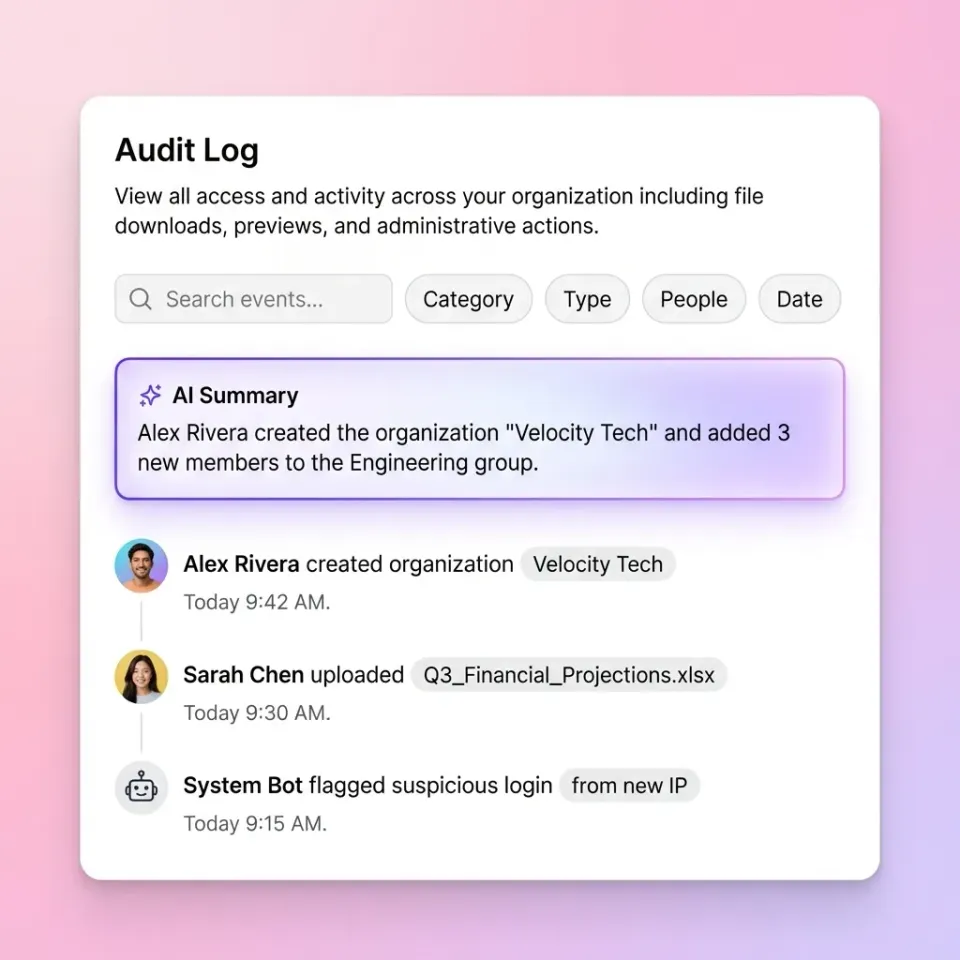
- Audit trails: Maintaining records of who accessed what and when
- Automation: Replacing manual processes with scheduled, reliable transfers
- Integration: Connecting with existing identity providers, storage systems, and workflows
Enterprise File Transfer vs. Consumer File Sharing
The gap between consumer and enterprise file sharing is wider than most people realize. Tools like personal Dropbox or Google Drive work fine for sharing vacation photos, but they create serious problems in business environments.
Ownership and control
Consumer tools typically store files under individual user accounts. When an employee leaves, their files may leave with them, or require manual transfer to a new owner. Enterprise solutions use organization-owned storage where files belong to the company, not individuals.
Security baseline
Consumer tools offer basic security. Enterprise solutions add layers: single sign-on (SSO) integration, multi-factor authentication enforcement, fine-grained permission controls at the folder and file level, and integration with your existing identity provider (Okta, Azure AD, etc.).
Visibility and compliance
You can't secure what you can't see. Enterprise solutions provide complete audit logs tracking every view, download, and permission change. This visibility is essential for compliance requirements and incident investigation.
Scale and reliability
Consumer tools work for small teams. Enterprise solutions handle thousands of users, terabytes of data, and millions of file transfers without degrading performance.

Common Enterprise File Transfer Methods
Organizations typically use a mix of methods depending on the use case. Here's what each approach does well and where it falls short.
Managed File Transfer (MFT)
MFT platforms automate secure file transfers between systems. They're built for server-to-server communication, scheduled batch transfers, and B2B data exchange with trading partners.
Best for: EDI transactions, automated data feeds, regulatory file submissions
Limitations: Complex setup, expensive licensing, often requires dedicated IT staff
Cloud Storage Platforms
Cloud-based file storage (Box, Dropbox Business, Fast.io) provides persistent storage with sharing capabilities. Users upload files once and share via links or folder access.
Best for: Team collaboration, client portals, project-based work
Limitations: Varies by provider. Legacy platforms often have per-user pricing that gets expensive at scale.
Secure File Transfer Protocol (SFTP)
SFTP adds SSH encryption to traditional FTP. It's the baseline for secure file transfers and widely supported by enterprise systems.
Best for: System integrations, legacy application support, technical users
Limitations: No user-friendly interface, requires technical knowledge to set up and maintain
Email Attachments (with encryption)
Still the most common file transfer method, despite its problems. Encrypted email services attempt to address security concerns.
Best for: Small files, one-off transfers, external recipients without platform access
Limitations: File size limits (typically 25MB), no version control, scattered across inboxes
Virtual Data Rooms (VDR)
Specialized environments for high-stakes document sharing during M&A, due diligence, and legal proceedings. Heavy emphasis on access control and analytics.
Best for: Deals, audits, board materials, sensitive negotiations
Limitations: Expensive, often overkill for routine file sharing
Key Components of Secure Enterprise File Transfer
Whatever method you choose, effective enterprise file transfer requires these core components.
Encryption Standards
Data should be encrypted both in transit (while moving between systems) and at rest (while stored). Look for AES-256 encryption at minimum. TLS 1.2 or higher for data in transit.
Authentication and Access Control
Single sign-on integration reduces password fatigue and centralizes access management. Multi-factor authentication adds a second verification layer. Fine-grained permissions let you control access at the organization, workspace, folder, and file level.
Audit Logging
Complete audit trails track:
- File uploads, downloads, and views
- Permission changes
- Login attempts (successful and failed)
- Link sharing and expiration
- External user access
Link Controls
When sharing externally, you need control over:
- Password protection
- Expiration dates
- View-only restrictions (prevent downloads)
- Domain restrictions (limit access to specific email domains)
- Watermarking for sensitive documents
Automation Capabilities
Manual file transfers don't scale. Look for scheduled transfers, workflow triggers, and API access for integration with other business systems.


Simplify your enterprise file transfer
See how Fast.io handles secure file sharing, client portals, and team collaboration without per-user pricing.
How Enterprises Actually Share Files
Theory is one thing. Here's how enterprise file transfer plays out in practice across different scenarios.
Internal Team Collaboration
Teams working on shared projects need a central location for files. The best approach: workspace-based storage where files are organized by project, not scattered across personal drives. Fast.io uses an organization-first model where files belong to the company, not individuals. When someone leaves, their work stays. No migration headaches, no orphaned files.
Client Deliverables
Sending final assets to clients requires a professional experience. Branded portals let you maintain your visual identity while controlling access. Client portals eliminate the back-and-forth of email attachments and make it easy for clients to find what they need.
Vendor and Partner Exchange
B2B file sharing often involves sensitive data, compliance requirements, and external organizations with different security standards. Data rooms provide controlled environments with detailed permissions and complete access logs.
Large File Handling
Video files, CAD drawings, and design assets regularly exceed email attachment limits. Cloud platforms with streaming capabilities let recipients preview large files without downloading them first. For video, look for HLS streaming rather than progressive download, which requires waiting for the entire file to buffer.

Choosing an Enterprise File Transfer Solution
The market has dozens of options. Here's a framework for narrowing down the field.
Start with Your Use Cases
Map out your actual file transfer scenarios:
- Who sends files to whom?
- What's the typical file size?
- How sensitive is the data?
- Do you need automation?
- Who are your external recipients? Different tools excel at different scenarios. MFT platforms handle automated B2B transfers well but provide poor user experience for ad-hoc sharing. Consumer-grade tools are easy to use but lack enterprise controls.
Evaluate Total Cost
Per-user pricing models get expensive fast. A 100-person team on Dropbox Business (published pricing/month Standard) costs published pricing. Usage-based pricing, where you pay for storage consumed rather than seats, can cut costs by 70% or more. Hidden costs to consider:
- Implementation and training
- Integration with existing systems
- Ongoing administration overhead
- Storage tier upgrades
Security Requirements
Match the solution's capabilities to your actual requirements. Some questions to ask:
- Does it works alongside your identity provider (SSO)?
- What encryption standards does it use?
- Can you enforce MFA?
- What audit logging is available?
- Can you restrict sharing by domain? Avoid over-buying security features you don't need, but don't compromise on basics like encryption and audit trails.
User Experience
The highly secure system in the world fails if people don't use it. Shadow IT (employees using unauthorized tools) happens when approved tools are too difficult. Prioritize solutions that feel intuitive for both internal users and external recipients. Look for:
- Simple file uploads (drag and drop, no training required)
- Guest access without account creation
- Mobile access for field workers
- Preview capabilities (view files without downloading)
Enterprise File Transfer for Specific Industries
Different industries have different file transfer requirements. Here's how the needs vary.
Legal and Professional Services
Law firms handle privileged client information that requires strict access control. Key requirements: matter-based organization, complete audit trails, secure external sharing with opposing counsel, and ethical walls to separate conflicting matters. Legal industry solutions focus on client document sharing, e-discovery preparation, and secure deal rooms.
Creative and Media
Video production teams transfer massive files daily. A single project might involve terabytes of raw footage, multiple revision rounds, and delivery to clients in specific formats. Key requirements: large file support (no size limits), video streaming for review (not download-to-preview), frame-accurate commenting, and fast upload speeds.
Manufacturing and Supply Chain
Supply chain document sharing involves external partners with varying technical capabilities. Key requirements: secure vendor portals, version control for specifications, integration with ERP systems, and support for technical file formats.
Construction Field teams need mobile access to plans and specifications. Key requirements: offline viewing, large file support for CAD and BIM files, subcontractor sharing without full system access, and photo documentation uploads. Construction industry solutions address plan distribution, field access, and subcontractor coordination.
Financial Services
Transaction documentation, client reporting, and regulatory submissions require strong security and audit capabilities. Key requirements: data rooms for deals, automated reporting workflows, and integration with document management systems.

Common Enterprise File Transfer Problems (and Solutions)
Even with the right tools, organizations run into recurring issues. Here's how to address them.
Shadow IT and Tool Sprawl
Problem: Employees use unauthorized tools (personal Dropbox, WeTransfer, email) when approved solutions are too difficult.
Solution: Make the approved tool easier to use than the alternatives. Guest access without account creation, simple link sharing, and mobile apps reduce friction. Monitor for unauthorized tool usage and address the underlying user needs.
Version Control Chaos
Problem: Multiple versions of the same document circulate via email, leading to confusion about which is current.
Solution: Single source of truth in shared workspaces. Commenting and approval workflows that don't require downloading and re-uploading. Clear naming conventions enforced by the system.
External Sharing Risk
Problem: Files shared externally remain accessible indefinitely, or access can't be revoked when a relationship ends.
Solution: Expiring links, one-click access revocation, and audit logs showing who accessed what. Regular access reviews to clean up stale permissions.
Large File Bottlenecks
Problem: Video files, CAD drawings, and large datasets exceed email limits and take forever to download.
Solution: Cloud platforms with streaming preview capabilities. Recipients can review files in-browser without downloading. Upload acceleration and resume capabilities for large transfers.
Onboarding and Offboarding
Problem: New employees can't find files, departed employees retain access to sensitive data.
Solution: Organization-owned file storage (not personal accounts), automated provisioning/deprovisioning tied to your identity provider, and discoverable workspaces that new team members can browse and join.
Implementing Enterprise File Transfer
A successful rollout requires more than just buying software. Here's a practical implementation approach.
Phase 1: Audit Current State
Before selecting a tool, understand what you're replacing:
- What tools are people using today (official and unofficial)?
- What are the pain points?
- What data is most sensitive?
- Who are the heaviest users? Interview actual users, not just IT stakeholders. The person sending client deliverables has different needs than the admin managing permissions.
Phase 2: Define Requirements
Based on your audit, prioritize requirements:
- Must-have: Security features, integrations, core functionality
- Should-have: Nice-to-have features that improve experience
- Won't-need: Features that add complexity without value
Resist the temptation to require every possible feature. Complexity slows adoption.
Phase 3: Pilot with Real Users
Test with a small group handling real work, not a sandbox demo:
- Select users from different departments and use cases
- Define success metrics (adoption rate, support tickets, user feedback)
- Set a timeline (4-6 weeks is usually enough)
Phase 4: Roll Out and Train For wider deployment:
- Migrate existing files in phases, not all at once
- Provide role-specific training (admin, power user, occasional user)
- Set up self-service resources (FAQ, video tutorials)
- Establish feedback channels for ongoing improvement
Phase 5: Monitor and Optimize
After launch:
- Track adoption metrics (active users, storage growth, sharing activity)
- Monitor for security issues (unusual access patterns, failed login attempts)
- Regular access reviews to clean up stale permissions
- Quarterly check-ins with key users to identify improvement opportunities
Frequently Asked Questions
What is enterprise file transfer?
Enterprise file transfer refers to the secure methods, policies, and tools organizations use to move sensitive data between employees, partners, and systems. Unlike consumer file sharing, enterprise solutions emphasize security controls, audit trails, compliance features, and integration with business systems like identity providers and workflow tools.
How do enterprises share files securely?
Enterprises secure file sharing through multiple layers: encryption (both in transit and at rest), single sign-on integration with identity providers, multi-factor authentication, fine-grained permission controls, audit logging of all access, and link controls like password protection and expiration dates. The specific approach varies by use case, with more sensitive transfers requiring additional controls like watermarking and domain restrictions.
What is the highly secure way to transfer files in business?
The highly secure approach combines encrypted transfer protocols (TLS 1.2+), AES-256 encryption at rest, strong authentication (SSO plus MFA), fine-grained access controls, and complete audit logging. For highly sensitive transfers, add watermarking, view-only restrictions, and time-limited access. The right security level depends on data sensitivity. Routine documents need less protection than confidential M&A materials.
What's the difference between MFT and cloud file sharing?
Managed File Transfer (MFT) platforms focus on automated, server-to-server transfers for B2B data exchange and scheduled batch operations. Cloud file sharing platforms provide persistent storage with user-friendly sharing capabilities for collaboration and ad-hoc transfers. Many enterprises use both: MFT for automated system integrations and cloud platforms for human collaboration.
How much does enterprise file transfer cost?
Costs vary by pricing model. Traditional per-user platforms like Dropbox Business charge $15-25 per user monthly, which adds up quickly for large teams. Usage-based platforms charge for storage consumed rather than seats, often reducing costs by 70% or more for the same team size. Factor in implementation, training, and ongoing administration when comparing total cost of ownership.
Can external clients access enterprise file transfer systems?
Yes, most enterprise platforms support external guest access. The best implementations let clients access shared folders or data rooms without creating accounts or paying for seats. Look for branded portal options that maintain your visual identity while controlling exactly what external users can see, download, and share.
Related Resources

Simplify your enterprise file transfer
See how Fast.io handles secure file sharing, client portals, and team collaboration without per-user pricing.