7 Best Filestage Alternatives for Review and Approval in 2026
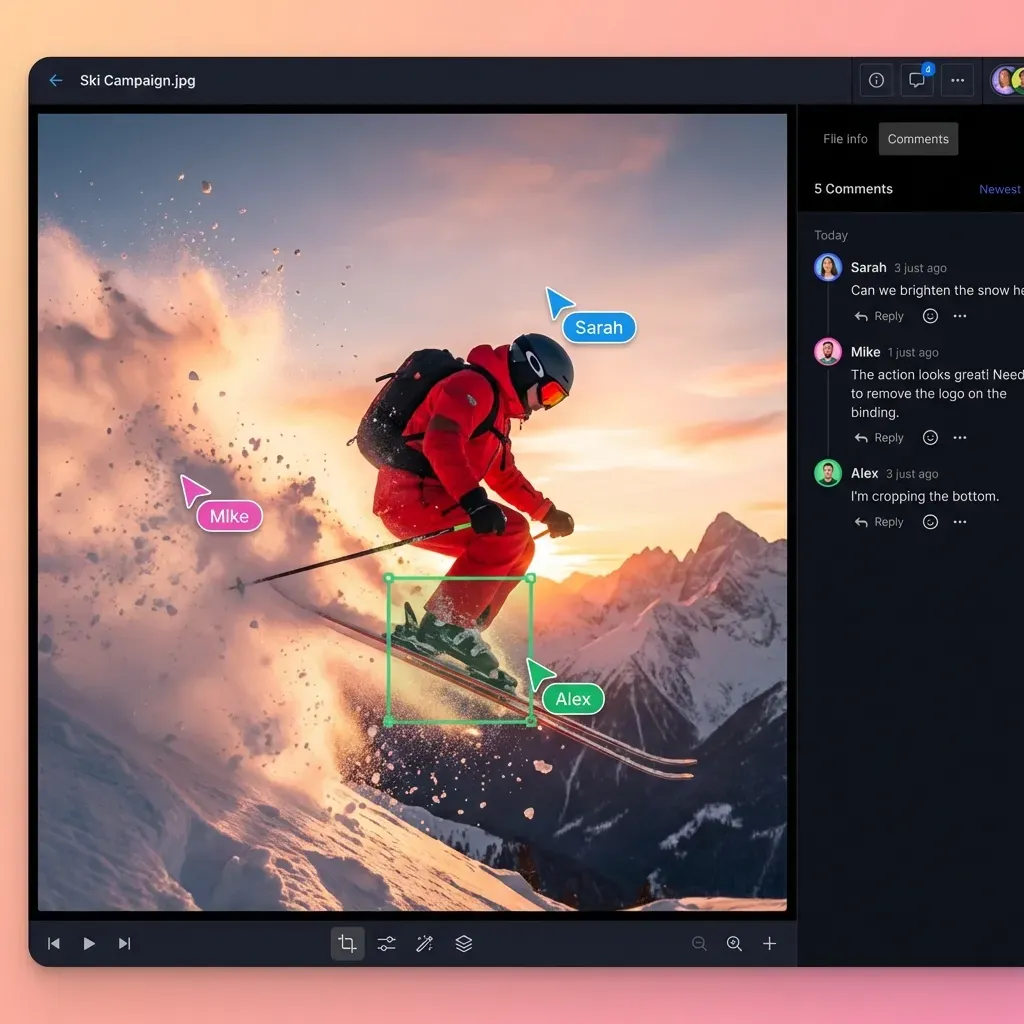
Filestage is a review and approval platform that enables teams to collect feedback on creative assets through collaborative markup tools. But it is not the only option. This guide compares seven alternatives that offer better pricing, integrated file delivery, or specialized features for video production teams.
Why Teams Look for Filestage Alternatives
Filestage works well for collecting feedback on creative assets. But three issues push teams toward alternatives:
Pricing climbs fast. Filestage's Basic plan costs $119/month for 10 active projects. The Professional plan jumps to $349/month. For agencies managing 20+ clients, costs add up quickly.
No integrated file delivery. Once your asset gets approved, you still need another tool to deliver final files to clients. That means more subscriptions and more friction in your workflow.
Video streaming limitations. Some teams report buffering issues with large video files. When clients need to review 4K footage, waiting for downloads kills the momentum.
Review cycles average 3-5 rounds for video content. A platform that handles both review and delivery can cut approval time by 50%.
Quick Comparison: Filestage vs Top Alternatives
Here is how the main options stack up:
| Platform | Best For | Pricing Model | File Delivery | Video Streaming |
|---|---|---|---|---|
| Filestage | General creative teams | Per-project tiers | No | Progressive download |
| Ziflow | Enterprise proofing | Per-user | No | Progressive download |
| Frame.io | Video post-production | Per-seat | Yes | Good |
| GoVisually | Design agencies | Per-user | No | Basic |
| Planable | Social media teams | Per-workspace | No | N/A |
| ReviewStudio | Media companies | Per-seat | No | Progressive download |
| Fast.io | Teams needing review + delivery | Usage-based | Yes | HLS adaptive streaming |
Most alternatives focus only on the review phase. They expect you to use Dropbox, WeTransfer, or another service for final delivery. That gap creates extra steps and potential confusion about which version got approved.
1. Ziflow: Enterprise Proofing with Automation
Ziflow targets large creative operations that need automated proofing workflows. The platform handles images, videos, PDFs, audio files, and HTML pages.
Strengths:
- Overlay comparisons let reviewers see changes between versions
- Automated proofing routes assets through predefined approval chains
- Mobile app for on-the-go reviews
- Free plan available for individuals
Limitations:
- Per-user pricing scales expensively for agencies with many client reviewers
- No integrated file delivery after approval
- Complex setup for smaller teams
Ziflow works best for enterprise teams with established approval hierarchies. If you need flexibility for client-facing reviews, the per-user model becomes expensive.
2. Frame.io: Built for Video Post-Production
Frame.io dominates video production workflows. Adobe acquired it in 2021, and it now integrates directly with Premiere Pro and After Effects.
Strengths:
- Frame-accurate comments tied to specific timecodes
- Camera-to-cloud integration for production teams
- Native Adobe integration for editors
- Built-in file transfer and delivery
Limitations:
- Per-seat pricing ($15/user/month for Pro, $25 for Teams)
- Storage limits per plan (250GB on Pro)
- Overkill for teams that only occasionally work with video
Frame.io is the industry standard for video review. But if your team handles mixed media, the video-centric pricing may not fit.
3. GoVisually: Simple Review for Design Teams
GoVisually keeps things simple. The platform focuses on visual proofing for designs, videos, and PDFs without overwhelming users with features.
Strengths:
- Clean, visual interface for creative feedback
- Adobe Creative Cloud integration
- Annotations directly on designs
- Straightforward pricing
Limitations:
- Limited workflow automation
- No file delivery features
- Basic video support compared to dedicated video tools
GoVisually fits small design agencies that want simple proofing without complexity. Larger teams may outgrow its capabilities.
4. Planable: Social Media Focused
Planable started as a social media planning tool and expanded into content approval. The platform handles social posts, blog content, and marketing emails.
Strengths:
- Unified calendar view across social channels
- Multiple approval workflows (none, optional, required, multi-level)
- Internal notes separate from client-facing comments
- Content scheduling after approval
Limitations:
- Not designed for large file review (video, design assets)
- No file storage or delivery
- Best for marketing teams, not creative production
Planable works well for social media managers. For video production or design teams, look elsewhere.
5. ReviewStudio: Centralized Media Feedback
ReviewStudio positions itself as an online proofing platform for all media types. The platform handles images, video, web pages, and PDFs in one interface.
Strengths:
- Guest reviewers do not need accounts
- Centralized feedback across media types
- Compare versions side-by-side
- Markup tools for precise feedback
Limitations:
- Per-seat pricing
- Video streaming relies on progressive download
- No integrated delivery workflow
ReviewStudio offers solid proofing for agencies managing diverse content types. The lack of delivery integration means you still need another tool to get approved files to clients.
6. Fast.io: Review and Delivery in One Platform
Fast.io takes a different approach. Instead of just handling review, the platform covers the entire workflow: upload, approval, and final delivery.
How it works for review and approval:
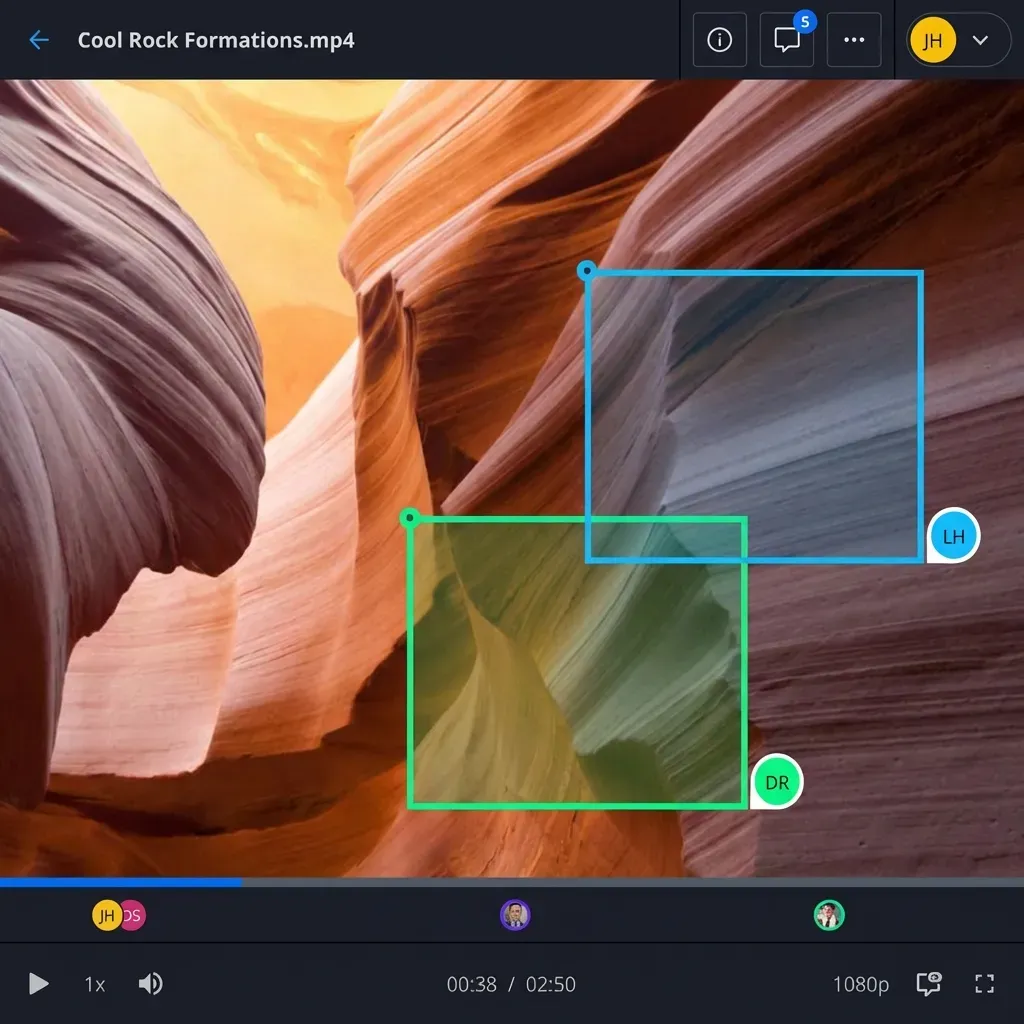
Frame-accurate video comments. Pin feedback to specific video frames. Reviewers click directly on the timeline to leave notes. No more "around the 2-minute mark" guesswork.
HLS streaming for instant playback. Videos start playing immediately with adaptive bitrate streaming. No waiting for 4K files to download before review.
Contextual comments on any file type. Leave threaded discussions on video frames, image regions, or document pages. All feedback stays attached to the file.
Real-time presence. See who is viewing a file right now. Use Follow Mode to sync your view with a client during live reviews.
After approval, delivery is built in:
Branded client portals. Deliver approved files through white-label portals with your logo and colors. No more sending WeTransfer links.
Link controls. Set passwords, expiration dates, download restrictions, and watermarks on shared files.
Organization-owned files. Files belong to your company, not individual team members. When someone leaves, files stay.
Pricing difference:
Fast.io uses usage-based pricing instead of per-seat fees. Pro includes 25 seats with extra seats at $1/month. For a 25-person agency, that is around $60/month compared to $450/month for per-seat alternatives.
Choosing the Right Alternative
Your choice depends on your primary workflow:
For video-first teams in post-production: Frame.io integrates best with Adobe tools and handles camera-to-cloud workflows.
For enterprise teams with complex approval chains: Ziflow offers the most automated proofing workflows.
For social media and marketing content: Planable combines approval with scheduling and publishing.
For agencies needing review plus delivery: Fast.io eliminates the gap between approval and final file delivery.
For simple design proofing: GoVisually keeps things minimal without unnecessary complexity.
Consider these questions:
- Do you need file delivery after approval, or just the review phase?
- How many external reviewers and clients need access?
- What is your primary content type: video, images, documents, or social media?
- Does per-seat pricing work for your team size?
Making the Switch from Filestage
Migrating from Filestage to a new platform involves a few steps:
1. Export your assets. Download approved files and any comments you want to preserve. Filestage allows bulk export from projects.
2. Recreate your workflow. Map your current approval stages to the new platform. Most alternatives offer customizable workflows.
3. Invite your team. Look for platforms that offer unlimited reviewers without per-seat charges. This keeps client access costs predictable.
4. Test with one project. Run a single project through the new system before migrating everything. Identify gaps in your workflow early.
5. Update client links. If you use review links in email templates or project management tools, update them to point to the new platform.
Most teams complete migration within a week. The bigger adjustment is changing habits around where to send files for review.
Frequently Asked Questions
What is Filestage used for?
Filestage is a review and approval platform where teams share creative assets and collect feedback. Reviewers can comment directly on videos, images, PDFs, and audio files. The platform tracks versions and approval status, reducing email back-and-forth about which changes were approved.
How much does Filestage cost?
Filestage offers three paid plans. Basic costs $119/month for 10 active projects and 1TB storage. Professional costs $349/month with more projects and storage. Enterprise pricing is custom. All plans include unlimited reviewers and team members, so pricing is based on project count rather than user count.
What is the best video review software?
The best video review software depends on your workflow. Frame.io leads for post-production teams using Adobe Premiere and After Effects. Fast.io works well for agencies that need both review and client delivery. Ziflow fits enterprise teams with automated approval workflows. For simple feedback on short videos, GoVisually handles the basics.
Can I use Filestage alternatives with external clients?
Most Filestage alternatives support guest reviewers who do not need accounts. Platforms like Fast.io and ReviewStudio let clients leave comments without signing up. Check whether the alternative charges per external user, as this affects cost when working with many clients.
What features should I look for in a Filestage alternative?
Look for frame-accurate video comments, version comparison tools, guest access for clients, and integration with your existing tools. If you need to deliver final files after approval, prioritize platforms with built-in file delivery and branded portals. Usage-based pricing often saves money compared to per-seat models.
Related Resources

Ready to simplify review and delivery?
Try Fast.io free and see how integrated review and file delivery speeds up your approval workflow.