How to Host Video Online for Your Business
Hosting video online means uploading video files to a platform that stores, encodes, and delivers them to viewers via streaming or download. This guide covers three approaches to online video hosting: streaming platforms, cloud storage, and self-hosting, with step-by-step instructions for each method.
What Does Hosting Video Online Mean?
When you host video online, you're placing your video files on a server that makes them accessible over the internet. The host handles storage, bandwidth, and delivery so viewers can watch without downloading the full file first.
Video accounts for 82% of internet traffic, and that share keeps growing. The average video file size has increased 40% since 2020 as 4K and high-bitrate content becomes standard. This growth has made video hosting more important and more complex.
Three main approaches exist:
- Streaming platforms (Vimeo, Wistia, YouTube) handle transcoding and delivery automatically
- Cloud storage (Fast.io, Dropbox, Google Drive) stores files and generates shareable links
- Self-hosting on your own server gives maximum control but requires technical setup
The right choice depends on your use case. Marketing videos need embeddable players and analytics. Training content needs access controls. Client deliverables need download options and branding.
Option 1: Use a Streaming Platform
Streaming platforms exist specifically for video playback. Upload your file, and the platform transcodes it into multiple quality levels for adaptive streaming.
How Streaming Platforms Work
When you upload a video, the platform:
- Stores the original file on their servers
- Encodes it into multiple resolutions (360p through 4K)
- Splits each version into small chunks for streaming
- Delivers chunks through a content delivery network (CDN)
This process is called adaptive bitrate streaming. The player automatically switches quality based on the viewer's connection speed. No buffering, no manual quality selection.
Popular Streaming Platforms
YouTube is free and handles unlimited uploads, but shows ads on your videos and recommends competitors. Works for public content but lacks privacy controls.
Vimeo starts at $12/month and removes ads. Better privacy options and a cleaner player. Good for portfolios and embedded marketing videos.
Wistia focuses on marketing video with lead capture, heatmaps, and CRM integrations. Pricing starts at $19/month for 20 videos.
When to Choose Streaming Platforms
Pick a streaming platform when:
- Videos are for public audiences
- You need embedded players on websites
- Analytics and engagement tracking matter
- You don't need viewers to download original files
The tradeoff is control. You're renting space on someone else's infrastructure, subject to their terms of service and feature roadmap.
Option 2: Use Cloud Storage with Streaming
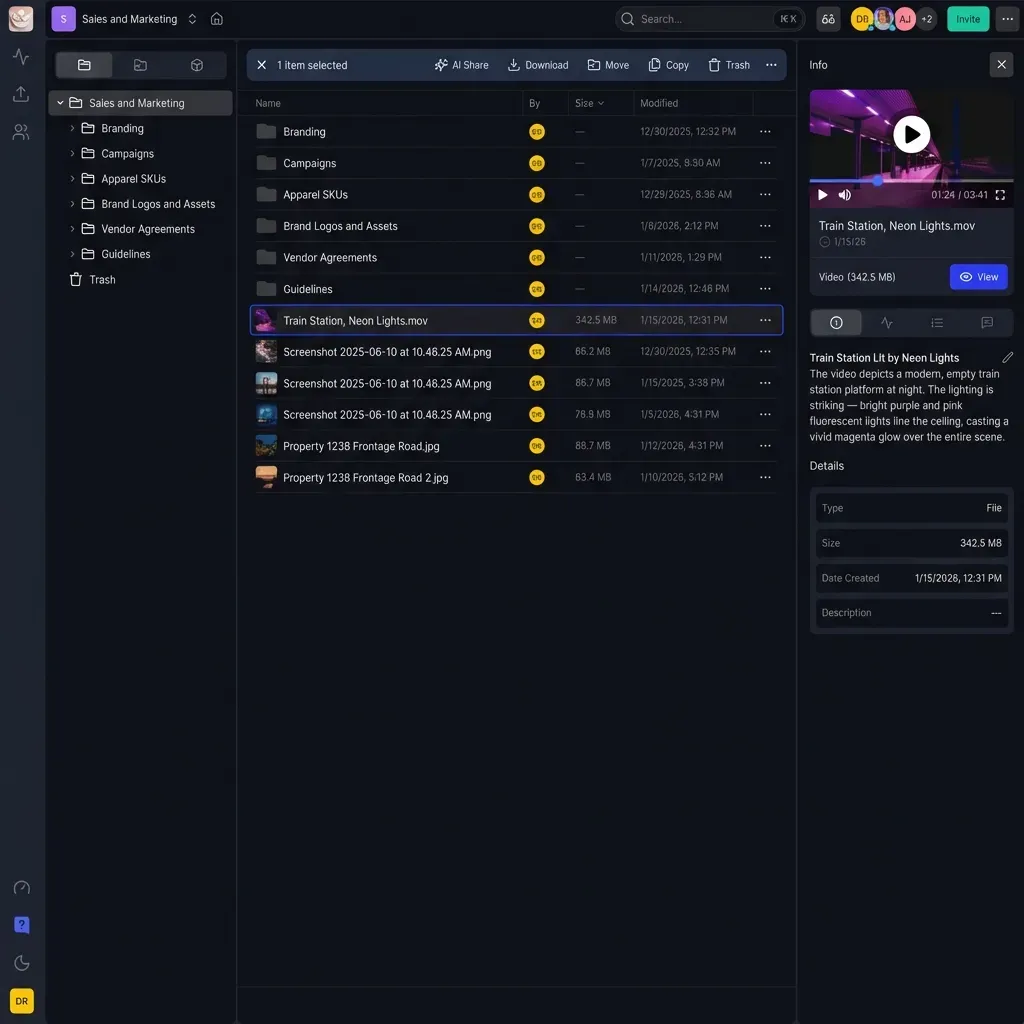
Cloud storage platforms now offer video playback alongside file storage. This hybrid approach gives you both streaming and download capabilities.
How Cloud Storage Handles Video
Cloud storage platforms now transcode uploaded videos automatically. When someone opens a video link, they see a streaming player instead of a download prompt. The original file stays available for those who need it.
Fast.io uses HLS (HTTP Live Streaming) to deliver video with adaptive bitrate. This is the same technology Netflix uses. Videos start playing instantly and adjust quality based on connection speed. The original file remains downloadable for editors who need full resolution.
The Advantage Over Pure Streaming
Most guides focus on YouTube-style platforms. But many professional use cases need file access alongside streaming. When you're delivering dailies to a director, sharing rough cuts for approval, or distributing final deliverables, the client often needs both:
- A quick preview to watch without downloading
- The original file to import into their editing software
Cloud storage with streaming handles both scenarios. Upload once, share a link, let the recipient choose their experience.
Setup Steps for Cloud Storage
- Upload your video files to a workspace
- The platform transcodes them automatically (this takes a few minutes for large files)
- Share a link with password protection, expiration, or domain restrictions as needed
- Recipients can stream immediately or download the original
Branded portals add another layer. Create a custom-branded space where clients access all their project files, complete with your logo and colors.
Option 3: Self-Host on Your Own Server
Self-hosting means running video infrastructure on servers you control. This approach offers maximum control but requires technical expertise and ongoing maintenance.
Technical Requirements
To self-host video effectively, you need:
- Web server (nginx or Apache) to serve files
- Storage sufficient for your video library (videos are large)
- Bandwidth to handle concurrent viewers without bottlenecks
- Transcoding software to convert uploads into streamable formats
- CDN (optional but recommended) to reduce latency for distant viewers
Without transcoding, viewers download entire files before watching. A 5GB raw video file becomes unwatchable for anyone without a fast connection. Proper self-hosting requires encoding to HLS or DASH formats.
Open Source Options
PeerTube is a decentralized video platform you can run on your own server. It handles transcoding and playback, federating with other PeerTube instances if you want.
MediaGoblin is another self-hosted option supporting video alongside images and audio.
Both require server administration skills. Updates, security patches, and scaling are your responsibility.
When Self-Hosting Makes Sense
Consider self-hosting when:
- Data sovereignty requirements prevent using third-party platforms
- You have dedicated IT staff to maintain infrastructure
- Video volume justifies the fixed costs of running your own servers
- Unique features require custom development
For most businesses, cloud solutions cost less and work better. Running video infrastructure well is a full-time job.
How to Choose the Right Approach
Pick your hosting method based on how videos will actually be used:
For Marketing and Public Content
Use a streaming platform. YouTube for maximum reach, Vimeo for cleaner presentation, Wistia for lead generation. The embeddable players and analytics are worth the monthly cost.
For Client Delivery and Project Files
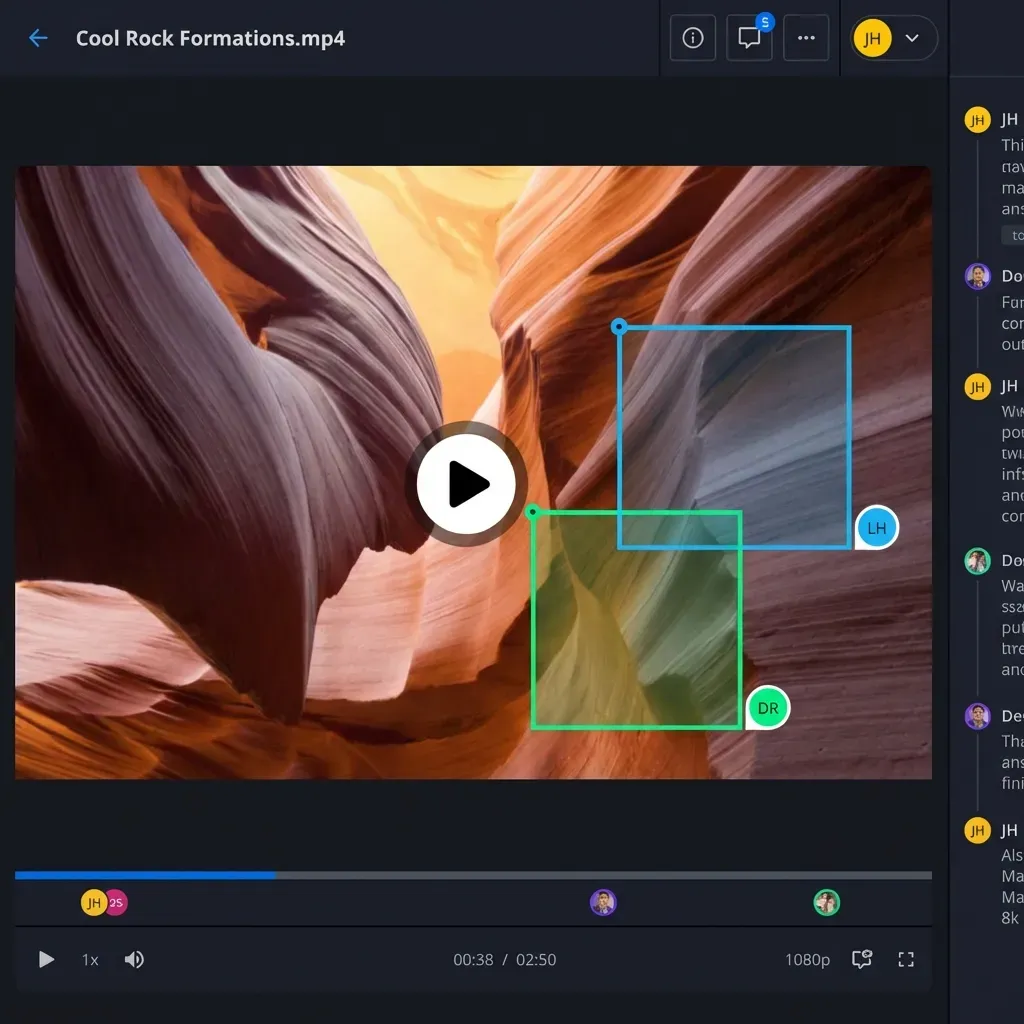
Use cloud storage with streaming. Clients need to preview content quickly but also download originals when ready to work. Fast.io's video review and approval workflow handles this pattern well, with frame-accurate comments and version tracking.
For Internal Training and Communications
Use cloud storage with access controls. Password protection, SSO integration, and audit logs matter more than fancy analytics. Fast.io supports private video sharing with granular permissions at the workspace level.
For High-Volume Broadcasting
Consider CDN-backed streaming or dedicated broadcast infrastructure. This is enterprise territory with enterprise costs.
Cost Comparison
| Approach | Monthly Cost | Best For |
|---|---|---|
| YouTube | Free | Public marketing content |
| Vimeo Starter | $12/month | Portfolios, embedded videos |
| Wistia | $19/month | Lead gen, marketing analytics |
| Cloud storage | Varies by usage | Client delivery, project files |
| Self-hosted | $50-500/month | Data sovereignty requirements |
Step-by-Step: Host Your First Video
Here's a practical walkthrough using cloud storage with streaming, the most versatile approach for business use.
1. Upload Your Video
Drag your video file into the platform. For Fast.io, create a workspace first if you're organizing multiple projects. Large files (even 100GB+) upload in the background while you continue working.
2. Wait for Transcoding
The platform converts your video into streaming formats. This takes 1-5 minutes depending on file size and resolution. You'll see a preview thumbnail when processing completes.
3. Configure Access Settings
Before sharing, decide who should access the video:
- Public link: Anyone with the URL can view
- Password protected: Viewers need a password you set
- Domain restricted: Only accessible from specific email domains
- Expiring link: Access ends after a date you choose
4. Share the Link
Copy the share link and send it to recipients. They'll see a streaming player with no software installation required. If you enabled downloads, a button lets them grab the original file.
5. Track Engagement
Check analytics to see who viewed the video, how long they watched, and whether they downloaded. This tells you which content works and who's actually paying attention.
For video review workflows, use frame-accurate commenting to collect feedback pinned to specific moments.

Common Video Hosting Problems (and Fixes)
Video Won't Play After Upload
The platform is still transcoding. Large files take longer. Wait a few minutes and refresh.
If transcoding consistently fails, check the file format. Some platforms struggle with unusual codecs. Re-encode to H.264 MP4 before uploading.
Playback Buffers Constantly
The issue is usually network speed, not the hosting platform. Adaptive bitrate streaming should handle this by dropping to lower quality, but sometimes viewers force high quality on slow connections.
If you control the player settings, ensure adaptive streaming is enabled rather than locked to a specific resolution.
Video Quality Looks Worse Online
All platforms re-encode uploads. Some quality loss is normal. To minimize it:
- Upload the highest quality source file available
- Use standard frame rates (24, 30, or 60 fps)
- Avoid transcoding before upload; let the platform handle it from the original
Recipients Can't Access the Link
Check your access settings. Password protection, domain restrictions, or expiration dates might be blocking legitimate viewers. Corporate firewalls sometimes block video streaming; provide a download option as fallback.
Frequently Asked Questions
Where can I host my videos for free?
YouTube offers unlimited free video hosting with public visibility. Vimeo has a limited free tier. For private business videos, most cloud storage platforms include video hosting with streaming in their base plans, though file storage counts against your quota.
How do I host a video on my website?
Upload the video to a hosting platform, then embed it on your website using the provided embed code. Streaming platforms like Vimeo and Wistia provide customizable embed codes. For cloud storage platforms, link directly to the video's share page or use their API to build a custom player.
What is the best platform to host videos?
It depends on your use case. YouTube for maximum public reach, Vimeo for ad-free embedding, Wistia for marketing analytics and lead capture, and cloud storage platforms like Fast.io for client delivery where recipients need both streaming previews and file downloads.
How much does video hosting cost?
Costs range from free (YouTube) to $12-20/month for basic streaming platforms to usage-based pricing for cloud storage. Self-hosting runs $50-500/month in server costs plus ongoing maintenance. Most businesses spend $20-100/month on video hosting depending on volume and features needed.
Can I host private videos that require login?
Yes. Vimeo, Wistia, and cloud storage platforms all support password protection and access restrictions. Enterprise plans typically add SSO integration so viewers authenticate through your company's identity provider. Fast.io supports domain restrictions and granular workspace permissions for private video hosting.

Host and share video with Fast.io
Upload videos up to 100GB, stream with adaptive bitrate, and share with password protection or branded portals.