How to Manage LLM Context Windows Effectively
LLM context management is the practice of efficiently handling the limited context window of large language models by selectively loading, summarizing, and storing information. With context windows ranging from 8K to 200K tokens and poor management wasting up to 40% of API costs, mastering these strategies is essential for building production AI agents. This guide covers llm context management strategies with practical examples.

What Is LLM Context Management?: llm context management strategies
LLM context management is the practice of efficiently handling the limited context window of large language models by selectively loading, summarizing, and storing information. Every LLM has a context window: the maximum number of tokens it can process in a single request. Context window limits range from 8K to 200K tokens depending on the model. Claude 3.5 Sonnet handles 200K. Gemini 1.5 Pro extends to 1 million tokens but with latency tradeoffs. These limits matter because LLMs are stateless. Each API call sends the entire conversation history, system prompts, and any documents you want the model to reference. When you exceed the context window, the model either truncates your input or fails entirely.
Why Context Limits Create Problems
Three issues emerge when context windows fill up:
- Truncation: The model drops the oldest or least relevant content, losing important context
- Performance degradation: Research shows models lose accuracy as context grows, even before hitting the limit. Claude Sonnet starts struggling around 120K tokens.
- Cost explosion: Sending 100K tokens costs 10-50x more than 10K tokens, and you pay for every request
Context management solves these problems by keeping only what matters in the window while preserving access to everything else.
Helpful references: Fast.io Workspaces, Fast.io Collaboration, and Fast.io AI.
The Five Core Context Management Strategies
Effective context management combines multiple techniques. Here are the five strategies that work for production systems.
1. Chunking
Chunking breaks large documents into smaller pieces that fit within context limits. Instead of loading a 500-page manual, you load the relevant 5-page section.
How to implement chunking:
- Split documents at natural boundaries (chapters, sections, paragraphs)
- Maintain overlap between chunks to preserve context at boundaries
- Store chunks with metadata (source, page number, section title)
- Use semantic chunking to keep related content together
Chunk size depends on your model and use case. For RAG applications, use 500-1000 tokens per chunk. For long-form analysis, 2000-4000 tokens works better.
2. Summarization
Summarization compresses information while retaining key facts. When you can't fit the full document, a summary preserves the essential content.
Types of summarization:
- Extractive: Pull key sentences verbatim from the source
- Abstractive: Generate new text that captures the meaning
- Hierarchical: Create summaries at multiple levels (executive summary, section summaries, full text)
Summarization works well for conversation history. Instead of keeping every message, summarize older exchanges while keeping recent ones verbatim.
3. Retrieval-Augmented Generation (RAG)
RAG pulls relevant context on demand rather than loading everything upfront. You store documents in a vector database, embed the user's query, and retrieve only the chunks that match.
RAG workflow:
- Embed documents into vectors and store in a vector database
- When a query arrives, embed it and find similar document chunks
- Include the top-k relevant chunks in the prompt
- Generate a response grounded in the retrieved context
RAG is the standard approach for knowledge bases, documentation, and any corpus too large to fit in context.
4. Caching
Caching reuses computed context across requests. When your system prompt and reference documents stay constant, caching avoids resending them.
Caching approaches:
- Prompt caching: Store prefixes that repeat across requests. Cached tokens cost roughly 10x less than uncached tokens on most providers.
- KV cache: Some inference frameworks let you cache the key-value pairs from transformer attention, speeding up later requests.
- Response caching: For deterministic queries, cache the entire response. Prompt caching delivers the biggest cost savings. If you send a 50K token system prompt on every request, caching cuts that cost by 90%.
5. External Storage
External storage moves context outside the LLM entirely. The model references files, databases, or APIs instead of holding everything in the context window.
External storage patterns:
- File system access: Give the agent tools to read and write files on demand
- Database queries: Let the agent query structured data instead of loading tables into context
- API calls: Retrieve information from external services when needed
Think about how you work. You don't memorize every document; you look things up. Agents with external storage do the same.
Why External Storage Beats Larger Context Windows
The temptation is to wait for larger context windows. Why manage context when models will eventually handle everything? Three reasons.
Performance Degrades Before Limits Hit
Larger context windows don't mean better performance. Models struggle to retrieve information from the middle of long contexts, a phenomenon called "lost in the middle." A 200K window doesn't help if the model can't find the relevant passage. Testing shows that Claude Sonnet's accuracy drops after 120K tokens. Recent models show similar patterns. More context often means worse results.
Costs Scale Linearly
LLM pricing is per-token. Longer contexts cost proportionally more due to per-token pricing. If you're making thousands of API calls, that difference is millions in annual spend. External storage inverts this equation. Reading a file from cloud storage costs a fraction of a cent. Retrieving from a vector database costs about the same. The LLM only processes what it needs.
Latency Increases With Context
Longer contexts mean slower responses. Processing 200K tokens takes much longer than 10K tokens. For interactive applications, that latency kills the user experience. External storage keeps prompts small and responses fast.
Implementing File-Based Context for Agents
One strategy that competitors rarely cover: using file storage as persistent context for agents. Instead of cramming everything into the context window, agents read and write files as they work.
The File-Based Context Pattern
- Store context in files: Instead of keeping conversation history in memory, write summaries and key facts to files
- Load on demand: When the agent needs context, it reads the relevant file
- Update incrementally: After each task, the agent updates its context files
This pattern works because file operations are cheap and have no size limits. An agent can reference gigabytes of context by reading files, far exceeding any context window.
How Fast.io Enables Agent File Context
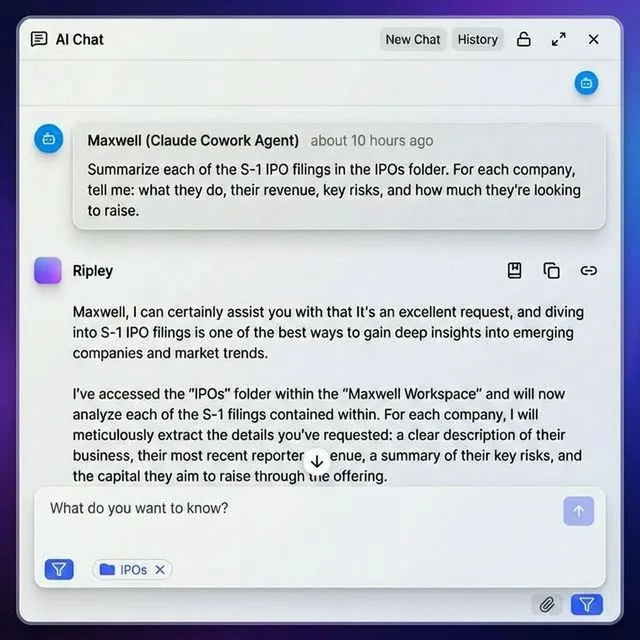
Fast.io provides cloud storage designed for AI agents. Agents sign up for their own accounts, create workspaces, and manage files through the API or MCP server. Key capabilities for context management:
- Persistent storage: Files survive between sessions, giving agents long-term memory
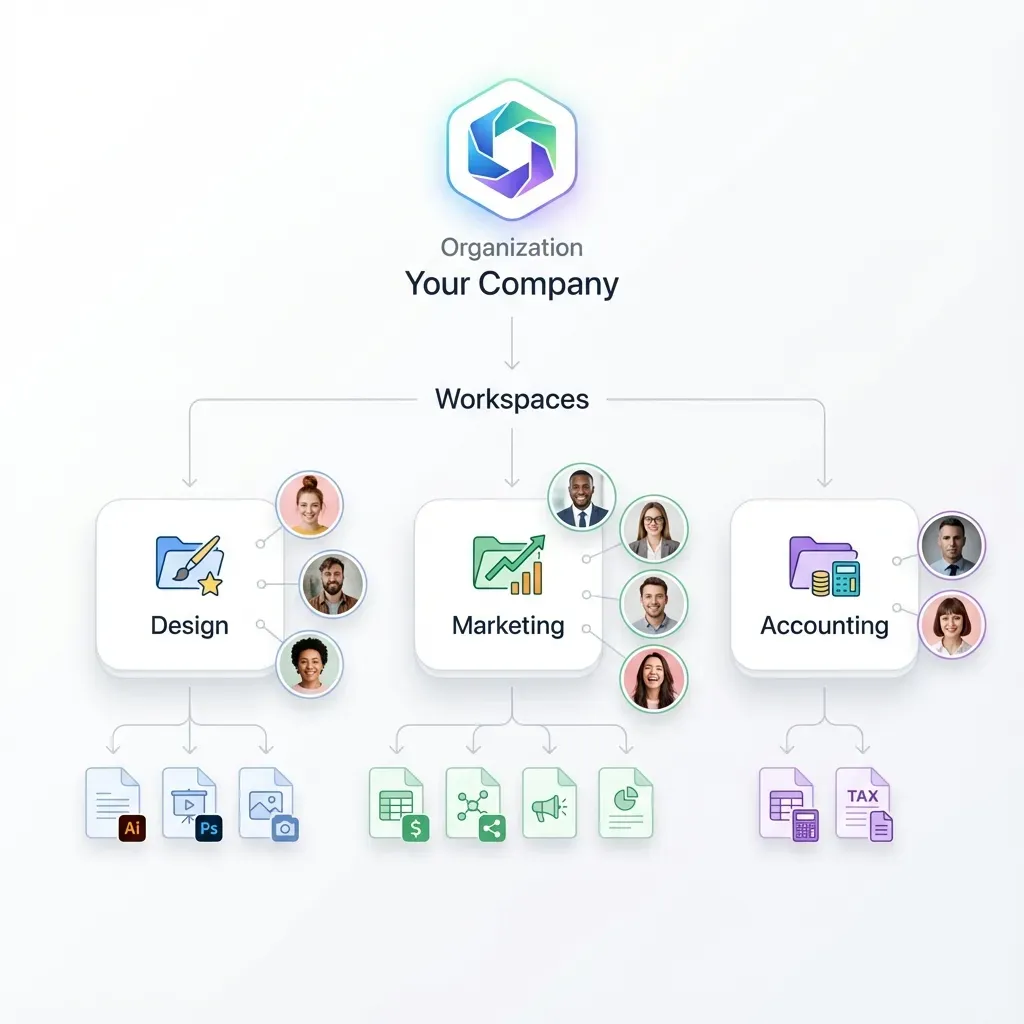
- Organized workspaces: Agents create project-specific workspaces to separate contexts
- API access: Full REST API for file CRUD operations
- MCP integration: Claude and compatible agents connect natively via Model Context Protocol
- Human collaboration: Agents and humans share the same workspaces, enabling review and handoff
The free agent tier includes 5,000 credits per month, enough for many context management workflows.
Example: Research Agent With File Context
A research agent investigating a topic might:
- Create a workspace for the research project
- Save source documents to the workspace
- Write a summary file after reading each source
- Maintain a "key findings" file that accumulates insights
- Reference these files instead of keeping everything in context
This approach handles research projects with hundreds of sources, something impossible with context windows alone.
Choosing Strategies for Your Use Case
Different applications need different context management approaches. Here's how to choose.
Chatbots and Conversational AI
For chat applications, summarization works best. Keep the last 5-10 messages verbatim, summarize older messages into a running context, and discard anything no longer relevant. Combine with caching if your system prompt is large. Cache the instruction set and personality definition while keeping the conversation dynamic.
Document Question-Answering
RAG is the standard for document QA. Chunk your documents, embed them into a vector store, and retrieve relevant sections for each query. For multi-document workflows, add file-based context. Store document summaries as files, letting the agent reference them without reprocessing.
Long-Running Agent Tasks
Agents working on extended tasks need external storage. They accumulate too much context over hours or days to fit in any window. Use file-based context for task state, intermediate results, and reference materials. The agent reads and writes files as needed, keeping the active context window small.
Code Generation and Analysis
Code context is particularly expensive since code is tokenized inefficiently. Use chunking at the file level, loading only the files being edited. For large codebases, combine with retrieval. Embed function signatures and docstrings, retrieve relevant code sections, and load full files only when editing.
Multi-Agent Systems
When multiple agents collaborate, external storage becomes essential. Agents need a shared workspace to pass files, results, and context. File-based context solves the handoff problem. One agent writes its findings to a shared workspace; the next agent reads from it. No context window limits apply.
Measuring Context Management Effectiveness
You can't improve what you don't measure. Track these metrics to evaluate your context management.
Token Usage
Monitor tokens per request. If average usage is climbing toward context limits, your management strategy needs adjustment. Break down by component:
- System prompt tokens (should be stable or decreasing with caching)
- Retrieved context tokens (should be proportional to query complexity)
- Conversation history tokens (should plateau with summarization)
Cost Per Request
Calculate average cost per API call. Context management should reduce this over time. Compare against a baseline without management. If you're spending 40% on bloated contexts, that's the savings opportunity.
Accuracy and Task Success
Context management should improve accuracy, not just cut costs. Track task completion rates, answer quality, and error rates. Watch for "lost in the middle" problems: correct information in context but wrong answers. This indicates context is too long, not too short.
Latency
Measure response time. Smaller contexts mean faster responses. If latency is creeping up, context is growing too large. For interactive applications, set latency budgets and adjust context management to meet them.
Frequently Asked Questions
How do you manage LLM context?
Manage LLM context through five strategies: chunking large documents into smaller pieces, summarizing older conversation history, using RAG to retrieve relevant content on demand, caching repeated prompt components, and storing context externally in files or databases. Most production systems combine multiple approaches based on their specific requirements.
What is a context window in LLM?
A context window is the maximum number of tokens an LLM can process in a single request. It includes everything: system prompts, conversation history, retrieved documents, and the user's current query. Context windows range from 8K tokens for older models to 200K or more for newer ones. When input exceeds the window, it's truncated or rejected.
How do you handle long documents with LLMs?
Handle long documents by chunking them into smaller sections (usually 500-2000 tokens), storing chunks in a vector database with embeddings, and retrieving only relevant chunks when needed. For long documents, create hierarchical summaries at different levels of detail. File-based context patterns let agents reference documents from external storage instead of loading them into the context window.
Why does LLM performance degrade with larger context?
LLM performance degrades with larger context due to the 'lost in the middle' phenomenon. Models attend most strongly to the beginning and end of the context, struggling to retrieve information from the middle. Research shows accuracy drops in the middle of long contexts even in models with large windows. Smaller, more focused contexts produce better results.
What is the cost of poor context management?
Poor context management wastes up to 40% of API costs by sending redundant information. Since LLMs are stateless, the entire conversation history is resent with each request. Without caching, summarization, or retrieval, you pay for the same tokens repeatedly. Organizations with high API volume can save millions annually through effective context management.
Related Resources

Run Manage LLM Context Windows Effectively workflows on Fast.io
Move overflow context out of expensive token windows and into Fast.io storage. Agents retrieve what they need, when they need it. Free tier available.