Media Asset Management: A Practical Guide for Video Teams
Media Asset Management (MAM) is specialized software for organizing, storing, and retrieving video, audio, and broadcast media with features like proxy editing, timecode search, and format transcoding. Video production teams handling 10TB+ monthly can reduce post-production time by 30% with proper MAM in place. This guide covers what MAM does, how it differs from DAM, and how to evaluate options for production companies and agencies.
What Is Media Asset Management?
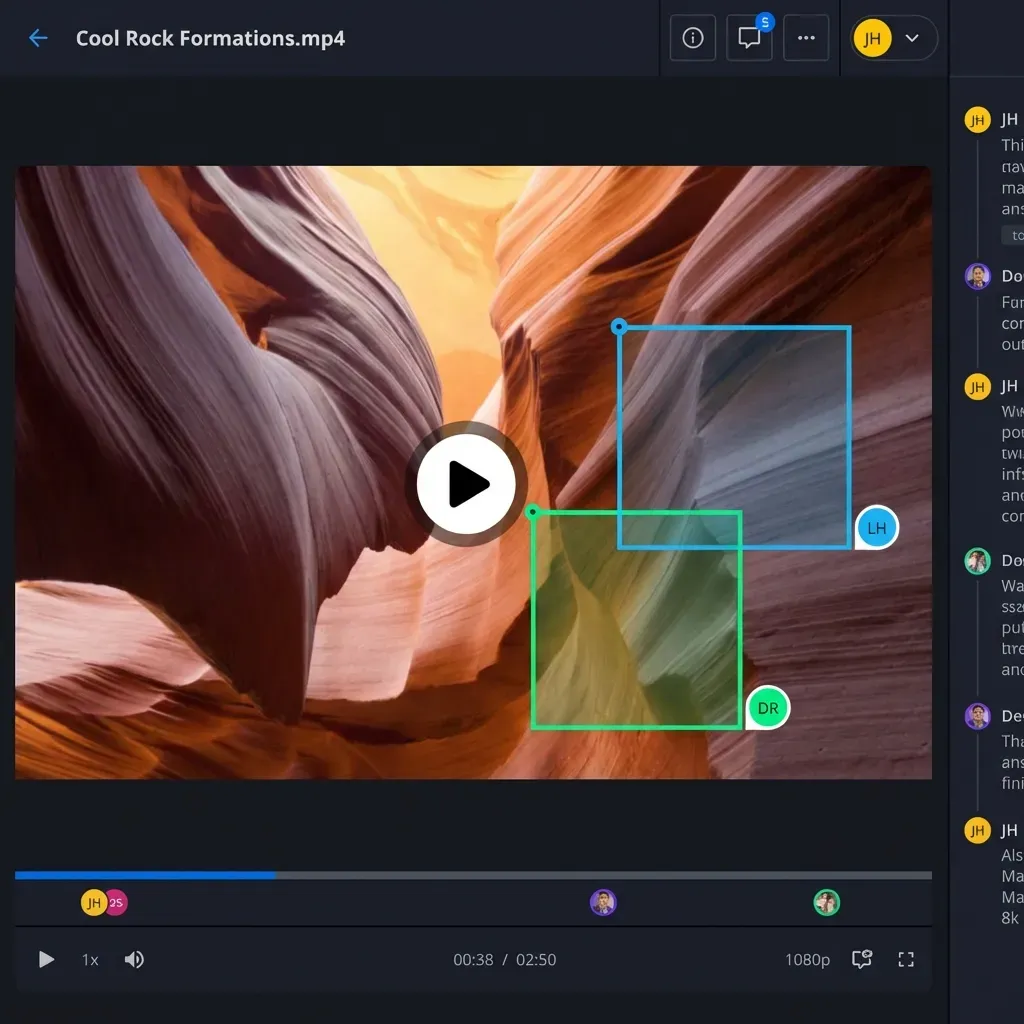
Media Asset Management (MAM) is software built specifically for video, audio, and broadcast media workflows. It handles the unique challenges of working with large media files: organizing terabytes of footage, generating preview proxies, searching by timecode, and converting between professional formats.
The core functions of a MAM system include:
- Ingest and cataloging: Automatically importing footage from cameras, drives, or transfers while extracting metadata
- Proxy generation: Creating lightweight preview copies so editors can scrub through footage without downloading originals
- Metadata management: Tagging clips with scene numbers, shot types, talent names, or any custom fields your team needs
- Search and retrieval: Finding specific clips using keywords, dates, timecodes, or visual similarity
- Format transcoding: Converting between codecs like ProRes, DNxHD, H.264, and delivery formats
Video production teams handling 10TB or more monthly find that general file storage breaks down. You can't preview a 50GB ProRes file in Dropbox. You can't search by timecode in Google Drive. MAM fills that gap, and teams report reducing post-production time by 30% after implementing proper media asset management.
MAM vs DAM: What's the Difference?
People confuse Media Asset Management (MAM) with Digital Asset Management (DAM) all the time. Both organize digital files. But they're built for different workflows.
Digital Asset Management (DAM) handles brand assets: logos, photos, marketing collateral, design files. DAM systems focus on version control, brand consistency, and distribution to marketing teams.
Media Asset Management (MAM) handles production media: raw footage, audio tracks, project files, and deliverables. MAM systems focus on the production pipeline from ingest to final delivery.
| Feature | DAM (Digital Asset Management) | MAM (Media Asset Management) |
|---|---|---|
| Primary users | Marketing, brand teams | Editors, producers, post teams |
| File types | Images, PDFs, design files | Video, audio, project files |
| Typical file sizes | Megabytes | Gigabytes to terabytes |
| Key features | Brand portals, approval workflows | Proxy editing, format transcoding |
| Search focus | Keywords, tags, metadata | Timecode, scene, visual similarity |
| Workflow | Download, edit, upload | Stream, edit in place |
| Best for | Brand consistency, distribution | Production pipeline, archiving |
Which do you need? If your team primarily works with video and audio for production, you need MAM. If you're managing marketing assets for distribution, DAM is the better fit. Some teams need both: MAM for production, DAM for finished deliverables.
Core Features of MAM Software
Not all MAM systems are equal. Here's what separates useful tools from expensive file servers:
Proxy Workflows
Proxy workflows let editors work with lightweight preview files while the system keeps high-resolution originals safe. A 100GB ProRes master might have a 500MB proxy. Editors scrub, cut, and review using proxies, then the system links back to originals for final render.
Proxy workflows enable remote editing at 10x the speed of downloading originals. Your editor in LA reviews the same footage as your colorist in London without anyone downloading terabytes overnight. For distributed teams, this single feature often justifies the entire MAM investment.
Metadata and Search
Manual tagging can't keep up with modern production volume. Look for:
- Automatic metadata extraction: Camera data, timecode, date, duration pulled from files
- AI-assisted tagging: Scene detection, face recognition, speech-to-text
- Custom metadata schemas: Fields that match your production workflow (episode, scene, take, status)
- Timecode search: Find the exact frame based on burn-in or embedded TC
Transcoding Engine
Productions juggle multiple formats. Camera originals, editorial proxies, review copies, delivery masters. A solid MAM system handles:
- Automated ingest transcoding (camera files to editorial format)
- Watch folders for hands-free processing
- Preset management for common deliverable specs
- Background processing that doesn't lock up your workstation
Who Actually Needs MAM Software?
MAM makes sense when your workflow hits certain pain points. Here's a quick assessment:
You probably need MAM if:
- Multiple editors or assistants access the same footage library
- Projects span weeks or months with ongoing asset requests
- You're transferring footage between locations or remote team members
- Finding old footage takes hours instead of minutes
- Storage costs are climbing because nobody deletes anything
You probably don't need MAM if:
- One editor handles projects start to finish
- Projects are short with contained assets
- Your footage fits on a single drive
- You're working locally without remote collaboration
Common MAM users include:
- Post-production houses managing client projects
- Broadcast operations with daily content cycles
- Corporate video teams producing ongoing series
- Agencies handling multiple client video accounts (see video delivery workflows)
- Production companies archiving years of footage
The threshold is usually around the point where "searching for that clip" becomes a recurring complaint. If producers spend hours hunting footage that exists somewhere, MAM pays for itself.
How MAM Fits Into Your Production Workflow
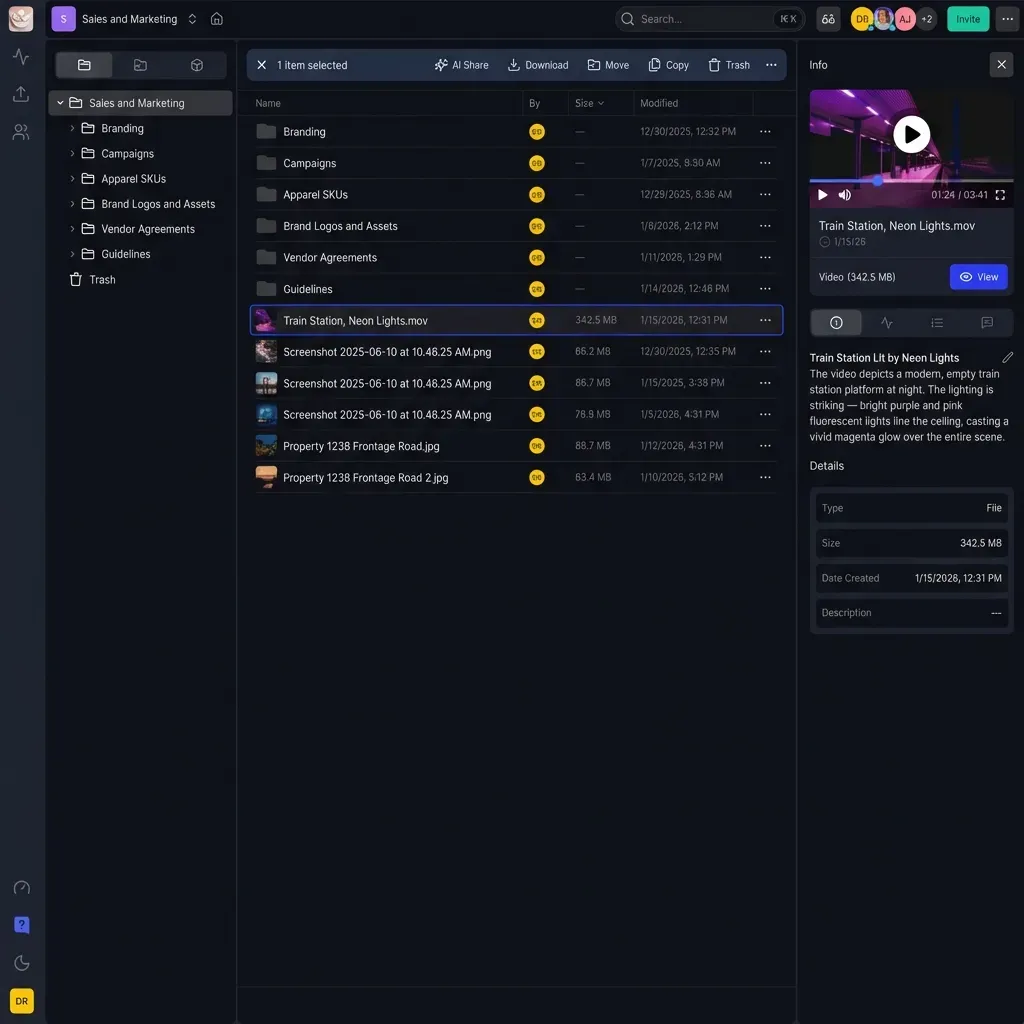
MAM sits at the center of the production pipeline, connecting acquisition to delivery:
Pre-Production
Before cameras roll, MAM holds reference materials, storyboards, and location photos. Production documents live alongside the assets they describe.
Production
During shooting, footage flows into MAM through automated ingest. DITs or assistant editors add scene and shot metadata while camera assistants upload to the system. Cloud-based MAM allows producers to review dailies from anywhere.
Post-Production
Post is where MAM matters most. Editors search and pull selects. Proxies enable fast cutting. Multiple team members work simultaneously without conflicts. Version tracking prevents the "final_final_v3_REAL" filename chaos.
Delivery and Archive
Finished projects export through MAM's transcoding engine to client specs. Original camera files and project files archive with full metadata for future retrieval. When the client calls six months later asking for that B-roll shot, you find it in seconds.
Integration Points
MAM systems typically connect to:
- Editorial software: Adobe Premiere, Avid Media Composer, DaVinci Resolve, Final Cut Pro
- Storage systems: SAN, NAS, cloud storage, LTO tape
- Review tools: Frame.io, Wipster, or built-in review
- Project management: Production tracking and scheduling tools
Choosing MAM Software: What to Evaluate
The MAM market ranges from open-source tools to six-figure enterprise systems. Here's how to narrow options:
Deployment Model
- On-premise: Full control, high upfront cost, IT overhead
- Cloud-native: Scale on demand, subscription pricing, remote access built in
- Hybrid: Local storage with cloud sync for remote access
Most teams are moving toward cloud or hybrid. On-premise still makes sense for high-security environments or when you already have infrastructure.
Pricing Structure
Watch out for per-seat licensing that punishes collaboration. A 15-person post team shouldn't pay 15x for software that works better when everyone can access it.
Look for:
- Storage-based pricing (pay for what you use)
- Unlimited users or generous seat packages
- Clear transcoding and egress costs
Editorial Integration
If your editors live in Premiere, the MAM needs tight Premiere integration. Same for Avid or Resolve. Test the actual workflow, not just the feature list. How many clicks to get a clip from MAM into your timeline?
Evaluation Checklist
Before committing, test these scenarios:
- Ingest 100GB of footage. How long? How automated?
- Search for a specific shot from three months ago
- Have two people access the same project simultaneously
- Generate proxies and link to an NLE timeline
- Share a sequence for client review
- Export a final deliverable to client spec
A tool that works in demos can fail in production. Run your actual workflow.
Modern MAM: What's Changed
MAM has changed a lot since 2020. If you last evaluated options back then, the landscape looks different now.
AI-Powered Organization
Modern MAM systems use AI to:
- Generate transcripts from spoken audio
- Detect and tag faces automatically
- Identify scenes and shot types
- Suggest relevant clips based on project context
- Search by natural language ("show me drone shots from the beach")
This changes retrieval from "I hope someone tagged this correctly" to "the system understands what's in the footage."
Browser-Based Preview
Older MAM systems required desktop apps or expensive software licenses just to view footage. Now most tools stream adaptive bitrate video directly in the browser. Stakeholders review without installing anything. Editors preview remotely without downloading.
Remote-First Architecture
Production teams are distributed now. MAM systems built for remote workflows include:
- Fast preview streaming regardless of location
- Collaborative review with frame-accurate comments
- Real-time presence (see who's viewing what)
- Cloud-native storage that scales instantly
Simplified Pricing
Enterprise MAM used to require upfront purchases, maintenance contracts, and professional services. Cloud-based options now offer subscription pricing that teams can start without six-figure commitments. Usage-based pricing models, where you pay for storage and features rather than per-seat licenses, make MAM accessible to smaller production teams for the first time.
Frequently Asked Questions
What is the difference between MAM and DAM?
MAM (Media Asset Management) is built for video and audio production workflows, handling large files, proxy editing, and format transcoding. DAM (Digital Asset Management) focuses on brand assets like images, PDFs, and marketing materials with features for version control and distribution. Production teams typically need MAM; marketing teams typically need DAM.
What is MAM in video production?
In video production, MAM refers to the software system that organizes footage, generates preview proxies, manages metadata, and handles transcoding. It connects the production pipeline from camera ingest through editorial to final delivery, making footage searchable and accessible to the entire team.
Do I need MAM or DAM for my team?
If your team primarily creates video content and needs proxy workflows, timecode search, and transcoding, you need MAM. If you're managing marketing assets, brand collateral, and design files for distribution, DAM is the better fit. Some organizations use both: MAM for production assets and DAM for finished deliverables.
How much does MAM software cost?
MAM pricing varies widely. Cloud-based options start around $50-100 per month for small teams with storage-based pricing. Enterprise systems with on-premise deployment can cost $50,000 or more upfront plus annual maintenance. Most mid-market teams spend $500-2,000 monthly depending on storage needs and user count.
Can MAM reduce post-production time?
Yes. Teams using MAM report reducing post-production time by 30% or more through faster footage search, proxy workflows that enable remote editing, and automated transcoding. The biggest time savings come from eliminating manual searching and enabling multiple team members to work simultaneously.
What's the difference between MAM and file storage like Dropbox?
General file storage treats all files the same. MAM understands video and audio specifically. It generates preview proxies so you can scrub through footage without downloading. It searches by timecode and metadata. It transcodes between formats automatically. Regular file storage can hold media files, but it can't do anything useful with them.
Related Resources

Ready to simplify your media workflow?
See how Fast.io helps video teams organize, share, and deliver large media files without the infrastructure headaches.