Best MediaFire Alternative for Business Teams in 2026
MediaFire works fine for personal use, but businesses hit its limits fast: ad-supported downloads, minimal collaboration tools, and no team management. This guide compares the best MediaFire alternatives for professional teams and explains what to look for when upgrading your file sharing.

Why Businesses Outgrow MediaFire
MediaFire is a consumer-focused cloud storage service known for free storage tiers but lacking enterprise security and collaboration features. It started as a simple file hosting service and has stayed that way, which creates problems for growing teams.
The 5 biggest MediaFire limitations for professionals:
- Ad-supported downloads - Recipients see ads before downloading, which looks unprofessional when sharing with clients
- 10GB free tier cap - Sounds generous until a single video project eats it up
- No real collaboration - You can share links, but there's no commenting, versioning, or team workspace
- Weak permissions - Can't control who downloads vs. who just views
- No audit trail - No way to see who accessed what or when
If your team sends files to clients, collaborates on projects, or needs any level of accountability, these gaps become deal-breakers.
What to Look for in a MediaFire Replacement
Before comparing alternatives, define what you actually need. The right choice depends on how your team works.
For Client-Facing Work
Look for branded portals, password protection, and download tracking. Your clients shouldn't see ads or need accounts to access files.
For Internal Collaboration
Prioritize real-time presence, commenting, and version history. You need to know who's working on what and be able to discuss changes without switching to email or Slack.
For Media-Heavy Workflows
Video streaming matters more than you'd think. Progressive downloads (like MediaFire uses) mean clients wait for files to buffer. Adaptive streaming lets them start watching immediately.
For Security and Compliance
Audit logs, fine-grained permissions, and SSO integration become non-negotiable as teams grow. You need to control access at the folder and file level.
Top MediaFire Alternatives Compared
Based on what business teams actually need, here are the strongest MediaFire alternatives in 2026:
Fast.io
Best for: Teams who share with clients and need professional presentation
Fast.io takes a different approach than most cloud storage. Instead of per-seat pricing, you pay for storage and bandwidth. For a 25-person team, that means roughly $60/month compared to $450/month for equivalent Dropbox seats.
Key advantages over MediaFire:
- No ads, ever
- Branded client portals with your logo and colors
- HLS video streaming (Netflix-style, no buffering)
- Real-time collaboration with presence indicators
- Full audit logs
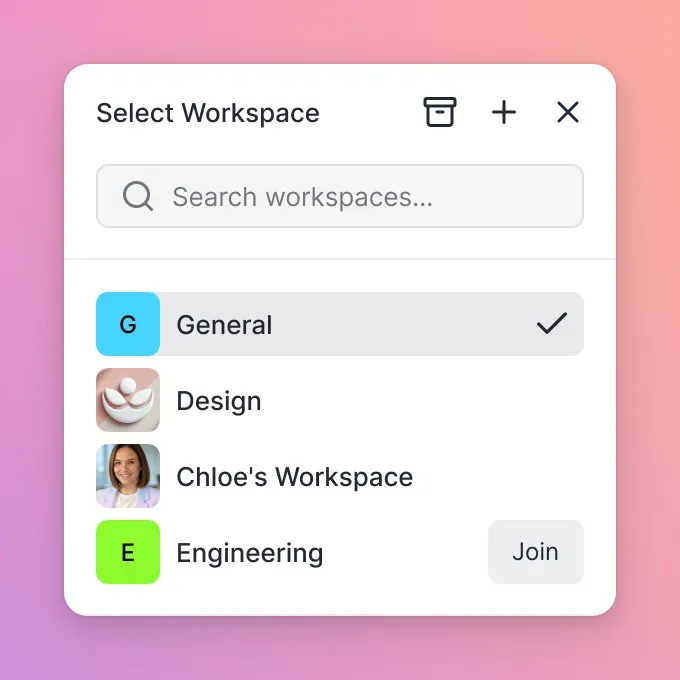
The workspace model also solves the "where did that file go?" problem. Files belong to the organization, not individual users, so nothing disappears when someone leaves.
Google Drive
Best for: Teams already in Google Workspace
If you're paying for Google Workspace anyway, Drive is included. The collaboration features are solid, especially for Google Docs. But it inherits Google's consumer-first design - you'll fight with "My Drive" vs. shared drives, and permissions get confusing fast.
Limitations: No built-in video streaming, cluttered sharing UI, files tied to individual accounts.
Dropbox Business
Best for: Teams who need simple sync
Dropbox pioneered the sync-to-desktop model, and it still works well for teams who want local copies of everything. But per-seat pricing gets expensive quickly ($18/user/month adds up), and the sync model creates conflicts when multiple people edit.
Limitations: Gets expensive as teams grow, sync conflicts, basic video playback.
Box
Best for: Enterprise IT departments
Box targets large enterprises with extensive admin controls and compliance certifications. If your IT department requires SOC 2 reports and detailed admin dashboards, Box delivers. But it's overkill for most teams and the interface feels dated.
Limitations: Enterprise pricing, complex setup, clunky interface.

How Fast.io Solves MediaFire's Biggest Problems
Let's address MediaFire's limitations specifically and how a professional alternative handles them:
No More Ad-Supported Downloads
When you share a file through Fast.io, recipients see a clean, branded experience. Add your logo, choose background colors, and set a custom URL. Clients never see ads or generic branding.
Collaboration That Actually Works
Fast.io workspaces show who's currently viewing files. Leave comments on specific frames of a video or regions of an image. See the full activity history for any file.
Compare that to MediaFire's "share a link and hope for the best" approach.
Streaming Video Instead of Downloads
MediaFire forces recipients to download videos before watching. Fast.io uses HLS streaming (the same technology as Netflix), so playback starts instantly with adaptive quality. For a 2GB video file, that's the difference between waiting 10 minutes and starting immediately.
Permissions That Make Sense
Control access at the organization, workspace, folder, or file level. Set links to view-only (no download button), add password protection, set expiration dates, or restrict by email domain. MediaFire? Password-protected links at best.
Full Audit Trail
Every view, download, and permission change gets logged. See exactly when a client opened your proposal or which team member modified a file. MediaFire doesn't offer anything close.
Making the Switch: Migration Tips
Moving from MediaFire to a professional alternative takes some planning. Here's how to do it without losing anything:
1. Audit What You Have
MediaFire doesn't make exports easy. Download everything locally first. Check the "Recent Activity" section for shared links that are still in use - you'll need to update those.
2. Plan Your Workspace Structure
Don't just dump everything in one folder. Create workspaces by client, project, or department. This is your chance to get organized.
3. Update Shared Links
Replace any MediaFire links in documents, emails, or bookmarks. For important recipients, send a quick note explaining the new location.
4. Set Permissions Before Inviting
Configure workspace permissions first, then add team members. It's easier to get permissions right initially than to fix them after people have access.
5. Train Your Team
New tools fail when people don't use them. Show your team why you switched: commenting, presence, audit logs. A quick walkthrough goes a long way.
Pricing Comparison: MediaFire vs Alternatives
MediaFire's pricing works for individuals but falls apart for teams:
| Service | 25 Users | Notable Limits |
|---|---|---|
| MediaFire Pro | $45/year (1 user) | No team features |
| Dropbox Business | $450/month | Per-seat pricing |
| Google Workspace | $300/month | 2TB pooled storage |
| Fast.io Pro | ~$60/month | 25 seats included |
Fast.io's usage-based model means you pay for what you use, not how many people need access. Extra seats cost $1/month each. For teams that share large files with many external recipients, this pricing difference compounds.
Frequently Asked Questions
What is better than MediaFire?
For business use, Fast.io, Dropbox Business, Google Drive, and Box all outperform MediaFire. The best choice depends on your priorities: Fast.io for client-facing work and video, Dropbox for desktop sync, Google Drive if you're already in Google Workspace, or Box for enterprise compliance requirements.
Is MediaFire safe for business?
MediaFire provides basic security (encryption in transit and at rest), but lacks features businesses need: no SSO integration, limited audit logs, basic permission controls, and no compliance certifications. For sensitive business files, a professional alternative with detailed permissions and full audit trails is safer.
Why is MediaFire so slow?
MediaFire uses progressive downloads, which means the entire file must download before you can use it. For large videos, this creates long wait times. Alternatives with streaming capabilities (like Fast.io's HLS streaming) let you start viewing immediately while the rest loads in the background.
Can I migrate my MediaFire files to another service?
Yes, but MediaFire doesn't offer direct export tools. You'll need to download files locally first, then upload to your new service. Plan for this to take time with large libraries. Most alternatives (including Fast.io) support bulk uploads to speed up the process.
Does MediaFire work for team collaboration?
MediaFire was designed for individual file hosting, not team collaboration. It lacks workspaces, real-time presence, commenting, and proper team management. For actual collaboration, you need a purpose-built team platform like Fast.io, Google Workspace, or Dropbox Business.
Related Resources

Ready to upgrade from MediaFire?
Start sharing files professionally with branded portals, video streaming, and team collaboration.