Best Nextcloud Alternatives for Teams Who Don't Want to Self-Host
Nextcloud is a powerful self-hosted file sharing platform, but managing your own server takes real work. If you're spending 10+ hours per month on maintenance, updates, and troubleshooting, you might want a managed alternative that gives you similar capabilities without the infrastructure burden.
Why Teams Look for Nextcloud Alternatives
Nextcloud gives you complete control over your data. You pick the hardware, configure the server, and manage every aspect of your file sharing environment. For organizations with strict data sovereignty requirements or dedicated IT staff, this control is worth the effort.
But that control comes with costs that aren't always obvious upfront:
- Server maintenance: Security patches, PHP updates, database optimization
- Storage scaling: Adding capacity means hardware purchases or complex cloud integrations
- Reliability burden: You're responsible for backups, monitoring, and disaster recovery
- Performance tuning: Slow uploads? That's your problem to diagnose and fix
A 2024 survey of Nextcloud administrators found that 52% cite complexity as their biggest ongoing challenge. The platform has grown to include calendars, email, office suites, and video calls, and that feature sprawl creates more potential failure points.
If your team primarily needs file sharing and collaboration (not a complete groupware suite), a managed alternative can save real time while giving you the features you actually use.
What to Look for in a Nextcloud Replacement
A Nextcloud alternative provides cloud file storage and sharing capabilities without requiring self-hosting infrastructure or technical server management.
The right replacement depends on why you chose Nextcloud in the first place. Here's what matters most for different use cases:
For Data Privacy
If you picked Nextcloud for privacy control, look for alternatives with:
- Encryption at rest and in transit
- Clear data residency options
- Audit logs for compliance tracking
- Granular permission controls
For Cost Savings
Nextcloud is "free" software, but self-hosting has real costs. Calculate your total cost including server infrastructure, IT time, and opportunity cost. Many managed services cost less than DIY when you factor in everything.
For Team Collaboration
Nextcloud's collaboration features work, but they're often slower than purpose-built tools. Look for:
- Real-time presence (who's viewing what)
- Streaming previews (not progressive downloads)
- Native commenting and feedback tools
For External Sharing
Sharing files with clients and partners should be simple, not a security headache. The best alternatives offer branded portals, guest access without accounts, and link controls like passwords and expiration dates.
8 Nextcloud Alternatives Compared
Here's how the main alternatives stack up across key factors:
| Platform | Hosting | Best For | Pricing Model |
|---|---|---|---|
| Fast.io | Managed cloud | Teams, external sharing | Usage-based |
| ownCloud | Self-hosted or cloud | Nextcloud-familiar users | Per-user |
| Seafile | Self-hosted or cloud | Performance-focused teams | Per-user |
| pCloud | Managed cloud | Individual/small team | Storage-based |
| Syncthing | Peer-to-peer | Privacy maximalists | Free |
| Dropbox Business | Managed cloud | General business use | Per-user |
| Google Drive | Managed cloud | Google Workspace users | Per-user |
| Box | Managed cloud | Enterprise compliance | Per-user |
Let's look at each option in detail.
Fast.io: Built for Teams Who Share Externally
Fast.io takes a different approach than traditional cloud storage. Instead of syncing files to every device, it keeps files in the cloud and streams them on demand. This eliminates sync conflicts and means your files are accessible from any device without eating up local storage.
What makes it different from Nextcloud:
- Zero infrastructure: No servers to maintain, no updates to install
- Usage-based pricing: Pay for what you use, not per seat. Pro plan includes 25 seats for less than what Dropbox charges for 3 users
- Native streaming: Video plays instantly with adaptive bitrate (HLS), not progressive download
- Organization-owned files: Files belong to your team, not individual accounts. When someone leaves, their files stay
Collaboration features:
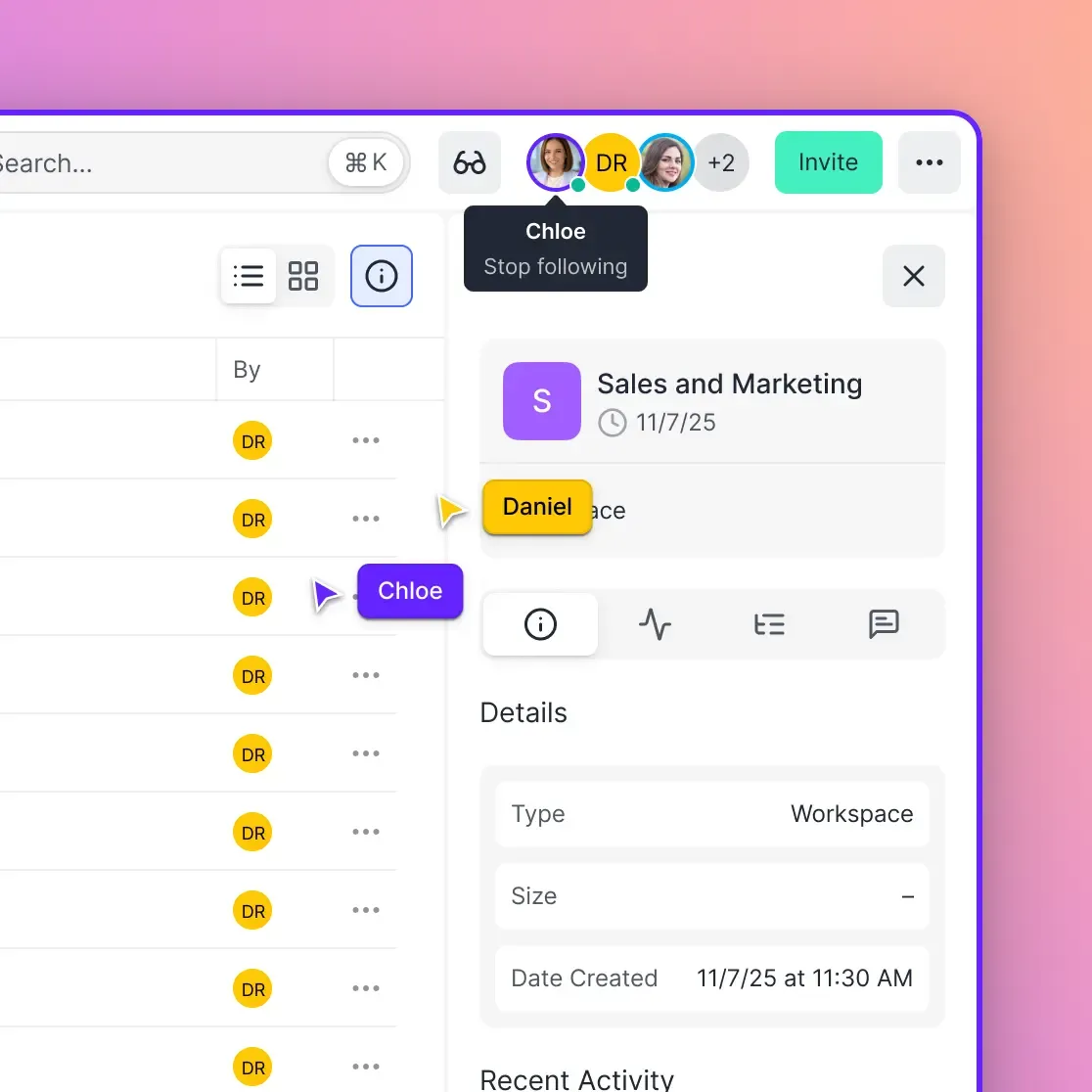
- Real-time presence shows who's viewing what
- Follow mode syncs views during reviews so you're always looking at the same thing
- Frame-accurate comments on video and images
- Branded client portals for external sharing
Best for: Creative teams, agencies, and anyone who shares files with clients regularly.
ownCloud: The Original (Before the Fork)
Nextcloud started as a fork of ownCloud in 2016. The projects have diverged, but ownCloud remains a solid option if you're comfortable with self-hosting or want their managed cloud offering.
Compared to Nextcloud:
- Smaller feature set (focused on file sync and share)
- Infinite Scale architecture for better performance at scale
- Available as hosted cloud service, not just self-hosted
Pricing: Hosted plans start around $5/user/month. Self-hosted is free for Community Edition.
Best for: Organizations that want Nextcloud-like control with a lighter footprint, or those willing to pay for a managed ownCloud instance.
Seafile: Fast and Lightweight
Seafile focuses on speed. It uses a different sync algorithm than Nextcloud that handles large files and many small files better. If performance has been your frustration with Nextcloud, Seafile is worth evaluating.
Compared to Nextcloud:
- Much faster sync for large libraries
- Lighter server requirements
- Fewer bells and whistles (no calendar, email, etc.)
- Block-level sync reduces bandwidth for modified files
Pricing: Free for Community Edition. Pro starts at around $35/user/year.
Best for: Technical teams prioritizing raw performance who still want self-hosting control.
Syncthing: Decentralized and Free
Syncthing takes a completely different approach: no central server at all. Files sync directly between your devices using peer-to-peer connections. Your data never touches third-party infrastructure.
Compared to Nextcloud:
- No server to maintain (but also no central access point)
- End-to-end encrypted by design
- Free and open source
- Requires devices to be online simultaneously for sync
Trade-offs:
- No web interface for access when away from your devices
- Sharing with others requires them to run Syncthing
- No real-time collaboration features
Best for: Privacy-focused individuals or small teams who can tolerate the limitations.
When to Stick with Nextcloud
Nextcloud isn't wrong for everyone. It makes sense when:
You have specific compliance requirements: Certain industries mandate on-premises data storage. If regulators require you to control the physical location of your data, self-hosting may be necessary.
You have IT staff with capacity: If you already have a sysadmin team managing other infrastructure, adding Nextcloud to their responsibilities may be efficient.
You need the full groupware suite: If your team actually uses Nextcloud's calendar, contacts, email, video conferencing, and project management features together, switching means finding replacements for each.
You're running in an air-gapped environment: Networks without internet access need self-hosted solutions by definition.
For teams in these situations, the alternatives above won't fit. The real question is whether you actually need self-hosting, or whether it's just what you're used to.

Making the Switch: Migration Considerations
Switching from Nextcloud means moving your files and getting your team up to speed on something new. Here's how to handle it:
Data Migration
Most Nextcloud alternatives can import from Nextcloud directly or via standard protocols:
- WebDAV export: Nextcloud supports WebDAV, which many platforms can import from
- Direct file transfer: Download and re-upload (simplest, but slowest)
- Migration tools: Some platforms offer Nextcloud-specific migration utilities
For large libraries, expect migration to take days, not hours. Plan for overlap time where both systems are active.
What You'll Lose
Be realistic about what changes:
- Custom apps and integrations built on Nextcloud's API
- Specific workflows that depend on Nextcloud features
- The satisfaction of running your own infrastructure (if that matters to you)
What You'll Gain
- Time back from maintenance tasks
- Professional support when things break
- Features optimized for your actual use case (like video streaming or client portals)
Frequently Asked Questions
Is there a better alternative to Nextcloud?
It depends on what you need. For teams who primarily share files with external clients, Fast.io offers better collaboration tools and eliminates server maintenance. For privacy maximalists who want decentralization, Syncthing provides peer-to-peer sync. For organizations wanting a lighter self-hosted option, Seafile delivers better performance. Nextcloud remains strong for organizations needing a complete groupware suite with on-premises data control.
What are the disadvantages of Nextcloud?
The main disadvantages are the maintenance burden and complexity. Self-hosting means you're responsible for server updates, security patches, backups, and troubleshooting performance issues. The platform has grown to include many features (calendar, email, video calls, office suite) which increases potential failure points. Organizations report spending 10+ hours monthly on Nextcloud administration, and 52% of administrators cite complexity as their biggest ongoing challenge.
What is similar to Nextcloud but easier?
ownCloud and Seafile offer similar self-hosted file sync capabilities with smaller footprints and less complexity. For a fully managed experience, Fast.io provides team file sharing, external collaboration, and media streaming without any server management. The trade-off is hosting your data on managed infrastructure rather than your own servers.
Is Nextcloud still relevant?
Yes, for the right use cases. Nextcloud remains the best option for organizations that require on-premises data control due to regulations, have dedicated IT staff, operate in air-gapped environments, or genuinely use its full groupware suite. For teams who primarily need file sharing and collaboration, managed alternatives often deliver better experiences with less overhead.
How much does it cost to run Nextcloud?
While Nextcloud software is free, self-hosting has real costs. Server infrastructure (cloud VPS or on-premises hardware) typically runs $20-100+/month depending on storage needs. Factor in IT time for maintenance at 10+ hours monthly, plus your organization's IT labor costs. Many teams find managed services cost less than self-hosting when calculating total cost of ownership, especially for teams under 50 users.
Can I migrate my files from Nextcloud to another service?
Yes. Nextcloud supports WebDAV export, which most cloud platforms can import from. You can also download files directly and re-upload them to your new service. Some platforms offer dedicated Nextcloud migration tools. For large file libraries, expect migration to take several days. Plan for an overlap period where both systems remain active to ensure nothing is lost.
Related Resources

Ready to stop managing servers?
Fast.io handles your team's file sharing so you don't have to run the servers. Try it free.