How to Organize Video Files for Faster Editing and Easier Collaboration
Video file organization is a systematic approach to naming, foldering, and tagging video assets so they can be quickly found, tracked, and shared across production teams. This guide covers folder structures that scale from solo projects to multi-editor teams, with specific templates you can copy today.
Why Video File Organization Matters
Editors spend roughly 20% of project time searching for files. On a 40-hour edit, that's an entire workday lost to hunting through folders, relinking missing clips, and asking teammates "where did you put that B-roll?"
Poor organization causes 15% of deadline delays in video production. The problem compounds when multiple editors touch the same project or when you need to revisit footage months later for a revision.
Good organization isn't about being neat. It's about reducing friction. When you can find any clip in under 10 seconds, you stay in creative flow instead of breaking concentration to dig through folders.
The Standard Video Project Folder Structure
Here's a folder template that works for projects from YouTube videos to feature films. The numbered prefixes keep folders in logical order across operating systems.
Project_Name/
├── 01_Project/
│   ├── Project_Name.prproj (or .fcpx, .drp)
│   └── Autosaves/
├── 02_Footage/
│   ├── A_Cam/
│   ├── B_Cam/
│   ├── Drone/
│   └── Screen_Recordings/
├── 03_Audio/
│   ├── Music/
│   ├── SFX/
│   └── VO/
├── 04_Graphics/
│   ├── Lower_Thirds/
│   ├── Logos/
│   └── Animations/
├── 05_Assets/
│   ├── Fonts/
│   ├── LUTs/
│   └── Templates/
├── 06_Exports/
│   ├── Drafts/
│   ├── Final/
│   └── Social_Cuts/
└── 07_Archive/
    └── Old_Versions/
This structure separates source material (footage, audio) from working files (project, graphics) from outputs (exports). When something goes wrong, you know exactly where to look.
File Naming Conventions That Actually Work
Descriptive file names eliminate guesswork. A good naming system answers three questions without opening the file: What is it? When was it shot? What camera/source?
Date-First Naming
Start with the date in YYYY-MM-DD format. This sorts files chronologically by default:
2026-01-15_Interview_John_A-Cam.mp42026-01-15_Interview_John_B-Cam.mp42026-01-15_Broll_Office_Drone.mp4
Scene-Based Naming
For scripted content, lead with scene and take numbers:
S01_T03_Wide_Master.mp4S01_T03_CU_Talent.mp4S02_T01_Establishing.mp4
What to Avoid
- Spaces in filenames (use underscores or hyphens)
- Special characters (
#,%,&) that break on some systems - Generic names like
final_final_v2_REAL.mp4 - All caps (harder to scan quickly)
Organizing for Team Collaboration
Solo organization is one thing. Keeping files organized when three editors, a colorist, and a sound designer all touch the same project is harder.
The "Files Stay Where They Are" Rule
Once a file lands in a folder, it doesn't move. Ever. Moving files breaks links in editing software and wastes everyone's time relinking. If a file is in the wrong place, leave it and organize better next time.
Check-In/Check-Out Workflow
When multiple editors work on the same timeline, establish who's working on what. Some teams use a simple shared doc. Others use project management tools. The goal: avoid two people editing the same sequence simultaneously.
Real-Time Presence
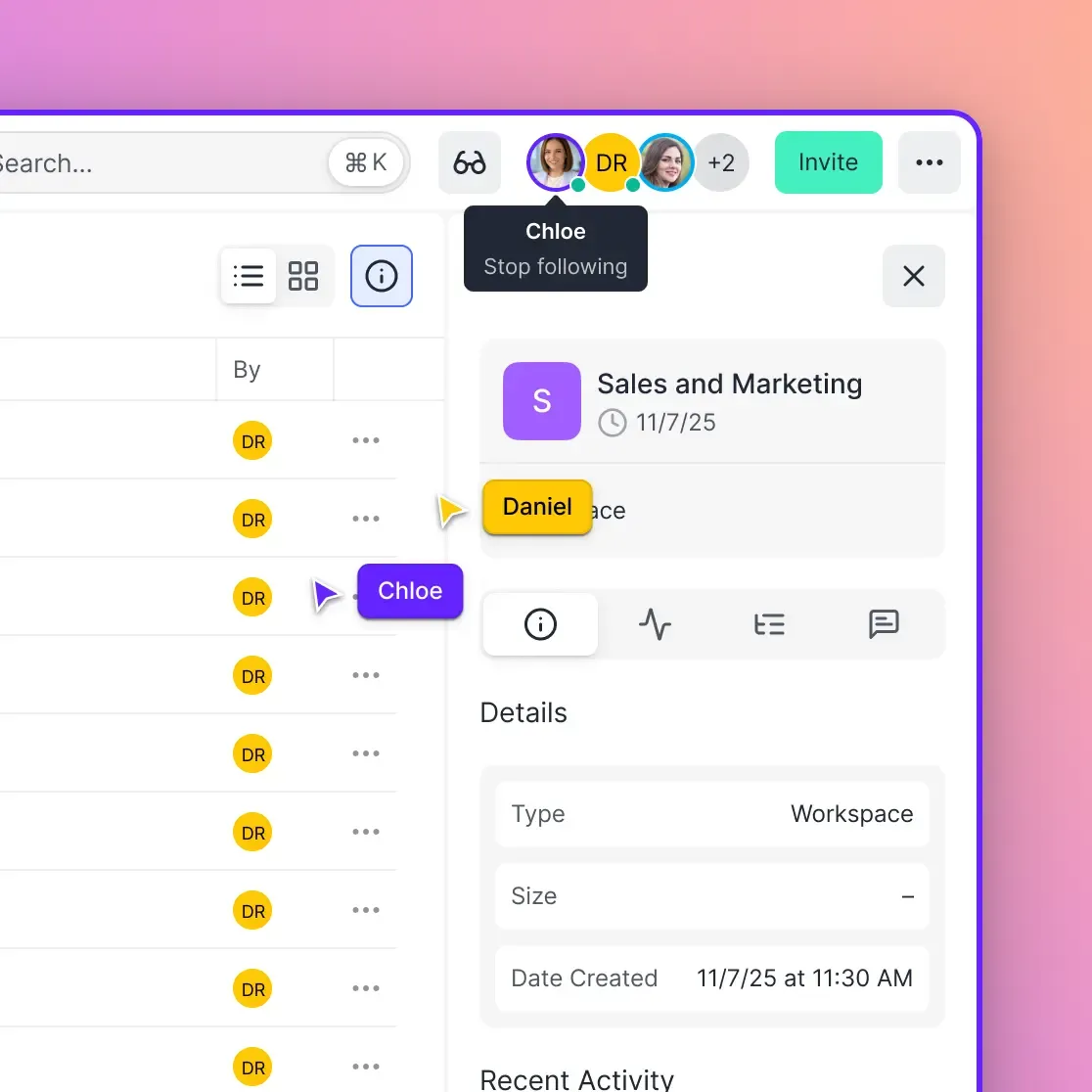
Cloud storage platforms like Fast.io show who's currently viewing a workspace. You can see which team members are in the project folder right now, reducing the "are you still working on this?" messages.
Shared Inbox Folders
Create an _Inbox folder at the project root where anyone can drop new assets. A designated team member (or the editor themselves) sorts these into the proper folders daily. This prevents new files from landing in random locations.
Local Storage vs. Cloud Storage for Video
Traditional video editing required fast local drives. Cloud storage has made that less absolute, especially for teams.
When Local Storage Works Best
- Solo editor on a single machine
- No need to share raw footage with others
- Working with codecs that require low latency (like BRAW or ProRes RAW)
- Offline editing environments
When Cloud Storage Works Best
- Multiple editors across different locations
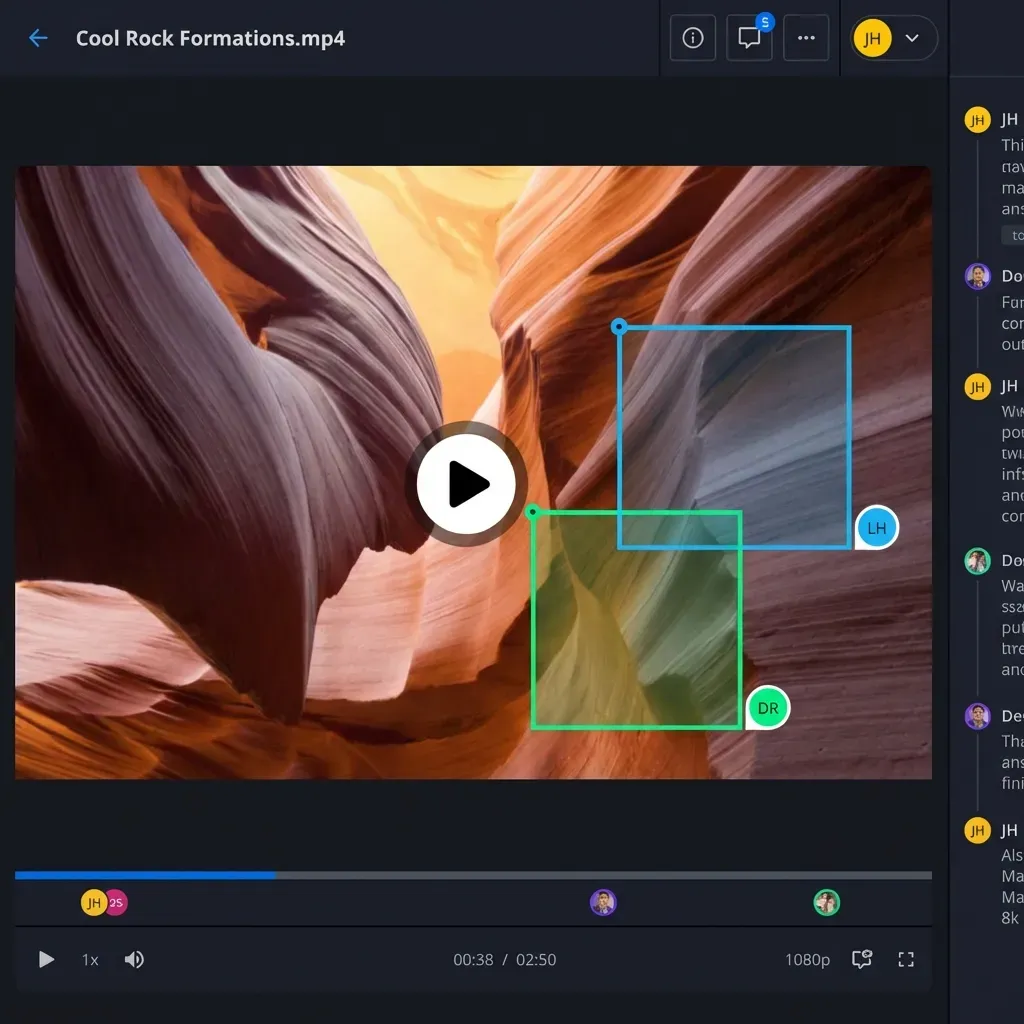
- Clients need to review footage without downloading
- Project files need to persist after employees leave
- You need to search across projects by content, not just filename
Hybrid Approach
Many teams use both: raw footage lives locally for editing performance, while project files and exports sync to the cloud. This gives you speed for editing and accessibility for collaboration.
Cloud-native platforms like Fast.io stream video previews (HLS adaptive bitrate) so clients and stakeholders can review footage in-browser without downloading massive files. The original files stay untouched while reviewers watch compressed proxies.
Scaling Beyond One Project
Once you're managing multiple projects, you need a system above the project level.
Client/Project Hierarchy
Work/
├── Client_Acme/
│   ├── 2026_Brand_Video/
│   ├── 2026_Product_Launch/
│   └── _Templates/
├── Client_GlobalCorp/
│   ├── 2026_Annual_Report/
│   └── 2025_Holiday_Campaign/
└── _Archive/
    └── 2024_Projects/
Year-Based Organization
Archive completed projects by year. Keep the current year's projects accessible; move older projects to archive storage.
Workspace-Per-Project
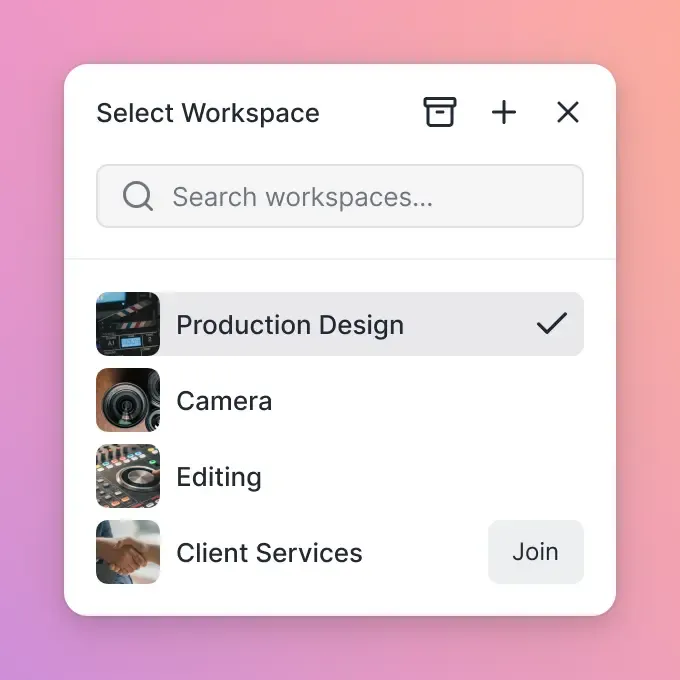
If your storage platform supports workspaces (like Fast.io), create one workspace per major project or client. This keeps permissions clean. You can invite a client to their workspace without exposing other clients' files.
Cross-Project Asset Libraries
Stock footage, music libraries, and brand assets that span multiple projects deserve their own top-level location. Don't duplicate these inside each project folder.
Finding Files Fast with Search and Metadata
Folder structure gets you 80% of the way. Search and metadata handle the edge cases.
Filename Search Limitations
Traditional search finds files by name. If you named a clip A001_C003.mp4 (camera-generated name), search won't help you find "the shot of the CEO by the window."
Metadata Tagging
Video editing software lets you add metadata tags: scene, shot type, subject, location. Tagging takes time upfront but pays off on longer projects.
Content-Based Search
Some storage platforms now search what's in the files, not just names. Fast.io's semantic search lets you type "interview clips from the Chicago office" and find matching footage even if the filenames don't mention Chicago.
This matters most for:
- Revisiting old projects
- Finding B-roll across multiple shoots
- Teams where different people shot and named the footage
Frequently Asked Questions
What is the best way to organize video files?
Use a consistent folder structure with numbered prefixes (01_Project, 02_Footage, 03_Audio, etc.) and descriptive filenames that include dates or scene numbers. Keep source footage separate from project files and exports. Once a file is placed, don't move it, as this breaks links in editing software.
How do professionals organize video footage?
Professional editors use a hierarchical folder system that separates footage by camera, audio by type (music, SFX, VO), and exports by version (drafts vs final). They follow strict naming conventions and often use metadata tagging for searchability. Large productions may also use dedicated media asset management (MAM) software.
How do I organize large amounts of video files?
For large-scale organization, add a layer above individual projects: organize by client and year. Archive completed projects annually. Use cloud storage with workspaces to keep different clients or projects isolated. Consider AI-powered search tools that can find footage by content rather than just filename.
Should I organize video files by date or by project?
Organize by project first, then use dates within the project folder. This keeps all assets for a single production together. Within the footage folder, date-prefixed filenames (YYYY-MM-DD format) help you sort shots chronologically and quickly identify which day a clip was captured.
What folder structure do video editors use?
Most video editors use variations of: Project (editing software files), Footage (raw camera files), Audio (music, sound effects, voiceover), Graphics (titles, logos, animations), Assets (fonts, LUTs, templates), and Exports (drafts and finals). Numbered prefixes like 01_, 02_ keep folders in consistent order.
Related Resources

Organize your video projects in the cloud
Fast.io workspaces keep your footage organized with real-time collaboration, AI-powered search, and HLS streaming for instant preview.