7 Best Photography Client Gallery Platforms for 2026
A photography client gallery is an online platform where photographers deliver, showcase, and sell images to clients. This guide compares seven options for proofing, downloads, and print ordering, covering wedding, portrait, and commercial photography workflows.
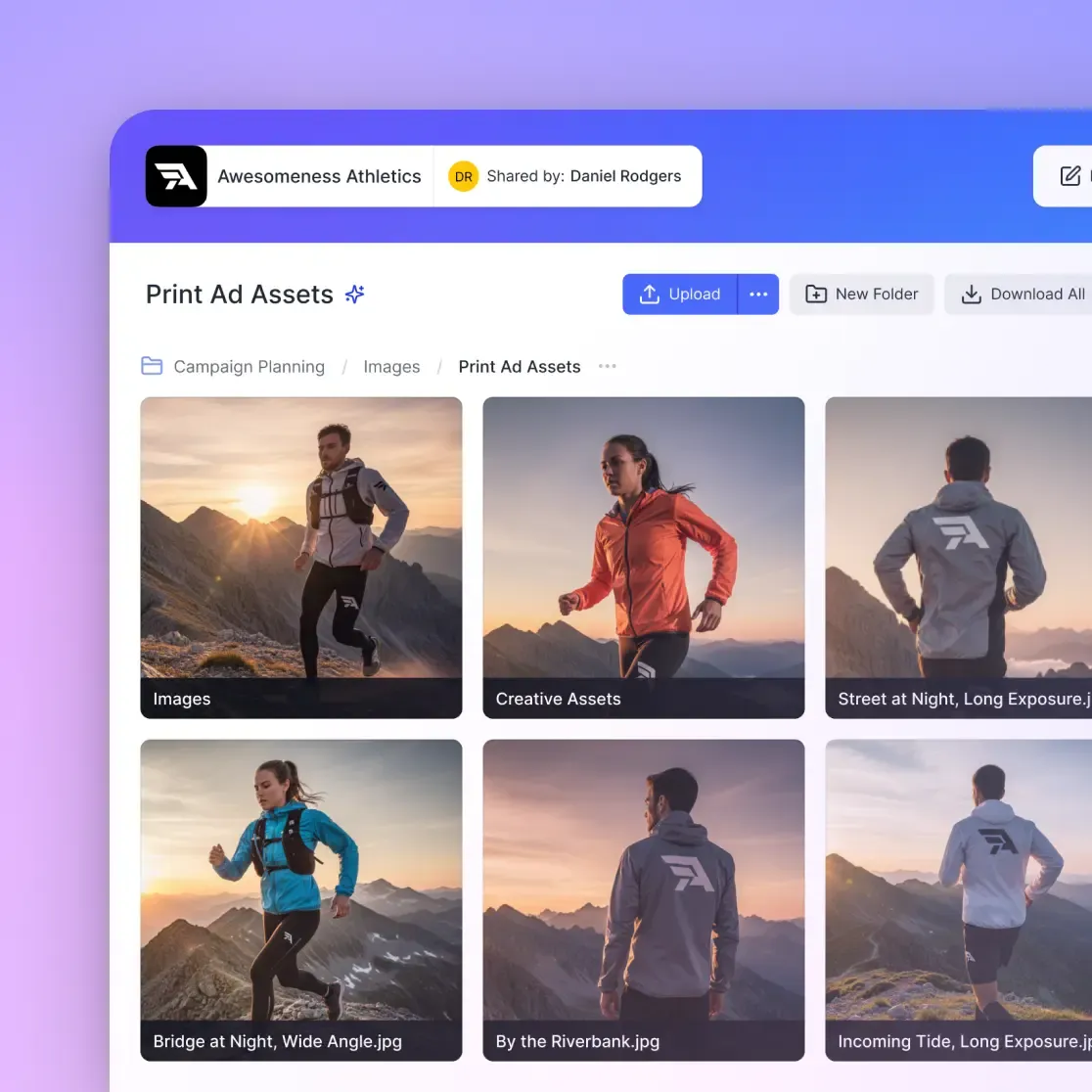
What Is a Photography Client Gallery?
A photography client gallery is an online platform where photographers deliver images to clients, let them select favorites, and optionally sell prints or digital downloads.
Photographers delivering 500-2000 images per wedding (or hundreds per corporate event) need more than email attachments or generic file sharing. Clients expect to browse images online, mark favorites, share with family or colleagues, and download their selections without technical friction.
Professional delivery also affects perceived value. A photographer sending a WeTransfer link leaves a different impression than one presenting images in a branded, password-protected gallery. Client galleries increase print sales by up to 40% because the purchase option appears right where clients browse.
What to Look for in Client Gallery Software
The best platform depends on your photography type. Here's what matters most:
Favorites and Proofing
Wedding photographers ask clients to pick 50-100 images for album design. Portrait photographers need selections for retouching. Event photographers deliver hundreds of images where clients choose which to license. Good proofing tools let clients:
- Mark favorites with a single click
- Add notes or editing requests to specific images
- Share access with others who need input (family, marketing team, art director)
Download Controls
Different clients need different things:
- High-resolution originals for commercial licensing
- Web-resolution for social media sharing
- Print-ready files at specific dimensions
The best galleries let you control what clients can download, rather than forcing one option.
Branding and Presentation
Your gallery should look like yours, not like the software company's. White-labeling options include:
- Custom logo and colors
- Your domain name (gallery.yourstudio.com)
- Branded email notifications
- No visible "Powered by [Platform]" badges

7 Best Photography Client Gallery Platforms
Here's how the leading options compare for different photography types.
1. Pixieset
Best for: Wedding and portrait photographers who want an all-in-one solution
Pixieset has become the default choice for wedding photographers. Clients can select favorites, leave comments, and order prints directly from galleries. The platform includes website hosting, CRM features, and online booking.
Pricing: Free plan with 3GB storage. Unlimited storage at $40/month. Suite bundle (all features) at $38/month.
Strengths: Beautiful gallery templates, strong print fulfillment integration, client-friendly mobile experience
Limitations: Overkill for commercial work where print sales aren't needed. Per-photographer pricing makes studios expensive.
2. Pic-Time
Best for: Photographers who want marketing automation built in
Pic-Time differentiates with automated marketing tools. After delivery, it can send reminder emails, promote print sales, and re-engage past clients. The store features include AR previews so clients can see how prints look on their walls.
Pricing: Free plan available. Unlimited storage starting at $34/month.
Strengths: Marketing automation, AR print previews, Lightroom export integration
Limitations: Learning curve for automation features. Some photographers find the marketing tools pushy.
3. ShootProof
Best for: High-volume portrait studios and event photographers
ShootProof handles large client lists well. Beyond galleries, it includes contracts, invoices, and workflow automation. The studio management features make it practical for photographers running a team.
Pricing: Starting at $10/month. Higher tiers for more storage and features.
Strengths: Client management built in, good for volume work, reasonable entry price
Limitations: Gallery design options are more limited than Pixieset. Print lab selection is smaller.
4. Lightfolio
Best for: Photographers who want a simple, affordable option
Lightfolio focuses on doing one thing well: client galleries. No CRM, no booking, no marketing automation. Just clean galleries with proofing, downloads, and an optional store.
Pricing: Free plan with 1GB storage. Paid plans for more storage.
Strengths: Simple to set up, budget-friendly, handles video alongside photos
Limitations: Lacks advanced features. You'll need separate tools for client management.
5. SmugMug
Best for: Photographers who prioritize print sales and portfolio display
SmugMug started as a portfolio and print-sales platform. Client galleries are one feature among many. It offers unlimited storage with strong print fulfillment through Bay Photo.
Pricing: Starting at $13/month for portfolio features. Higher tiers for client proofing.
Strengths: Unlimited storage, excellent print quality options, strong portfolio features
Limitations: Client gallery features feel secondary to portfolio display. Interface shows its age.
6. Zenfolio
Best for: Photographers who need both portfolio and client work in one place
Zenfolio combines portfolio hosting with client galleries and print sales. The all-in-one approach works for photographers who want a single platform for everything public and private.
Pricing: Starting at $5/month for basic features. Full client proofing at higher tiers.
Strengths: Portfolio and client galleries unified, competitive pricing, established platform
Limitations: Template designs feel dated compared to newer options. Mobile experience lags competitors.
7. Fast.io
Best for: Commercial photographers, studios with teams, and hybrid photo/video work
Fast.io skips print sales entirely. Instead, it focuses on professional file delivery with branded client portals, detailed access controls, and team collaboration.
Pricing: Usage-based (not per-seat). Pro plan includes 25 seats; additional seats $1/month.
Strengths:
- No per-seat pricing: Add team members and external clients without multiplying costs
- Branded portals: Custom logo, colors, and domain for professional presentation
- HLS video streaming: Handle hybrid photo/video projects with instant playback
- Fine-grained permissions: Control exactly who downloads what, with password protection and expiration dates
- Organization-owned files: Your archive stays intact when staff leave
Limitations: No built-in print fulfillment. Better for delivery than for selling prints.
Comparison by Photography Type
Different photographers have different priorities. Here's which platforms fit which workflows:
Wedding Photography
Top picks: Pixieset, Pic-Time
Wedding photographers need album proofing, print sales, and galleries that impress couples and families. Both platforms do this well and have built their products around this market.
Portrait Photography
Top picks: ShootProof, Pixieset
Portrait photographers (seniors, families, headshots) need volume handling and simple proofing. ShootProof's workflow tools help manage many sessions. Pixieset works well for fewer, higher-touch clients.
Commercial and Corporate Photography
Top picks: Fast.io, Lightfolio
Event photography, corporate headshots, and product shoots rarely need print sales. Clients want professional delivery, clear licensing, and easy downloads. Fast.io's client portals handle this without the wedding-focused features you'd never use.
Hybrid Photo/Video
Top picks: Fast.io, Lightfolio
If you shoot both stills and video (common for events, weddings, and commercial work), you need a platform that handles both well. Fast.io's HLS streaming plays video instantly without buffering. Lightfolio also supports video alongside photos.

Features Comparison Table
Here's a quick comparison of key features across platforms:
Proofing and Favorites
- Pixieset: Yes, with notes and requests
- Pic-Time: Yes, with collaboration
- ShootProof: Yes, basic
- Lightfolio: Yes, with comments
- SmugMug: Yes, limited
- Zenfolio: Yes
- Fast.io: Yes, with detailed permissions
Print Sales Integration
- Pixieset: Strong, multiple labs
- Pic-Time: Strong, AR previews
- ShootProof: Good, fewer labs
- Lightfolio: Basic
- SmugMug: Excellent, Bay Photo
- Zenfolio: Good
- Fast.io: No (delivery-focused)
White-Label/Branding
- Pixieset: Yes, on higher plans
- Pic-Time: Yes
- ShootProof: Limited
- Lightfolio: Basic
- SmugMug: Limited
- Zenfolio: Yes
- Fast.io: Full branding with custom domain
Video Support
- Pixieset: Limited
- Pic-Time: Basic
- ShootProof: No
- Lightfolio: Yes
- SmugMug: Basic
- Zenfolio: Basic
- Fast.io: HLS streaming, instant playback
Team/Multi-User
- Pixieset: Per-seat pricing
- Pic-Time: Per-seat pricing
- ShootProof: Per-seat pricing
- Lightfolio: Limited
- SmugMug: Per-seat pricing
- Zenfolio: Per-seat pricing
- Fast.io: 25 seats included, $1/extra
How to Set Up a Client Gallery
Whichever platform you choose, the setup process follows similar steps:
1. Create the Gallery
Upload your images after culling and editing. Most platforms offer Lightroom plugins for direct export. Organize by event, date, or however your clients will browse.
2. Configure Access
Decide who can view, favorite, and download:
- Password protection: Required for most client work
- Email collection: Optional, useful for marketing
- Expiration date: Common for time-limited delivery
3. Set Download Options
Match your delivery terms:
- Full resolution for clients who purchased digital files
- Web resolution for social sharing
- No downloads for proofing-only galleries
4. Customize Branding
Add your logo, adjust colors, and (if available) connect your domain. First impressions happen before clients see a single photo.
5. Share with Clients
Send the gallery link via email. Most platforms let you customize the notification email with your branding and message.
6. Monitor Engagement
Track whether clients opened the gallery, which images they favorited, and whether they downloaded files. This data helps with follow-up and future shoots.
Frequently Asked Questions
What is the best client gallery for photographers?
The best client gallery depends on your photography type. For wedding and portrait photographers focused on print sales, Pixieset and Pic-Time lead the market. For commercial photographers and studios needing team collaboration without per-seat pricing, Fast.io offers branded portals with usage-based pricing. For simple, affordable galleries, Lightfolio handles basics well.
How do photographers deliver photos to clients?
Professional photographers use client gallery platforms that let clients browse, select favorites, and download images online. These platforms replace email attachments and generic file-sharing links with something more professional. Clients receive a link (usually password-protected), view their images, mark selections, and download or order prints. For commercial work, photographers may use file delivery platforms with download tracking and licensing controls.
What gallery software do professional photographers use?
Wedding photographers commonly use Pixieset or Pic-Time for their proofing and print-sale features. Portrait studios often choose ShootProof for its volume handling and studio management tools. Commercial and corporate photographers may prefer delivery-focused platforms like Fast.io that prioritize branding and access controls over print fulfillment.
Are photography client galleries worth the cost?
Client galleries typically pay for themselves through increased print sales (up to 40% higher than email delivery) and time savings. Professional presentation also justifies higher session rates. For photographers shooting 20+ sessions per year, the $10-50 monthly cost represents a small fraction of revenue while improving both efficiency and client perception.
What's the difference between a client gallery and a portfolio site?
A portfolio site showcases your best work publicly to attract new clients. A client gallery is a private space where you deliver images to existing clients, often with proofing, download, and purchase features. Some platforms (SmugMug, Zenfolio) combine both. Others (Pixieset, ShootProof) focus primarily on client galleries. The distinction matters for pricing and features.
Can I use a client gallery for commercial photography?
Yes, but choose a platform built for it. Wedding-focused galleries emphasize print sales that commercial clients rarely need. Commercial photographers delivering to marketing teams, agencies, or corporate clients benefit from platforms with detailed permissions, download tracking, and branding options. Fast.io and similar delivery platforms handle commercial workflows better than print-sales-focused galleries.
Related Resources

Ready to upgrade your client delivery?
Fast.io provides branded client portals with fine-grained access controls, no per-seat pricing, and HLS streaming for hybrid photo/video work.