How to Choose Professional Video Hosting for Your Business
Professional video hosting gives businesses control over how their videos look, who can watch them, and what happens after someone clicks play. This guide breaks down the features that matter and helps you figure out which platform fits your workflow.
What Makes Video Hosting 'Professional'?
Professional video hosting differs from consumer platforms like YouTube in a few important ways.
Brand control means your videos play without third-party logos, ads, or "watch next" recommendations that send viewers elsewhere. Your player matches your brand colors. Your domain appears in share links.
Security options include password protection, domain restrictions (videos only play on your website), expiration dates, and download controls. Some platforms offer watermarking for sensitive content.
Analytics go beyond view counts. Professional hosts track viewer engagement patterns, showing exactly where people pause, rewind, or drop off. This data helps you improve your content and prove ROI to stakeholders. Consumer platforms optimize for their own ad revenue and discovery algorithms. Professional platforms optimize for your business outcomes.
Helpful references: Fast.io Workspaces, Fast.io Collaboration, and Fast.io AI.
Key Features to Look for in Professional Video Hosting
When evaluating professional video hosting platforms, prioritize these capabilities:
- Adaptive bitrate streaming (HLS): Video quality adjusts automatically based on viewer bandwidth. No buffering, instant playback, smooth scrubbing.
- Branded player: Custom colors, logo, and controls that match your visual identity.
- Privacy controls: Password protection, domain restrictions, link expiration, and download prevention.
- Engagement analytics: Heatmaps showing viewer behavior, drop-off points, and completion rates.
- 4K/8K support: High-resolution delivery for production companies and quality-conscious brands.
- No ads or platform branding: Clean viewing experience without distractions.
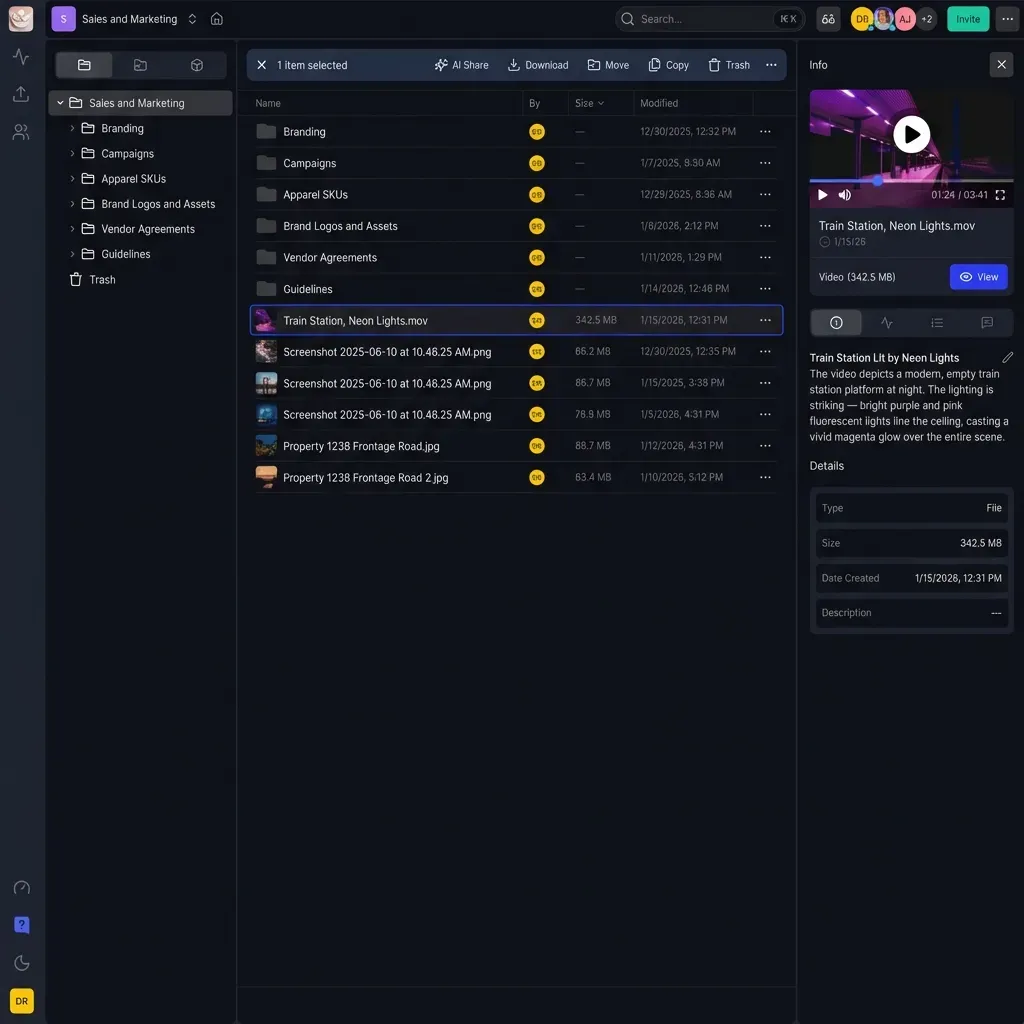
- Team collaboration: Multiple users can upload, organize, and manage video assets.
- Large file handling: Support for professional camera output (ProRes, RAW) without compression. The features you prioritize depend on your use case. Marketing teams care about lead capture and analytics. Production companies need frame-accurate review tools. Internal communications teams prioritize security and access controls.
Professional Video Hosting vs YouTube for Business
YouTube works well for public content where discoverability matters more than brand control. For internal training, client deliverables, product demos, or any video you don't want indexed by search engines, YouTube creates problems.
YouTube limitations for business:
- Ads play before or during your content (unless you pay for Premium)
- Competitor videos appear in "suggested" sections
- Analytics are basic and optimized for YouTube's goals, not yours
- No password protection or domain restrictions
- YouTube branding appears on every video
- Content moderation can flag or remove legitimate business content
When YouTube makes sense: Public marketing videos, thought leadership content, SEO-driven video strategy.
When professional hosting makes sense: Client presentations, internal training, product demos, sales enablement, video reviews, any content you want to control. The cost difference matters less than it appears. Professional hosts start at affordable prices. The productivity lost to YouTube's limitations often exceeds that cost within the first month.


Start with professional video hosting on Fast.io
Start a 14-day free trial. No credit card required. Upload your first video in a few minutes.
How HLS Streaming Changes the Viewing Experience
Most consumer platforms use progressive download. Your browser downloads the video file from the start. If your connection slows, playback stutters. Jumping ahead means waiting for that section to download. Professional hosts use HLS (HTTP Live Streaming), the same technology behind Netflix and Disney+. The video is split into small chunks at multiple quality levels. Your player requests the right quality for your current bandwidth and switches on the fly as conditions change. The practical difference:
- Instant playback: Video starts immediately, no waiting for buffering
- Smooth scrubbing: Jump to any point without delay
- Adaptive quality: No manual quality selection needed
- Works everywhere: HLS is supported on all modern browsers and devices
For a 10-minute video on a variable connection, progressive download might buffer 3-4 times. HLS handles the same conditions without interruption. Fast.io uses HLS streaming for all video content. Videos play at up to 1080p and automatically adjust based on each viewer's device and connection.
Pricing Models: Per-Seat vs Usage-Based
Most video hosting platforms charge per user or per video storage. This creates problems as your team grows.
Per-seat pricing (common model): $20-50 per user per month. Teams of that size pay several hundred dollars per month. Adding contractors or clients requires additional seats.
Storage-based pricing: Pay for gigabytes stored. Works well if you have few videos. Gets expensive fast for production teams with large files.
Usage-based pricing: Pay for what you actually use, storage plus bandwidth. More predictable costs, scales efficiently. Fast.io uses usage-based pricing with generous seat packages. Pro plans include 25 seats; Business plans include 100 seats. Extra seats cost published pricing. This means a 25-person team using 5TB of storage pays around published pricing, compared to published pricing for the same team on per-seat platforms. When comparing prices, calculate your total cost including all users who need access. Include clients, contractors, and stakeholders who only view content.
Video Review and Approval Workflows
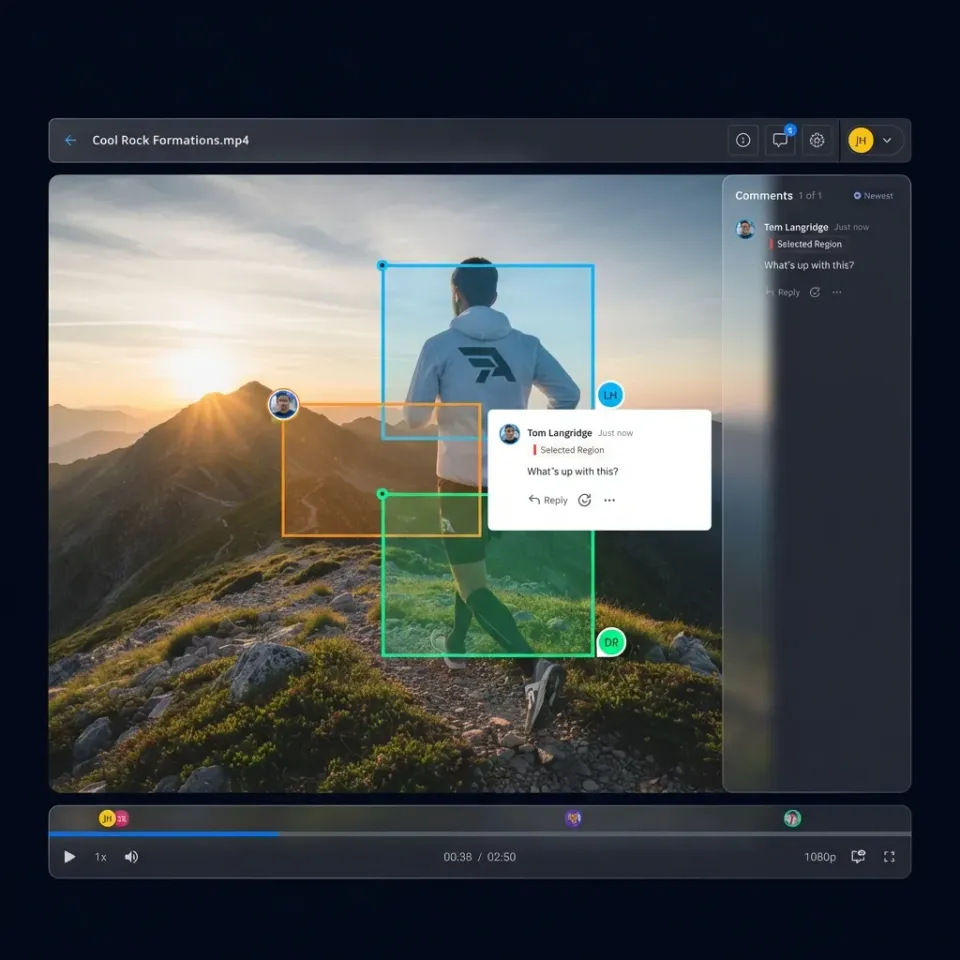
Getting feedback on video content is painful without the right tools. Email threads with timecode references. Screenshots that don't quite capture what the reviewer meant. Professional video hosting platforms solve this with frame-accurate commenting. Reviewers pause at the exact frame they want to discuss and leave a note pinned to that moment. Comments thread by timecode, creating a clear list of changes. Features that matter for review workflows:
- Frame-accurate comments: Feedback attached to specific frames, not approximations
- Drawing and annotation: Markup directly on video frames
- Version comparison: Review revisions side-by-side
- Approval tracking: Know who has signed off and who hasn't
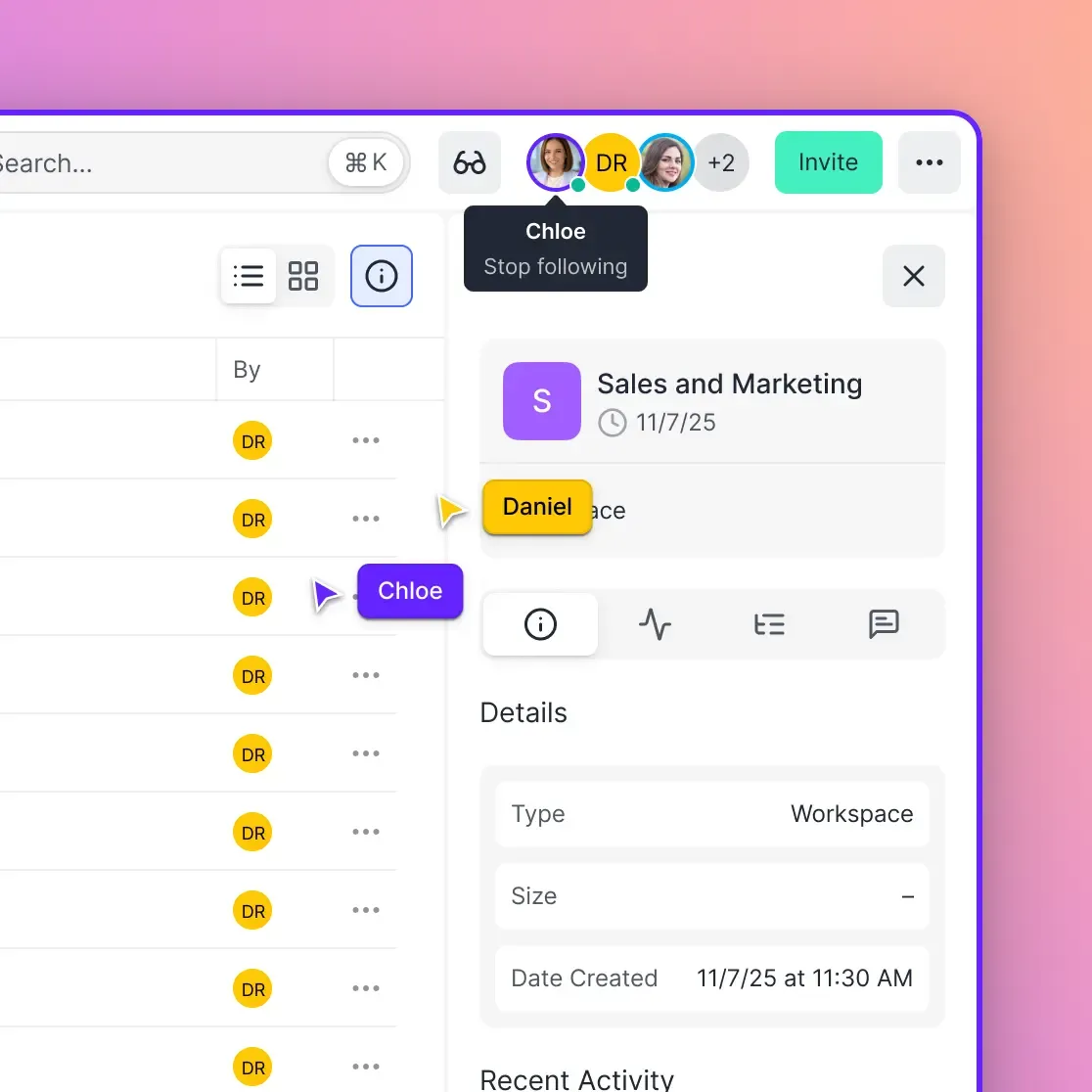
- Real-time presence: See when clients are watching and follow along with them
Fast.io supports frame-accurate reviews where comments attach to specific moments in the video. You can also see what teammates are watching in real time and sync your view to theirs for walkthroughs.
Security Features for Sensitive Video Content
Some video content requires more protection than a public link. Pre-release marketing campaigns, M&A due diligence materials, internal training on sensitive topics, client deliverables under NDA. Security features to evaluate:
- Password protection: Simple access control for individual videos or entire folders
- Domain restrictions: Videos only play when embedded on specific websites
- Link expiration: Automatically disable access after a set date
- Download prevention: View-only access without local copies
- Watermarking: Visible marks identifying the viewer (deters leaks)
- Audit logs: Track who viewed what and when
- SSO integration: Connect to your identity provider (Okta, Azure AD, Google)
- Data rooms: Branded spaces for high-stakes deals with engagement analytics
Fast.io includes password protection, link expiration, domain restrictions, view-only sharing, watermarking, and full audit logs. SSO integration works with major identity providers. Data rooms show you exactly how recipients engage with your content, which helps during high-stakes deals.
Evaluating Video Hosting Platforms
Before committing to a platform, test these scenarios with your actual content:
Upload test: How long does it take to upload a large production file? Does the platform require transcoding time before viewing? Can you share immediately or must you wait?
Playback test: Open your video on mobile, on a slow connection, and on different browsers. Does it start instantly? Can you scrub to random points without buffering?
Sharing test: Create a password-protected link. Send it to someone outside your organization. How many steps do they need to view it? Do they need to create an account?
Collaboration test: Have two people comment on the same video. Are comments threaded ? Can you resolve and track feedback?
Analytics test: Watch a video yourself, skipping around. Check if the analytics reflect your actual viewing pattern. Generic platforms often only track "video started" and "video completed."
Most professional hosts offer free trials. Use them with real content and real collaborators before deciding.
Frequently Asked Questions
What is the best professional video hosting?
The best platform depends on your primary use case. For marketing teams, Wistia and Vidyard offer strong lead capture and CRM integrations. For production teams needing large file support and frame-accurate review, Fast.io and Frame.io specialize in those workflows. For general business use with team collaboration, Fast.io provides usage-based pricing that scales more efficiently than per-seat alternatives.
How much does professional video hosting cost?
Professional video hosting typically costs modest prices for small teams, scaling to several hundred dollars for larger organizations. Per-seat platforms charge $20-50 per user per month, so a 25-person team might pay $500-1,250 monthly. Usage-based platforms like Fast.io charge based on storage and bandwidth, with a 25-person team using 5TB costing around published pricing.
What is better than YouTube for business video?
Professional video hosting platforms like Vimeo, Wistia, SproutVideo, and Fast.io offer better options for business video. They provide ad-free playback, custom branding, password protection, detailed analytics, and team collaboration features. YouTube works for public content where discoverability matters, but professional hosts are better for client deliverables, internal training, and any video requiring access control.
Do I need professional video hosting or is Vimeo enough?
Vimeo Pro and Business plans work well for many businesses. If you need team collaboration features, large file handling for production workflows, or better pricing as your team grows, specialized platforms may fit better. Fast.io offers similar streaming quality with usage-based pricing instead of per-seat costs, plus real-time collaboration tools that Vimeo lacks.
What video format is best for professional hosting?
Most professional hosts accept common formats (MP4, MOV, MKV) and transcode automatically for streaming. For best quality, upload in your camera's native format or a high-bitrate ProRes/H.264 file. Avoid pre-compressing before upload, as the platform will compress again for streaming. Fast.io supports terabyte-scale files without additional compression.
Related Resources

Start with professional video hosting on Fast.io
Start a 14-day free trial. No credit card required. Upload your first video in a few minutes.