How to Receive Large Files from Clients
Receiving large files means setting up a way for clients or collaborators to upload files to you, often using upload portals or request links. This guide covers three methods that work without email size limits or asking clients to create accounts.

Why Email Fails for Receiving Large Files
Email caps attachments at 25MB on most providers. Send a high-resolution video, CAD drawing, or photo batch? Your client gets a bounce message. Manual file collection via email takes 3x longer than dedicated upload methods, and files end up scattered across inboxes with no organization.
The problems compound:
- Size limits block anything over 25MB
- Files get buried in email threads
- No encryption for sensitive documents
- Spam filters catch legitimate attachments
- Version confusion when clients send multiple files with similar names
Any multi-file project turns email into a mess. You need a system where clients send files directly to an organized location.
Three Ways to Receive Large Files from Clients
Three methods work for collecting large files without email limitations.
1. Upload Portals
An upload portal is a dedicated web page where clients submit files by visiting a link and dragging in their files. No accounts, no passwords, no software. You create the portal once and share the link whenever you need files.
Works well for ongoing file collection from multiple clients. Tax firms collecting documents. Agencies receiving assets from brands. Construction companies gathering subcontractor files.
2. File Request Links
A file request is a one-time ask sent to specific people. You send a link, they upload the requested files, done. More targeted than a portal.
Good for single document requests. Asking one client for their signed contract. Requesting specific deliverables from a vendor.
3. Shared Folders with Upload Permissions
Create a shared folder and give clients permission to add files. They access the folder, upload what you need, and the files appear alongside existing project materials.
This approach fits ongoing collaboration where clients need to both upload and view files. Project folders where external partners contribute regularly.
Each method solves the size limit problem. The difference is how you want to organize incoming files and what level of access clients need.
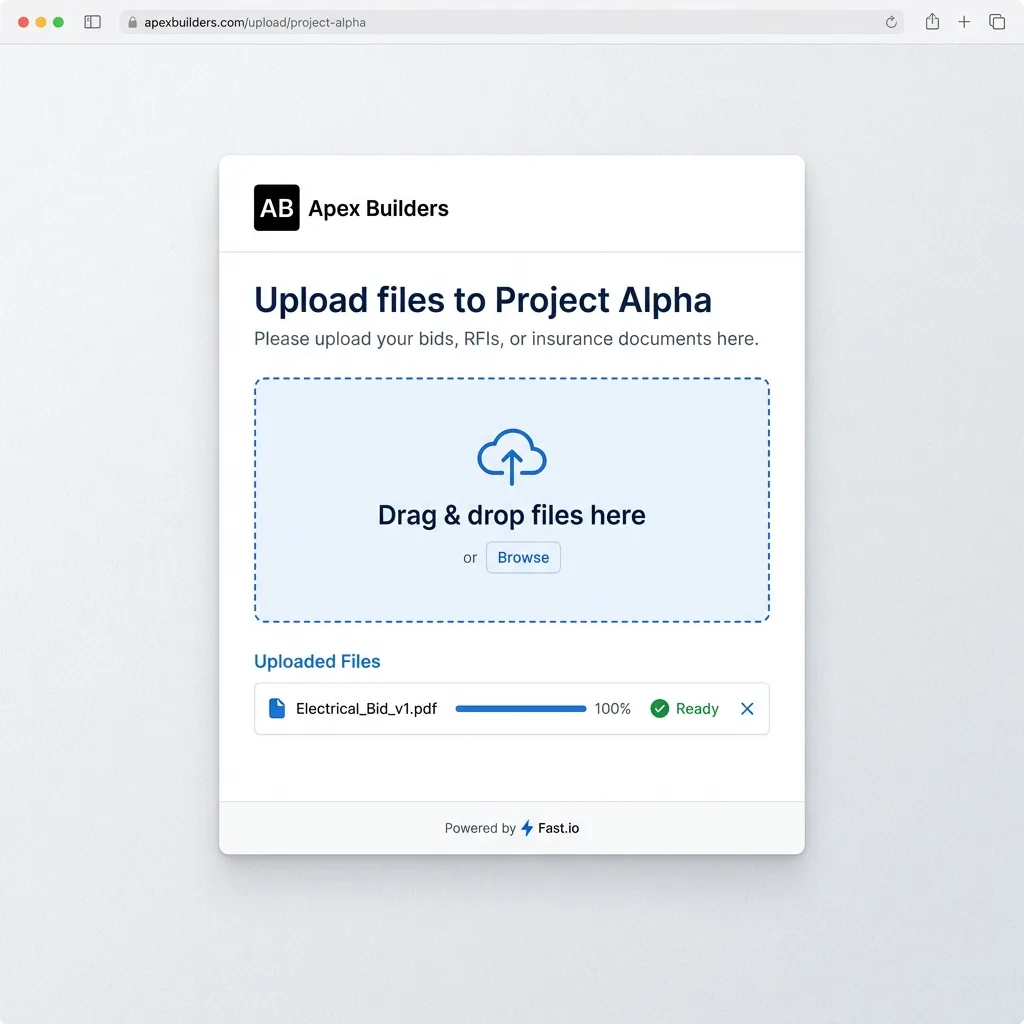
Setting Up an Upload Portal
Upload portals handle the highest volume of external file collection. Here's how to create one.
Step 1: Create a destination folder
Decide where incoming files should land. A dedicated workspace or folder keeps client submissions separate from internal files.
Step 2: Generate an upload link
Share the folder with external upload permissions. This creates a link that lets people outside your organization submit files without seeing your other content.
Step 3: Configure security options
Add password protection if you want an extra layer. Set expiration dates for time-limited collections like RFP responses or contest submissions. Enable domain restrictions to limit uploads to specific email addresses.
Step 4: Add your branding
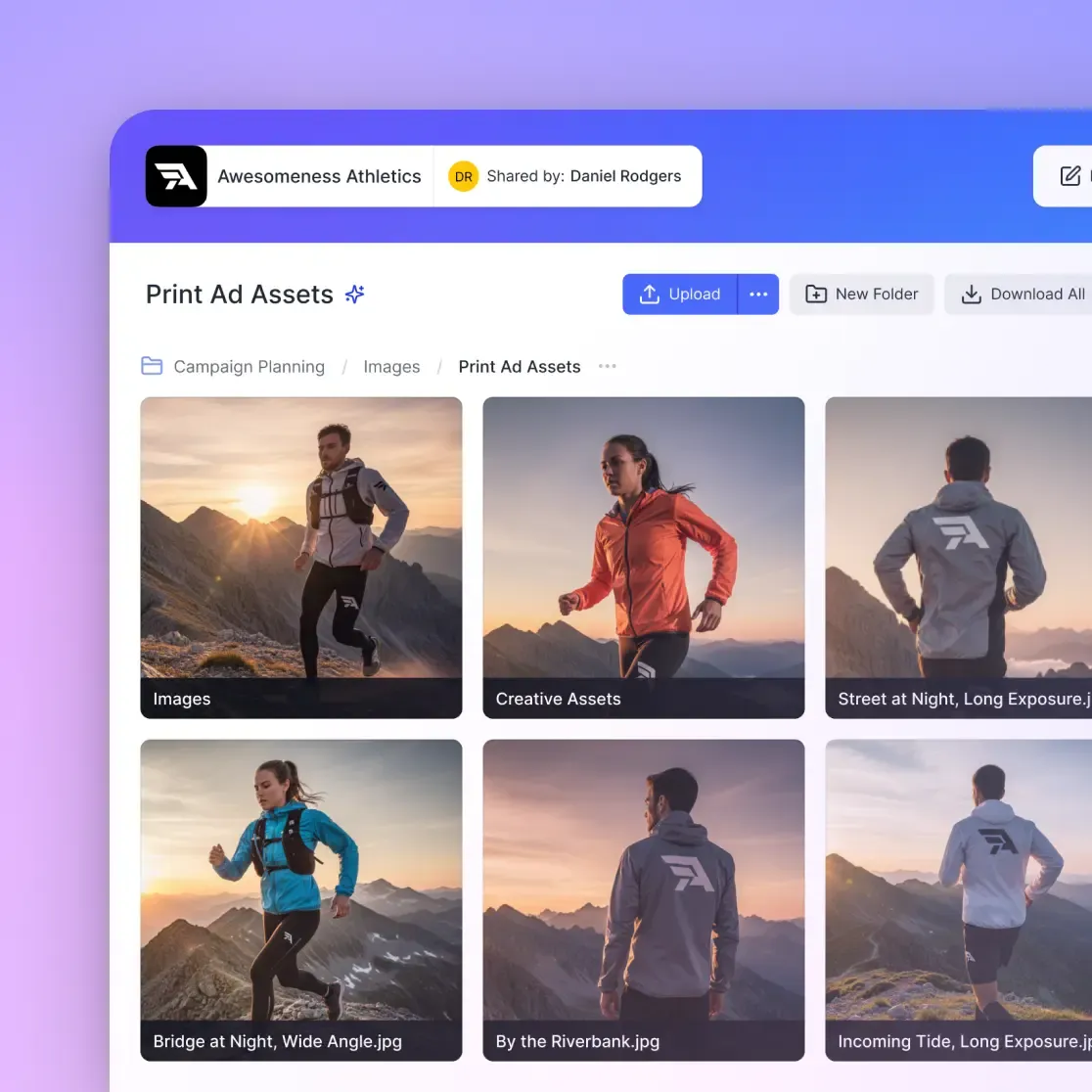
Generic upload pages look suspicious. Add your logo and brand colors so clients trust the link. Fast.io supports branded portals with custom logos, colors, and vanity URLs.
Step 5: Share and collect
Send the portal URL to clients. Embed it on your website. Include it in project kickoff documents. Files arrive encrypted and organized, with notifications when uploads complete.
What to Look for in a File Collection Tool
Not all file collection tools work the same way. A few features matter more than the rest.
No Account Required for Uploaders
The biggest friction point: forcing clients to create accounts before they can send you files. Good tools let clients upload with just a link. Fast.io's unlimited guest access means clients never count against your seat limits.
Large File Support
"Large" means different things in different industries. A wedding photographer needs to receive 50GB of RAW files. A construction firm needs 500MB of CAD drawings. Check actual limits, not marketing claims. Some tools cap at 2GB per file. Others handle 100GB+.
Folder Structure Preservation
When clients upload a folder of organized project files, you want that structure preserved. Tools that flatten everything into a single pile create sorting work on your end.
Encryption in Transit and at Rest
Files should be encrypted while uploading (TLS) and while stored. This matters for sensitive documents like contracts, financial records, or legal evidence.
Audit Logs
When a client claims they sent something, you need records. Who uploaded what, when, from which IP address. Useful for compliance requirements and resolving disputes about what was actually delivered.
How Fast.io Handles Incoming Files
Fast.io was built for teams that exchange large files with external partners. Here's how it handles incoming files.
Unlimited file sizes. No 2GB caps. Video production teams receive raw footage. Architecture firms get massive CAD files. Engineering teams collect simulation data. The limit is your storage allocation, not an arbitrary upload cap.
External shared folders. Invite clients to specific folders without giving them access to your full workspace. They see only what you share, and their uploads land exactly where you want them.
No client accounts needed. Clients click a link and upload. No registration, no app download, no password to remember. Removes the friction that makes clients send email attachments instead.
Organization-owned files. When files arrive, they belong to your organization. No "permission denied" errors when the original uploader leaves or loses access. Files stay accessible to your team.
Activity tracking. See exactly who uploaded what and when. The audit trail shows upload timestamps, file sizes, and source IP addresses. Useful when you need to prove compliance or track project deliverables.
This setup works for teams that receive files from dozens of external contacts: agencies managing multiple brand clients, law firms collecting case documents, finance teams gathering audit materials.
Common Scenarios by Industry
Different industries collect different types of large files. Here's how it typically works.
Creative and Media
Agencies receive brand assets, raw footage, and photography from clients. Video editors get camera files from directors. The files are large (4K video, RAW photos) and time-sensitive. Upload portals per client or project keep assets organized. For more on creative workflows, see video collaboration tools.
Legal
Law firms collect case documents, evidence files, and signed agreements from multiple parties. Security matters here. Password-protected portals with audit logs track who submitted what. Domain restrictions ensure only authorized parties can upload.
Accounting and Finance
Tax season means collecting W-2s, 1099s, receipts, and bank statements from every client. Upload portals per client prevent document mixing. Clear folder naming ("2025 Tax Documents") guides clients to upload to the right place.
Construction
Subcontractors submit RFIs, change orders, insurance certificates, and progress photos. A portal per project handles the volume. Automatic organization beats hunting through email threads for that one photo from three weeks ago.
Real Estate
Transaction documents flow from buyers, sellers, agents, lenders, and attorneys. Shared folders with upload permissions let everyone contribute to a deal file. Version tracking shows which document is current.
Frequently Asked Questions
How do I receive large files from clients?
Set up an upload portal, file request link, or shared folder with upload permissions. Clients visit a link and upload files directly. No email attachments, no size limits, no accounts required for uploaders.
How do I set up a file upload link?
Create a folder in your file sharing tool, generate a share link with upload permissions enabled, configure password protection and branding if needed, then send the link to clients. In Fast.io, this takes about two minutes.
What is the best way to collect files from multiple people?
Use an upload portal. Create a branded page where anyone with the link can submit files. Files land in one organized location with notifications when uploads complete. Better than chasing email attachments from multiple sources.
Do clients need accounts to send me large files?
No. Tools like Fast.io let clients upload files without creating accounts, remembering passwords, or installing apps. They click a link, drag in files, and the upload starts immediately.
What file size limits should I expect?
Email typically caps at 25MB. Basic cloud storage links cap at 2-5GB. Dedicated file transfer tools like Fast.io support files of unlimited size, limited only by your storage allocation.

Start Receiving Large Files Today
Create upload portals where clients can send files of any size. No accounts required for uploaders.