How to Replace SharePoint for Creative Teams
SharePoint handles general document management, but it wasn't built for creative work. Design and video teams need specialized tools that support large media files, instant previews of professional formats, and client-friendly delivery. This guide covers why SharePoint frustrates creatives and what alternatives actually work for production workflows.
Why SharePoint Fails Creative Teams
SharePoint was designed for enterprise document management. Word files, spreadsheets, PDFs. It works well enough for that purpose.
Creative work is different. Design teams handle Photoshop files that regularly hit 500MB. Video editors move 50GB ProRes files between collaborators. Photographers share thousands of RAW images for client review. These aren't edge cases for creative teams. They're daily workflows.
SharePoint site collections have a 25TB limit. That sounds generous until you realize a single video project can consume several terabytes. When you hit capacity, SharePoint stops working. No new uploads, no edits, no file moves. Your production halts.
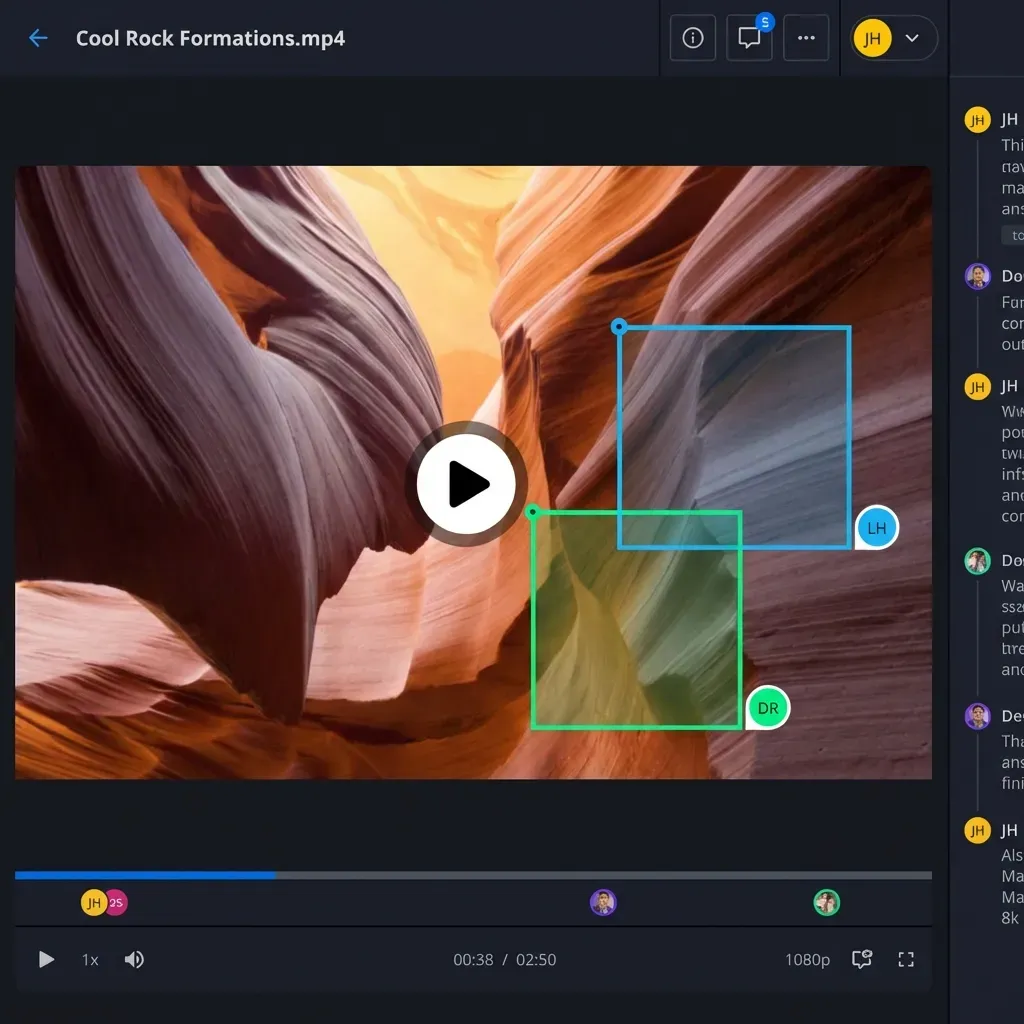
Beyond storage limits, SharePoint's preview system wasn't built for creative formats. You can't preview a PSD layer structure. Video playback buffers constantly. RAW images show as generic icons. Your team ends up downloading everything locally just to see what they're working with.
The administration overhead compounds these problems. SharePoint requires dedicated IT resources to manage permissions, sites, and libraries. Creative agencies and in-house teams rarely have that luxury.
What Creative Teams Actually Need
A SharePoint alternative for creative work needs to handle three things well: large files, media previews, and external collaboration.
Large file handling means more than just accepting big uploads. The system should stream files on-demand instead of forcing local sync. When a producer needs to review a 30GB edit, they should watch it in the browser without downloading anything.
Media previews let your team see what they're working with. That means native support for PSD, AI, INDD, RAW, and dozens of other professional formats. For video, it means adaptive streaming that starts instantly without buffering.
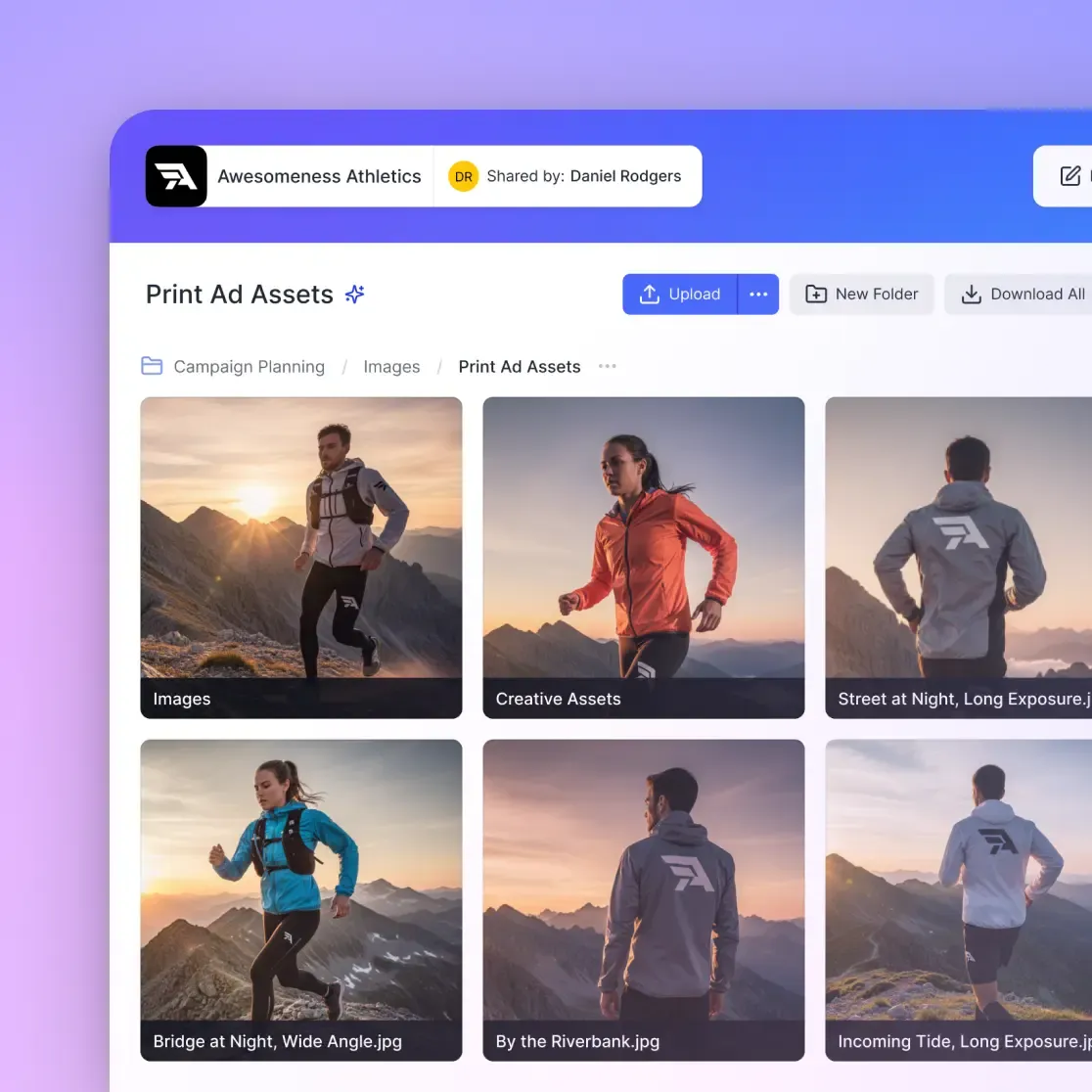
External collaboration matters more than anything else for agencies and studios. You need to share files with clients who don't have (and shouldn't need) accounts in your system. Branded portals, password protection, download controls, and view tracking should be standard.
Most SharePoint alternatives target IT departments, not creative workflows. They replace one document management system with another. For creative teams, the solution needs to understand media production from the start.
Comparing SharePoint to Creative-Focused Alternatives
The SharePoint alternatives market splits into two categories: enterprise document management platforms and creative workflow tools.
Enterprise platforms like Box and Google Drive share SharePoint's limitations. They're built for the same document-centric use case. Box has better permissions, Google Drive has better collaboration on text documents, but neither handles large media files well.
Digital Asset Management (DAM) tools like Brandfolder and Bynder focus on finished assets. They're excellent for brand libraries and approved content distribution. But they're not designed for active production work where files change constantly and teams need real-time collaboration.
Creative workflow tools like Fast.io sit between these categories. They combine the file management capabilities enterprise teams expect with media features creative teams need. What sets them apart:
- HLS video streaming (starts instantly, no buffering)
- Native previews for 50+ professional formats
- Frame-accurate commenting on video and images
- Usage-based pricing instead of per-seat fees
- Branded client portals for external delivery
The pricing model matters more than most teams realize. SharePoint bundles with Microsoft 365, but alternative platforms charge per user. For a 25-person creative agency with 50 contractors and freelancers rotating through projects, per-seat pricing gets expensive fast.
How Fast.io Handles Creative Workflows
Fast.io approaches creative file management differently than SharePoint or traditional cloud storage.
Cloud-native architecture means files live in the cloud and stream on-demand. No sync client eating disk space. No conflicts when multiple people work on the same project. When someone uploads a 10GB video, others can watch it immediately without waiting for a download.
Universal previews work across professional formats. Open a PSD and see the layer structure. View InDesign layouts without installing InDesign. Preview RAW photos with accurate color. Your clients and stakeholders see actual content, not placeholder icons.
Video streaming uses HLS (the same adaptive bitrate technology Netflix uses). Playback starts instantly. Scrubbing is smooth. Quality adjusts automatically based on connection speed. Reviewers can jump to any point in a 2-hour edit without buffering.
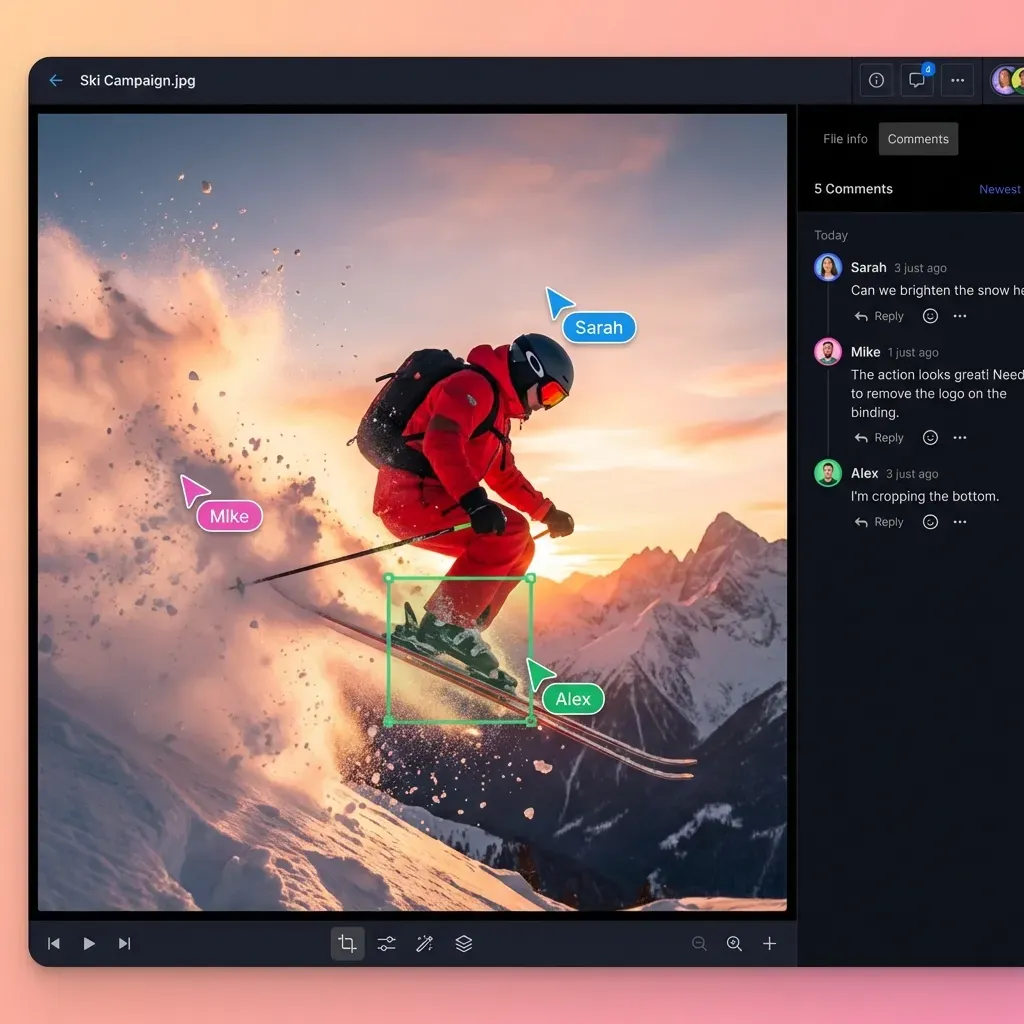
Frame-accurate comments let reviewers pin feedback to specific frames in video or regions in images. "The color shift at 01:23:15" becomes a clickable marker that takes everyone to the exact moment. No more timecode confusion in email threads.
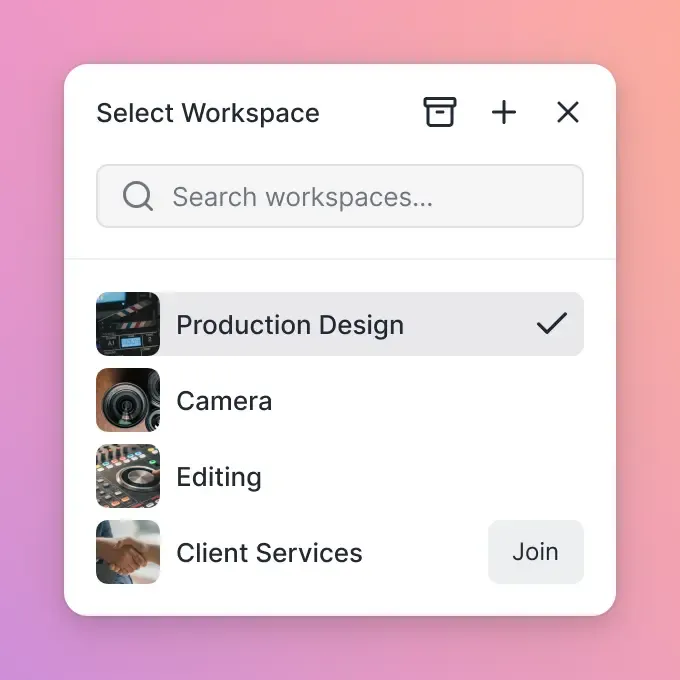
Workspace organization keeps projects contained. Each client or production gets its own workspace with dedicated permissions. When a project ends, archive the workspace. When someone leaves, their files stay with the organization.
Setting Up a Creative File Workflow
You don't need to migrate everything at once. Most teams start with active projects and expand from there.
Start with one production. Pick a project that represents your typical workflow. Set up a workspace, invite the core team, and test your review process. Pay attention to video playback performance, preview quality, and how external sharing works with clients.
Define your folder structure. Creative projects have predictable phases: source assets, work in progress, client review, finals. Create a structure that matches your process. Most teams land on something like:
01_Source(original footage, photos, brand assets)02_WIP(active project files)03_Review(exports for client feedback)04_Finals(approved deliverables)
Set permissions by role. Producers might need full access. Editors work in WIP folders. Clients only see Review and Finals. Map your team's access patterns before inviting everyone.
Connect external collaborators. For clients, create shared folders with view-only access and download controls. For freelancers, use time-limited invitations that expire when the project ends. Track who views what so you know when clients have reviewed deliverables.
Costs: SharePoint vs Creative Alternatives
SharePoint's cost is hidden inside Microsoft 365 licensing. If you're already paying for Office, SharePoint feels free. But the hidden costs add up.
IT overhead is the biggest expense. SharePoint requires ongoing administration. Site collections need management. Permissions get complicated. Many organizations hire dedicated SharePoint administrators or pay consultants for maintenance.
Workarounds have costs too. When SharePoint can't handle your video files, teams end up running Dropbox, Frame.io, or FTP servers alongside it. Now you're paying for multiple systems and managing data across platforms.
Per-seat alternatives get expensive. Box charges around $20 per user per month for business plans. Dropbox Business runs $18 per user. For a 25-person team, that's $450-$500 per month before adding contractors or freelancers.
Usage-based pricing changes the math. Fast.io charges based on storage and bandwidth rather than user count. A 25-person team with occasional freelancers might pay $60 per month instead of $450+. The difference adds up over a year.
The right comparison isn't "SharePoint vs one alternative." It's "SharePoint plus all the workarounds" vs "one tool that handles creative workflows natively."
When to Keep SharePoint
SharePoint remains the right choice for some scenarios. Don't replace it if:
Your work is primarily documents. If your team deals with contracts, reports, spreadsheets, and presentations, SharePoint handles that well. The creative workflow limitations don't apply when you're not working with media.
Deep Microsoft 365 integration matters. SharePoint connects natively with Teams, Outlook, and other Microsoft tools. If your organization runs on the Microsoft ecosystem and you need those integrations, replacing SharePoint means replacing more than file storage.
IT governance requires it. Some organizations mandate SharePoint for compliance or policy reasons. If that's your situation, you might run SharePoint for official records while using creative tools for production work.
Your files are small. Teams that work exclusively with lightweight assets (web graphics, simple documents, small video clips) won't hit SharePoint's limitations. The investment in a specialized tool doesn't pay off.
For creative teams drowning in large files, missing deadlines because of buffering video, or frustrated by missing previews, a dedicated alternative makes sense. The goal isn't replacing Microsoft. It's giving creative work the right tools.
Frequently Asked Questions
Why is SharePoint bad for creatives?
SharePoint was built for enterprise document management, not creative production. It struggles with large media files (site collections cap at 25TB), lacks native previews for professional formats like PSD and RAW, and forces video to download rather than stream. Creative teams end up with constant buffering, missing previews, and storage bottlenecks that halt production.
What do creative agencies use instead of SharePoint?
Creative agencies typically use a mix of tools: cloud storage platforms with better media support (like Fast.io or Dropbox), DAM systems for finished assets (like Brandfolder), and review tools for video feedback (like Frame.io). The most efficient agencies consolidate into one platform that handles storage, preview, and client delivery together.
Can SharePoint handle large video files?
SharePoint accepts large uploads (up to 250GB per file), but handling them is another matter. Video playback uses progressive download, which means buffering and waiting. Site collections have a 25TB limit that video projects exhaust quickly. There's no frame-accurate commenting, no adaptive streaming, and no instant playback. SharePoint stores video files but doesn't really support video workflows.
How much does a SharePoint alternative cost for creative teams?
Per-seat platforms like Box ($20/user) or Dropbox Business ($18/user) cost $450-500/month for a 25-person team. Usage-based alternatives like Fast.io charge based on storage and transfer, often running $60/month for similar team sizes. The key difference: usage-based pricing doesn't penalize you for adding freelancers and contractors.
What file formats should a creative file sharing tool support?
At minimum: PSD, AI, INDD, RAW (various camera formats), EPS, and PDF with full preview. For video: H.264, ProRes, DNxHD, and common camera codecs. The tool should show these in the browser without requiring the original software. Fast.io previews 50+ professional formats natively.
Related Resources

Built for Creative Workflows
Stop fighting SharePoint's limitations. Fast.io handles large media files, streams video instantly, and previews professional formats natively.