How to Use Temporary File Storage for Secure Short-Term Sharing
Temporary file storage hosts your files for a limited time, automatically deleting them after a set period or number of downloads. This guide explains when temporary storage makes sense, its limitations for professional use, and better alternatives when you need files to persist.

What Is Temporary File Storage?
Temporary file storage is a cloud service that hosts files for a limited time, automatically deleting them after a set period or number of downloads. Files typically expire between 24 hours and 30 days depending on the service and plan.
The concept is simple. Upload a file, get a download link, share it, and the file disappears on schedule. No storage to manage, no cleanup to remember.
Common examples include:
- WeTransfer (7-day expiration on free tier)
- Firefox Send (discontinued, but spawned alternatives)
- File.io (one-time download, then deleted)
- SendGB (files available for 7-90 days)
Temporary storage gained popularity because permanent cloud storage felt like overkill for one-off transfers. Why pay for storage you don't need long-term?
When Temporary Storage Makes Sense
Temporary file storage works well for specific situations:
One-Time Deliveries
Sending wedding photos to a client who will download them once and store locally. Sharing a podcast episode with a guest for review. Delivering final assets that the recipient will save to their own systems.
Sensitive Documents
Files that shouldn't exist longer than necessary. A signed contract PDF that both parties will archive separately. A password file that needs to reach someone once. Auto-deletion adds a layer of security by reducing the attack surface.
Bandwidth Throttling
Email attachments cap out around 25MB. When you need to send something larger without setting up permanent storage, temporary services fill the gap.
Anonymous Sharing
Some temporary storage services don't require accounts. File.io deletes files after one download with no registration. This anonymity suits privacy-conscious users or quick internal transfers.
The Hidden Costs of Temporary Storage
Free temporary storage sounds efficient until you factor in what it actually costs you:
Re-uploading the Same Files
You sent brand assets to a client last month. Now they need them again. The link expired, so you dig through your local files, re-upload, and send a new link. Multiply this by every client, every project, every repeat request.
Temporary storage reduces long-term hosting costs by around 60%, but that savings evaporates when you're re-uploading files multiple times. The time cost alone often exceeds what permanent storage would have run.
No Organization
WeTransfer treats every upload as isolated. There's no folder structure, no search, no way to find that file you sent six months ago. If your work involves repeat clients or ongoing projects, temporary storage creates chaos.
Lost Analytics
Did your client download the files? When? How many times? Basic temporary storage services don't tell you. You're left guessing whether to follow up or wait longer.
Security Theater
Auto-deletion sounds secure, but the files still exist on servers during their active period. Free services often lack encryption, access controls, or audit logs. "Temporary" doesn't mean "secure."
Best Temporary File Storage Options
If temporary storage fits your workflow, here are the options worth considering:
WeTransfer (Most Popular)
- Free tier: 2GB file size, 7-day expiration
- Pro ($12/month): 200GB files, files persist, password protection
- Best for: Occasional large file transfers
WeTransfer's interface is clean and familiar. The free tier handles most casual needs. Pro makes sense if you hit the 2GB limit regularly but don't need organization features.
MASV (Video Professionals)
- Pricing: $0.25 per GB downloaded
- File limits: None
- Expiration: 15 days
- Best for: Large video transfers, post-production handoffs
MASV moves massive files fast. Pay-per-GB works for occasional transfers but adds up with heavy use.
Smash (Free Unlimited Size)
- Free tier: Unlimited file size, 14-day expiration
- Premium ($5/month): Custom branding, longer expiration
- Best for: Large files without paying
Smash removes the file size ceiling that plagues other free options. The trade-off is shorter expiration and limited features.
File.io (One-Time Download)
- Free tier: 2GB, deleted after first download
- Best for: High-security one-time transfers
File.io takes a different approach. Share a file, the recipient downloads it once, and it's gone. No lingering copies on servers. Useful for sensitive documents but impractical for anything someone might need twice.
SendGB
- Free tier: 5GB files, 90-day expiration
- Best for: Longer temporary storage window
SendGB offers the longest free expiration, giving recipients more time to download without committing to permanent storage.

When You Actually Need Persistent Storage
Temporary storage becomes a liability when:
You Work with Repeat Clients
Agencies, creative studios, consultants, anyone with ongoing client relationships. You'll share files with the same people multiple times. Temporary links mean re-uploading constantly.
You Need to Find Files Later
"What was that file I sent last quarter?" With temporary storage, it's gone. Permanent workspaces with search let you locate past deliveries in seconds.
Multiple People Share Files
Teams need shared access to file delivery. If everyone uses their own temporary storage accounts, there's no visibility into what's been sent or received.
Clients Expect a Professional Experience
A WeTransfer link looks fine for friends. For client deliveries, branded portals with your logo and colors communicate professionalism. Temporary services rarely offer meaningful branding.
You Need Analytics
Track who downloaded what, when, and how long they spent viewing. This matters for client accountability, compliance requirements, and knowing when to follow up.
The Persistent Alternative: Workspace-Based Storage
The modern alternative to temporary file storage isn't "permanent storage with no expiration." It's organized workspaces that make file sharing sustainable over time.
Here's how workspace-based platforms like Fast.io differ:
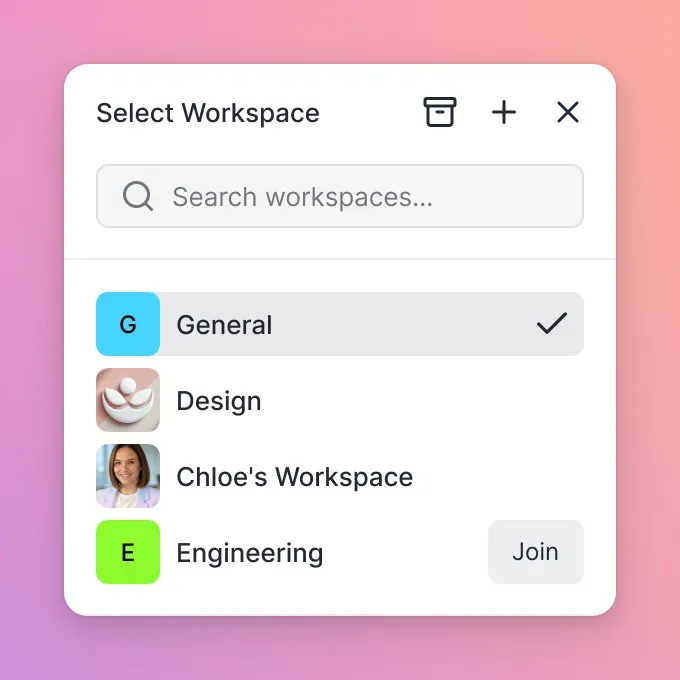
Files Live in Context
Instead of isolated transfer links, files belong to client workspaces. All deliveries to Acme Corp live in the Acme Corp workspace. Find anything with a quick search rather than digging through email threads.
Share Links Still Work
You can still send download links. The difference is those files remain accessible in your workspace after the recipient downloads them. Need to resend? The link still works or you generate a new one in seconds.
Analytics Show Engagement
See exactly who downloaded files, when they accessed them, and how long they spent viewing. For video content, track which sections they watched.
Branding Makes You Look Professional
Branded portals with custom logos, colors, and custom domains. Clients see your brand instead of a generic file transfer service.
Team Collaboration Built In
Multiple team members can share files with clients from shared workspaces. No more "who has the link to that file?"
Usage-Based Pricing
Instead of paying per seat, you pay for what you use. A team of 25 on Fast.io costs around $60/month compared to $450/month for the same team on Dropbox.
How to Choose Between Temporary and Persistent Storage
Use this framework to decide:
Choose temporary storage if:
- You're sharing files with someone you'll never work with again
- The recipient will save files locally and never need the link again
- You want auto-deletion for security reasons
- Budget is zero and the files are under 5GB
Choose persistent storage if:
- You work with the same clients repeatedly
- Files need to be searchable months later
- Multiple team members share files externally
- You want branded delivery experiences
- Analytics or audit trails matter
Most professionals start with temporary storage because it's free and simple. They switch to persistent workspaces after wasting hours re-uploading files, losing track of deliveries, and fielding "can you resend that?" requests.
The switch usually pays for itself within the first month through time savings alone.
Frequently Asked Questions
Where can I store files temporarily for free?
WeTransfer offers free temporary storage for files up to 2GB, with 7-day expiration. Smash allows unlimited file sizes for free with 14-day expiration. SendGB provides 5GB transfers with 90-day windows. File.io offers 2GB uploads that delete after one download. Each has trade-offs in file size limits, expiration windows, and features.
How long does temporary file storage last?
Expiration varies by service and plan. WeTransfer free tier expires after 7 days. Smash free accounts get 14 days. SendGB offers up to 90 days. MASV holds files for 15 days. Paid plans typically extend these windows or allow custom expiration dates. Some services like File.io delete files immediately after the first download regardless of time.
Is temporary file storage secure?
Security depends on the service. Basic temporary storage may lack encryption or access controls. Better options offer password protection, encryption in transit and at rest, and download limits. Auto-deletion reduces long-term exposure but doesn't protect files during their active window. For sensitive documents, look for services with encryption and access logging, or use persistent storage with granular permissions.
What happens when temporary storage expires?
When files expire, they're deleted from the server and download links stop working. Recipients who haven't downloaded the files lose access permanently. You'll need to re-upload and share a new link if they still need the files. This is why temporary storage creates problems for ongoing client relationships or projects that span months.
Is temporary storage better than cloud storage?
They serve different purposes. Temporary storage works for one-time transfers where files don't need to persist. Cloud storage like Fast.io, Dropbox, or Google Drive makes more sense when you work with repeat clients, need to find files later, or want team collaboration features. Many professionals start with temporary storage and switch to persistent workspaces after hitting limitations.
Related Resources

Ready for storage that works with your workflow?
Fast.io gives your team organized workspaces, branded portals, and analytics that temporary storage can't match.