Best Video Collaboration Tools for Teams in 2026
Video collaboration tools are software platforms that help video teams work together on production, from file sharing and review to project management and final delivery. This guide categorizes the best tools by function so you can build the right stack for your team.
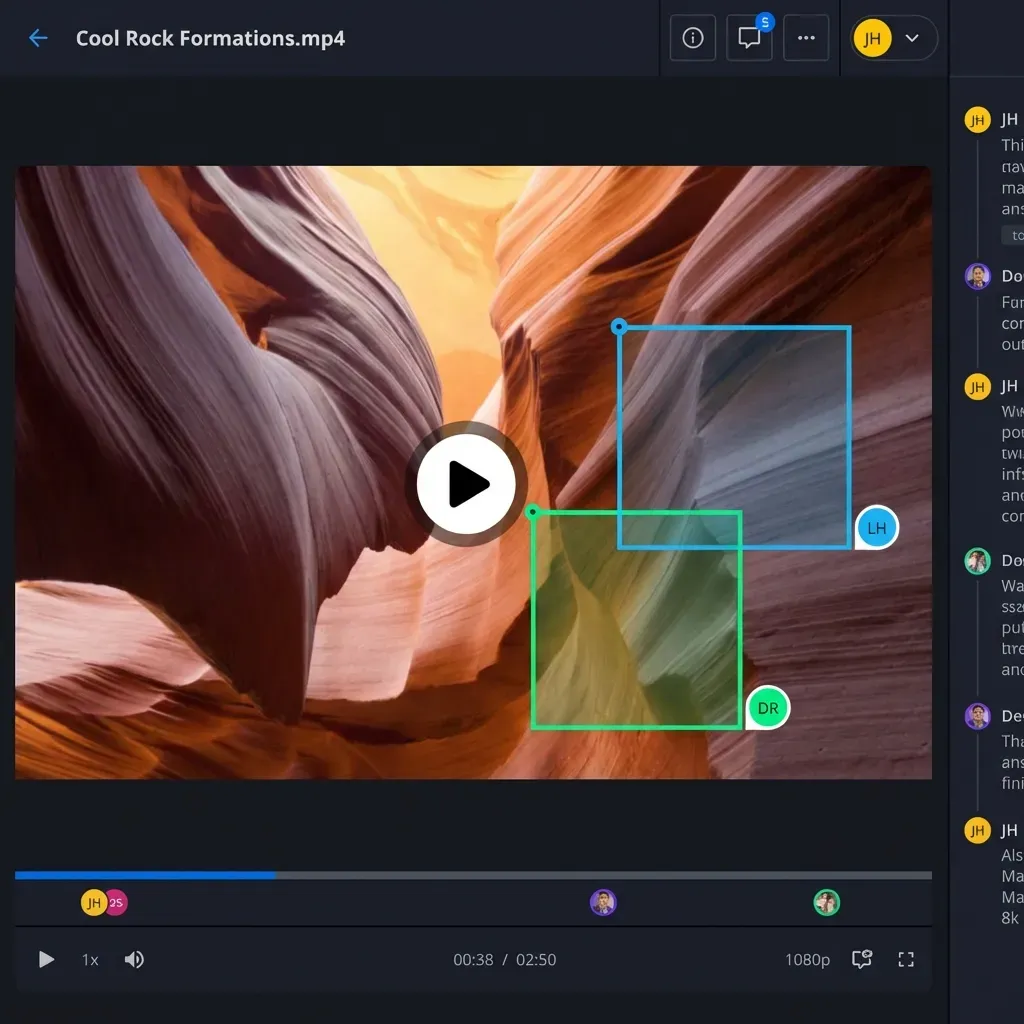
What Are Video Collaboration Tools?
Video collaboration tools are software platforms that enable video teams to work together on production workflows. Unlike general communication apps like Slack or Zoom, these tools are purpose-built for the specific needs of video creators: sharing large files, reviewing footage frame-by-frame, managing versions, and delivering final assets to clients.
The category breaks down into four main types:
- Asset Management: Store, organize, and search video files
- Review & Approval: Collect frame-accurate feedback from stakeholders
- Project Management: Track tasks, deadlines, and team capacity
- Delivery & Distribution: Send final files to clients and platforms
Most production teams need tools from at least two or three of these categories. The best approach is building a stack that handles your specific workflow rather than forcing one tool to do everything poorly.
Asset Management Tools
Asset management is the foundation of video collaboration. These tools store your footage, organize projects, and make files searchable across your team.
What to Look For
When evaluating asset management tools, prioritize:
- Large file support: Video files routinely exceed 10GB. Your tool needs to handle uploads without choking
- Proxy generation: Automatic creation of lightweight preview copies so team members can browse without downloading originals
- Metadata search: Find shots by description, date, camera, or custom tags
- Version control: Track which cut is current and preserve the history
Top Options
Frame.io leads this category with its Camera-to-Cloud feature, which uploads footage directly from compatible cameras during shoots. It integrates tightly with Adobe Premiere Pro and Final Cut Pro.
Iconik focuses on media asset management (MAM) with strong search capabilities and metadata handling. It works well for teams with large archives who need to find and repurpose existing footage.
Fast.io approaches asset management differently with a cloud-native architecture. Files stream on-demand through HLS adaptive bitrate, so team members can scrub through 4K footage without downloading or waiting for buffers. The semantic search lets you find clips by describing what's in them, not just by filename.
Review and Approval Tools
Review tools solve the feedback problem: getting precise, actionable notes from clients and stakeholders who aren't video editors.
The Core Feature Set
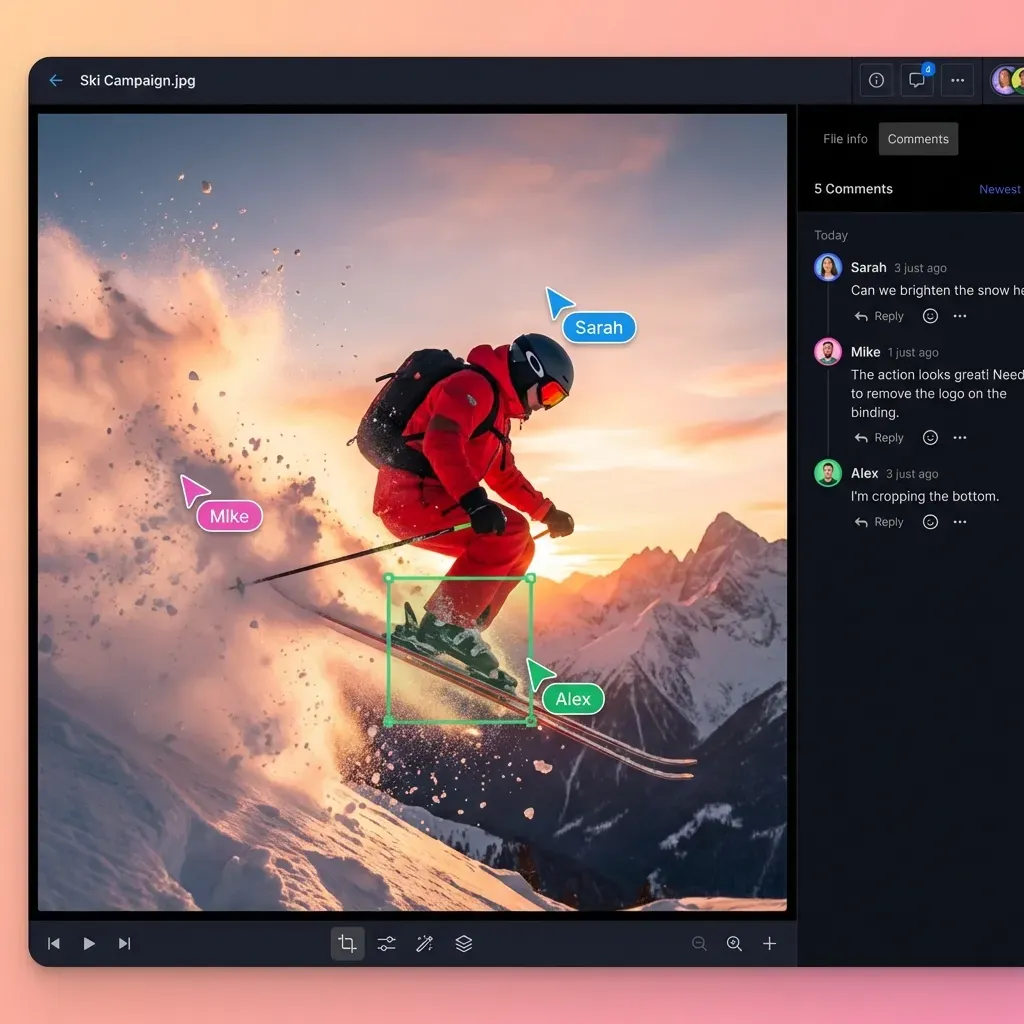
Frame-accurate commenting is standard. Every tool in this category offers it. The differences show up in:
- Annotation tools: Drawing, shapes, and text overlays on frames
- Version comparison: Side-by-side or overlay views of different cuts
- Approval workflows: Routing reviews through multiple stakeholders in sequence
- Integration depth: How well feedback syncs back to your editing software
Who Does What Best
Wipster is the most intuitive option for teams working with clients who aren't technical. Its interface stays clean and simple.
Filestage excels at compliance-heavy workflows where you need audit trails and automated routing through legal, brand, and executive reviewers.
Ziflow offers the most sophisticated workflow automation. If you have complex approval chains with conditional routing, it handles that well.
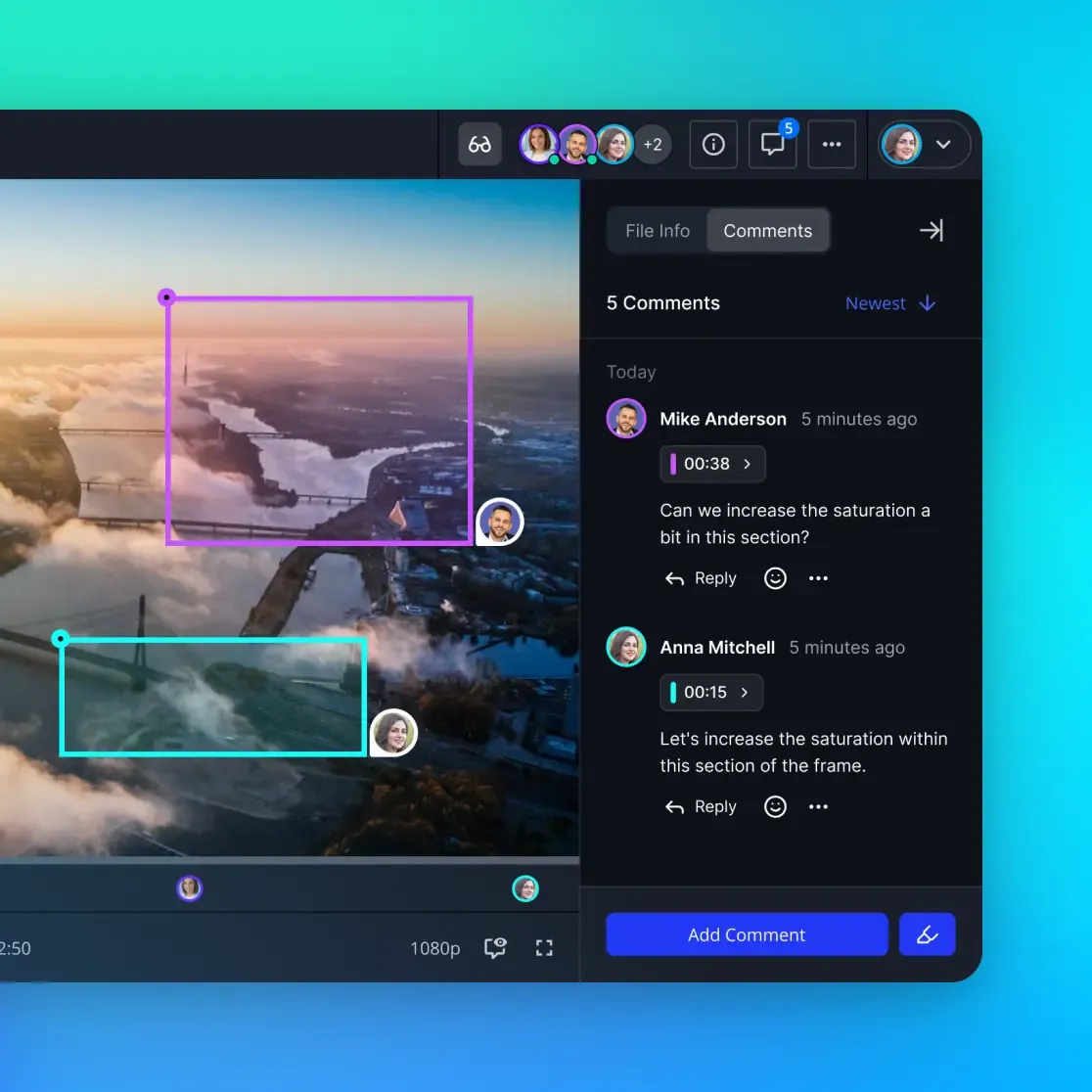
Fast.io provides frame-accurate reviews with comments pinned to specific frames. What sets it apart is the contextual threading. Comments stay attached to their frames even as the edit changes, so you don't lose track of what feedback applies where.
Project Management for Video Teams
General project management tools like Asana or Monday.com work for video teams, but specialized options understand production workflows better.
Production-Specific Needs
Video projects have unique requirements that generic tools handle awkwardly:
- Shot lists and scene breakdowns: Tracking what's been captured vs. what's still needed
- Resource scheduling: Managing equipment, locations, and crew availability
- Deliverable tracking: Multiple versions for different platforms and clients
- Time-based milestones: Rough cut, fine cut, color, sound, final delivery
Options to Consider
Frame.io added project management features, making it possible to keep everything in one system if you're already using it for review.
Monday.com and Notion aren't video-specific, but they're flexible enough to model production workflows with custom fields and views. Many teams prefer them because their clients already use them.
Shotgrid (formerly Shotgun) targets VFX and animation pipelines specifically. If you're tracking thousands of shots across multiple artists, it's built for that scale.
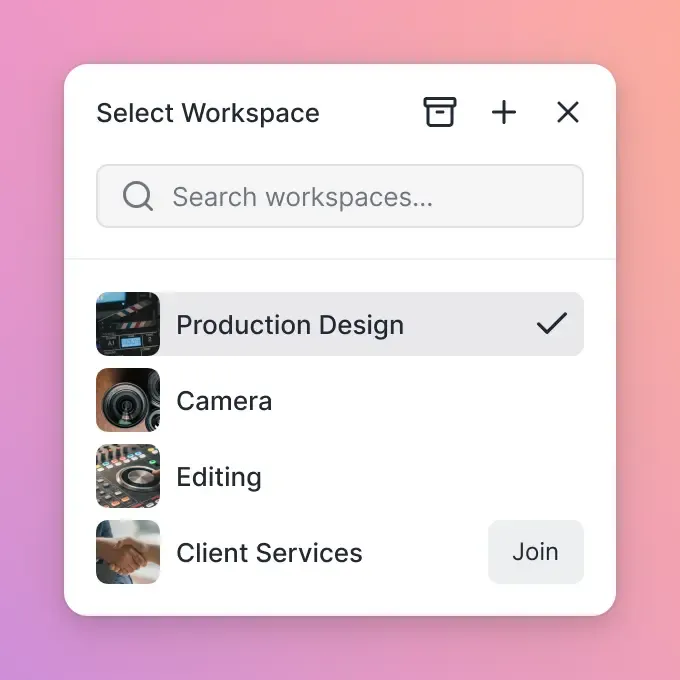
For teams that don't need dedicated project management software, Fast.io's workspace model keeps projects organized with activity tracking that shows exactly what's happening: who uploaded, who commented, who downloaded.
Delivery and Distribution Tools
Getting final files to clients and platforms is the last mile of video production. The right tool depends on your delivery volume and destinations.
Key Capabilities
- Transcoding: Converting master files to client-specified formats
- Secure delivery: Password protection, expiration dates, download limits
- Analytics: Confirming that recipients actually watched the deliverable
- Platform publishing: Direct upload to YouTube, Vimeo, social platforms
The Options
Vimeo dominates for teams that also need hosting for public videos. Its review features are adequate, and the delivery workflow is smooth.
WeTransfer works for one-off sends but doesn't scale. Files expire after a week, and there's no organization or tracking.
Fast.io handles delivery through branded portals where clients access their files in a white-labeled interface. The HLS streaming means clients can preview without downloading, and the audit logs show exactly when files were viewed and downloaded. For sensitive projects like commercials before launch, you can restrict access by email domain and revoke links instantly.
Building Your Tool Stack
The "best" video collaboration tool depends on your team size, workflow complexity, and budget. Here's how to think about it:
Small Teams (2-5 People)
You probably don't need separate tools for each function. Look for platforms that combine asset management with review capabilities. Fast.io or Frame.io can handle most workflows without additional software.
Budget: $50-200/month
Mid-Size Teams (5-20 People)
At this size, you likely need dedicated review tools and more robust project tracking. A typical stack:
- Asset management: Fast.io or Iconik
- Review: Filestage or Wipster
- Project management: Notion or Monday.com
Budget: $300-800/month
Large Teams and Agencies (20+ People)
Complex workflows with multiple clients need specialized tools at each stage:
- MAM: Iconik with custom metadata schemas
- Review: Ziflow with approval automation
- Project: Shotgrid or custom solution
- Delivery: Fast.io for client portals
Budget: $1,500+/month
Questions to Ask
Before committing to any tool:
- What's your biggest bottleneck? Start there, not with a comprehensive overhaul
- Who needs access? Per-seat pricing adds up fast with external collaborators
- What integrations matter? Premiere Pro and Final Cut compatibility varies
- How sensitive is your content? Some tools have better security controls than others
The Shift Toward Integrated Platforms
The video collaboration market is consolidating. Standalone review tools are adding asset management. Asset managers are adding review features. Frame.io's acquisition by Adobe accelerated this trend.
Remote video collaboration grew 156% since 2020, according to industry surveys. Teams now expect tools that work across time zones and don't require everyone to be online simultaneously. Asynchronous review, where you leave comments and the editor addresses them later, has become the default workflow.
The tools winning in 2026 share common traits:
- Browser-based: No software installation required for reviewers
- Streaming playback: HLS or similar adaptive bitrate, not progressive download
- Usage-based pricing: Pay for storage and bandwidth, not per-seat
- AI features: Auto-transcription, semantic search, smart summaries
Fast.io embodies this direction with its cloud-native architecture. Files never sync to local drives, avoiding the conflicts and storage bloat that plague sync-based tools like Dropbox. The usage-based pricing means external collaborators don't inflate your bill. For teams that waste 5+ hours weekly on file management (another industry stat), that approach saves real time.
Frequently Asked Questions
What tools do video production teams use?
Video production teams typically use a combination of asset management tools (Frame.io, Iconik, Fast.io), review platforms (Wipster, Filestage, Ziflow), project management software (Shotgrid, Monday.com), and delivery tools (Vimeo, WeTransfer, Fast.io). The specific mix depends on team size and workflow complexity.
How do remote video teams collaborate?
Remote video teams collaborate through cloud-based platforms that support asynchronous workflows. Key capabilities include frame-accurate commenting (so editors know exactly which frame feedback refers to), streaming playback (so reviewers don't need to download large files), and version tracking (so everyone works from the current cut). Most teams combine 2-4 specialized tools for different workflow stages.
What is the best software for video team collaboration?
The best software depends on your primary need. For review and approval workflows, Wipster offers the cleanest interface. For large archives requiring search, Iconik excels at metadata. For teams wanting an all-in-one solution with streaming, review, and client delivery, Fast.io combines these capabilities with usage-based pricing that doesn't penalize you for external collaborators.
How much do video collaboration tools cost?
Costs vary widely. Individual tools range from $20-100/user/month. Small teams can expect $50-200/month total. Mid-size teams typically spend $300-800/month across their tool stack. Enterprise teams with complex workflows often exceed $1,500/month. Usage-based pricing models (like Fast.io) can reduce costs for teams with many external collaborators since guests don't require paid seats.
Can video collaboration tools replace Dropbox for video teams?
Yes, and most video teams should consider it. Dropbox uses progressive download, which means reviewers must wait for large files to buffer before playback. Purpose-built video tools use HLS streaming for instant playback. They also offer frame-accurate commenting, which Dropbox lacks entirely. The main trade-off is that general-purpose tools like Dropbox handle all file types, while video-specific tools focus on media workflows.
Related Resources

Try a better way to collaborate on video
Fast.io combines asset management, review, and delivery in one platform with streaming playback and usage-based pricing.