Best Video Feedback Tools for Creative Teams in 2026
A video feedback tool lets reviewers leave time-coded comments directly on video content. Editors see exactly what to fix and where. This guide compares video feedback tools that cut revision rounds between creative teams, clients, and stakeholders.
What Is a Video Feedback Tool?
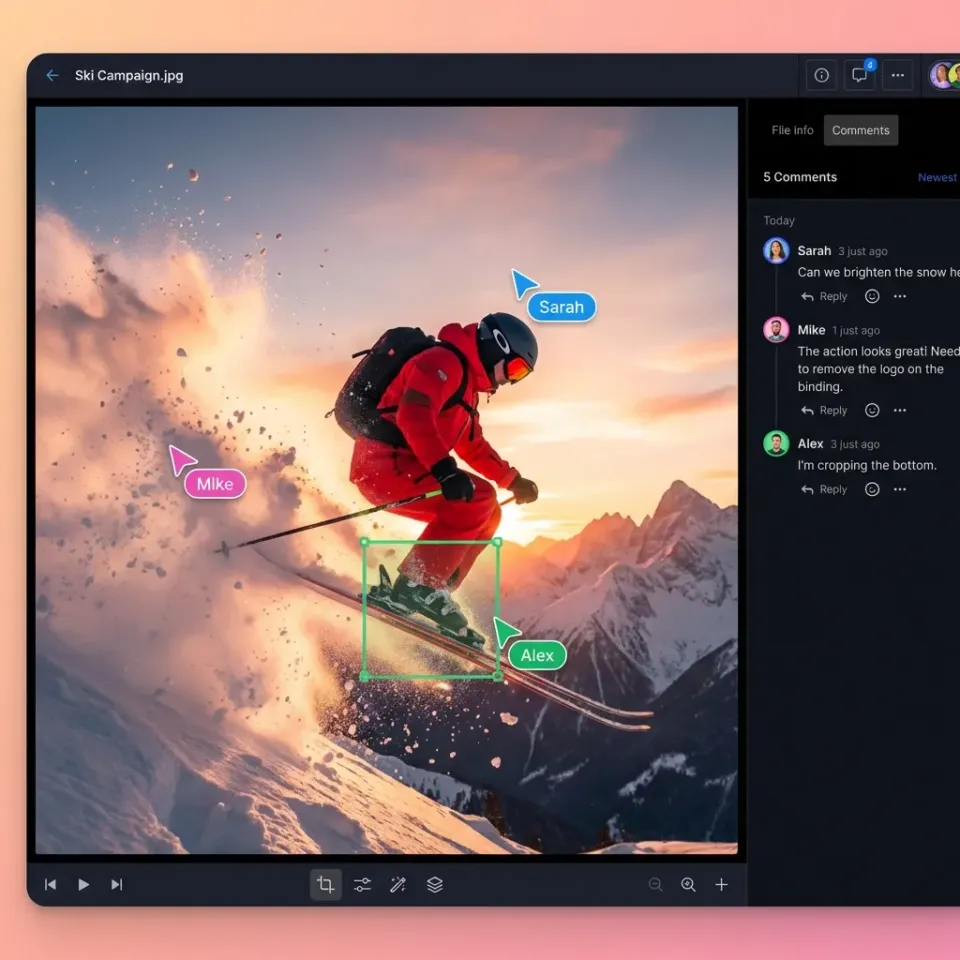
A video feedback tool lets reviewers leave time-coded comments on video content. Editors, clients, and stakeholders can point to exact moments instead of describing them. Instead of vague notes like "the intro feels slow," reviewers can click on a specific frame and say "trim here." The comment anchors to that exact moment in the timeline, so editors never have to guess which part needs work. Video projects often require several revision rounds. Time-coded feedback can reduce revisions because it eliminates the translation gap between what reviewers see and what editors understand. Video files demand more from your storage platform than documents do. You need adaptive bitrate streaming for smooth playback, frame-accurate commenting for precise feedback, and enough bandwidth to handle large uploads without timeouts. Progressive download is not good enough for professional review workflows.
Helpful references: Fast.io Workspaces, Fast.io Collaboration, and Fast.io AI.
Key Features to Look For
Not every video review tool works the same way. Here's what separates good options from great ones:
Time-coded comments - The baseline feature. Comments should anchor to specific frames or timecode ranges, not just the video as a whole.
Drawing and annotation - Sometimes words aren't enough. Look for tools that let reviewers draw on frames to circle a logo, highlight a typo in lower thirds, or mark where to add a transition.
Version comparison - When you're in later revisions, you need to see what changed from earlier ones. Good tools stack versions and let you toggle between them.
Notification workflow - Who needs to review what, and when? The best tools notify the right people at the right stage without flooding everyone's inbox.
Client-friendly access - Your internal team knows the software. Clients don't. Pick a tool where external reviewers can comment without creating accounts or downloading apps.
Approval gates - Clear yes/no decisions matter. Look for explicit approval buttons so you know when feedback is "fix this" versus "ship it."
1. Fast.io
Fast.io combines video review with broader file collaboration, making it a strong choice for teams that handle more than just video.
Best for: Creative teams that also share large files, design assets, and documents with clients.
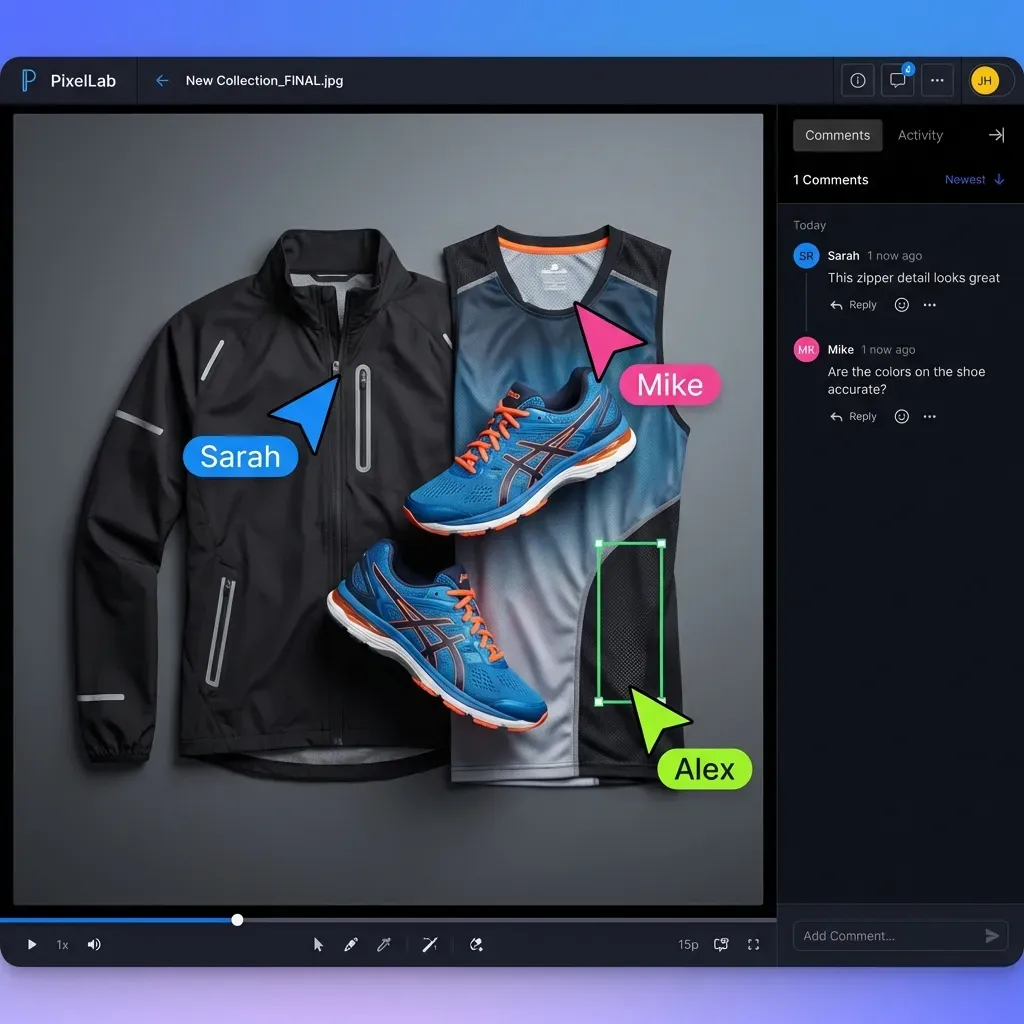
Time-coded feedback: Comments pin to specific video frames. Editors see exactly where feedback applies in the timeline.
HLS streaming: Videos play instantly without buffering. Reviewers can scrub to any point in a 2-hour documentary and start watching right away. Fewer "I couldn't find that scene" messages.
Follow mode: Click a teammate's avatar to sync your view with theirs. When your creative director says "look at this frame," you both see the same thing without screen sharing.
Branded portals: Send clients to a white-label review page with your logo. No "what software is this?" confusion.
Pricing: Usage-based, not per-seat. Include many reviewers without high per-user fees like seat-based tools.


Start with video feedback tool on Fast.io
Try Fast.io's time-coded feedback and instant streaming. Get your team and clients reviewing faster.
2. Frame.io
Frame.io (now owned by Adobe) is the industry standard for video review in post-production houses. Deep integration with Premiere Pro and After Effects makes it popular with professional editors.
Best for: Post-production teams already using Adobe Creative Cloud.
Strengths: Native Adobe integration, strong version control, professional-grade annotation tools, camera-to-cloud workflows.
Limitations: Adobe ecosystem focus means less flexibility for teams on DaVinci Resolve, Final Cut, or other NLEs. Per-seat pricing adds up for larger teams. Can feel heavy for simple client reviews.
Pricing: Free tier available. Paid plans start around published pricing/month. Consider how this fits into your broader workflow and what matters most for your team. The right choice depends on your specific requirements: file types, team size, security needs, and how you collaborate with external partners. Testing with a free account is the fast way to know if a tool works for you.
3. Wipster
Wipster focuses on simplicity. If your goal is getting feedback from clients who aren't video professionals, its clean interface helps.
Best for: Agencies and production companies sending cuts to non-technical clients.
Strengths: Simple UI that doesn't intimidate first-time reviewers. Good approval workflow with clear "approve" and "request changes" buttons. Decent integration options.
Limitations: Fewer advanced features than Frame.io. Some users report slower upload and processing times for high-res content. Limited annotation tools compared to competitors.
Pricing: Starts around published pricing/month. Free trial available. Consider how this fits into your broader workflow and what matters most for your team. The right choice depends on your specific requirements: file types, team size, security needs, and how you collaborate with external partners. Testing with a free account is the fast way to know if a tool works for you.
4. Filestage
Filestage handles video review as part of a broader proofing workflow. Teams that also review documents, images, and audio files might prefer having everything in one place.
Best for: Marketing teams reviewing diverse content types (video, PDFs, images, audio).
Strengths: Multi-format support means your video feedback tool also handles brand guideline PDFs and podcast audio. Structured approval stages with automation options.
Limitations: Video-specific features aren't as deep as dedicated tools like Frame.io. Some workflows can feel over-engineered for quick turnaround projects.
Pricing: Starts around published pricing. Per-project pricing available. Consider how this fits into your broader workflow and what matters most for your team. The right choice depends on your specific requirements: file types, team size, security needs, and how you collaborate with external partners. Testing with a free account is the fast way to know if a tool works for you.
5. Vimeo Review
If you're already hosting videos on Vimeo, their built-in review tools might be enough without adding another platform.
Best for: Teams already using Vimeo for video hosting who need light review features.
Strengths: No separate tool to manage. Time-coded comments built into the player you already use. Easy link sharing with password protection.
Limitations: Less strong than dedicated review platforms. Annotation tools are basic. Not ideal for complex multi-round review workflows.
Pricing: Included with Vimeo Pro (published pricing) and higher plans. Consider how this fits into your broader workflow and what matters most for your team. The right choice depends on your specific requirements: file types, team size, security needs, and how you collaborate with external partners. Testing with a free account is the fast way to know if a tool works for you.
6. Dropbox Replay
Dropbox Replay adds video review to Dropbox's file storage. Convenient if your team already organizes projects in Dropbox folders.
Best for: Teams using Dropbox as their primary file storage who want review without switching platforms.
Strengths: Tight integration with Dropbox storage. Frame-accurate comments with drawing tools. works alongside Premiere Pro, Final Cut, and DaVinci Resolve.
Limitations: Requires Dropbox subscription. Video streaming can buffer on longer files. Per-seat pricing compounds Dropbox costs.
Pricing: Included with Dropbox Plus (published pricing) and higher. Team plans start at published pricing/month. Consider how this fits into your broader workflow and what matters most for your team. The right choice depends on your specific requirements: file types, team size, security needs, and how you collaborate with external partners. Testing with a free account is the fast way to know if a tool works for you.
7. Ziflow
Ziflow positions itself for enterprise creative operations teams. If you need audit trails, compliance features, and detailed analytics, it targets that use case.
Best for: Large organizations with formal creative approval processes and compliance requirements.
Strengths: Detailed analytics on reviewer engagement. Automation for multi-stage approval workflows. Enterprise integrations (Workfront, Jira, etc.).
Limitations: Overkill for small teams. Implementation can be complex. Higher price point reflects enterprise positioning.
Pricing: Custom pricing, typically enterprise-level. Consider how this fits into your broader workflow and what matters most for your team. The right choice depends on your specific requirements: file types, team size, security needs, and how you collaborate with external partners. Testing with a free account is the fast way to know if a tool works for you.
How to Choose the Right Tool
Your team size, workflow complexity, and existing tools should drive the decision.
Small teams: Start with tools that don't require per-seat licensing. Fast.io's usage-based pricing or Vimeo's included review features avoid cost scaling problems as you add reviewers.
Post-production houses: Frame.io's Adobe integration likely wins on workflow efficiency. The time saved on round-trips between NLE and review platform adds up.
Agencies with diverse clients: Prioritize client experience. Wipster and Fast.io both focus on making external review frictionless.
Enterprise creative teams: Ziflow or Filestage's structured workflows fit organizations that need audit trails and multi-department approvals.
Hybrid teams (video + other assets): Fast.io and Filestage both handle multiple file types, reducing the number of tools your team needs to learn. Most video teams say communication is their biggest bottleneck. The right tool won't just collect feedback. It will kill the "where's that comment?" and "which version are we on?" conversations that slow projects down.
Frequently Asked Questions
What is the best tool for video feedback?
The best tool depends on your workflow. Frame.io is the standard for post-production teams using Adobe. Fast.io works well for teams that also share other file types with clients. Wipster is popular for its simple client-facing interface. For teams already using Dropbox or Vimeo, their built-in review features might be sufficient.
How do you give feedback on a video?
With a video feedback tool, you play the video until you reach the moment that needs changes, then click to add a comment. The comment anchors to that timecode. Better tools also let you draw on the frame to circle or highlight what you're referencing. Keep feedback specific: 'cut from this shot' works better than 'the pacing feels off.'
What software do video editors use for client feedback?
Professional editors commonly use Frame.io (especially in Adobe workflows), Wipster, or Fast.io for client review. These tools let clients comment with time-coded feedback without needing editing software. The editor sees comments pinned to specific frames in their timeline.
Are video feedback tools different from video editing software?
Yes. Video editing software (Premiere Pro, DaVinci Resolve, Final Cut) is where editors cut and assemble footage. Video feedback tools sit alongside that workflow. They're where editors share cuts, clients watch and comment, and teams approve final versions. Most feedback tools works alongside editing software but don't replace it.
How much do video feedback tools cost?
Pricing varies widely. Free options exist (Vimeo's basic review, some Frame.io tiers). Paid tools have monthly per-user pricing. Usage-based pricing (like Fast.io) can be more economical for teams with many reviewers but moderate usage. Enterprise tools like Ziflow require custom quotes.
Related Resources

Start with video feedback tool on Fast.io
Try Fast.io's time-coded feedback and instant streaming. Get your team and clients reviewing faster.