7 Best Video Hosting Platforms for Business in 2026
Video hosting platforms are cloud services that store, organize, and deliver video content to viewers. This guide compares seven platforms for businesses, from marketing-focused tools like Wistia to private hosting solutions for internal videos and client delivery.
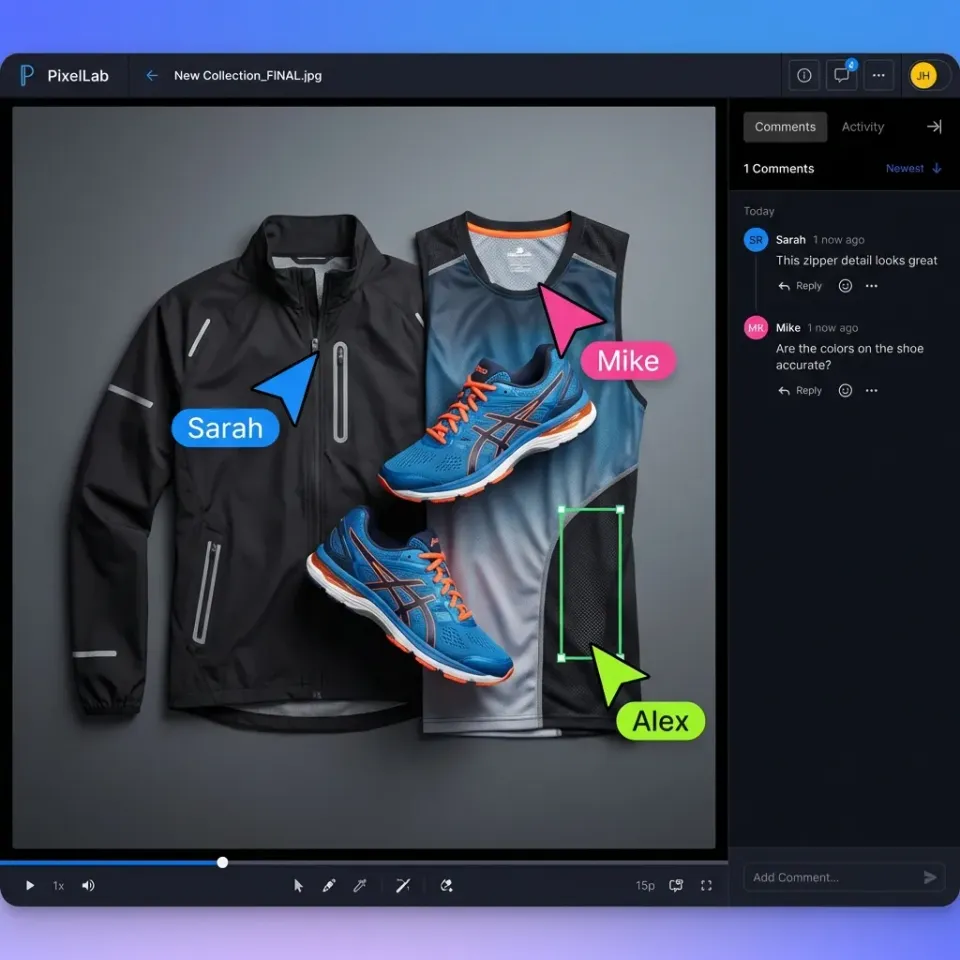
What makes a business video hosting platform
Video hosting platforms do more than store files. They transcode uploads into streamable formats, provide embeddable players, track viewer engagement, and control who can access content. For businesses, the platform choice depends on what you're trying to accomplish:
- Marketing teams need lead capture, analytics, and ad-free embeds
- Training departments need privacy controls and completion tracking
- Creative teams need large file support and review workflows
- Sales teams need personalized video pages and engagement data
Public platforms like YouTube work for brand awareness but expose your videos to ads and competitor recommendations. Private platforms cost more but give you control over the viewing experience and data. The market is growing 15% annually as businesses shift from text to video for training, sales, and client communication. Video accounts for the majority of internet traffic, and businesses typically use multiple video platforms.
Helpful references: Fast.io Workspaces, Fast.io Collaboration, and Fast.io AI.
1. Wistia - Best for Marketing Video
Wistia is a video marketing platform built for lead generation. Every feature points toward one goal: turning viewers into contacts.
What it does well
The analytics go beyond view counts. Heatmaps show exactly where viewers rewatch, skip, or drop off. Individual viewer tracking connects video engagement to your CRM contacts. You see which prospects watched your demo to the end versus those who bounced. Lead capture forms pop up at any point in the video. Gate content behind an email form, add CTAs that link to landing pages, or embed contact forms directly in the player. The player itself is ad-free and fully customizable. Match your brand colors, add your logo, remove Wistia branding entirely on paid plans.
Where it falls short
Pricing scales with video count, not storage or bandwidth. The free plan caps at 10 videos. Plus costs $19/month for 20 videos. Pro costs $79/month for 50 videos. Advanced runs $319/month for 250 videos. If you have a large library, costs add up fast. The platform focuses narrowly on marketing. No file management, no team collaboration, no large file support. If you need to host training videos or manage production assets, you'll need a separate system.
Best for Marketing teams running video-first campaigns. B2B companies tracking video engagement through the sales funnel. Anyone who wants to connect video views to lead generation.
2. Vimeo - Best for Creative Professionals
Vimeo started as an alternative to YouTube for filmmakers and artists. It's evolved into a broader video platform, but creative quality remains the focus.
What it does well
Video quality is noticeably better than most competitors. Vimeo preserves color accuracy and handles high bitrates well. For portfolios, showreels, or any content where visual quality matters, the difference shows. Privacy controls are detailed. Password protect videos, restrict embedding to specific domains, hide from Vimeo's public site. You control where your videos appear. Collaboration features support review workflows. Share private links with clients, collect timestamped comments, track approvals. Basic, but functional for feedback loops.
Where it falls short
The platform has spread in many directions. Video creation tools, live streaming, event hosting, stock footage. The core hosting product hasn't evolved as fast as specialized competitors. Analytics lag behind Wistia and Vidyard. You get views, plays, and engagement graphs, but no individual viewer tracking or CRM integration.
Pricing
Free tier with limited uploads. Starter at $12/month (billed annually) or $20/month monthly. Standard at $25-41/month depending on billing cycle. Advanced at $75/month annually or $125/month monthly. Enterprise pricing varies.
Best for Creative professionals showing portfolio work. Filmmakers and production companies delivering client work. Teams that prioritize visual quality over marketing analytics.
3. SproutVideo - Best for Secure Private Hosting
SproutVideo focuses on one thing: secure video hosting with strong access controls. If privacy is your top requirement, it's worth considering.
What it does well
Security options cover most needs. Password protection, domain and IP restrictions, email capture gates, and single sign-on support. You can lock down access at multiple levels. The pricing model scales with actual usage. Plans are based on storage and bandwidth, not video count or seats. For teams with large libraries, this often costs less than per-video pricing. Live streaming is included. Host webinars and live events with the same security controls as on-demand content.
Where it falls short
The interface feels dated compared to Wistia or Vimeo. Functional, but not polished. Marketing features are minimal. Basic lead capture exists, but no CRM integrations, no heatmaps, no individual viewer tracking at the contact level.
Pricing
Seed at $10/month. Sprout at $35/month with 350GB storage. Tree at $75/month with 1TB. Forest at $295/month with 2TB.
Best for Internal communications and training videos. Gated content that requires authentication. Any use case where access control matters more than marketing analytics.


Host team video on Fast.io
Upload large video files, stream via HLS, and review frame-accurately. Usage-based pricing with no per-seat costs.
4. Vidyard - Best for Sales Teams
Vidyard positions itself as video for sales. The platform helps reps create personalized videos and track whether prospects actually watch them.
What it does well
Screen recording and webcam capture are built in. Sales reps record quick videos without switching tools. Thumbnails personalize with the prospect's name or company logo. Engagement notifications ping you when someone watches. "Your prospect just watched 80% of your demo" hits different than "email opened."
CRM integrations work well. Salesforce, HubSpot, Outreach, and other sales tools pull in viewing data. You see video engagement alongside deal stages.
Where it falls short
Video quality takes a backseat to speed. Fine for sales outreach, but you wouldn't use it for polished marketing content. The free plan limits you to 25 videos. The Starter (Plus) plan runs $59/user/month billed annually. Teams and Enterprise are priced on request.
Best for Sales teams doing video prospecting. SDRs personalizing outreach at scale. Anyone measuring video impact on pipeline.
5. Brightcove - Best for Enterprise Scale
Brightcove is the enterprise option. Large media companies, global brands, and organizations with complex video infrastructure use it.
What it does well
Scalability handles massive libraries and traffic spikes. Global CDN delivery, adaptive bitrate streaming, and reliable uptime backed by SLAs. Analytics are detailed and exportable. Track engagement across millions of views, segment by region or device, feed data into your analytics stack. Integrations cover most enterprise tools. Marketing automation, CMS platforms, analytics systems, authentication providers.
Where it falls short
The complexity matches the price. Setup requires planning. Administration needs dedicated resources. No self-serve pricing; everything runs through sales, and contracts typically start around $2,000/month for smaller deployments and more for enterprise.
Best for Media companies publishing video at scale. Large enterprises with complex video infrastructure. Organizations where video is core to the business model.
6. Muvi - Best for Building Your Own Platform
Muvi lets you launch a Netflix-style streaming service without building the infrastructure. It's a white-label platform for businesses that want to own the viewer experience.
What it does well
You get a complete OTT platform. Apps for iOS, Android, Roku, Apple TV, Fire TV, and web. Muvi handles the development and maintenance. Monetization options are built in. Subscriptions, pay-per-view, ads, or hybrid models. Payment processing included. DRM and security meet broadcast standards. Multi-DRM support, geo-blocking, and content protection for premium content.
Where it falls short
It's overkill for most businesses. If you just need to host marketing videos or training content, you're paying for features you won't use. Setup takes time. You're essentially launching a media business, not uploading a few videos.
Pricing
Standard at $399/month. Professional at $1,499/month. Enterprise at $3,900/month. All plans billed annually; infrastructure fees (storage, bandwidth) stack on top.
Best for Businesses launching video streaming services. Training companies selling courses. Organizations monetizing video content directly.
7. Fast.io - Best for Team Video Storage and Delivery
Fast.io takes a different approach. Instead of a dedicated video platform, it's team cloud storage with native video support. You get file management, collaboration, and video streaming in one system.
What it does well
Large file handling is native. Upload 50GB+ video files without the compression other platforms force. Files stay at original quality. HLS streaming works automatically. Upload raw footage or exports, and the system generates streaming proxies. Viewers watch immediately while originals stay accessible for download. Collaboration features serve production workflows. Frame-accurate comments let reviewers mark specific moments. Real-time presence shows who's watching. External sharing includes password protection, expiration dates, and domain restrictions. Usage-based pricing scales differently than per-seat or per-video models. Pay for what you store and transfer, not how many people access it.
Where it falls short
No marketing-specific features. No lead capture forms, no CRM integration, no engagement heatmaps. If you're optimizing for lead generation, Wistia is better suited. Not a standalone video platform. It's file storage that handles video well, which is an advantage if you also manage other content types but a limitation if you want a dedicated video solution.
Best for Teams managing video alongside other files. Production workflows needing review and approval. Client delivery where you want branded portals without building separate systems. Creative and media teams already using Fast.io for file sharing can add video workflows without additional platforms.

How to Choose the Right Platform
The best platform depends on what you're actually doing with video.
Match platform to use case
Questions to Ask
What's your video volume? Platforms with per-video pricing get expensive fast. Storage-based pricing scales better for large libraries.
Who's watching? Public videos work on YouTube. Private videos need access controls. The level of security you need narrows the options.
What happens after viewing? If you need viewer data in your CRM, marketing-focused platforms deliver. If you just need reliable hosting, simpler options work fine.
Do you manage other files? If video is one of many content types you handle, integrated platforms reduce tool sprawl.
The multi-platform reality
Most businesses end up using multiple platforms. YouTube for public reach, Wistia for gated content, something else for internal training. That's fine. Just be intentional about what each platform handles.
Frequently Asked Questions
What is the best platform to host videos?
The best video hosting platform depends on your use case. Wistia leads for marketing videos with lead capture. Vimeo works well for creative portfolios. SproutVideo handles secure private hosting. For teams managing video alongside other files, Fast.io combines cloud storage with native video streaming.
What video hosting is better than YouTube?
For business use, most private platforms are better than YouTube. YouTube shows ads, recommends competitor content, and limits privacy controls. Wistia, Vimeo, SproutVideo, and Fast.io all provide ad-free hosting with stronger privacy options. The tradeoff is cost, but businesses pay for control and branding.
How do businesses host private videos?
Businesses use private video hosting platforms with access controls. Features include password protection, domain restrictions, SSO authentication, and expiration dates. SproutVideo specializes in secure hosting. Fast.io handles private video as part of broader file management with link controls and branded portals.
What is the difference between video hosting and video streaming?
Video hosting refers to storing video files on servers. Video streaming is the delivery method, where content plays progressively without full download. Modern hosting platforms include streaming, typically using HLS (HTTP Live Streaming) for adaptive bitrate playback. The terms overlap since most hosting services now stream by default.
How much does business video hosting cost?
Pricing varies by model. Wistia charges by video count, starting at $19/month for 20 videos (Plus plan). Vimeo ranges from $12-75/month by tier. SproutVideo charges by storage, from $10-295/month. Fast.io uses usage-based pricing without per-video limits. Enterprise platforms like Brightcove require custom quotes.
Can I host videos without ads?
Yes, all paid video hosting platforms are ad-free. YouTube is the main platform that shows ads on videos (unless you pay for Premium). Vimeo, Wistia, SproutVideo, Vidyard, and Fast.io never show ads on your content. Even free tiers of most business platforms avoid ads.
What features should I look for in a business video platform?
Look for ad-free playback, privacy controls (password, domain restriction), analytics (views, engagement), customizable player branding, and reliable streaming. Beyond the basics, your use case determines what matters: lead capture for marketing, CRM integration for sales, large file support for production, and SSO for enterprises.
Related Resources

Host team video on Fast.io
Upload large video files, stream via HLS, and review frame-accurately. Usage-based pricing with no per-seat costs.