How to Set Up Business File Sharing with Tracking
Business file sharing with tracking maintains detailed logs of every file view, download, and interaction to ensure full accountability in professional document distribution. Teams use these records to verify client receipt of proposals, track internal approvals on budgets, and analyze engagement on marketing assets. This prevents common issues like denied access claims or lost files in email chains. In this thorough guide, you will discover the core benefits, platform comparison criteria, step-by-step setup instructions, and practical best practices tailored for business workflows.
What Is Business File Sharing with Tracking?
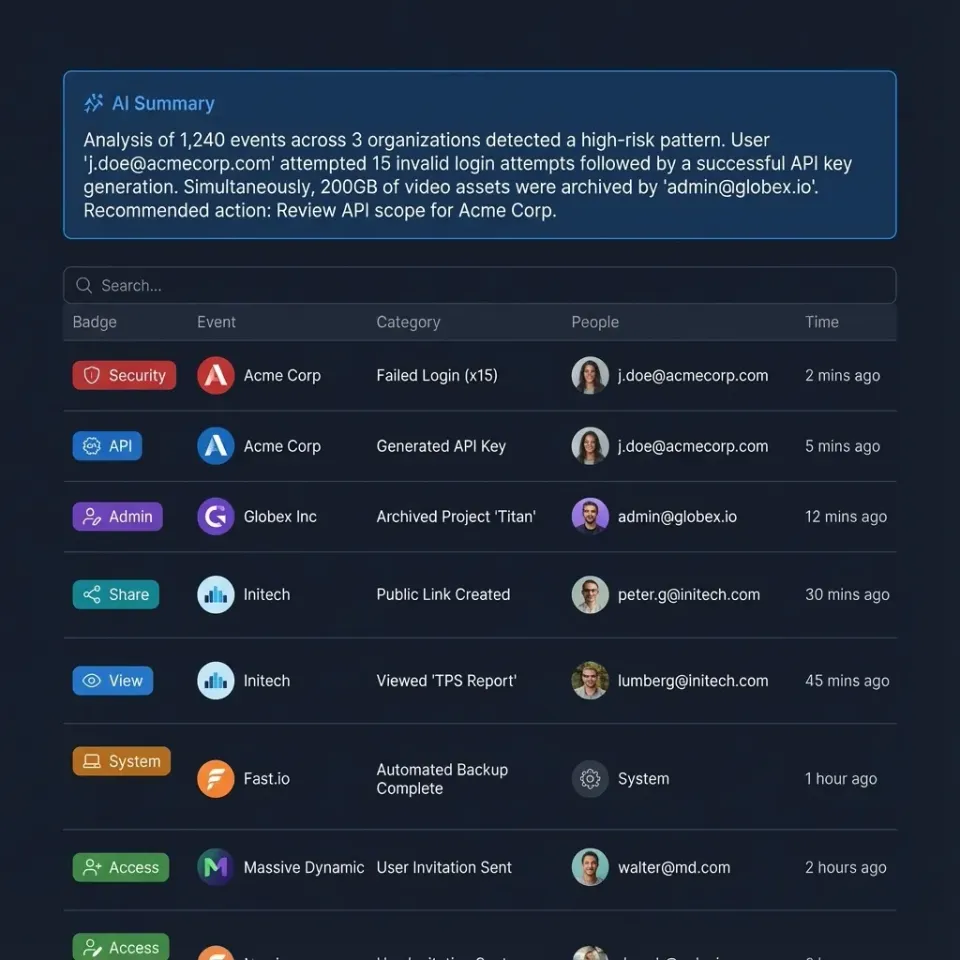
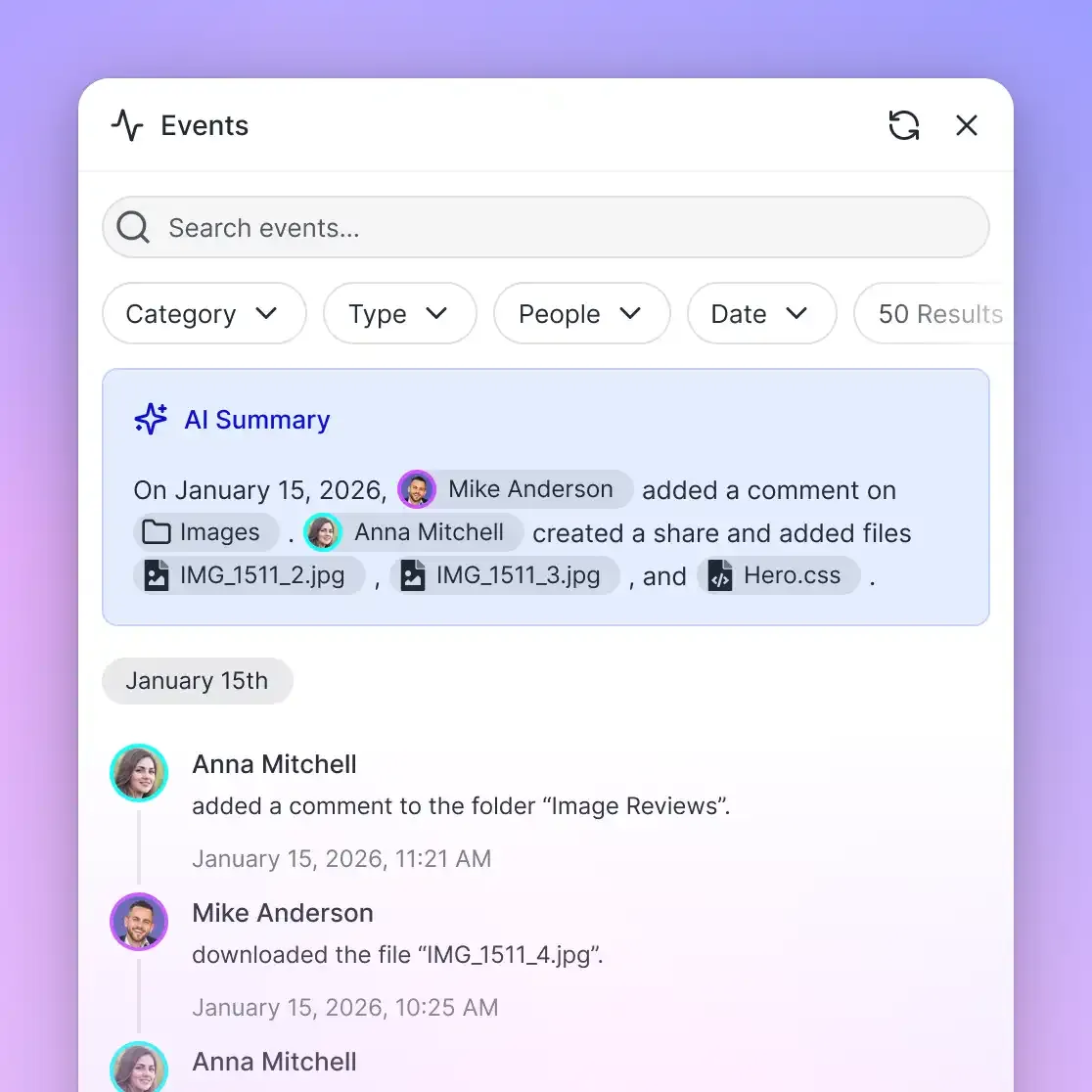
Business file sharing with tracking captures precise details on every access attempt, including the user's IP address, exact timestamp, browser or device type, and action taken such as preview, download, or print. Advanced systems differentiate between quick glances and prolonged reviews by logging session duration.
Basic tracking focuses on downloads, the definitive proof of file possession. View tracking adds nuance by noting opens without saves, useful for gauging interest. Some platforms extend to geolocation data or referral sources, showing if shares came from email, Slack, or a client portal.
Consider a sales team sharing quarterly reports. The log reveals the VP viewed it for multiple minutes on mobile before downloading, while the analyst grabbed it immediately on desktop. This level of detail supports follow-ups like "I saw you reviewed the projections, what are your thoughts?" without guesswork.
Why Track Downloads and Views in Business File Sharing?
Tracking removes guesswork from file distribution. Common scenarios include confirming a client opened a proposal before a deadline or verifying which team member accessed confidential HR documents. Logs deliver irrefutable evidence, saving hours on back-and-forth emails.
For compliance, detailed records form the backbone of audits. Legal teams track client portal access, construction firms monitor blueprint downloads by subcontractors, and finance departments log budget sheet views during reviews. This documentation demonstrates due diligence.
Analytics from tracking unlock workflow improvements. Patterns like multiple views without downloads suggest PDF issues or mobile preview limitations. Zero activity on high-priority shares prompts immediate resends or permission checks. In one case, a marketing agency discovered multiple% of clients preferred video summaries over full decks, shifting their delivery strategy.
Comparing File Sharing Platforms with Tracking Features
Many services provide basic tracking, but leaders excel in granularity, real-time alerts, and smooth workflow ties. Evaluate based on your team size, file volumes, and integration needs.
Per-user models scale poorly for growing teams; usage-based keeps costs predictable. Fast.io integrates tracking natively into collaborative workspaces, logging external shares alongside internal activity for complete visibility.



Need Reliable File Tracking?
Start with Fast.io's audit logs and activity tracking. Usage-based pricing keeps costs low for teams of any size. Built for business file sharing with tracking workflows.
Step-by-Step Guide to Enabling File Share Tracking
This process works across platforms, with minor UI variations. Aim for platforms with one-click log access.
Prepare your content structure. Start with a new workspace named for the project, like "Q1 Client Proposal." Add subfolders for drafts, finals, and assets to organize logs.
Upload securely. Drag files into the target folder or use resumable uploads for large sets (over multiple). Verify checksums post-upload to ensure integrity.
Configure the share. Right-click the folder, select "Share," then choose protections: password, domain whitelist (e.g., client.com only), view-only toggle, and expiration (multiple days typical). Confirm tracking activation.
Distribute professionally. Embed in email signatures, client portals, or Slack. Track opens via UTM parameters if multi-channel.
Access real-time logs. Navigate to Activity or Audit tab. Filter by date, user, or action. Set email alerts for first views or bulk downloads.
Analyze and report. Export to CSV/Excel for quarterly reviews. Correlate with CRM data to measure proposal-to-contract conversion.
Fast.io simplifies this with unified logs across internal views and external shares, plus real-time teammate presence indicators.
Troubleshooting Common Tracking Issues
Logs missing entries? Double-check share settings. Tracking must be explicit for guests. Preview tracking fails on unsupported browsers; recommend Chrome/Firefox. High-traffic shares overwhelm? Switch to daily summaries or API exports. Proxy/VPN use masks IPs; correlate with timestamps instead.
Best Practices for Managed Tracked Shares
Assign role-based access: viewers can't download, approvers get full rights. Pair with multiple-day expirations to close old shares automatically.
Automate via webhooks: notify sales on proposal downloads, alert legal on contract views. Branded portals maintain polish with custom domains and logos without sacrificing logs.
Schedule bi-weekly log reviews. Spot trends like mobile-only views (optimize PDFs) or late-night downloads (investigate). In construction, track subcontractor blueprint access to bill accurately.

Frequently Asked Questions
What is file sharing with download tracking?
Download tracking logs every save action on a shared file, capturing timestamp, IP address, device info, and referrer. It proves possession beyond email delivery receipts.
What are the best tracked business file sharing services?
ShareFile excels in client portals, Egnyte in hybrid setups, Box in enterprise scale, Fast.io in cost-effective workspace tracking. Evaluate by your team size and file types.
How do I enable download tracking on shares?
In most platforms, toggle it during link creation alongside password and expiration. Confirm in share settings before distributing.
Does view tracking work for all file types?
Yes for supported previews like PDF, images, video. Unsupported types log access attempts but not content views.
Can tracking help with billing or contracts?
. Log access to prove delivery for invoicing. Construction firms bill per download, agencies charge based on engagement metrics.
What if a recipient uses a VPN, can I still track?
VPNs hide exact location but logs still capture timestamps, user agents, and actions. Combine with email opens for full picture.
How long are tracking logs retained?
Varies: multiple days basic, multiple-multiple years enterprise. Check provider policy for export options before data purges.
Related Resources

Need Reliable File Tracking?
Start with Fast.io's audit logs and activity tracking. Usage-based pricing keeps costs low for teams of any size. Built for business file sharing with tracking workflows.