

Share files
your way
File Shares for a single file, durable or expiring. Shared Folders for ongoing collaboration. Portals for a branded client destination. Choose the right one for every situation.
Ready. I found 8 approved assets, the brief, and usage rights. The share can expire after review.
Northwind ShareNorthwind Launch Kit
Approved launch assets, retail partner materials, and usage notes for the Northwind campaign review.
File Share
Send a single file in two clicks and decide how long it lasts. Recipients do not need a Fastio account.
- Expiring links: keep them live, or expire them from 1 hour to 30 days
- Recipient access: share with specific people and revoke one by one
- Versioned files: update once and every recipient sees the latest
- No account needed: recipients open the link and download
Every file you share is encrypted in transit with TLS 1.3.
Security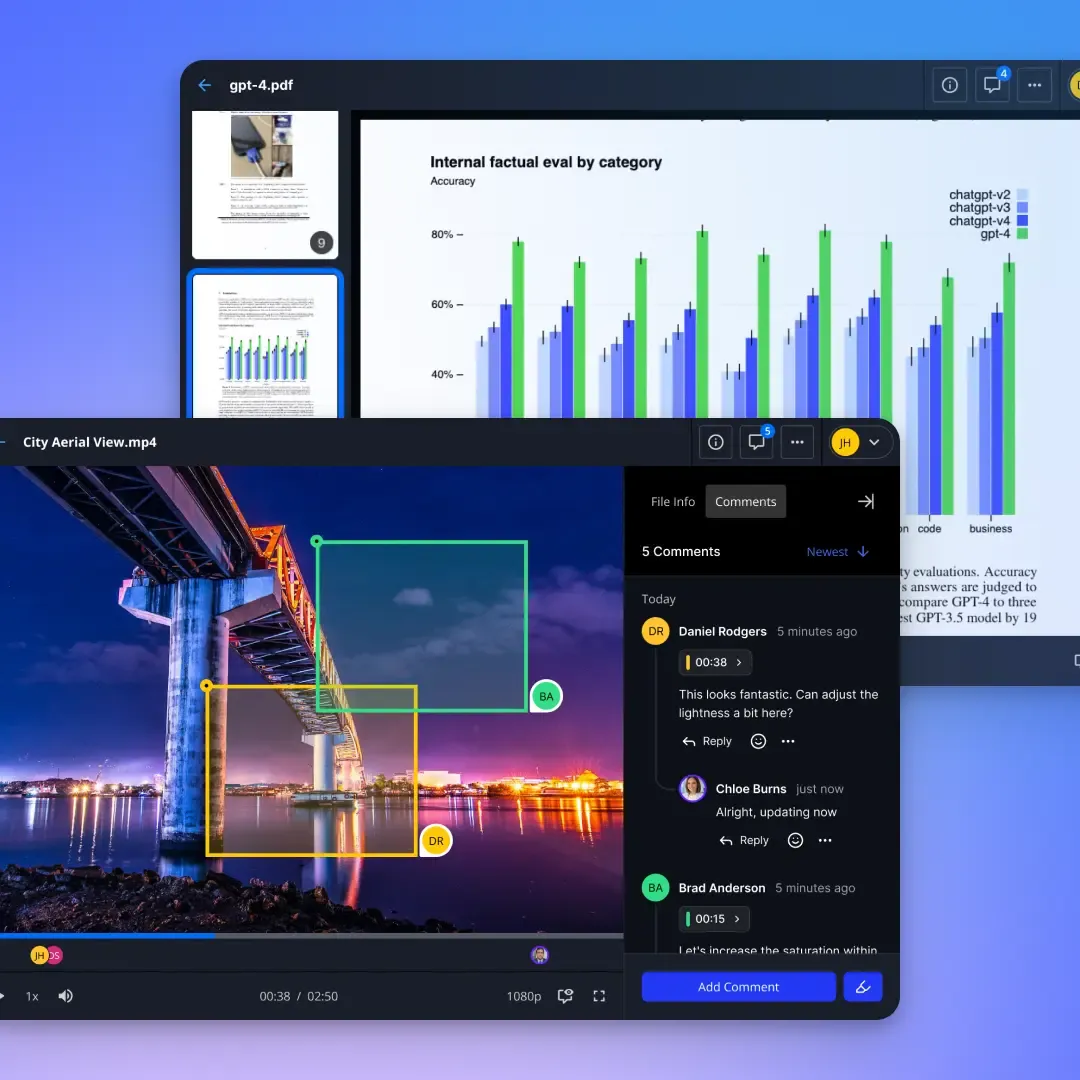
Shared Folders
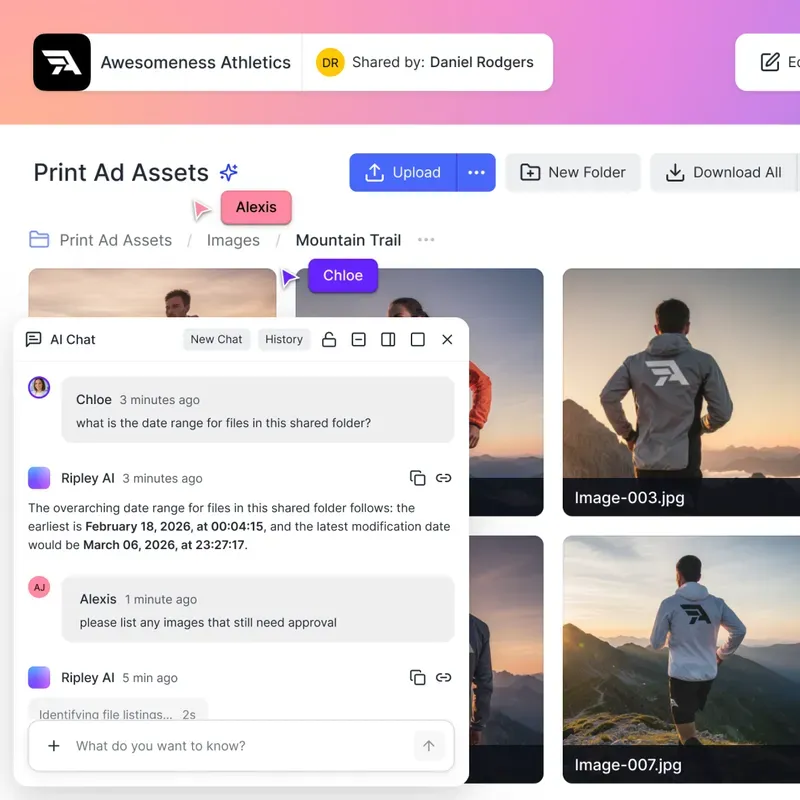
When you need an ongoing shared space (not just a one-off link), Shared Folders give your team a persistent home for files. Think Google Drive or Box, but built into your Fastio workspace with no per-user fees.
- Persistent shared space: one lasting home for team files
- Member permissions: view, edit, or manage, per folder
- Desktop app sync: work offline and sync when you reconnect
- Invite externals: add clients without opening your workspace
Portals
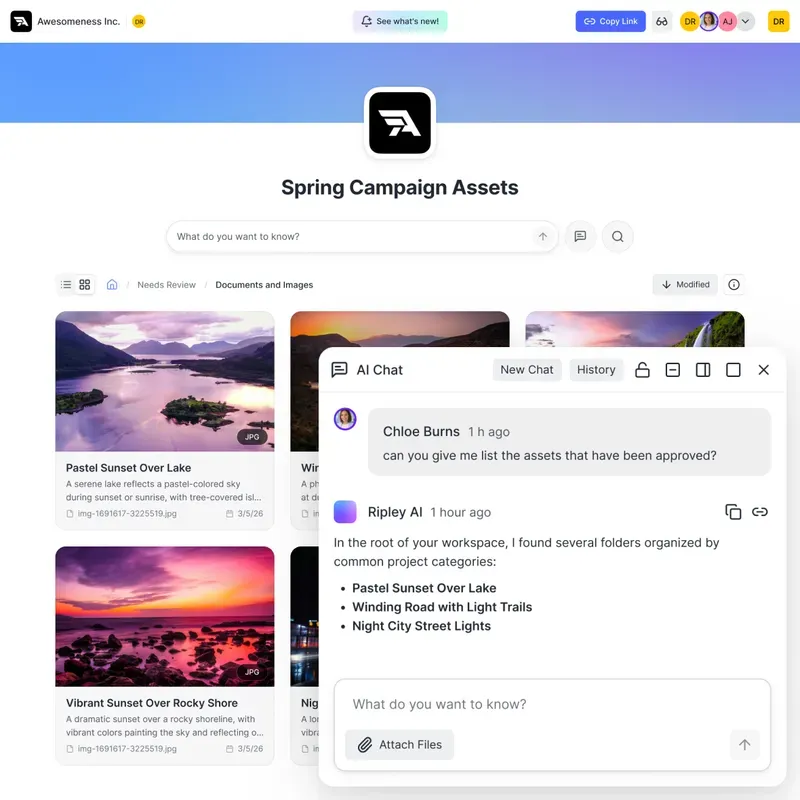
When you need more than a link or a folder, Portals give your clients a branded, professional destination to access files, documents, and deliverables. Your logo, your colors, password protection, and audit trails built in.
- Fully branded, with your logo, colors, and background
- Password protected: control exactly who can access your portal
- Audit trails: see who accessed what and when, every visit logged
- No account needed: clients access via link, no sign-up required
Secure by Design
Sharing files shouldn't mean losing control. Set boundaries on who, when, and how your files can be accessed.
Passwords & Expirations
Lock down sensitive links with passwords, and set them to auto-expire after a certain date or number of downloads.
Send, Receive, Exchange
Choose exactly how guests interact with your share. Allow them to only download (Send), only upload (Receive), or both (Exchange).
Granular Permissions
Control access down to the specific file or folder. Give some users edit rights while restricting others to view-only.
Guest Access
Share securely with external collaborators. They can view, upload, or download based on your rules, without needing a Fastio account.
Complete Audit Trails
Every view, download, and modification is permanently logged. Always know exactly who accessed your data and when.
Ownership Transfer
Agents can build a workspace and cleanly transfer full ownership and billing responsibility to a human team member.
File Shares vs Shared Folders
A File Share sends a single file with per-recipient control. Shared Folders give a group an ongoing home. Here is when to use each.
Common questions, answered.
What is the difference between File Shares, Shared Folders, and Portals?
A File Share sends a single file in two clicks. Shared Folders give a team a persistent space for ongoing work rather than a one-off link. Portals give clients a branded destination with your logo and colors. Same underlying controls, three different jobs.
Do recipients need a Fastio account to open a share?
No. Recipients open a File Share link without an account, and guests can view, upload, or download inside a share based on the rules you set, again without signing up.
Can I password protect a share or make it expire?
Yes. Links can carry a password, and you can set them to expire on a date or after a set number of downloads. A link stays durable until you revoke it if you would rather it not expire at all.
Can I revoke access for one person without breaking the share?
Yes. Access is granted per recipient, so you can revoke any single recipient without touching the others and without reissuing the link.
Can I control whether people upload as well as download?
Yes, through three share modes. Send lets guests download only, Receive lets them upload only, and Exchange allows both. Permissions can also be set per file or per folder, so some people get edit rights while others stay view-only.
Will recipients always see the current version of a file?
Yes. Update the file and everyone opening the share sees the current version, so you are not sending a corrected link after the fact.
How do I know who accessed a shared file?
Every view, download, and modification is logged, so you can see who accessed a share and when. A File Share reports a download count and access log, and Shared Folders carry a full activity feed per member.
Is file sharing in Fastio secure?
Sharing is built around access controls rather than assumptions: passwords, expirations, per-recipient grants you can revoke individually, granular per-file and per-folder permissions, and a permanent log of every view, download, and modification.

Start sharing today.
Send a File Share link in seconds or set up a Shared Folder for your team. No per-user fees.