Best Gofile Alternatives for Business File Sharing
Gofile is a free file hosting service popular for quick uploads, but it lacks SLA guarantees, permanent storage, and team features. If you need reliable file sharing for business, you need an alternative that keeps files accessible and supports collaboration. This guide compares the best professional options.
Why Look for a Gofile Alternative?
Gofile works well for casual, one-off file transfers. You upload a file, get a link, and share it. No account required. But that simplicity comes with tradeoffs that matter for professional work:
- No uptime guarantee - Gofile provides no SLA, so files can become unavailable without warning
- Files expire - Free file hosting services typically delete files after 14-30 days of inactivity
- No collaboration - You can share a link, but there's no commenting, versioning, or team workspace
- No audit trail - You can't see who downloaded what or when
- Limited file controls - No password protection, expiration dates, or download limits on links
For personal use, these limitations are minor. For business, they're dealbreakers.
Helpful references: Fast.io Workspaces, Fast.io Collaboration, and Fast.io AI.
What Makes a Good Gofile Replacement?
Before comparing alternatives, define what you need. A good Gofile replacement for business should have:
File Permanence Files should stay available until you delete them. No arbitrary expiration dates or storage purges.
Team Collaboration Shared workspaces where team members can organize files, leave comments, and work together without forwarding links.
Access Controls Password protection, expiration dates, domain restrictions, and view-only options for sensitive files.
Activity Tracking See who accessed files, when they downloaded them, and how long they spent viewing. This matters for contracts, client deliverables, and compliance.
Reliable Infrastructure Uptime guarantees, customer support, and the confidence that the service will exist next month.
Gofile vs Professional Alternatives: Quick Comparison
Here's how Gofile stacks up against professional file sharing tools:
Gofile targets individuals who need quick, free transfers. Professional tools target teams who need reliability and collaboration.


Share Files Without Limits on Fast.io
Fast.io gives teams shared workspaces, MCP tools, and searchable file context to run gofile alternative workflows with reliable agent and human handoffs.
Best Gofile Alternatives for Business
Fast.io
Fast.io is a cloud-native storage platform built for teams. Unlike sync-based tools, files live in the cloud and stream on-demand. No sync conflicts, no local storage requirements.
Why it works as a Gofile replacement:
- Files never expire - they stay until you delete them
- HLS video streaming plays instantly without buffering
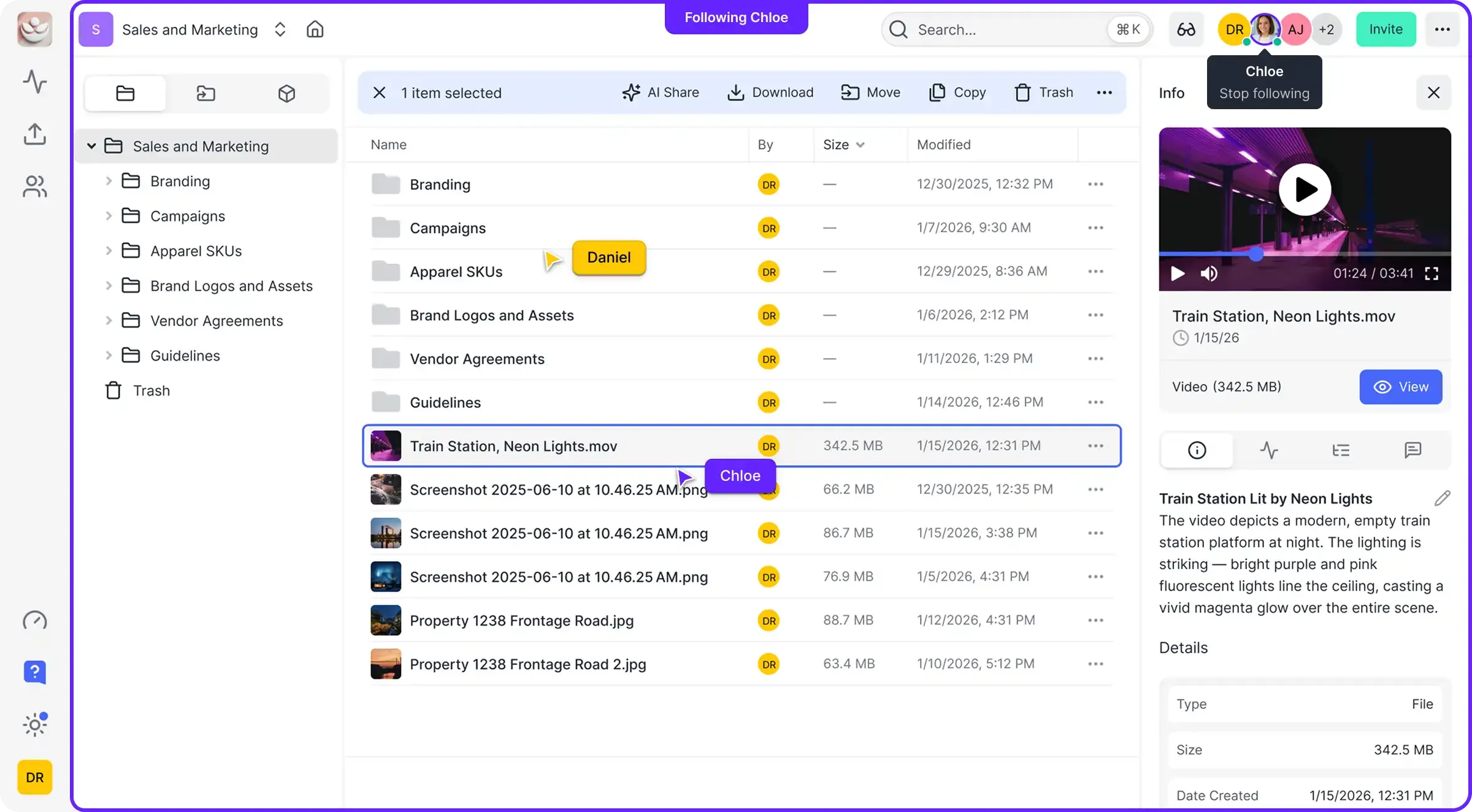
- Shared workspaces replace scattered link sharing
- Usage-based pricing means you pay for storage, not seats
- Full link controls: passwords, expiration, domain restrictions, watermarking
For teams sharing large files regularly, Fast.io costs about 70% less than per-seat alternatives like Dropbox.
2. Dropbox
Dropbox is the most recognized name in file sharing. It works well for individuals and small teams, though per-seat pricing adds up quickly.
Strengths: Reliable, familiar interface, good mobile apps Weaknesses: Expensive for teams (published pricing/month), sync-based architecture, progressive video download instead of streaming
3. MEGA MEGA offers end-to-end encryption and generous free storage (20GB). It's privacy-focused but lacks team collaboration features.
Strengths: Strong encryption, no account required for downloads, free tier Weaknesses: No SLA, limited collaboration, slower performance on large files
4. WeTransfer
WeTransfer is designed for one-off transfers, not persistent storage. Files expire after 7 days on free plans.
Strengths: Simple interface, no account needed, fast uploads Weaknesses: Files expire, no organization, limited free size (2GB)
5. Google Drive
Google Drive works alongside Google Workspace but organizes files around personal accounts, which gets messy in team environments.
Strengths: Deep Google integration, familiar interface, good collaboration on docs Weaknesses: File ownership confusion, limited video streaming, per-user pricing
Is Gofile Safe to Use?
Gofile uses HTTPS encryption for transfers, so files are protected in transit. But "safe" depends on your threat model.
For personal use: Gofile is reasonably safe for sharing non-sensitive files with friends. The main risk is link exposure: anyone with the link can access the file.
For business use: Gofile lacks the controls businesses need. No password protection on links, no audit logs, no way to revoke access after sharing, and no guarantee files won't disappear. If you're sharing contracts, client deliverables, or proprietary information, use a service with proper access controls and activity tracking. Consider how this fits into your broader workflow and what matters most for your team. The right choice depends on your specific requirements: file types, team size, security needs, and how you collaborate with external partners. Testing with a free account is the fast way to know if a tool works for you.
Does Gofile Delete Files?
Yes. Gofile deletes files after a period of inactivity, typically 14-30 days depending on account type. Premium accounts get longer retention, but there's no guarantee of permanent storage. This matters if you:
- Share files that recipients might access weeks later
- Need to maintain an archive of delivered work
- Want a central location for ongoing projects
If file permanence matters, choose a service with explicit storage guarantees. With Fast.io, files stay until you delete them. You control the lifecycle. Consider how this fits into your broader workflow and what matters most for your team. The right choice depends on your specific requirements: file types, team size, security needs, and how you collaborate with external partners. Testing with a free account is the fast way to know if a tool works for you.
Choosing the Right Alternative
Match the tool to your use case:
Choose Gofile if:
- You need quick, free transfers for personal use
- Files are not sensitive
- You don't need collaboration or permanence
Choose Fast.io if:
- You need reliable file sharing for a team
- You share large files (video, design assets, datasets)
- You want workspaces instead of scattered links
- You need audit trails and access controls
Choose Dropbox if:
- You need sync to local devices
- You're already in the Dropbox ecosystem
- Per-seat pricing fits your budget
Choose MEGA if:
- Privacy and encryption are top priority
- You're an individual, not a team
- You don't need SLA guarantees
The best Gofile alternative depends on what matters most: cost, collaboration, security, or simplicity. For professional teams, Fast.io or Dropbox usually wins. For privacy-focused individuals, MEGA is the pick.
Frequently Asked Questions
Is Gofile safe to use?
Gofile uses HTTPS encryption for transfers, making it reasonably safe for non-sensitive personal files. However, it lacks business security features like password-protected links, audit logs, and access revocation. For confidential business files, use a service with proper access controls.
What is better than Gofile for business?
For business file sharing, Fast.io, Dropbox, and Box offer features Gofile lacks: permanent storage, team workspaces, audit trails, SSO integration, and uptime guarantees. Fast.io is particularly cost-effective for teams due to usage-based pricing instead of per-seat charges.
Does Gofile delete files?
Yes. Gofile deletes files after 14-30 days of inactivity depending on account type. If you need permanent file storage, use a business file sharing service where files stay until you explicitly delete them.
Why do files disappear from Gofile?
Gofile automatically removes inactive files to manage storage costs on their free service. Premium accounts have longer retention, but there's no permanent storage guarantee. Business alternatives like Fast.io keep files indefinitely.
Can I use Gofile for client deliverables?
Not recommended. Client deliverables need permanent links, professional presentation, and activity tracking. Gofile links can expire, there's no branding, and you can't see if clients downloaded the files. Use a service with branded portals and delivery confirmation.
Related Resources

Share Files Without Limits on Fast.io
Fast.io gives teams shared workspaces, MCP tools, and searchable file context to run gofile alternative workflows with reliable agent and human handoffs.