How to Integrate AI Agents with the ELK Stack
AI agent ELK stack integration enables intelligent log analysis and alerting. Agents generate structured logs in Fastio workspaces, then ingest them into Elasticsearch for real-time search and visualization in Kibana. This setup supports multi-agent collaboration on logs, filling a gap in current tools. Teams reduce troubleshooting time with automated insights from agent activity.

What Is AI Agent ELK Stack Integration?
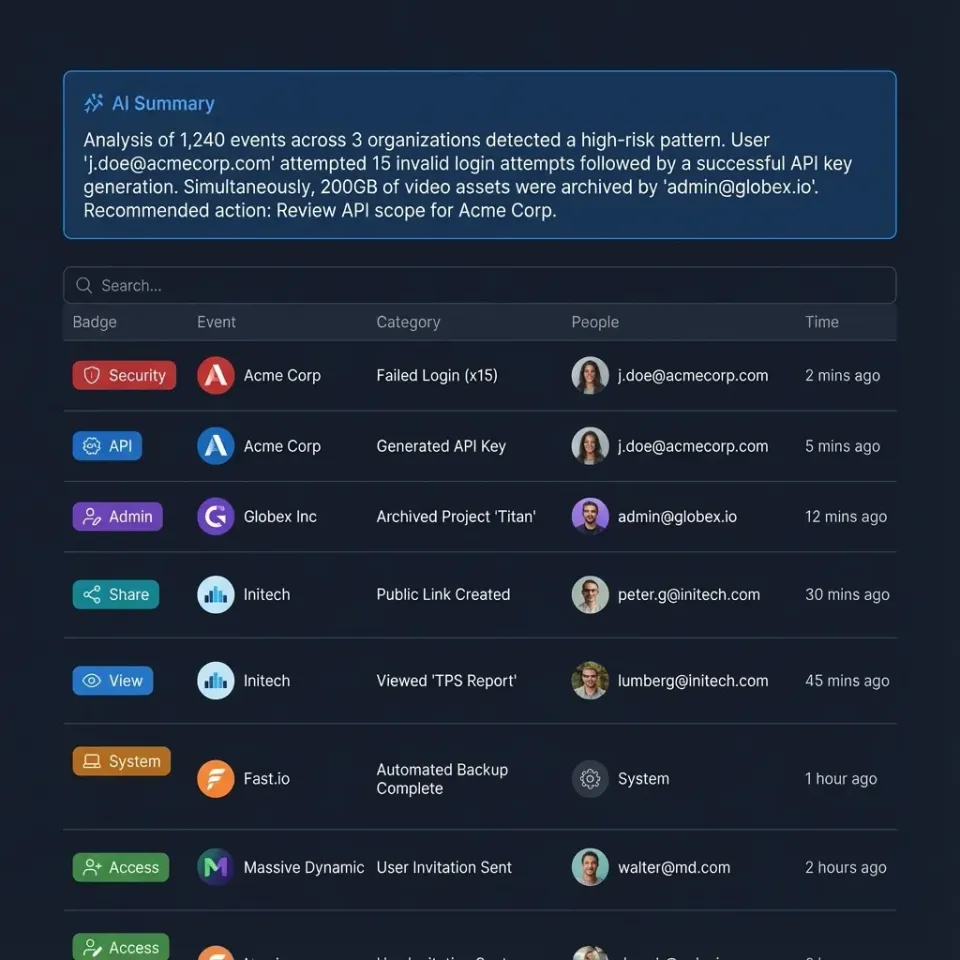
AI agent ELK stack integration connects autonomous agents to the Elasticsearch, Logstash, Kibana (ELK) platform for logging and monitoring. Agents produce logs during tasks like file processing or API calls. These logs flow into Logstash for parsing, Elasticsearch for storage and search, and Kibana for dashboards.
Fastio workspaces provide persistent storage where multiple agents share logs before ELK ingestion. Agents use the MCP protocol to upload JSON logs directly. This creates a unified log stream for analysis.
Benefits include real-time anomaly detection and automated alerting. For example, an agent fleet handling data pipelines logs errors to Fastio, then queries Elasticsearch for patterns.
Helpful references: Fastio Workspaces, Fastio Collaboration, and Fastio AI.

Related guides
- Autonomous AI Agent Tools: Essential Software for Building AI AgentsAutonomous AI agent tools are software platforms that enable developers to build, deploy, and manage self-directed AI...
- How to Use Cloudflare Durable Objects for AI AgentsCloudflare Durable Objects provide globally distributed, stateful compute instances that AI agents can use for session...
- How to Integrate Keycloak with AI AgentsSecuring AI agents requires more than just API keys. As agent fleets grow, managing individual access becomes a complex...
- How to Build AI Agents for Batch ProcessingBatch processing lets AI agents handle repetitive work across thousands of files without you having to watch over them....
- How to Use AI Agents for Quality ControlAI agents handle quality control by automating inspections with computer vision and anomaly detection. They check...
- How AI Agents Automate Canary ReleasesAI agent canary releases use autonomous agents to roll out software updates to a small user group first. Agents monitor...
More on this subject: AI Agents: General Guides (190 guides)
Why Integrate AI Agents with ELK Stack?
Agentic systems generate high-volume logs that manual review can't handle. ELK Stack centralizes petabytes of logs for search. According to Elastic, AIOps platforms like ELK decrease mean time to resolution (MTTR) for incidents.
Agents reduce MTTR by automating root cause analysis. Studies show AIOps cuts resolution time, often by 70% in mature setups. ELK processes structured agent logs at scale, spotting issues like failed API calls or memory leaks.
Fastio adds multi-agent sharing. Agents collaborate in shared workspaces, avoiding siloed logs. One agent processes files, logs metrics; another analyzes for anomalies. The activity feed or WebSocket events feed surfaces log-file changes so you can trigger ELK pipelines.
Result: Teams focus on strategy, not firefighting. In practice, a deployment monitoring agent logs to Fastio, ELK alerts on spikes, cutting downtime from hours to minutes.



Build Your Agent ELK Integration Today
Start a 14-day Business Trial and give agents a shared Fastio workspace with a consolidated MCP toolset. Start logging and sharing instantly. Built for agent elk stack workflows.
Set Up Fastio Workspaces for Agent Logging
Start with Fastio's 14-day Business Trial (credit card required; see /pricing/). Agents sign up, create workspaces, and connect via the REST API or MCP.
Configure your MCP client with the remote endpoint https://mcp.fast.io/mcp/tools and a scoped key sent as a Bearer header. This provides a consolidated MCP toolset for workspace operations.
Example agent code (Python with requests):
import requests

### REST API endpoint
api_url = "https://api.fast.io/current/"
token = "your-token"

### Upload log file
log_data = {"level": "error", "message": "Pipeline failed", "agent_id": "agent-123"}
files = {"file": ("agent-log.json", json.dumps(log_data))}
response = requests.post(api_url, files=files, headers={"Authorization": f"Bearer {token}"})
Enable Intelligence Mode for RAG on logs. Agents query: "Summarize errors from last hour."
For concurrent writes, agents can acquire an advisory file lock before updating shared files, or write distinct log filenames so appends are not silently lost.
Watch the Activity Feed for New Logs
Poll the workspace activity feed (or subscribe to the WebSocket events feed) for upload events. When a new log file appears, push it to Logstash.
Point Fastio MCP clients at https://mcp.fast.io/mcp/tools; do not POST to a /webhooks path.
Ingest Agent Logs into ELK Stack
Configure Logstash pipeline to pull from Fastio shares or agents push via HTTP input.
Logstash config example:
input {
  http {
    port => 8080
  }
  file {
    path => "/fastio-logs/*.json"
    start_position => "beginning"
  }
}
filter {
  json {
    source => "message"
  }
}
output {
  elasticsearch {
    hosts => ["localhost:9200"]
    index => "agent-logs-%{+YYYY.MM.dd}"
  }
}
Agents download logs from Fastio via MCP list/upload tools, pipe to Logstash.
For scale, use Beats (Filebeat) on agent hosts to tail log files synced to Fastio.

Multi-Agent Log Sharing and Collaboration
Current tools lack multi-agent log sharing. Fastio fills this: agents in same workspace read/write shared log folders.
Agent A generates metrics, uploads to /logs/metrics/.
Agent B analyzes: uses semantic search "find high latency events", gets citations.
Ownership transfer: agent builds log workspace, hands to human ops team.
Concurrent access can be coordinated with advisory file locks, or partitioned across distinct log paths while version history preserves all revisions. Example:
### Partition log paths or coordinate shared files with advisory locks
requests.post(
    api_url,
    files={"file": (f"shared-log-{agent_id}.json", json.dumps(log_data))},
    headers={"Authorization": f"Bearer {token}"},
)
Humans join via UI, Kibana dashboards embed shared views.
Define clear tool contracts and fallback behavior so agents fail safely when dependencies are unavailable. This improves reliability in production workflows.
Monitor, Analyze, and Alert on Agent Logs
In Kibana, create index pattern for agent-logs-*. Dashboards show agent uptime, error rates.
ML jobs detect anomalies: "error rate above baseline".
Alerting: Kibana rules notify Slack/teams when agent fails.
Integrate Fastio RAG: query workspace "correlate log with file changes".
Troubleshooting: common issues like auth errors fixed with MCP session refresh.
Define clear tool contracts and fallback behavior so agents fail safely when dependencies are unavailable. This improves reliability in production workflows.
Sources
References used to verify factual claims in this guide.
-
ELK Stack can centralize and search through petabytes of logs AIOps decreases Mean Time to Resolution (MTTR)
Frequently Asked Questions
Can AI agents works alongside ELK Stack?
Yes, agents log to Fastio, ingest via Logstash to Elasticsearch. Use MCP or the REST API for uploads. Poll the activity feed or use the events feed when new logs land.
How do you automate logs with AI agents?
Agents generate JSON logs during tasks, upload to Fastio workspaces. Pipelines parse and index to ELK. The activity feed or events feed can trigger ingestion.
What is the best storage for multi-agent ELK logs?
Fastio workspaces: 14-day Business Trial (see /pricing/), advisory file locks, version history, semantic search, human handoff. Beats siloed storage issues.
Does Fastio support ELK integration?
Agents use Fastio MCP/API for log storage/sharing. Audit logs track activity. No direct plugin, but HTTP/file ingest works.
How to reduce MTTR with agent ELK?
AIOps in Kibana detects anomalies fast. Shared Fastio logs enable quick correlation across agents.
Related Resources

Build Your Agent ELK Integration Today
Start a 14-day Business Trial and give agents a shared Fastio workspace with a consolidated MCP toolset. Start logging and sharing instantly. Built for agent elk stack workflows.