How to Design a Metadata Extraction Pipeline
A metadata extraction pipeline takes raw files and turns them into structured, queryable data. Getting the architecture right means choosing the correct queue topology, routing files to format-specific workers, normalizing output schemas, and handling failures without losing data. This guide walks through each design decision with concrete implementation patterns.


What a Metadata Extraction Pipeline Actually Does
A metadata extraction pipeline is a multi-stage system that ingests files, identifies their format, runs the appropriate extractor, normalizes the output, and stores structured metadata for downstream use. That definition sounds straightforward, but the architecture decisions behind each stage determine whether the pipeline handles 100 files a day or 10 million.
Most organizations manage 15 or more file formats that each require different extraction strategies. PDFs need text-layer parsing and sometimes OCR. Images carry EXIF data with camera models, GPS coordinates, and timestamps. Office documents embed author information, revision history, and structural elements like headings and tables. Audio and video files contain codec metadata, duration, bitrates, and sometimes embedded artwork or chapter markers.
The pipeline has six stages:
- Ingest accepts files from upload endpoints, cloud imports, webhook events, or batch jobs
- Detect identifies the file format using magic bytes, MIME types, and file extensions
- Extract runs format-specific parsers to pull raw metadata from the file
- Normalize maps extracted fields to a canonical schema so downstream consumers see consistent data regardless of source format
- Store writes the normalized metadata to a database, search index, or both
- Index makes the metadata queryable through full-text search, faceted filters, or semantic retrieval
Each stage operates independently. The ingest layer doesn't care what format a file is. The extractor doesn't know where the metadata will be stored. This separation lets you swap components, scale individual stages, and recover from failures without rebuilding the entire pipeline.
The reason most tutorials skip this architecture is that they focus on a single tool, like running Apache Tika on a directory of PDFs. That works for a proof of concept but collapses under production load because there's no queue, no concurrency control, no error routing, and no schema normalization.
Related guides
- How to Extract Document Metadata with Large Language ModelsLarge language models can read unstructured documents and return structured metadata fields like author, date, topic,...
- How to Use Multimodal AI Vision Models for Metadata ExtractionVision-language models can look at an image or document and return structured metadata that traditional parsers miss...
- How to Build Automated Metadata Extraction Webhook WorkflowsPolling for new files wastes compute and delays processing. Webhook-driven metadata extraction pipelines react to file...
- How to Build Base44 Metadata Views for Document ExtractionBase44 metadata views automatically parse file attributes to populate structured database tables and search filters....
- How to Score and Validate Metadata Quality Before It Hits ProductionMetadata quality scoring assigns numeric ratings to extracted metadata based on completeness, accuracy, consistency,...
- How to Build an AI Agent Document Redaction PipelineAI agent document redaction automation uses an autonomous agent to detect and remove sensitive information like names,...
More on this subject: Agent File and Document Workflows (325 guides)
What to check before scaling metadata extraction pipeline architecture design
Format detection is the decision point that determines pipeline throughput. Get it wrong and you'll send every file through the same generic extractor, which drops throughput by 60-80% compared to format-specific routing.
Magic byte detection reads the first few bytes of a file to identify its format. A PDF starts with %PDF, a PNG starts with \x89PNG, a ZIP-based format (DOCX, XLSX, PPTX) starts with PK. This method is fast and reliable for formats with well-defined signatures. Apache Tika uses this approach internally, combining magic bytes with content-type hints and file extensions to classify over 1,400 file types.
MIME type fallback uses the Content-Type header provided during upload. This is less reliable because clients sometimes send incorrect MIME types, but it's useful as a secondary signal when magic bytes are ambiguous.
Extension-based routing maps file extensions to extractor pools. While extensions can be wrong (a renamed .jpg that's actually a .png), they're useful for routing decisions when combined with magic byte confirmation.
Once the format is identified, the dispatcher routes the file to the appropriate worker pool:
- Document workers handle PDFs, DOCX, XLSX, PPTX, and plain text. These workers run heavier parsers (Tika, PyMuPDF, python-docx) and may need OCR support for scanned pages.
- Image workers handle JPEG, PNG, TIFF, RAW, and HEIC. They extract EXIF data, dimensions, color profiles, and GPS coordinates using libraries like ExifTool or Pillow.
- Media workers handle MP4, MOV, MP3, WAV, and FLAC. They use FFprobe or MediaInfo to pull codec details, duration, bitrate, and embedded tags.
- Structured data workers handle CSV, JSON, Parquet, and XML. These need schema inference rather than traditional metadata extraction.
This routing pattern means you can scale each worker pool independently. If your pipeline handles mostly images during a batch photo import, you scale image workers without provisioning unnecessary document parsing capacity.
WORKER_ROUTES = {
    "application/pdf": "document",
    "application/vnd.openxmlformats-officedocument": "document",
    "image/jpeg": "image",
    "image/png": "image",
    "image/tiff": "image",
    "video/mp4": "media",
    "audio/mpeg": "media",
    "text/csv": "structured",
    "application/json": "structured",
}

def route_file(mime_type: str) -> str:
    for prefix, pool in WORKER_ROUTES.items():
        if mime_type.startswith(prefix):
            return pool
    return "document"  # fallback to generic extraction

Queue Architecture and Concurrency Control
The queue sits between file ingestion and extraction workers. Its design determines whether the pipeline handles load spikes gracefully or drops files under pressure.
Message broker selection depends on your scale and durability requirements. For pipelines processing under 10,000 files per day, a Redis-backed queue (Bull, BullMQ, Celery with Redis) provides simple setup with reasonable durability. For larger volumes or strict ordering guarantees, RabbitMQ or Amazon SQS offer better message persistence and dead letter routing. At the highest scale, Apache Kafka provides partitioned, replayable message streams that let you reprocess historical data when you add new extractors.
Concurrency control prevents worker pools from overwhelming downstream services or exhausting system resources. A semaphore-based approach caps the number of concurrent extraction jobs per worker type:
import asyncio

class ExtractionPool:
    def __init__(self, max_workers: int = 10):
        self.semaphore = asyncio.Semaphore(max_workers)

async def process(self, file_ref):
        async with self.semaphore:
            return await self.extract_metadata(file_ref)
Backpressure is what happens when extractors can't keep up with ingest. Without backpressure, the queue grows unbounded, memory fills, and the system crashes. Good queue configurations set a maximum queue depth and either slow down ingest (rate limiting the upload endpoint) or spill messages to disk-backed storage when the in-memory queue fills.
Priority queuing lets you process some files before others. A real-time upload from a user should get metadata extracted before a batch import of 50,000 archived files. Most queue systems support priority levels, but the implementation matters. BullMQ supports named priority queues. RabbitMQ supports priority queues with up to 255 levels, though more than 10 levels adds overhead without practical benefit.


Skip the Pipeline Plumbing and Start Extracting
Fastio Metadata Views turn your documents into structured, queryable data without building queue infrastructure or writing normalizer code. Describe the fields you need in plain language and let AI handle extraction. Fastio offers a 14-day Business Trial, card required; see /pricing/.
Schema Normalization and Metadata Storage
Raw extractor output is messy. Tika returns "dc:creator" for the author field. ExifTool returns "EXIF:Artist". A PDF parser might return "Author" with a capital A. Without normalization, downstream consumers need to understand every extractor's output format, which defeats the purpose of a pipeline.
Schema normalization maps extractor-specific fields to a canonical schema. The canonical schema defines the fields your system cares about, their types, and their names:
{
  "file_id": "string",
  "source_format": "string",
  "extracted_at": "datetime",
  "title": "string | null",
  "author": "string | null",
  "created_date": "datetime | null",
  "modified_date": "datetime | null",
  "page_count": "integer | null",
  "duration_seconds": "float | null",
  "dimensions": {"width": "integer", "height": "integer"} | null.
  "gps_coordinates": {"lat": "float", "lon": "float"} | null.
  "text_content": "string | null",
  "custom_fields": "object"
}
Each extractor gets a normalizer function that maps its output to this schema. The custom_fields object catches format-specific metadata that doesn't fit the canonical fields, like EXIF camera settings or audio bitrate details.
Date normalization deserves special attention. Extractors return dates in dozens of formats: ISO 8601, Unix timestamps, locale-specific strings like "January 5th, 2024", and PDF date strings like "D:20240105120000+00'00'". Normalize all dates to ISO 8601 at the extraction boundary. This single rule prevents an entire category of bugs where downstream code tries to parse inconsistent date formats.
Storage layer selection depends on query patterns. If you need faceted search and full-text queries, Elasticsearch or Typesense work well. If you need relational joins between metadata and other business data, PostgreSQL with JSONB columns handles the mixed schema effectively. For analytical workloads, columnar stores like ClickHouse or DuckDB give you fast aggregations across millions of metadata records.
Adopting a metadata-driven ingestion pattern where schema and transformation rules are parameterized rather than hard-coded can reduce schema evolution costs by up to 35% in enterprise-scale data platforms, according to research published in the Journal of Big Data.
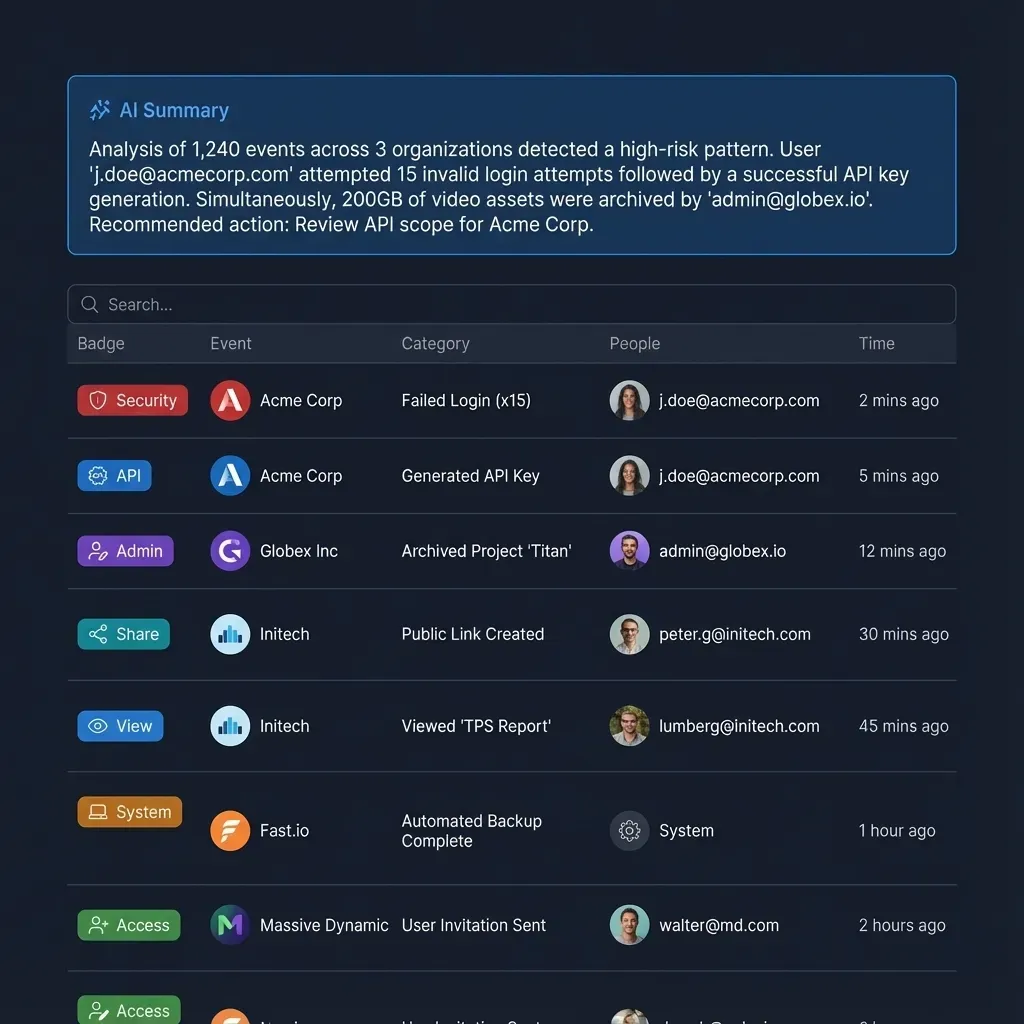
For teams already using Fastio workspaces, Metadata Views handle much of this normalization automatically. You describe the fields you want extracted in natural language, AI designs a typed schema (Text, Integer, Decimal, Boolean, URL, JSON, Date & Time), and the system populates a sortable, filterable grid across your files. No manual normalizer code, no schema mapping files. The tradeoff is flexibility: custom pipelines give you full control over every extraction step, while Metadata Views trade that control for speed and simplicity.
Error Handling and Recovery Patterns
Every metadata extraction pipeline encounters files it can't process. Corrupted PDFs, password-protected archives, zero-byte uploads, files with incorrect extensions, and format versions that your parser doesn't support yet. The difference between a production pipeline and a prototype is how it handles these failures.
Dead letter queues (DLQs) are the foundation of pipeline error handling. When an extractor fails, the message moves to a DLQ instead of being retried indefinitely or dropped. The DLQ stores the original file reference, the error message, the timestamp, and the number of previous attempts. This gives operators visibility into failure patterns and lets them reprocess files after fixing the underlying issue.
async def process_with_retry(file_ref, max_retries=3):
    for attempt in range(max_retries):
        try:
            metadata = await extract(file_ref)
            return metadata
        except TransientError:
            await asyncio.sleep(2 ** attempt)  # exponential backoff
        except PermanentError as e:
            await dead_letter_queue.send({
                "file_ref": file_ref.
                "error": str(e),
                "attempt": attempt + 1,
                "timestamp": datetime.utcnow().isoformat()
            })
            return None
    await dead_letter_queue.send({
        "file_ref": file_ref.
        "error": "max retries exceeded",
        "attempt": max_retries.
        "timestamp": datetime.utcnow().isoformat()
    })
    return None
Transient vs. permanent failures require different handling. A timeout connecting to an OCR service is transient and should be retried with exponential backoff. A file that causes a parser to throw a format error is permanent and should go straight to the DLQ. Classifying errors correctly prevents wasted retries on files that will never succeed and ensures temporary outages don't cause data loss.
Partial extraction is better than no extraction. If the PDF text extractor fails but the basic file attributes (size, page count, creation date) succeeded, store the partial result and flag it for re-extraction. Downstream consumers can work with incomplete metadata while the full extraction is retried or fixed.
Poison message detection identifies files that consistently crash workers. If the same file has caused three different worker processes to fail, quarantine it. Without this protection, a single malformed file can cycle through your entire worker pool, creating a cascading failure that blocks all other processing.
Idempotency ensures that reprocessing a file produces the same result and doesn't create duplicate metadata records. Use the file ID and a content hash as a composite key. If a metadata record already exists for that key, update it rather than inserting a duplicate. This makes the entire pipeline safe to replay from any point.
Scaling to Millions of Files
Scaling a metadata extraction pipeline from thousands to millions of files introduces challenges that don't exist at smaller volumes. The architecture decisions from earlier stages either compound or collapse under load.
Horizontal worker scaling is the first lever. If your queue depth exceeds a threshold (say, 10,000 pending messages), spin up additional worker containers. Kubernetes HorizontalPodAutoscaler can trigger scaling based on custom queue-depth metrics. The key constraint is that your extractors must be stateless. Each worker should pull a file reference from the queue, extract metadata, write the result, and move on. No local caches, no in-memory state that matters across jobs.
Partitioned queuing distributes work across independent queue partitions based on file type or tenant. Instead of one queue that all workers compete for, you create separate queues for documents, images, and media. Each partition scales independently. Kafka makes this natural with topic partitions. With RabbitMQ, you create separate queues and bind them to routing keys based on MIME type.
Batch processing reduces per-file overhead for certain operations. If you're extracting EXIF data from 100,000 JPEG files, batching them into groups of 500 and processing each batch in a single ExifTool invocation is faster than spawning ExifTool 100,000 times. The Xtract framework at Argonne National Laboratory used this approach to process over 500 million files (1 PB) across scientific disciplines.
Storage write optimization becomes critical at scale. Writing one metadata record at a time to PostgreSQL caps at roughly 1,000-2,000 inserts per second on standard hardware. Batch inserts using COPY or multi-row INSERT statements push throughput to 50,000+ records per second. For Elasticsearch, use the bulk API with batches of 1,000-5,000 documents to minimize HTTP overhead.
Monitoring and observability at scale means tracking more than just success/failure counts. Instrument your pipeline to measure:
- Queue depth per partition (are you keeping up with ingest?)
- P50 and P99 extraction latency per file type (which formats are slow?)
- DLQ depth over time (are failures increasing?)
- Worker utilization (are you over-provisioned or starved?)
- Metadata completeness rate (what percentage of files have full extraction?)
For teams that don't want to build and maintain this infrastructure, managed platforms handle the scaling automatically. Fastio's Intelligence Mode indexes files as soon as they're uploaded to a workspace. The platform handles format detection, extraction, and indexing without you provisioning workers or queues. For structured extraction specifically, Metadata Views let you define the fields you need and the system runs extraction across your workspace, whether that's 50 files or 50,000. You can query results through the UI or programmatically through the Fastio MCP server. Fastio offers a 14-day Business Trial, card required; see /pricing/, which is enough to prototype a pipeline and test extraction patterns before committing to a custom build.
Sources
References used to verify factual claims in this guide.
-
Organizations manage an average of 15+ file formats requiring different extraction strategies
-
Apache Tika supports over 1,400 file types using magic bytes, content-type hints, and file extensions
-
Xtract framework processed over 500 million files (1 PB) across scientific disciplines
-
Metadata-driven ingestion patterns can reduce schema evolution costs by up to 35% in enterprise-scale data platforms
Frequently Asked Questions
What are the stages of a metadata extraction pipeline?
A metadata extraction pipeline has six stages: ingest (accept files from uploads, APIs, or batch jobs), detect (identify file format using magic bytes and MIME types), extract (run format-specific parsers), normalize (map raw output to a canonical schema), store (write to a database or search index), and index (make metadata queryable through search or filters). Each stage operates independently so you can scale or replace components without rebuilding the entire system.
How do you scale metadata extraction for millions of files?
Scale through horizontal worker pools triggered by queue depth, partitioned queues that separate work by file type, batch processing to reduce per-file overhead, and bulk writes to your storage layer. Stateless workers are critical because they let you add capacity without coordination. Monitor queue depth, extraction latency per format, and dead letter queue growth to identify bottlenecks before they cascade.
What tools are used in a metadata extraction pipeline?
Common extraction tools include Apache Tika (1,400+ file formats, Java-based), ExifTool (image and media metadata), PyMuPDF and pdfplumber (PDF text and structure), FFprobe and MediaInfo (audio/video metadata), and python-docx (Word documents). For queuing, teams use RabbitMQ, Amazon SQS, or Apache Kafka depending on scale. Storage options include PostgreSQL with JSONB, Elasticsearch for full-text search, or managed platforms like Fastio Metadata Views that handle extraction and storage together.
How do you handle extraction failures in a pipeline?
Use dead letter queues to capture failed files with error context instead of retrying indefinitely. Classify errors as transient (retry with exponential backoff) or permanent (route to DLQ immediately). Store partial extraction results when some fields succeed but others fail. Implement poison message detection to quarantine files that crash workers repeatedly. Make the pipeline idempotent using file ID plus content hash as a composite key so reprocessing is always safe.
What is the difference between metadata extraction and document data extraction?
Metadata extraction pulls structural attributes from files, such as author, creation date, dimensions, and EXIF data. Document data extraction goes deeper, pulling specific content fields from within the document itself, like invoice amounts, contract dates, or policy numbers. Fastio's Metadata Views handle document data extraction by letting you describe fields in natural language and having AI extract typed values across your workspace files.
How do you choose between building a custom pipeline and using a managed service?
Build custom when you need full control over extraction logic, support niche file formats, or must run on-premises. Use a managed service when speed matters more than customization, your team lacks pipeline engineering capacity, or your extraction needs map to common patterns like document parsing and structured field extraction. Many teams start with a managed platform for the first iteration and add custom extractors as requirements become more specific.
Related Resources

Skip the Pipeline Plumbing and Start Extracting
Fastio Metadata Views turn your documents into structured, queryable data without building queue infrastructure or writing normalizer code. Describe the fields you need in plain language and let AI handle extraction. Fastio offers a 14-day Business Trial, card required; see /pricing/.