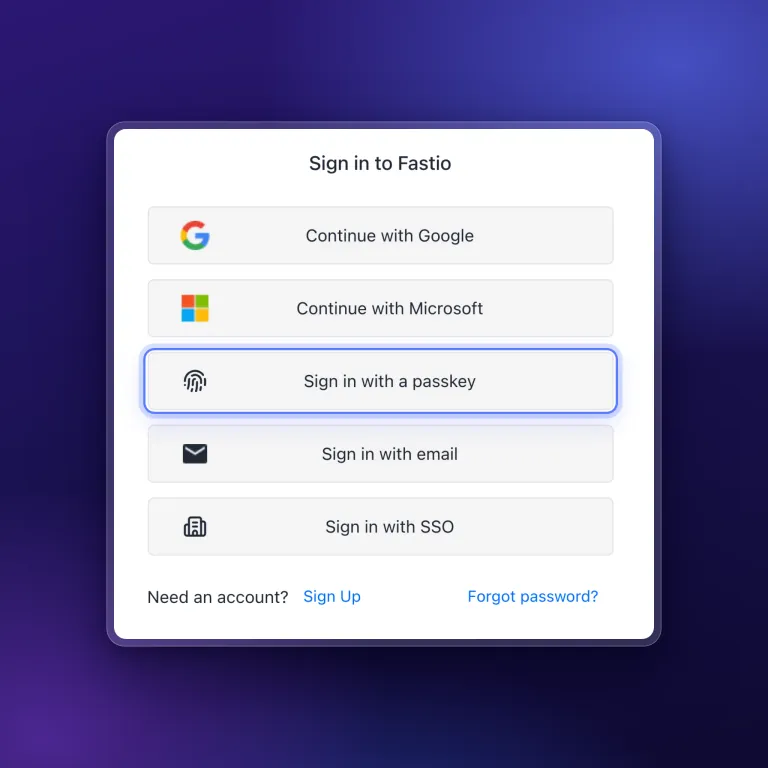
Passkey Sign-In, Cloud Imports With Live Progress, and New MCP Tools
Sign in to Fastio with a passkey, import a cloud folder once and watch it run, and give agents new MCP tools for notes, file versions, comments and invites.
Three new features shipped today. You can sign in to Fastio with a passkey and no password, Cloud Sync can import a folder once while you watch its progress, and agents get new tools on the MCP operations endpoint.
Sign In With a Passkey
You can now add a passkey to your Fastio account and sign in with it, with no password to type. You manage your passkeys from your account settings.
- A passkey counts as your second factor. Anywhere Fastio asks for a two-factor code, including sign-in and confirming a sensitive action, you can use a passkey instead.
- Backup codes for two-factor authentication. You can generate a set of single-use backup codes and keep them somewhere safe, so you can still sign in without your authenticator app.
- Security notices by email. Fastio sends you a security notice email about changes to your passkeys and backup codes.
Import a Folder Once, With Live Progress
When you connect a folder in Cloud Sync, you now choose how it should work: import it once, sync it one way, or sync it both ways. An import copies the folder into your workspace and then disconnects on its own.
- Watch an import run. One-time imports show live progress and a Stop option, and finish with a summary that lists any skipped files and why they were skipped.
- Progress for synced folders too. Folders that stay in sync show how many files have synced out of the total while a sync runs.
- See the AI cost before you approve. The import review shows file stats and an estimated range of AI credits, broken down into summaries, metadata, pages and indexing. Your plan’s credits are on the pricing page.
For a one-time move of files you already keep elsewhere, see Cloud Import.
New Tools on the MCP Operations Endpoint
Agents connected to https://mcp.fast.io/mcp/operations can do more in a workspace.
- Notes. Agents can read, create and update notes. If a note changed after the agent read it, the update is refused, so an agent does not write over newer edits. Renaming a file follows the same rule.
- Settings, versions, metadata and comments. Agents can update workspace settings, restore an earlier version of a file, delete metadata and edit comments.
- Saved filters, attachments and invitations. Agents can use saved metadata filters, attach files to comments, and accept or decline invitations.
The MCP setup guide lists which address each client should use, and the storage for agents page explains how agents work alongside your team.
Passkeys are the feature to set up first. Add one in your account settings and your next sign-in uses your device’s unlock, such as a fingerprint, instead of a password.
Related Posts
An MCP Setup Guide and Cloud Sync Folder Checks
A public guide walks you through connecting each MCP client to Fastio, and Cloud Sync now sizes and checks a folder before you connect it to a workspace.
One Tool per Operation and Read-Only MCP Sessions
A new MCP endpoint gives agents one tool per operation, and every Fastio tool now comes as a read tool and a separate write tool, each labeled with hints.
Claude Sonnet 5.5 vs Sonnet 5 on Fastio's Agent Benchmark
Claude Sonnet 5 found 4 to 14 of 17 contract contradictions, depending on the run. Claude Sonnet 5.5 found all 17 in six of seven runs and 16 in the other.