How to Implement Core Agent Design Patterns
In enterprise environments, over 60% of agentic AI deployments use a supervisor or orchestrator-worker pattern to manage complex tasks. However, relying on local, in-memory state storage often leads to synchronization errors and context loss. Transitioning to decoupled state storage reduces agent run failures by up to 40%, ensuring reliable execution. This guide details how to implement core agent design patterns using structured file handoffs, versioned workspaces, and API boundaries.

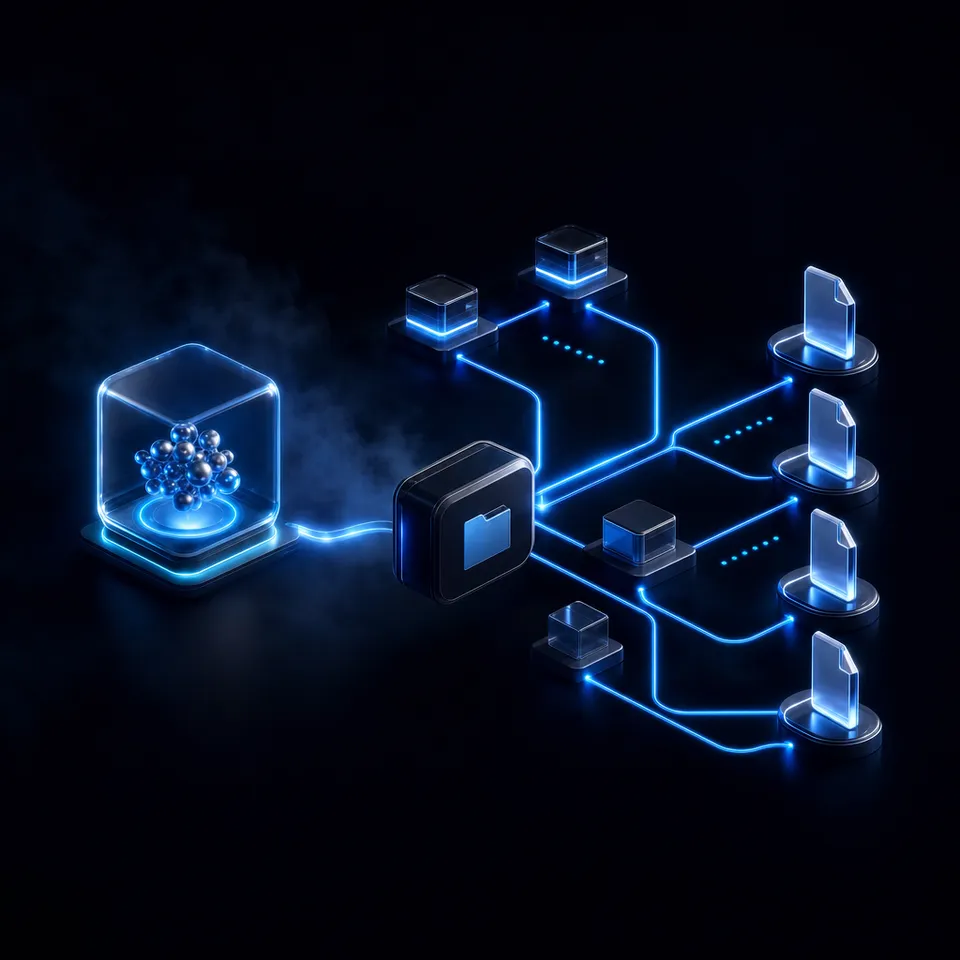
Why Multi-Agent Workflows Need Core Agent Design Patterns
In enterprise environments, over 60% of agentic AI deployments use a supervisor or orchestrator-worker pattern to manage complex tasks [Databricks 2026]. Yet, many development teams struggle to scale these systems because they run their agents using in-memory state layers, which are highly volatile. Transitioning to decoupled state storage reduces agent run failures by up to 40% [Databricks 2026]. To move from basic prompt chains to durable, autonomous operations, developers must adopt structured software design templates that define how agents execute work, share files, and manage system state.
In a typical local setup, developers build single-agent systems that interact with external data sources or execute script files directly. While this approach works for isolated coding tasks or simple Q&A queries, it quickly becomes unmanageable as task complexity grows. The context window of the language model becomes crowded with system instructions, error messages, and intermediate file contents, causing performance degradation and hallucinations.
By shifting from a single monolithic agent to a structured multi-agent architecture, you can decompose complex processes into discrete, manageable subtasks. Each agent in the system is assigned a specific role, equipped with targeted tools, and restricted to a limited context window. However, this division of labor introduces the challenge of coordination. Agents must communicate, pass inputs and outputs, and share system state without introducing context bloat or race conditions. Implementing core agent design patterns is the standard method to address these challenges in production environments.
Related guides
- How to Build TypeScript Agents with Mastra AI FrameworkMastra is an open-source TypeScript framework for building AI agents and workflows, offering built-in tool integration,...
- How to Design AI Agent Microservices Architecture PatternsMonolithic AI agents don't scale. Poor architecture kills many AI projects. Microservices split complex agents into...
- Agentic AI Architecture: Components, Patterns, and Design GuideAgentic AI architecture is the layered system design that lets autonomous agents perceive inputs, reason about goals,...
- Agentic AI Design Patterns: Proven Patterns for Building Autonomous SystemsAgentic AI design patterns are reusable architectural templates for building autonomous AI systems that can plan, use...
- How to Design AI Agent Architecture Patterns for Production SystemsAI agent architecture patterns are reusable design structures that define how autonomous agents perceive, reason, and...
- How to Design Multi-Tenant Architecture for AI AgentsMulti-tenant architecture lets one system serve many customers while keeping their data and files separate. As more...
More on this subject: Agent Frameworks and Patterns (52 guides)
How the Four Primary Agentic Architectures Compare
Multi-agent systems require a clear communication structure to function effectively. Depending on the complexity, latency constraints, and required flexibility of the task, developers select from four primary agent system design patterns: Router, Supervisor, Orchestrator-Worker, and Peer-to-Peer Swarms. Each pattern manages task delegation, state storage, and agent interaction in a distinct way. Selecting the incorrect architecture can introduce severe coordination problems, including infinite loop execution and message-passing bottlenecks. By matching the coordination pattern to the system's operational needs, developers can maintain clean separation of concerns and ensure that each agent works only within its optimized reasoning context. This prevents unexpected token growth and keeps execution costs predictable.
The Router Pattern
The Router pattern is the simplest architecture for multi-agent systems, functioning like an automated triage system. A central router model classifies incoming user requests and directs them to the most suitable specialized agent or tools. For example, a router can determine if a query requires database access, document translation, or code generation, and route the request to the agent configured for that specific domain. This pattern is highly efficient because it keeps agent scopes narrow, allowing you to use fast, cost-effective models for routine questions while reserving expensive, high-reasoning models for complex tasks.
The Supervisor Pattern
In the Supervisor pattern, a centralized supervisor agent oversees a group of specialized workers. The supervisor receives the user's goal, breaks it down into a sequence of subtasks, and assigns them to the appropriate workers. The worker agents execute their tasks and return their outputs to the supervisor. The supervisor then reviews the results, determines if further steps are needed, and synthesizes the final output. This pattern provides a high degree of control and predictability, making it easy to monitor agent progress and insert human review checkpoints.
The Orchestrator-Worker Pattern
The Orchestrator-Worker pattern expands on the supervisor architecture by introducing a more dynamic task assignment model. While a supervisor follows a strict hierarchical chain, an orchestrator maintains a central state ledger and dynamically creates, schedules, and monitors tasks as they execute. The workers operate as stateless processing units, reading their inputs from the orchestrator's state database and writing their outputs back to it. This decoupling of task scheduling from execution makes the orchestrator-worker pattern highly scalable and resilient to worker failures.
The Peer-to-Peer Swarms Pattern
In a Peer-to-Peer Swarms pattern, there is no centralized manager or orchestrator. Instead, specialized agents coordinate directly with one another, self-organizing to achieve a shared goal. Each agent is responsible for its own handoff logic, deciding when a task is complete and which peer is best suited to handle the next step. This decentralized approach is highly flexible and resilient, as there is no single point of failure. However, swarms are also the most difficult pattern to debug and monitor, requiring clear communication protocols and shared file workspaces to prevent chaotic behavior.
Steps for Designing File Handoffs and Directory Layouts
Competitor guides often discuss agentic architectures in the abstract, describing them with flowcharts and mathematical expressions. In practice, building a multi-agent system requires defining concrete file handoffs, input and output structures, and directory layouts. Without these practical primitives, agents cannot share state reliably, leading to corrupted data and run failures. A reliable multi-agent implementation must establish physical guidelines that govern how agents locate files, read task configurations, and store output logs. This structural approach ensures that every model in the team operates with a consistent view of the workspace and can hand off files cleanly to downstream processes without human intervention.
Input and Output File Structures
To coordinate work, agents must follow strict file formatting standards. If an agent writes its output in a free-form format, the next agent in the pipeline will struggle to parse it. You must establish a standard schema for agent inputs and outputs, typically using structured JSON files. For example, a research agent might output a list of sources in the following JSON format:
{
  "taskId": "task-891a2",
  "sources": [
    {
      "title": "Agent Design Patterns Overview",
      "url": "https://docs.databricks.com/gcp/en/agents/agent-system-design-patterns",
      "snippets": ["Enterprise deployments use supervisor or orchestrator-worker patterns."]
    }
  ]
}
By enforcing a typed schema, the downstream writing agent can read the JSON file directly, retrieve the relevant snippets, and compile the draft without having to parse conversational filler or unstructured markdown notes.
Workspace Directory Layout Conventions
A shared workspace must have a clear directory structure to keep agent activities isolated. If all agents read and write to the same folders, they will overwrite each other's work and create race conditions. A standard directory layout separates work by progress and agent role:
/workspace/
├── /input/
│   └── raw-documents/
├── /context/
│   ├── system-rules.json
│   └── vocabulary.json
├── /processing/
│   ├── /research-output/
│   ├── /writer-drafts/
│   └── /editor-reviews/
├── /output/
│   └── finalized-content/
└── /archive/
In this layout, the research agent only reads from /input/raw-documents/ and writes to /processing/research-output/. The writer agent reads from the research output folder and writes its drafts to /processing/writer-drafts/. This structure prevents directory clutter and ensures that each agent has access only to the files required for its current task.
Decoupling State With Persistent Cloud Workspaces
In-memory state management is the leading cause of agent run failures, as a simple connection drop or runtime crash will erase the entire execution history. To solve this, developers must decouple state storage from the execution runtime. Instead of keeping conversational history and intermediate files in the agent's memory, write them to a persistent, versioned storage layer.
While local filesystems or standard cloud storage like AWS S3 or Google Drive can act as a decoupled state store, they lack the coordination features required for autonomous agents. They do not track concurrent file edits natively, forcing developers to implement complex external database locks or retry loops. A shared cloud workspace, such as Fast.io, provides a persistent, versioned substrate where humans and agents can collaborate. Every upload and edit is captured in a per-file version history, ensuring that concurrent writes do not cause data loss and allowing developers to inspect agent updates in real time.
How to Implement the Orchestrator-Worker Pattern
Implementing the orchestrator-worker pattern requires a central repository where the orchestrator agent can post tasks and workers can claim them. A shared Fast.io workspace serves as this central repository, allowing developers to connect third-party orchestration libraries like CrewAI, LangGraph, or AutoGen, as well as autonomous development tools such as Claude Code, Codex, Cursor, and Gemini.
Agents connect to the shared workspace using Fast.io's remote Model Context Protocol (MCP) server (see the Fast.io MCP Server). Configure orchestration libraries with https://mcp.fast.io/mcp/tools and a scoped API key sent as a Bearer header; coding agents such as Claude Code and Cursor use https://mcp.fast.io/mcp/code and sign in through the browser, while Codex connects through the Fastio plugin or its custom MCP server at https://mcp.fast.io/mcp/operations. The server provides agents with a consolidated MCP toolset to work with the workspace.
The orchestrator agent begins the process by reading raw files from the workspace, generating a plan, and writing a task manifest to /processing/tasks.json. The orchestrator then triggers worker agents by writing individual task assignments. Worker agents poll the workspace or subscribe to the events feed to detect new assignments. Once a worker identifies a task assigned to its ID, it downloads the source files, performs the required analysis or code generation, and writes its output back to /processing/outputs/.
Because multiple workers can write to the same folders concurrently, race conditions are a constant threat. Fast.io lets agents acquire an advisory file lock before writing, heartbeat it while working, and release it when done; another agent attempting to lock the same file receives a 409 and can wait. If concurrent writes do land, file version history preserves every version so no edits are lost (learn more about storage for agents).


Deploy reliable agent workflows in a shared workspace
Configure your agents with Fast.io's remote MCP server and manage execution state with versioned file storage. Start a 14-day Business Trial today.
Guide to Concurrency Control and State Management
When implementing a decentralized Peer-to-Peer Swarms pattern, coordinating updates becomes even more challenging because there is no central orchestrator to resolve write conflicts or enforce schemas. In a swarm, agents must rely on a shared workspace layout and strict naming conventions to collaborate safely.
To avoid write conflicts, agents must write to unique, ID-bound files rather than editing shared logs. For example, instead of writing progress updates to a single progress.json file, each agent writes to a file named progress-[agentId]-[timestamp].json. A summarizing agent can then run periodically to aggregate these unique files into a master report. This folder-level isolation ensures that agents never collide, preserving the integrity of the workspace.
To build structured databases from these distributed agent outputs, developers can use Fast.io's metadata extraction views. These views organize extracted metadata from workspace files. For more details, refer to the Metadata Views product documentation.
How to Integrate Humans in the Loop
No matter how autonomous an agentic system is, production workflows must incorporate human review gates for high-consequence decisions. You should not allow agents to publish public content, transfer funds, or merge code to production without human verification. Establishing these human-in-the-loop checkpoints ensures safety and accuracy.
Fast.io supports human review with secure shares, granular permissions, file version history, activity polling, and the WebSocket events feed. When a worker completes its task, it can write output to the workspace and notify a human reviewer through the team's own process.
Once the system is built and tested, an agent can hand off the organization to the human client using Fast.io's Ownership Transfer via a claim link. The human recipient can choose a paid subscription on the /pricing/ page or begin a 14-day Business Trial, which requires a credit card.
Every organization in Fast.io runs on a paid subscription, with pricing structured across three main plans:
- The Starter plan costs $9.99/mo ($99/year) and provides 250 GB of storage.
- The Business plan costs $49.99/mo ($499/year) and supports 10 seats and 5 TB of storage.
- The Enterprise plan costs $199.99/mo ($1,999/year) and supports 30 seats and 25 TB of storage.
The Starter plan includes 100,000 credits per month. Teams can use shares and permissions to keep human reviewers in control of workspace access. This model creates a clean path from autonomous development to human-guided production.
Sources
References used to verify factual claims in this guide.
-
Over 60% of enterprise agent deployments use a supervisor or orchestrator-worker pattern, and decoupled state storage reduces runtime failures by up to 40%.
-
Architectural patterns like routers, orchestrators, and swarms define the primary pathways for multi-agent coordination.
-
The Starter plan costs $9.99/mo ($99/year) and provides 250 GB of storage. The Business plan costs $49.99/mo ($499/year) and supports 10 seats and 5 TB of storage. The Enterprise plan costs $199.99/mo ($1,999/year) and supports 30 seats and 25 TB of storage.
Frequently Asked Questions
What are agent design patterns?
Agent design patterns are reusable software design templates that structure how autonomous AI systems run tasks, delegate decisions, and manage state.
How do you structure an AI agent workflow?
You structure an AI agent workflow by decomposing tasks into specialized steps, establishing standard input and output schemas, and using persistent workspaces for state storage. This isolates each agent's execution scope while preserving global context.
What is the difference between single-agent and multi-agent architecture?
Single-agent architecture uses one model with multiple tools to complete a goal, which can lead to context window congestion. Multi-agent architecture splits the goal among specialized agents coordinating via hierarchical supervision, dynamic orchestration, or decentralized swarms.
Related Resources

Deploy reliable agent workflows in a shared workspace
Configure your agents with Fast.io's remote MCP server and manage execution state with versioned file storage. Start a 14-day Business Trial today.