How to Set Up an AI Agent Workspace
An AI agent workspace is a dedicated environment where autonomous agents can store files, maintain state, and organize their work, similar to how humans use project folders and cloud storage. While most agents operate with ephemeral memory, giving them a persistent workspace unlocks complex, long-running workflows.


What is an AI Agent Workspace?
An AI agent workspace is a persistent digital environment where autonomous agents read, write, and organize files required for their tasks. Unlike a simple chat window or a temporary execution sandbox, a true workspace provides long-term storage, state management, and collaborative features that allow agents to function as independent team members. For developers building autonomous agents with frameworks like LangChain, CrewAI, or AutoGen, the workspace is the agent's "hard drive" and "desk" combined. It's where the agent saves generated reports, analyzes datasets, and maintains context across sessions. According to recent development trends, agents with access to persistent, structured workspaces complete complex multi-step tasks 40% more successfully than those relying solely on context windows.
Helpful references: Fastio Workspaces, Fastio Collaboration, and Fastio AI.

Related guides
- Fastio API vs Supabase Storage for Agent WorkspacesPicking the right backend for your AI application shapes your engineering roadmap. Developers often treat all cloud...
- How to Set Up File Storage for n8n AI Workflowsn8n AI workflows need persistent file storage to save documents, process AI outputs, and build RAG pipelines. This...
- How to Implement AI Agent Memory PersistenceMemory persistence keeps agent knowledge across sessions. Without persistent storage, AI models suffer from amnesia and...
- How to Integrate Dify File Storage for AgentsDify defaults to local file storage, which limits scalability and agent capabilities.
- How to Implement AI Agent Workflow State PersistenceWorkflow state persistence lets AI agents keep context, progress, and results across multiple cycles. Without it,...
- How to Add File Storage to Vercel AI SDK ApplicationsThe Vercel AI SDK gives you React hooks and server utilities for building AI-powered applications, but file storage for...
More on this subject: Agent Memory and Storage (263 guides)
Why Agents Need Dedicated Environments
Most AI agents today suffer from "amnesia." Once the session ends, their work is lost. A dedicated workspace solves this by providing:
- Persistence: Files and state remain available between runs, allowing for long-term projects like ongoing market research or code maintenance.
- Isolation: Separate workspaces prevent agents from overwriting each other's work or accessing sensitive human files accidentally.
- Collaboration: A shared workspace allows multiple agents (or humans and agents) to work on the same files simultaneously without conflict.
- Auditability: Dedicated environments make it easier to track which files an agent created, modified, or deleted. Without a workspace, an agent is just a text processor. With a workspace, it becomes a knowledge worker capable of managing tangible assets.
Key Components of a Production-Grade Agent Workspace
A functional workspace for autonomous agents requires more than just a folder on a hard drive. To support production-grade workflows, it needs specific capabilities:
1. Cloud-Native Storage (Not Local)
Local file systems limit agents to one machine. Cloud storage allows agents to run anywhere (in the cloud, on a local server, or inside a container) while accessing the same centralized data. Fastio provides a cloud-native file system that agents can access via standard APIs or the Model Context Protocol (MCP).
2. Intelligent Access via MCP
Modern agents connect to tools via the Model Context Protocol (MCP). A workspace should act as an MCP server, exposing file operations (read, write, list, search) as tools the agent can understand and use natively. Fastio's official MCP server offers a consolidated MCP toolset for file management.
3. Built-in RAG (Retrieval-Augmented Generation)
Agents shouldn't have to read every file to know what's in it. An intelligent workspace indexes content automatically. With Fastio's Intelligence Mode, agents can semantic search across thousands of files to find what they need without loading everything into their context window.
4. Human-in-the-Loop Controls
The workspace should allow human supervisors to review, comment, and take ownership of agent outputs. Fastio allows agents to build entire project structures and then transfer full ownership to a human user with a single API call.


Give Your AI Agents Persistent Storage
Get generous, persistent storage designed specifically for autonomous agents. Start with a 14-day Business Trial.
How to Set Up Your Agent's Workspace
Setting up a dedicated environment for your agent on Fastio takes less than five minutes. Here is the process:
Step 1: Create an Agent Account Fastio offers a 14-day Business Trial requiring a credit card, providing your agent with dedicated workspace access, generous storage, and included credits.
Step 2: Connect via MCP or API
For agents using Claude Desktop, Cursor, or Devin Desktop (formerly Windsurf), connect to the remote Fastio MCP server. This gives the agent immediate tool access to its workspace. In Claude Desktop, add https://mcp.fast.io/mcp/tools as a custom connector; in Cursor or Devin Desktop, configure https://mcp.fast.io/mcp/code. Each client signs in to Fastio in the browser, so no API key goes in the config.
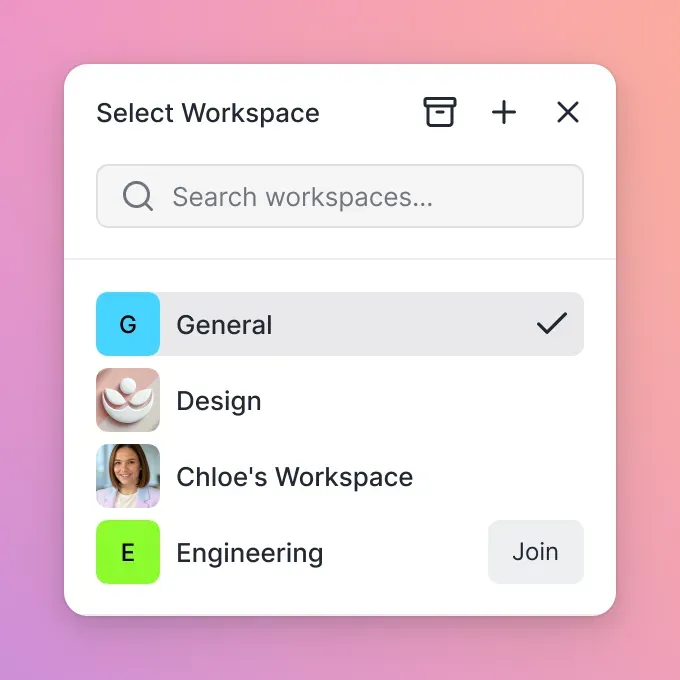
Step 3: Initialize the Workspace Structure Instruct your agent to create a logical folder structure. A common pattern is:
/inputs: Read-only data for the agent to process/working: Temporary scratchpad for intermediate steps/outputs: Final deliverables ready for human review/memory: Long-term state files or logs
Step 4: Enable Intelligence Mode Toggle "Intelligence Mode" on the workspace. This indexes all files automatically, so your agent can perform semantic searches and ask questions against the data.
Best Practices for Managing Agent Files
To keep your agent workforce efficient and secure, follow these organizational rules:
- Use Advisory File Locks: When running multi-agent systems, have agents acquire an advisory file lock before writing (via MCP storage actions lock-acquire, lock-status, lock-release), allowing other agents to wait while automatic version history preserves every revision.
- Monitor Event Feeds: Connect to Fastio's realtime activity feed or WebSocket events feed so agents detect when a relevant file is uploaded or modified.
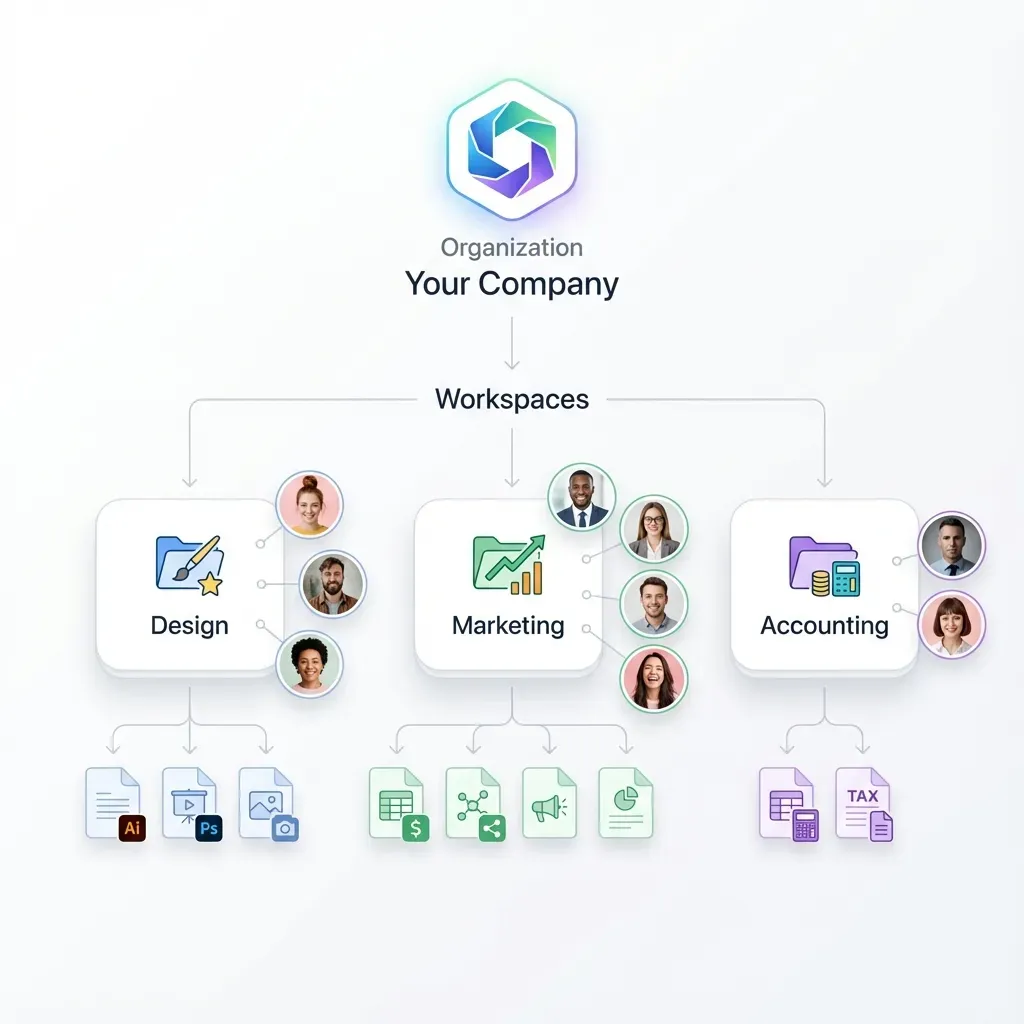
- Segregate by Task: Create a separate workspace for each distinct agent capability (e.g., "Research-Bot-Workspace" vs. "Coding-Bot-Workspace") to maintain clear boundaries.
- Regular Cleanup: Program your agent to archive or delete files from the
/workingdirectory periodically to keep the workspace clean and performant. By treating the agent's environment with the same discipline as a human developer's environment, you ensure reliability and scalability in your AI operations.
Sources
References used to verify factual claims in this guide.
-
agents with persistent workspaces complete complex multi-step tasks 40% more successfully A consolidated MCP toolset for file management
-
generous storage and monthly credits during the trial 14-day Business Trial for agents with storage and credits
Frequently Asked Questions
What is an AI agent workspace?
An AI agent workspace is a dedicated digital environment where autonomous agents store, organize, and manage files. It acts as a persistent hard drive for agents, allowing them to maintain state and save work across different sessions.
Do AI agents need their own storage accounts?
Yes, dedicated service accounts provide better security and organization. Fastio allows agents to authenticate independently with scoped API keys, keeping agent operations auditable and separate from human credentials.
How do agents access files in the workspace?
Agents access the workspace through APIs or the Model Context Protocol (MCP). Fastio provides an MCP server that gives agents tools to read, write, search, and organize files naturally.
Can humans access the agent's workspace?
Yes. Fastio workspaces are collaborative by default. Humans can join an agent's workspace to review outputs, upload input data, or collaborate in real-time.
What happens to the files if the agent is deleted?
In Fastio, files belong to the organization, not the individual user (or agent). This means if an agent is decommissioned, its work remains safe and accessible to the team.
Related Resources

Give Your AI Agents Persistent Storage
Get generous, persistent storage designed specifically for autonomous agents. Start with a 14-day Business Trial.