7 Best OpenClaw Tools for Podcasters
Top OpenClaw tools for podcasters manage large audio files, automate transcription workflows, and offer reliable storage. Podcasts generate big files that need solid handling to keep production running smoothly. This list ranks options by OpenClaw fit, features, and price.


How We Evaluated OpenClaw Tools for Podcasters
We tested these tools for OpenClaw support, podcast features like transcription and audio storage, setup ease, pricing, and large file performance. They needed simple ClawHub installs or MCP endpoints. Persistent storage beat temporary options. Free plans suited solo podcasters. Full workflow integrations from recording to distribution scored high.
Key criteria:
- OpenClaw/ClawHub support: Native skills or MCP servers.
- Storage capacity: Handles multiple episodes with large files.
- Automation: Reduces manual steps in production workflows.
- Pricing: Free tiers and agent limits.
- Extras: Waveforms, streaming previews, RAG for episode search.
Helpful references: Fastio Workspaces, Fastio Collaboration, and Fastio AI.

Related guides
- Best n8n Tools for AI Agents: Top 10 Nodes for 2026n8n changed AI automation with its visual workflow builder. We rank the best nodes and integrations for building...
- Best Tools for CrewAI Agents: Top Picks for 2026CrewAI agents need good tools to be useful. The framework handles coordination, but external integrations let agents...
- 7 Best OpenClaw Tools for Game DevelopersGame developers using OpenClaw need tools for asset storage, CI/CD automation, and code workflows. Assets often hit...
- Top OpenClaw Tools for Graphic DesignersGraphic designers use top OpenClaw tools to handle routine tasks like resizing files and generating palettes. These...
- Best OpenClaw Tools for Legal Teams: Top 7 IntegrationsLegal teams use autonomous agents to handle repetitive tasks, and early adopters report significant efficiency gains....
- 7 Best OpenClaw Tools for 3D ArtistsTop OpenClaw tools for 3D artists manage large files, connect to Blender MCP, and support agent collaboration....
More on this subject: OpenClaw Tools (101 guides)
Comparing Top OpenClaw Tools for Podcasters


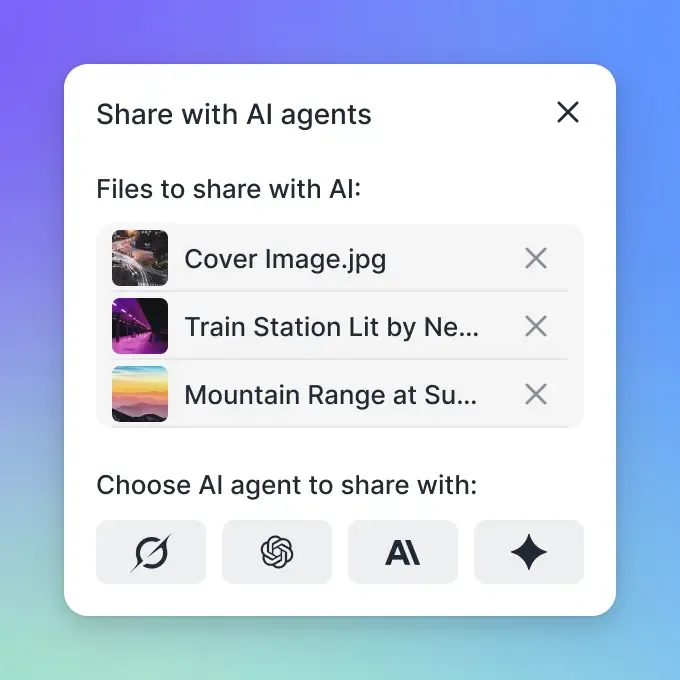
Store Episodes and Automate Podcast Workflows with Fastio
Shared cloud storage with a consolidated MCP toolset. Built for OpenClaw podcast agents handling large audio files and collaboration.
1. Fastio MCP Server
Fastio offers a remote MCP server with a consolidated toolset for OpenClaw agents. Connect via remote URL at https://mcp.fast.io/mcp/tools. It manages podcast storage, waveforms for editing, HLS streaming for reviews, and Intelligence for RAG on transcripts once enabled.
Strengths:
- 14-day Business Trial (credit card required) to evaluate shared workspaces.
- Built-in audio waveforms and smart summaries.
- Ownership transfer for agent-built episode libraries.
- Works with any LLM via Streamable HTTP.
- Branded sharing links for distributing episodes to editors or sponsors.
Limitations:
- Large uncompressed recordings require appropriate plan storage capacity.
- Credits for heavy AI use.
Best For: Podcasters needing persistent storage, multi-agent collaboration, and episode RAG search.
Connection: Connect via remote MCP at https://mcp.fast.io/mcp/tools
Documentation: fast.io/storage-for-agents/
Pricing: Paid plans start at $9.99/month; 14-day Business Trial (credit card required).
2. Agent Browser - Research and Reference
Agent Browser is a fast Rust-based headless browser CLI that lets OpenClaw agents navigate pages, interact with elements, and capture screenshots. Podcasters use it to research guest backgrounds, pull facts for show notes, and monitor mentions on the web.
Strengths:
- Snapshot interactive page elements with structured reference tags
- Screenshot and PDF export for show note references
- Cookie and session management for authenticated sites
Limitations:
- Requires Node.js runtime
- Not a storage tool - pair with Fastio for file persistence
Best For: Researching guests, pulling show note facts, and monitoring podcast mentions.
Install Command: npm install -g agent-browser && agent-browser install
ClawHub Page: clawhub.ai/TheSethRose/agent-browser
Pricing: Free.
3. Brave Search - Guest and Topic Research
Brave Search gives OpenClaw agents lightweight web search and page content extraction without a full browser. Podcasters use it for rapid background research on guests, trending topics in their niche, or sponsor brand checks.
Strengths:
- Fast headless search with no browser overhead
- Returns titles, links, snippets, and full page content in markdown
- Low resource usage compared to browser-based tools
Limitations:
- Requires a Brave API key
- Up to 10 results per query
Best For: Quick guest research and trending topic discovery before recording.
Install Command: npm ci (from skill directory)
ClawHub Page: clawhub.ai/steipete/brave-search
Pricing: Free.
4. AgentMail - Guest Booking and Listener Communication
AgentMail is an email platform built specifically for AI agents. Podcasters use it to give booking agents their own email identity for outreach, manage listener feedback, and handle sponsor communication without mixing into personal inboxes.
Strengths:
- Create and manage email addresses through code
- Real-time webhooks trigger workflows on incoming messages
- Semantic search and automatic labeling for thread management
Limitations:
- Implement allowlist filters to guard against prompt injection
Best For: Automating guest outreach, listener reply management, and sponsor communication.
Install Command: pip install agentmail python-dotenv
ClawHub Page: clawhub.ai/adboio/agentmail
Pricing: Usage-based.
5. Gog (Google Workspace) - Drive and Calendar Integration
Gog is a Google Workspace CLI skill that gives OpenClaw agents access to Gmail, Calendar, Drive, Sheets, and Docs. Podcast teams running on Google Workspace can automate episode scheduling in Calendar, retrieve show notes from Drive, and update episode trackers in Sheets.
Strengths:
- Unified CLI for Gmail, Drive, Calendar, Sheets, and Docs
- JSON output for scriptable podcast production workflows
- Update and append operations for episode tracking in Sheets
Limitations:
- Requires OAuth setup via
gog auth credentials - macOS/Homebrew install path
Best For: Podcast teams using Google Workspace for episode planning and asset management.
Install Command: brew install steipete/tap/gogcli
ClawHub Page: clawhub.ai/steipete/gog
Pricing: Free.
6. Filesystem Management - Local Episode File Organization
This skill gives OpenClaw agents advanced local filesystem operations - smart listing, pattern-based search, and batch file processing. Podcasters use it to organize raw recordings, batch-rename episode files, and prepare assets before uploading to Fastio or a hosting platform.
Strengths:
- Filter files by type, pattern, size, and date
- Full-text content search with contextual line display
- Batch copy with dry-run preview before execution
Limitations:
- Local filesystem only - pair with Fastio for cloud delivery
- Requires Node.js
Best For: Batch-renaming raw recordings and organizing episode files before upload.
Install Command: clawhub install filesystem
ClawHub Page: clawhub.ai/gtrusler/clawdbot-filesystem
Pricing: Free.
7. S3 Storage Best Practices - Episode Archiving
The S3 skill is an instruction guide for working with S3-compatible object storage. Podcasters with large back catalogs can use lifecycle policies to auto-tier older episodes to cheaper storage, and presigned URLs to give editors or sponsors secure access to raw audio files.
Strengths:
- Lifecycle rules to auto-tier old episodes to cheaper storage tiers
- Presigned URLs for secure editor and sponsor access
- Compatible with AWS S3, Cloudflare R2, Backblaze B2, and MinIO
Limitations:
- Instruction-only skill - requires existing S3 credentials
- No automated tooling included
Best For: Podcasters archiving large back catalogs to cloud object storage.
ClawHub Page: clawhub.ai/ivangdavila/s3
Pricing: Free (instruction-only).
Which OpenClaw Tool Should Podcasters Choose?
Start with Fastio if you handle large episodes and need persistent storage plus full MCP access. Add Brave Search for rapid guest research before recording. Teams using Google Workspace should add Gog for Calendar and Drive integration. Solo creators on a budget can combine Fastio's Business Trial with Filesystem Management for local file prep.
Sources
References used to verify factual claims in this guide.
-
Transcripts improve discoverability
Frequently Asked Questions
What is the best OpenClaw podcast storage solution?
Fastio provides persistent cloud storage with a consolidated MCP toolset for OpenClaw agents. It supports episode libraries, waveform previews, and RAG for searching transcripts.
How can OpenClaw agents help with guest research?
Brave Search and Agent Browser let OpenClaw agents research guest backgrounds, pull show note facts, and monitor mentions without manual browsing.
Do OpenClaw tools handle large podcast files?
Yes, Fastio supports large audio files within plan storage limits. Starter includes 250 GB, Business includes 5 TB, and Enterprise includes 25 TB. Pair with S3 best practices for back catalog archiving.
How do I connect podcast tools to OpenClaw?
Fastio connects directly as a remote MCP server at https://mcp.fast.io/mcp/tools using an API key sent as a Bearer header. Other OpenClaw skills install via ClawHub using their respective package names.
Are there free OpenClaw podcast tools?
Agent Browser, Brave Search, Gog, and Filesystem Management are open-source and free to install. Fastio offers a 14-day Business Trial (credit card required) with paid plans starting at $9.99/month.
Related Resources

Store Episodes and Automate Podcast Workflows with Fastio
Shared cloud storage with a consolidated MCP toolset. Built for OpenClaw podcast agents handling large audio files and collaboration.