Best UI Frameworks for AI Agents in 2026
The UI framework you pick determines how users interact with your AI agents. This guide compares 8 options, from the Python libraries Chainlit, Streamlit, Gradio and Reflex to the TypeScript Vercel AI SDK and LangChain.js, the self-hosted Open WebUI and the no-code Bubble. Each entry covers setup, streaming, chat and agent components, deployment and licensing as the project's own documentation describes them, with code examples and trade-offs.


Quick Comparison: 8 UI Frameworks for AI Agents
Four of the frameworks below are Python libraries, two are TypeScript libraries, one is a self-hosted chat application and one is a no-code platform. Here's how they compare, based on each project's own documentation and pricing pages:
The right choice depends on your stack, agent complexity, and whether you need streaming responses, multimodal inputs, or a view of the agent's intermediate steps.
Helpful references: Fastio Workspaces, Fastio Collaboration, and Fastio AI.
Related guides
- How to Build Retry Logic for Reliable AI AgentsRetry patterns for AI agents are fault-tolerance strategies that automatically re-attempt failed LLM calls, tool...
- Best AI Agent Frameworks for Java in 2026Java developers building AI agents no longer need to switch to Python. Eight production-viable frameworks now offer...
- Best Open Source AI Chatbot Frameworks in 2026Open source chatbot frameworks split into two camps in 2026: traditional NLU pipelines like Rasa and LLM-native...
- 8 Best AI Agent Frameworks for JavaScript in 2026JavaScript developers no longer need Python to build AI agents. This guide ranks the 8 best TypeScript-native agent...
- Top 10 Slack AI Bot Frameworks for Developers 2026Slack AI bot frameworks offer the components developers need to build chatbots that retrieve data, run actions, and...
- Best AI Agent Frameworks for Golang in 2026Go developers building AI agents have real options now. Seven frameworks offer tool calling, multi-agent orchestration,...
More on this subject: Agent Frameworks and Patterns (52 guides)
What Makes a Good AI Agent UI Framework?
UI frameworks for AI agents provide pre-built components for chat interfaces, feedback loops, and visualizing agent thought processes. The useful ones share these characteristics:
Real-time streaming lets users watch a response arrive token by token instead of waiting for the full answer. A framework should handle the streaming connection (Server-Sent Events, WebSockets or a framework's own protocol) without custom transport code.
Multimodal support matters as soon as users need to upload images, PDFs, or audio files, or the agent needs to answer with charts, embedded media, or interactive components.
Observability into agent steps builds user trust. When an agent searches a database, calls an API, or reasons through a problem, showing these intermediate steps prevents the "black box" feeling. Chainlit's steps and Gradio's thought metadata, for example, display tool calls without custom UI code.
Low boilerplate for common patterns. Chat interfaces need message streaming, markdown rendering, code blocks with syntax highlighting, and scroll-to-bottom behavior. Frameworks that bundle these leave more time for the agent itself.
1. Chainlit
Chainlit's documentation describes it as an open-source Python package to build production-ready conversational AI. You write the agent logic in Python, and Chainlit supplies the chat interface, authentication, data persistence, and a view of the agent's steps.
Key Strengths:
- Steps for agent observability: A Step has a type, an input and output, and a start and end. The
config.ui.cotsetting shows the full chain of thought, only the tool calls, or hides it. - Multimodal input: Users can attach files to a message by drag and drop or with the attach button, and
config.tomlsets the accepted file types, file count, and maximum size. Voice input works through theon_audio_chunkcallback; since version 2.7.0, audio also has to be switched on withaudio.enabled = true. - Authentication: The OAuth docs cover GitHub, GitLab, Google, Azure Active Directory, Okta, Descope, Auth0, Amazon Cognito, Keycloak, and custom providers, configured with environment variables and a callback in your code. Password and header authentication are documented too.
- Streaming: Both messages and steps can stream tokens, per the streaming docs.
- Several front ends: The deploy docs list the native web app, an embeddable Copilot, a custom React frontend, and Teams, Slack, and Discord.
Best For:
- Conversational agents where chat is the primary interface
- Applications that should show users which tools an agent called
- Teams that need sign-in through a corporate identity provider
- Python developers using LangChain, LlamaIndex, OpenAI, Mistral AI, Semantic Kernel, or Autogen, which the docs list as integrations
Limitations:
- The project's README says the original Chainlit team stepped back on May 1, 2025, and the project has been community-maintained since. On October 15, 2026, the repository was archived by its owner and is now read-only on GitHub, and the latest release on PyPI is 2.12.0 from August 25, 2026. Check the project's status before you build anything long-lived on it.
- Configuration can change between releases, as the 2.7.0 audio change shows.
- The docs center on a chat interface; for an app where chat is one panel among charts and forms, Streamlit or Reflex fit better.
Pricing: Open source (Apache 2.0) and free. The deploy docs list no managed hosting of Chainlit's own; they point to self-hosting on services such as AWS, Azure, Google Cloud, Render, and Fly.io.
import chainlit as cl

@cl.step(type="tool")
async def search_files(query: str):
    # Shown in the chat as a tool step
    return await agent.search(query)

@cl.on_message
async def main(message: cl.Message):
    results = await search_files(message.content)
    await cl.Message(content=results).send()
2. Vercel AI SDK
The AI SDK is Vercel's TypeScript toolkit for building AI applications and agents with React, Next.js, Vue, Svelte, Node.js, and more, according to its documentation. The current major version on npm is AI SDK 7.
Key Strengths:
- Chat hooks: AI SDK UI provides framework-agnostic hooks such as
useChatfor chat and generative interfaces, and the docs recommend it for production. - Generative UI: The generative UI guide passes tool results to React components, so an agent can answer with a chart, a form, or another interactive element instead of plain text.
- Agent abstraction: AI SDK 6 replaced the experimental Agent class with
ToolLoopAgent, which manages the model, the tools, and the loop between them. The docs call it the recommended approach for most agents, andcreateAgentUIStreamResponsestreams an agent's output to the chat UI. - Lifecycle callbacks: Agents expose callbacks for each step and tool call, which the docs suggest for logging, observability, and debugging.
- Prebuilt components: AI Elements, a component library built on shadcn/ui, covers conversations, messages, prompt input, reasoning, and tool calls. Its site says the project is moving to shadcn/ui and will be deprecated at the end of November 2026; the components now live in the shadcn/ui docs as patterns you copy into your project.
Best For:
- React and Next.js applications
- Teams already using TypeScript
- Applications where agents return structured data, charts, or interactive components rather than plain text responses
- Developers who want full design control, since the components are copied into the codebase
Limitations:
- It is a TypeScript library. A Python backend can only drive the UI hooks by implementing the documented stream protocol (the docs include a FastAPI example).
- AI SDK RSC, the React Server Components API that includes
streamUI, is marked experimental, and the docs recommend AI SDK UI for production instead. - You assemble the chat UI from hooks and components yourself, which takes more code than Gradio's
ChatInterface.
Pricing: Open source (Apache 2.0) and free. It runs inside your own application, so you host it wherever you deploy that app, on Vercel or elsewhere.
// app/api/chat/route.ts
import { ToolLoopAgent, createAgentUIStreamResponse } from 'ai';

// getSalesData is a tool defined with tool()
const agent = new ToolLoopAgent({
  model: 'anthropic/claude-sonnet-5.5',
  instructions: 'You answer questions about sales data.',
  tools: { getSalesData },
});

export async function POST(request: Request) {
  const { messages } = await request.json();
  return createAgentUIStreamResponse({ agent, uiMessages: messages });
}
3. Streamlit
Streamlit's documentation describes it as an open-source Python framework for building interactive data apps with a few lines of code. It was not designed only for AI agents, but it ships chat elements alongside its charts, tables, and layout tools, which makes it a good fit when chat is one part of a larger data app.
Key Strengths:
- Chat elements:
st.chat_inputandst.chat_messagebuild the chat interface, andst.chat_inputcan accept a file, multiple files, a directory, or an audio recording. - Streaming:
st.write_streamdisplays a stream or generator with a typewriter effect. - Status for agent steps:
st.statusinserts a container for output from long-running tasks, which suits tool calls and intermediate results. - Data visualization: Built-in elements for DataFrames and metrics, plus Altair, Plotly, and Matplotlib charts.
- Flexible layouts: Sidebars, columns, tabs, and a pinned bottom container for chat input.
Best For:
- Agents that analyze data and return visualizations
- Applications embedding chat in dashboards or larger UIs
- Teams already using Python for data science workflows
- Rapid prototyping when you need both chat and data display
Limitations:
- Not purpose-built for conversational AI: tool calls are shown by placing
st.statusand other elements yourself, rather than recorded automatically as in Chainlit. - Interactions rerun the script, so chat history has to be kept in Session State; the docs cover reruns, Session State, and fragments.
Pricing: Open source (Apache 2.0) and free. The docs describe Community Cloud as a free way to deploy and share apps from GitHub, and also cover Streamlit in Snowflake and other cloud providers.
import streamlit as st

if prompt := st.chat_input("Ask your question"):
    st.chat_message("user").write(prompt)
    with st.chat_message("assistant"):
        with st.status("Running tools"):
            data = agent.run_tools(prompt)
        st.write_stream(agent.stream_answer(prompt, data))
        st.plotly_chart(create_chart(data))


Persistent Storage for AI Agent Projects
Generous storage built for AI agents. MCP-native with a consolidated toolset, built-in RAG, and persistent workspaces.
4. Gradio
Gradio turns Python functions into interactive web demos. Its docs describe gr.ChatInterface as a high-level abstraction for building a chatbot UI, often in a few lines of Python. Originally designed for machine learning model demos, it is a common choice for prototyping agent interfaces.
Key Strengths:
- Quick chat UI:
gr.ChatInterfacewraps a Python function in a chat interface, and the guides show how to stream responses by yielding partial output and how to accept multimodal input. - Thoughts and tool usage:
gr.Chatbotandgr.ChatInterfacecan display intermediate thoughts and tool calls in a collapsible accordion next to a message, set through the message'smetadatatitle, per the agents and tool usage guide. - Share links:
launch(share=True)creates a public link that proxies to the app running on your machine. The docs say share links expire after one week. - Hugging Face integration:
gradio deployuploads the app to Hugging Face Spaces, which the Gradio docs describe as free, permanent hosting.
Best For:
- Internal demos and proof-of-concepts
- Sharing agent prototypes with non-technical stakeholders
- Educational contexts and tutorials
- Rapid iteration on agent behavior before building production UIs
Limitations:
- Share links last one week and depend on your machine staying online, so a lasting deployment needs Spaces or your own server.
- Layout and styling beyond
ChatInterfacego through Gradio's Blocks API and themes.
Pricing: Open source (Apache 2.0) and free. Hugging Face Spaces offers free hosting, per the Gradio docs.
import gradio as gr

def chat(message, history):
    response = agent.run(message)
    return response

gr.ChatInterface(fn=chat).launch()
5. LangChain.js (with Vercel AI SDK)
LangChain.js provides the agent logic (models, tools, memory, and retrieval) for TypeScript projects. For the interface, you can use LangChain's own frontend SDK or pair it with the Vercel AI SDK through the @ai-sdk/langchain adapter, which the AI SDK docs document.
Key Strengths:
- Agent harness:
createAgentcomposes a model, tools, a prompt, and middleware into an agent, per the LangChain overview. LangGraph, its lower-level orchestration library, handles workflows that mix fixed and agentic steps. - Integrations: The docs list provider, tool, vector store, and document loader integrations, including
ChatOllamafor local models. - Streaming: Agent progress, LLM tokens, reasoning tokens, and custom updates can all be streamed; the docs recommend event streaming, added in v1.3, for new applications.
- Memory: Short-term memory keeps a thread's conversation history, and long-term memory stores data across threads.
- Frontend options:
useStream(React, Vue, and Svelte; Angular usesinjectStream) renders messages, tool calls, and interrupts. The AI SDK adapter converts LangChain and LangGraph streams into AI SDK UI message streams.
Best For:
- Multi-step agents that use tools and maintain conversation memory
- Applications requiring integration with multiple data sources
- Teams building with TypeScript/Node.js stacks
- Developers who want framework abstractions for agent patterns
Limitations:
- The UI is a separate layer (LangChain's frontend SDK or the AI SDK adapter), so there are two libraries to learn.
- Debugging multi-step runs usually means adding tracing; the docs point to LangSmith, a separate product, for that.
Pricing: LangChain.js is open source under the MIT license and free, and the Vercel AI SDK is open source under Apache 2.0.
6. Open WebUI
Open WebUI describes itself as a self-hosted AI platform built to run entirely offline. It supports Ollama and OpenAI-compatible APIs, so it works with local models and with hosted providers. Unlike the libraries above, it is a finished chat application you install and configure, not a framework you build a UI with.
Key Strengths:
- Runs on your own hardware, including offline, per its README
- Installs with pip, uv, Docker, or Kubernetes
- Built-in RAG for document querying, with nine vector database options and hybrid search
- Agents built from a base model plus instructions, tools, and knowledge, with tools connected through MCP and OpenAPI tool servers
- Role-based access control, LDAP and SSO sign-in, and SCIM provisioning
- Active project with frequent releases; v0.12.3 shipped on October 16, 2026
Best For:
- Teams with compliance requirements that prohibit sending data to external APIs
- Air-gapped environments
- Developers running local models who want a ready-made chat interface
Limitations:
- Requires self-hosting; you manage infrastructure, updates, and backups
- It is an application, so you extend it through its plugin types (Filters, Actions, Pipes, and Tools) rather than composing your own interface
- Since v0.6.6 (April 2025), the Open WebUI License adds a branding clause: deployments with more than 50 users in a 30-day period must keep the Open WebUI branding unless they hold an enterprise license or written permission. Code up to v0.6.5 remains under BSD-3-Clause.
Pricing: Free to use under the Open WebUI License, which the project describes as permissive apart from the branding clause. An Enterprise plan is available through its sales team, and you pay for your own hosting infrastructure.
7. Bubble + AI Plugins (Low-Code)
Bubble is a visual development platform where non-developers build web and mobile applications by arranging elements and workflows instead of writing code. AI features connect through its API Connector and its plugin store.
Key Strengths:
- No-code interface building: Design chat UIs, input forms, and result displays visually
- API Connector: Connects to external APIs, and Bubble's manual includes a guide for OpenAI's chat API. Choosing the Stream data type lets Bubble handle streaming LLM responses as they arrive.
- Plugin store: Plugins from Bubble and independent developers add elements, actions, data sources, and API connections; some are free and some are paid
- Full application platform: The database, user accounts, and workflows sit in the same platform as the agent UI
- Bubble AI Agent: An in-editor assistant that, per the manual, can generate an app from a description and then add pages, wire up workflows, and structure the database
Best For:
- Non-technical founders building AI-powered products
- Agencies creating custom agent interfaces for clients
- MVPs where speed to market beats technical control
- Teams without JavaScript/Python developers
Limitations:
- Less control than code-based frameworks
- A live website needs a paid plan; the Free plan covers building in the development version
- Usage is metered in workload units, with a monthly allowance per plan and overages or workload tiers beyond it
Pricing: Bubble's pricing page lists a Free plan for building, then web plans at $29 per month for Starter, $119 for Growth, and $349 for Team, billed annually (the manual lists $32, $134, and $399 billed monthly). Enterprise is priced by quote, and mobile and web-plus-mobile plans cost more.
8. Reflex
Reflex is an open-source library for building full-stack web apps in pure Python. Its docs say it compiles the interface to a React frontend connected to a FastAPI backend, with WebSockets carrying events and state updates between the two. It is the option in this guide for teams that want a complete web app around their agent, not only a chat panel, without writing JavaScript.
Key Strengths:
- One Python codebase: The frontend, backend, and database are all written in Python, per the introduction docs.
- State management: App data lives in
rx.Stateclasses. Event handlers run on the server, and components re-render when the state vars they reference change. - Components: The docs list more than 50 built-in components, many based on Radix, and any React component can be wrapped for use from Python.
- Streaming LLM responses: Yielding from an async event handler sends state updates to the browser before the handler finishes. The docs' chatbot tutorial uses this to stream OpenAI responses, and background events keep long API calls from blocking other events.
- Chat and agent examples: The docs include a chat recipe and a streaming chatbot tutorial. The Reflex team also publishes the reflex-chat app (a ChatGPT-style interface with multiple chat sessions) and the reflex-llm-examples collection (agents and RAG apps), both under the MIT license.
Best For:
- Python teams that need a full web app (pages, forms, a database) around an agent
- Agent dashboards and internal tools where chat is one feature among many
- Developers who want React components without writing JavaScript
- Teams that want a choice between managed hosting and their own servers
Limitations:
- The component library has no dedicated chat or agent-step component; chat UIs are built from general components and state, as in the docs' chat recipe.
- Python event handlers run on the server, so interactions that call one make a round trip over the WebSocket. The docs explain which code runs in the browser instead.
- Self-hosting means running the frontend and the Python backend and proxying WebSockets, and the docs note that you then operate the servers, TLS, monitoring, backups, and updates.
Pricing: The framework is open source (Apache 2.0) and free. Reflex Cloud, its managed hosting (deployed with reflex deploy), has a Free plan that publishes one app with limited usage, a Pro plan at $25 to $200 per month whose price sets a monthly allowance shared by Reflex's AI app builder and app hosting, and custom-priced Enterprise plans. The self-hosting docs cover running the same project on your own cloud account, on-premises servers, or a private network.
import reflex as rx

class ChatState(rx.State):
    question: str = ""
    answer: str = ""
    @rx.event
    def set_question(self, value: str):
        self.question = value
    @rx.event
    async def ask(self):
        self.answer = ""
        # Each yield sends the updated answer to the browser
        async for chunk in agent.stream(self.question):
            self.answer += chunk
            yield

def index() -> rx.Component:
    return rx.vstack(
        rx.input(value=ChatState.question, on_change=ChatState.set_question),
        rx.button("Ask", on_click=ChatState.ask),
        rx.text(ChatState.answer),
    )

app = rx.App()
app.add_page(index)
How We Compared These Frameworks
This guide compares the frameworks on documented criteria, using each project's own documentation, GitHub repository, and pricing page as read on October 19, 2026:
- Ease of setup: the install steps and how much code the docs need for a first chat interface
- Streaming support: whether token streaming and intermediate agent steps are documented
- Chat and agent UI components: prebuilt chat elements, step or tool-call displays, and file and audio input
- Deployment options: managed hosting, self-hosting, and any published hosting prices
- Documentation: guides, tutorials, and examples for chat and agent apps
- Licensing: the license of the code and any conditions attached to it
The entries describe what each project documents; they are not scores or benchmark results, and the order of the list is not a ranking. Vendor descriptions are attributed to the project they come from. Versions, licenses, and prices change, so check each project's site before you commit to one.
Which Framework Should You Choose?
Choose Chainlit if: You're building a conversational AI product in Python where chat is the primary interface, and you want documented steps, file uploads, and OAuth sign-in out of the box. Weigh the archived repository before starting a long-lived project.
Choose Vercel AI SDK if:
You're building with React or Next.js and need polished, customizable UIs. useChat, generative UI from tool results, and ToolLoopAgent cover agents that return more than text; start from AI SDK UI rather than the experimental RSC API.
Choose Streamlit if:
Your agent analyzes data and returns visualizations alongside chat responses. Chat elements, st.write_stream, and st.status sit next to its charts and tables.
Choose Gradio if:
You need to demo an agent quickly for internal stakeholders or teaching. ChatInterface needs only a Python function, and share links or Hugging Face Spaces handle hosting.
Choose LangChain.js if:
You're building complex multi-step agents with tools, memory, and retrieval in TypeScript. Use LangChain's useStream or the Vercel AI SDK adapter for the UI.
Choose Open WebUI if: Data privacy or compliance requirements mean models and data must stay on your own hardware, and you want a ready-made chat application rather than a custom interface.
Choose Bubble if: You're non-technical but need a custom agent interface. The visual builder lets you create UIs without code, though you give up the control that code-based frameworks offer.
Choose Reflex if: You want a full web app written in Python, with pages, state, a database, and streaming chat, and you want the option of Reflex Cloud or your own servers.
AI Agents Need Persistent Storage
Regardless of which UI framework you choose, production AI agents need persistent file storage for managing conversation history, user uploads, agent-generated reports, and intermediate artifacts. Fastio provides cloud storage built for AI agents. Agents get their own accounts with generous storage. The platform includes a remote MCP (Model Context Protocol) server with a consolidated toolset for file operations, plus built-in RAG with Intelligence Mode for semantic document search.
Agent-specific features:
- Ownership Transfer: Agents can build an organization and hand it to a human through a claim link
- File Locks: Advisory per-file locks (acquire, heartbeat, release) to coordinate multi-agent writes, backed by version history for every write
- Web Import: Pull a file from its URL without a local download, including a Google Drive or OneDrive file reached with an OAuth access token
- Realtime Feeds: Activity polling and a WebSocket events feed to trigger reactive workflows
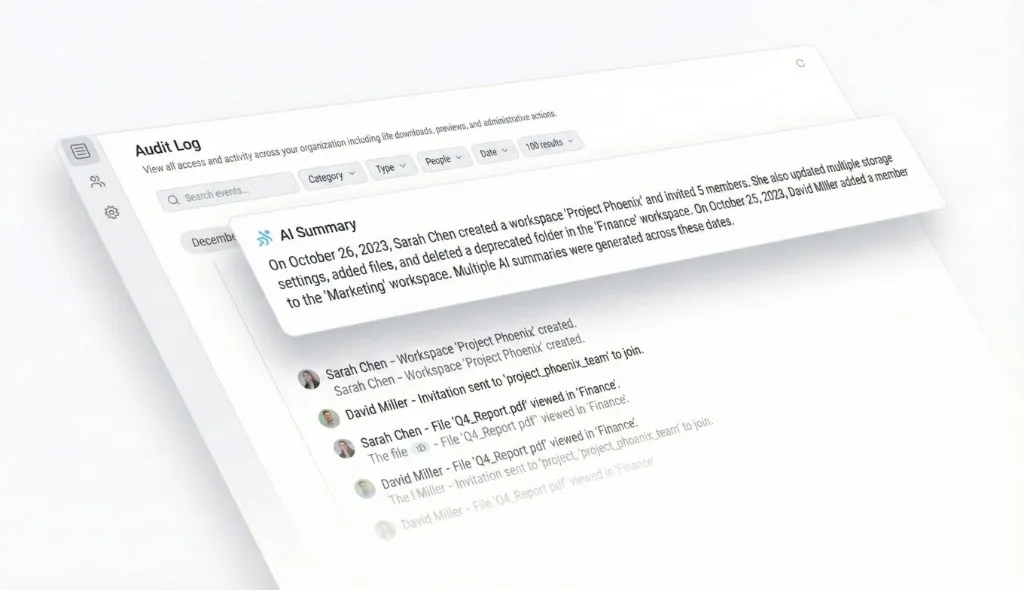
- Audit Logs: A detailed activity log tracking human and agent actions
Monthly plans start with a trial of up to 14 days (credit card required); each plan includes seats, storage and a monthly allowance of AI credits. Agents sign up like human users and work alongside teams in shared workspaces. For teams building AI agents, combining a UI framework for the interface with Fastio for persistent storage creates a complete development stack. Learn more at fast.io/storage-for-agents.
Beyond Chat: Future UI Patterns for Agents
The next generation of agent UIs moves beyond simple chat interfaces. Several emerging patterns show where the ecosystem is heading:
Generative UIs let agents return interactive components instead of text. Instead of describing a chart, the agent renders the actual chart. The Vercel AI SDK does this by passing tool results to React components, and the open A2UI protocol defines a format for agent-generated interfaces that render natively on web, mobile, and desktop.
Inline tool visualization shows what tools the agent used without separate debug panels. Chainlit's steps and Gradio's thought accordions are two examples: users see "Searched database" or "Called weather API" as the agent works.
Branching conversations let users explore alternative agent responses without losing context. Instead of a linear chat thread, the UI presents a tree of possibilities. LangChain's frontend docs and the message branching in AI Elements both cover this pattern.
Agent workspaces separate different projects or contexts. Rather than one endless chat thread, users create workspaces for "Q1 Planning," "Bug Analysis," or "Customer Research." Fastio's workspace model translates well to this pattern.
As agents become more capable, UIs will focus on control and transparency over speed. Users want to see what the agent did, approve actions before execution, and understand the reasoning behind decisions, so frameworks that show agent steps and support approvals fit where agent interfaces are heading.
Sources
References used to verify factual claims in this guide.
-
The ToolLoopAgent class is the recommended approach for building agents with the AI SDK
-
Chainlit has been community-maintained since May 1, 2025, and GitHub shows the repository archived on October 15, 2026
-
Fastio provides a consolidated MCP toolset for file operations with built-in RAG once Intelligence is enabled
-
Bubble's Starter web plan costs $29 per month billed annually
-
Since v0.6.6 the Open WebUI License requires keeping Open WebUI branding in deployments with more than 50 users
Frequently Asked Questions
What is the best frontend for Python AI agents?
It depends on the interface you need. Chainlit is built for chat-first agents, with documented steps, file uploads, and OAuth sign-in, but its GitHub repository was archived on October 15, 2026, so check its status first. Gradio's ChatInterface is the quickest path to a demo, Streamlit suits agents that return charts and tables alongside chat, and Reflex builds a full web app around the agent in pure Python.
How do I build a UI for an autonomous agent?
Start by choosing a framework that matches your stack. For Python agents, use Chainlit or Gradio for chat-first UIs, Streamlit for data-heavy applications, or Reflex for a full web app. For JavaScript/TypeScript, use the Vercel AI SDK with React, with LangChain.js for the agent logic if you need it. Set up streaming so users see the agent working in real time, show intermediate steps like tool calls, and add file upload for multimodal inputs. Most of these projects publish chat examples or templates you can start from.
Should I use Chainlit or Streamlit for my AI agent?
Use Chainlit if chat is your primary interface and you want built-in display of agent steps. It's purpose-built for conversational AI, with token streaming, steps, and OAuth sign-in documented, but its repository was archived in October 2026. Use Streamlit if your agent combines chat with data visualizations, dashboards, or complex layouts. Streamlit's chat elements, st.write_stream, and st.status cover the chat side, while its charts and layouts handle the rest of the application.
Does Vercel AI SDK support streaming agent responses?
Yes. The AI SDK UI hooks such as useChat consume a streamed response, and createAgentUIStreamResponse streams a ToolLoopAgent's output, including tool calls, to the client. AI SDK 6 introduced ToolLoopAgent in place of the experimental Agent class. The older streamUI function from AI SDK RSC streams React components too, but the docs mark RSC as experimental and recommend AI SDK UI for production.
Can I use these frameworks with local LLMs instead of OpenAI?
Most of them can. Chainlit, Streamlit, Gradio, and Reflex run your own Python code, so they work with any model that code can call, including local ones. The Vercel AI SDK reaches Ollama through community providers, and LangChain.js has a ChatOllama integration. Open WebUI is designed around local models through Ollama and OpenAI-compatible APIs. Bubble connects to models through API calls from its API Connector rather than running models itself.
What file storage do AI agents need for production?
Production AI agents need persistent cloud storage for conversation history, user uploads, generated reports, and intermediate artifacts. Fastio provides agent-specific storage with generous storage, a consolidated MCP toolset for file operations, built-in RAG with Intelligence Mode, and features like advisory file locks, ownership transfer, and realtime activity feeds. Agents get their own accounts and work alongside humans in shared workspaces.
Are these UI frameworks free to use?
Six of the eight are open source and free (Chainlit, Vercel AI SDK, Streamlit, Gradio, LangChain.js, and Reflex, under Apache 2.0 or MIT), and Open WebUI is free under its own license, which requires keeping its branding in deployments with more than 50 users. You pay for hosting if you deploy them; Streamlit Community Cloud and Hugging Face Spaces offer free hosting, and Reflex Cloud has a Free plan for one app. Bubble has a Free plan for building, but a live website starts with the Starter plan at $29 per month billed annually.
Related Resources

Persistent Storage for AI Agent Projects
Generous storage built for AI agents. MCP-native with a consolidated toolset, built-in RAG, and persistent workspaces.