ChatGPT Free Upload Limit: Daily File Caps, Quotas, and Workarounds
The ChatGPT Free upload limit restricts non-paying accounts to 3 file uploads every 24 hours with a 512MB per-file size ceiling. Once this quota is exhausted, document analysis and attachment features lock until the rolling window clears. Users working across multiple documents can combine text files, host documents on public URLs, or connect external workspaces through MCP to query documents without manual chat uploads.


What Is the ChatGPT Free Upload Limit?
The ChatGPT Free upload limit restricts non-paying accounts to 3 file uploads every 24 hours with a 512MB per-file size ceiling before locking document analysis until the quota resets.
OpenAI provides document analysis capabilities to free accounts so users can inspect spreadsheets, summarize reports, and ask questions about technical manuals. However, non-paying accounts operate under strict compute budgets designed to protect server infrastructure. Once a free account attaches three files in a rolling 24-hour window, the paperclip attachment icon deactivates or returns an error message instructing the user to wait for their quota to clear.
Paid subscription tiers operate on a rolling 3-hour window rather than a daily cap. ChatGPT Plus and Team accounts can upload up to 80 files every 3 hours. While a subscriber can process an entire folder of quarterly financial filings over an afternoon, a free user who attaches three separate PDF invoices has exhausted their entire allowance for the day.
Official ChatGPT File Upload Limits by Plan Tier
As of October 2026, all tiers share the same 512MB raw document size ceiling, but the operational experience diverges immediately once you attach more than one file. Free accounts cannot create custom GPTs with knowledge files, cannot build project workspaces with shared context, and cannot access audio transcription uploads. Understanding where these boundaries sit prevents wasted effort when preparing research sets or business data.
Related guides
- ChatGPT Plus File Limit: Upload Caps, Attachment Counts & StorageThe ChatGPT Plus file limit permits users to upload up to `10` files per prompt, with each file capped at `512 MB` and...
- ChatGPT Code Interpreter File Size Limit: Upload Caps and Sandbox WorkaroundsWhile ChatGPT Code Interpreter permits raw file uploads up to 512MB per file, the sandboxed Python execution container...
- Google Gemini Document Upload Limits: 10-File Caps, Sizes, and WorkaroundsThe Google Gemini document upload limit restricts web interface users to a maximum of 10 attached files per prompt up...
- Perplexity Spaces File Limit: Upload Caps, Supported Formats, and Storage WorkaroundsPerplexity Spaces enforces a 25MB per-file upload limit and a 50-document ceiling per project on Pro accounts. While...
- ChatGPT Attachment Limit: File Sizes, Counts, and Large Corpus WorkaroundsChatGPT caps message attachments at 20 files, enforces a 512 MB file ceiling, and silently truncates documents beyond 2...
- ChatGPT Excel Upload Limit: Workbook Size, Sheet Caps, and Sandbox ConstraintsThe ChatGPT Excel upload limit pairs a 512MB binary file cap with a practical 50MB guideline for spreadsheets. Inside...
More on this subject: Agent File and Document Workflows (346 guides)
Supported Formats and Free-Tier Processing Constraints
Understanding the ChatGPT Free upload limit requires looking beyond file counts to the specific format rules and compute ceilings enforced by OpenAI's ingestion pipeline.
Document and Spreadsheet Boundaries
ChatGPT supports standard productivity and media formats, but availability varies by subscription tier:
- Plain text and documents: TXT, Markdown, PDF, DOCX
- Tabular data: CSV, TSV, XLSX, XLS
- Presentations: PPTX
- Visual media: PNG, JPEG, WEBP, non-animated GIF
Format restrictions apply on the free tier:
- Google Docs files (
.gdoc) cannot be uploaded directly. They must be exported to PDF or DOCX format before attachment. - Audio formats (WAV, MP3, M4A, FLAC, AAC) cannot be uploaded on the Free plan. Attempting to attach audio files returns a prompt to upgrade to a paid subscription.
- Folders and compressed archives (ZIP, TAR, GZ) are rejected by the web composer. Files must be extracted and uploaded individually, with each file consuming one of your daily upload credits.
The 2 Million Token Ceiling on Text Files
While all files uploaded to a ChatGPT conversation or custom GPT are subject to a maximum size limit of 512MB per file, text documents face a secondary limitation: a 2 million token cap per file. Tokens represent chunks of characters processed by the language model. A scanned PDF consisting purely of image pages wrapped in optical character recognition text might fit comfortably beneath the size boundary, but an uncompressed plain text dump of log files or source code containing millions of words will exceed the token cap and fail to parse. Spreadsheets are exempt from the token cap, but they encounter practical row limitations in the Python sandbox.
Code Interpreter Memory and Sandbox Throttling
When you attach a CSV or Excel file, ChatGPT spins up an ephemeral Python environment known as Advanced Data Analysis. On the free tier, this environment runs with constrained CPU allocation and limited memory. Datasets with hundreds of thousands of rows or complex multi-sheet workbooks frequently trigger memory errors or execution timeouts. Free users also experience throttling during peak traffic periods, leading to dropped execution states where ChatGPT loses the variables generated in previous turns.
When Does the ChatGPT Free Daily Quota Reset?
A frequent source of confusion among free-tier users is the timing of quota resets. The daily upload limit does not reset at midnight in your local timezone, nor does it reset at midnight UTC.
Rolling 24-Hour Windows Versus Fixed Midnight Resets
ChatGPT calculates file limits using a rolling 24-hour window tied to the exact timestamp of each upload. Each individual upload opens its own 24-hour countdown timer.
Consider a typical workflow:
- You upload your first PDF contract at 09:15 AM.
- You upload a second spreadsheet at 11:30 AM.
- You upload a third text document at 03:00 PM.
At 03:01 PM, your quota is exhausted. You do not regain three uploads at 09:15 AM the following morning. At 09:15 AM, exactly one upload slot reopens. You must wait until 11:30 AM for your second slot, and 03:00 PM for your third slot. Spreading uploads throughout the day can lead to fragmented access where only one file can be attached at a time.
Common Error Messages and Lockout Triggers
When you reach the daily quota boundary, ChatGPT provides specific system banners:
- "You've reached your file upload limit. You can continue chatting without attachments, or upgrade to Plus for higher limits."
- "Document analysis is locked until your quota resets."
- "Upload failed: daily attachment limit reached."
During periods of peak global traffic, OpenAI's dynamic capacity controls can throttle free accounts before they reach the official 3-file mark. Free users report encountering upload errors after two attachments during peak business hours, as server capacity prioritizes paid subscribers.
GPT Knowledge and Project Boundaries
Paid users can upload up to 20 files to a custom GPT or attach up to 40 files inside a Team project workspace. Free users cannot create custom GPTs with knowledge files and cannot join project workspaces. Every document analyzed by a free user must pass through the public chat composer, competing directly for the 3-file daily quota.
Workarounds for Analyzing Documents Without ChatGPT Plus
When you need to analyze multiple documents but cannot justify upgrading to a paid subscription, several preprocessing techniques can help you stretch your 3 daily uploads.
1. Plain Text Extraction and Overhead Removal
Document formats like PDF and DOCX carry substantial binary overhead, including embedded font descriptors, styling rules, vector graphics, and image thumbnails. A large PDF report often contains only a few hundred kilobytes of actual body text.
Extracting the text using command-line utilities or text editors and saving it as a clean .txt file removes binary weight. This ensures your file stays well under token boundaries and uploads without triggering parser errors.
2. Concatenating Multiple Documents into a Master Reference File
Because ChatGPT counts individual files rather than total words, uploading three separate 5-page memos consumes your entire daily quota. You can combine related text documents into a single plain text file separated by distinct section headers:
=== SECTION 1: Q1 Policy Brief ===
Text of document 1 goes here.

=== SECTION 2: Q2 Financial Overview ===
Text of document 2 goes here.

=== SECTION 3: Implementation Guidelines ===
Text of document 3 goes here.
Uploading this merged file burns only 1 of your 3 daily upload slots, leaving 2 slots available for follow-up data.
3. Data Subsetting and Column Trimming for CSV Files
If a CSV file crashes the free-tier Python sandbox due to row volume, trim non-essential columns before uploading. Removing redundant timestamp fields, customer identifiers, and verbose log strings reduces the file footprint. If the dataset remains too large, split the file into logical tranches (for example, by region or quarter) and analyze them sequentially.
4. Referencing Public Web Links
ChatGPT can read publicly accessible web pages. Staging text files, documentation, or code snippets in public GitHub repositories, GitHub Gists, or public paste sites allows you to provide the URL in your prompt. ChatGPT fetches the content via web search capabilities rather than through the file attachment pipeline, bypassing the daily upload counter.
The Limitations of Manual Workarounds
While these workarounds provide short-term relief, they create operational friction. Merging documents destroys file provenance, making it difficult for the model to cite exact sources. Staging private business documents on public URLs introduces obvious confidentiality risks. Furthermore, all chat-based attachments remain trapped inside ephemeral conversation threads.
Connecting ChatGPT to Persistent Storage With MCP
Attaching files directly to a chat window is designed for one-off inspection, not durable work. Managing research or business documents inside chat conversations creates persistent friction.
The Architectural Flaws of Chat Attachments
Files uploaded to ChatGPT conversations suffer from four core limitations:
- Thread Isolation: Documents uploaded to one conversation cannot be queried from another conversation. Every new chat requires re-uploading the file, burning through daily quotas.
- Context Window Saturation: Uploading large documents directly into a prompt floods the model's working memory, crowding out reasoning instructions and degrading answer quality.
- Storage Caps: Files uploaded to a conversation or custom GPT count against OpenAI's shared account upload storage ceiling.
- No Version History: If a document changes, you must upload a new version, creating confusion over which data is current.
The External Workspace Model
The practical solution for ongoing document analysis is decoupling storage from the chat interface. Instead of pushing files through ChatGPT's attachment slot, you store documents in a dedicated cloud workspace and connect ChatGPT to it.
Fastio provides intelligent workspaces designed for teams and AI assistants. Rather than uploading files into ephemeral chat prompts, your document corpus lives in Fastio. When Intelligence Mode is enabled on a workspace, Fastio automatically indexes your files (PDFs, spreadsheets, DOCX, source code) for hybrid search (combining full-text keywords, semantic meaning, and metadata values).
Connecting ChatGPT via Plugin or Remote MCP Server
Fastio connects to ChatGPT through two primary paths:
- The Fastio ChatGPT Plugin: Users can install the Fastio plugin from the ChatGPT plugin directory at
chatgpt.com/plugins. Once connected, typing@Fastioin any chat allows ChatGPT to search your workspace, read document passages, and quote source material directly, without uploading files to the chat window. - Remote MCP Server: For developers and custom configurations, Fastio exposes a remote Model Context Protocol (MCP) server over Streamable HTTP at
https://mcp.fast.io/mcp/operationsfor ChatGPT and Codex, orhttps://mcp.fast.io/mcp/toolsfor Claude and general clients.
Because ChatGPT queries the workspace on demand via retrieval-augmented generation, you can search across thousands of documents without burning your 3-file daily upload quota.
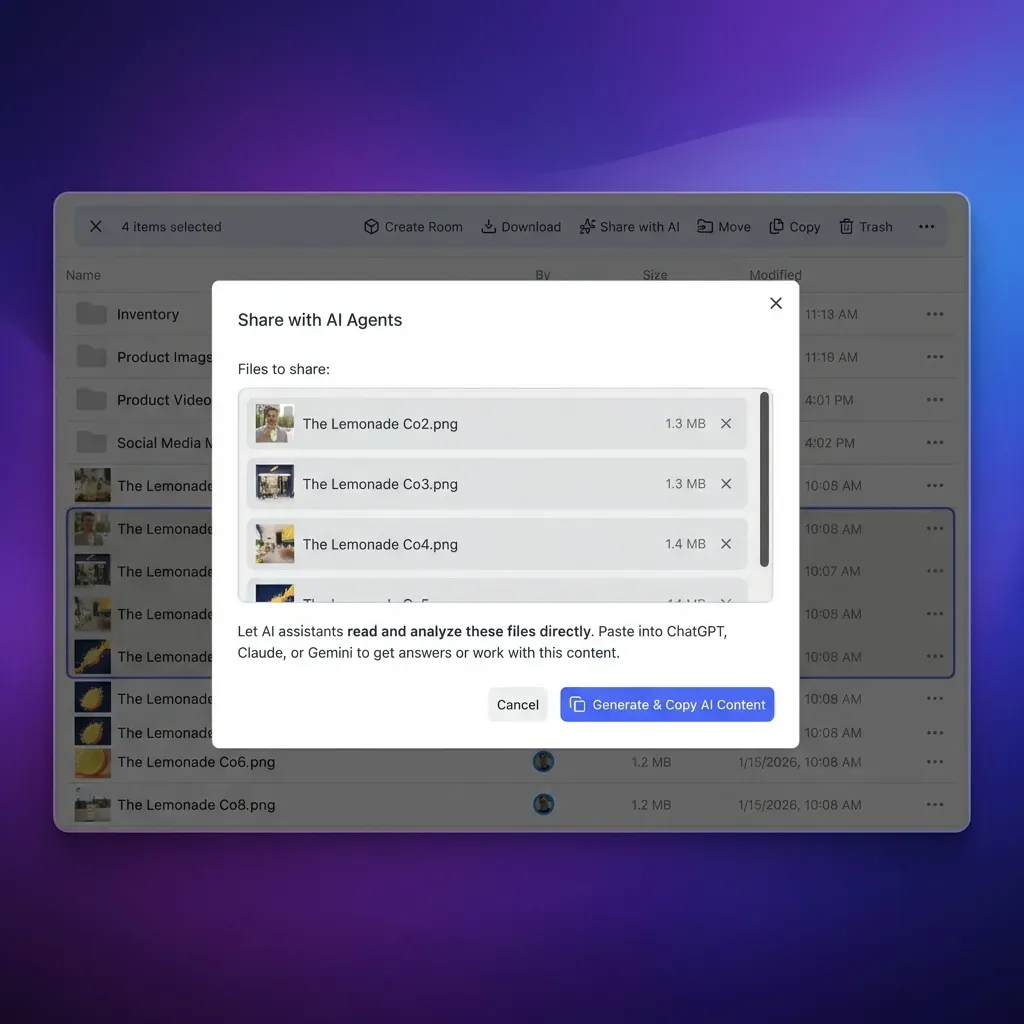


Connect Documents to AI Workspaces Without Upload Caps
Organize multi-gigabyte document collections in indexed Fastio workspaces. Search across files using semantic retrieval through the Fastio plugin or remote MCP server. Monthly plans start with a 14-day free trial (credit card required).
How to Set Up an Indexed Workspace for Multi-Document Analysis
Setting up an external workspace allows you to bypass chat attachment quotas while maintaining a single, organized library for your documents.
Step 1: Create a Workspace and Ingest Your Corpus
Set up an organization in Fastio and create a dedicated workspace for your project files. You can upload files directly through the web interface, use chunked uploads for large archives, or configure Cloud Sync to connect folders from Google Drive, Dropbox, Box, or OneDrive. Cloud Sync runs one-way or two-way, on a schedule or on demand.
Step 2: Enable Intelligence Mode for Automatic Indexing
In your workspace settings, turn on Intelligence Mode. Fastio's indexing pipeline parses your files, generates semantic embeddings, and builds a hybrid index. Every document becomes immediately searchable by natural language queries, complete with source citations, eliminating the need to configure a separate vector database.
Step 3: Extract Structured Records With Metadata Views
For tabular data, financial sheets, or collections of invoices, use Metadata Views. Metadata Views turn unstructured documents into a live, queryable database. You describe the fields you want in natural language, and the extraction engine generates a typed schema (Text, Integer, Decimal, Boolean, URL, JSON, Date & Time), extracts values across files in the workspace, and populates a filterable table without writing custom regex or optical character recognition rules.
Step 4: Query Files From ChatGPT
With your workspace indexed, open ChatGPT, invoke the Fastio plugin with @Fastio, and ask specific questions across your entire library. ChatGPT retrieves relevant excerpts and metadata on demand, keeping prompt tokens free for reasoning while leaving your daily upload allowance untouched.
Fastio Subscription Specifications
Doing real work in Fastio requires an organization on a paid subscription. Monthly plans start with a 14-day free trial, which requires a credit card; annual plans start paid with no trial:
Credits meter AI operations such as indexing, retrieval, and Metadata Views extraction. Complete plan specifications are available on the Fastio pricing page.
Sources
References used to verify factual claims in this guide.
-
Free users on ChatGPT are limited to 3 file uploads per day, while paid tiers can upload up to 80 files every 3 hours. All files uploaded to a ChatGPT conversation or custom GPT are subject to a maximum size limit of 512MB per file.
Frequently Asked Questions
How many files can I upload to ChatGPT on the free plan?
Free users on ChatGPT are limited to 3 file uploads per day. The limit applies across all chats and custom interactions, and resets on a rolling 24-hour window from the timestamp of each upload.
When does the ChatGPT free upload limit reset?
The free upload limit resets on a rolling 24-hour basis rather than a fixed calendar day or midnight UTC. Each of your 3 upload slots reopens exactly 24 hours after the specific time you uploaded that file.
How can I analyze multiple documents without paying for ChatGPT Plus?
You can extract the text from your documents and merge them into a single plain text file, saving upload slots. Alternatively, you can host text files on public URLs for web retrieval, or store your documents in an external workspace like Fastio and query them via the Fastio plugin without uploading files to chat.
What is the maximum file size for ChatGPT free uploads?
All files uploaded to a ChatGPT conversation or custom GPT are subject to a maximum size limit of 512MB per file. Within that ceiling, text documents must also fit within token constraints, spreadsheets encounter practical row limits in the Python sandbox, and image files are subject to image upload caps.
Can ChatGPT Free analyze audio files or ZIP folders?
Audio file uploads are not available on the Free plan and require a paid subscription such as Plus, Pro, or Team. ZIP archives and folders cannot be uploaded directly on any tier; folder contents must be extracted and uploaded as individual files.
Does ChatGPT search files stored in Fastio without uploading them?
Yes. With the Fastio plugin installed from the ChatGPT plugin directory, ChatGPT can search indexed workspace files by keyword or semantic meaning, read document excerpts, and cite sources directly using retrieval-augmented generation, without uploading the files to the conversation.
Related Resources

Connect Documents to AI Workspaces Without Upload Caps
Organize multi-gigabyte document collections in indexed Fastio workspaces. Search across files using semantic retrieval through the Fastio plugin or remote MCP server. Monthly plans start with a 14-day free trial (credit card required).