How to Connect Claude Desktop to Google Drive Using MCP
Connecting Claude Desktop to Google Drive gives AI assistants direct access to company documents, spreadsheets, and PDFs. Standard community MCP servers and native connectors pull entire files across sequential tool calls, rapidly saturating Claude context window on multi-document queries. This guide covers how to configure Google Drive MCP integrations, compares local and remote architectures, and demonstrates how indexed workspace retrieval cuts latency and token consumption.

What Is Claude Google Drive MCP and How It Works
Most engineering teams and operations leads store critical company files across Dropbox, Google Drive, OneDrive, Box, or SharePoint. When building autonomous agent workflows or setting up AI desktop clients, connecting Claude to these repositories is an immediate priority. Pointing an AI desktop client at a cloud drive sounds straightforward, but asking Claude to inspect a folder of contracts or audit reports often ends with a frozen interface and an exhausted context window. The failure is architectural: standard cloud storage connectors treat Claude like a human user downloading whole files, while an LLM requires pre-indexed excerpts and targeted passages.
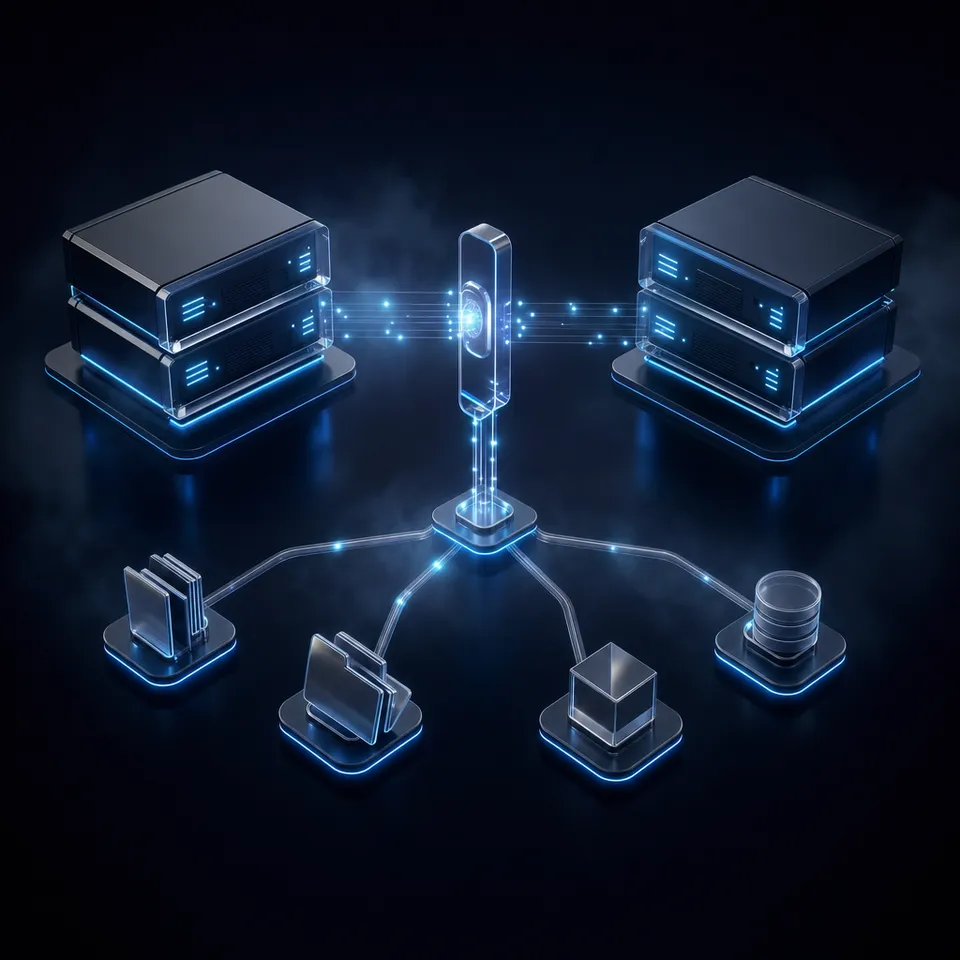
A Claude Google Drive MCP setup connects Anthropic Claude Desktop application to Google Drive via Model Context Protocol, enabling Claude to search and retrieve documents through structured tool calls instead of manual file attachments. Rather than requiring users to manually drag PDFs, spreadsheets, and Google Docs into chat windows, the Model Context Protocol (MCP) establishes an open, standardized bridge between Claude Desktop and file storage.
Anthropic introduced the Model Context Protocol as an open standard to replace fragmented, proprietary tool integrations. In an MCP architecture, an application like Claude Desktop acts as the host client. The host establishes a connection with one or more MCP servers, which expose executable tools, resource templates, and prompt workflows.
When configuring Claude to interact with Google Drive, teams encounter two primary integration patterns:
- Claude Connected Apps: Built directly into the claude.ai web client and Claude Desktop settings, connected apps provide high-level, consumer-oriented integrations for Google Drive, Gmail, and Google Calendar. As noted in official documentation from the Claude Help Center, Claude only accesses your data when you explicitly ask a question or request an action requiring this information. Connected apps are convenient for individuals, but they do not expose raw transport layers, custom retrieval pipelines, or granular tool-call tuning.
- Model Context Protocol (MCP) Servers: Defined in the local
claude_desktop_config.jsonconfiguration file, an MCP integration exposes discrete tools such as search, metadata inspection, and content export. The language model decides autonomously when to call each tool based on the user prompt.
MCP servers communicate across two main transport mechanisms:
- Local Stdio Transport: Claude Desktop launches a child process (typically using Node.js or Python) on your local machine. Communication occurs directly over standard input and standard output streams (
stdio). Community-developed Google Drive servers almost universally adopt this pattern. - Remote HTTP and SSE Transport: Claude Desktop connects over HTTPS to an external endpoint using Streamable HTTP or Server-Sent Events (SSE). Hosted servers, including Fastio's remote MCP endpoint at
https://mcp.fast.io/mcp/tools, operate over remote HTTP, removing the need to manage local background processes or maintain language runtimes.
During a typical conversation, when you ask Claude a question about project documents stored in Google Drive, the model evaluates the registered MCP tools. Claude issues a structured JSON tool call (such as requesting a file search query), the MCP server executes the query against Google Drive APIs, and the server returns the payload to Claude. The model synthesizes the returned data into a coherent response, presenting citations and factual answers directly within the desktop composer.
Related guides
- How to Connect Copilot to Google Drive via MCPA Copilot Google Drive MCP setup connects GitHub Copilot agent runtime to Google Drive files via the Model Context...
- How to Connect n8n AI Agents to Google Drive via MCPConnecting n8n AI agents to Google Drive via MCP provides workflow automations with semantic document search...
- Claude Code Google Drive MCP: Connecting Terminal Agents to DriveClaude Code Google Drive MCP connects Anthropic's command-line agent to Google Drive files through the Model Context...
- How to Connect Claude Code to Google DriveConnecting Claude Code to Google Drive links Anthropic's command-line coding agent to Google Workspace documents,...
- How to Connect Claude Code to Cloud Workspaces with Filesystem MCPFilesystem MCP allows the Claude Code terminal agent to read, search, and edit files across local directories and...
- Claude Code OneDrive MCP: Connect Terminal Coding Agents to Cloud StorageConnecting Claude Code to Microsoft OneDrive using Model Context Protocol enables terminal coding agents to query...
More on this subject: Claude and Claude Code (299 guides)
Why Direct Drive Access Triggers Context Bloat and Latency
Connecting Claude Desktop directly to Google Drive via a local MCP server provides immediate access to files, but production teams quickly encounter severe performance constraints. Google Drive was engineered for human navigation, visual file browsing, and interactive office editing. It was never architected to act as a high-throughput retrieval engine for large language models.
When an AI agent searches a Google Drive directory to answer a multi-faceted question, it cannot visually skim pages. Instead, it must follow a two-step retrieval sequence:
- Discovery and Metadata Listing: Claude calls a search or list tool to find files matching keywords in the prompt. Google Drive returns a collection of file IDs, titles, and MIME types.
- Sequential Content Downloads: Because raw cloud drives lack chunk-level semantic indexing, the MCP server cannot return specific paragraphs. Claude must call content download tools for each candidate file, pulling raw document text across the network into its prompt.
This sequential extraction pattern triggers rapid context window saturation. Consider a folder containing twenty vendor agreements, statements of work, or quarterly reports. If each document spans thirty to fifty pages, downloading those files injects tens of thousands of tokens into the prompt with every tool call.
Even though modern models feature large context windows, message history retains previous tool inputs, raw file payloads, and assistant outputs across conversation turns. Within three or four conversational turns, the context window fills with redundant boilerplate, headers, and legal disclaimers.
Context bloat introduces three critical problems:
- Compounding Latency: Making dozens of sequential API calls to download multi-megabyte files introduces round-trip delays, forcing users to wait several minutes for an answer.
- Attention Dilution and Missed Facts: When flooded with hundreds of pages of raw text, model attention spreads thin across irrelevant tokens. The model becomes prone to overlooking specific terms, conflicting clauses, or subtle amendments.
- API Quotas and Rate Limits: Repeatedly fetching full files triggers Google Drive API rate limits, resulting in HTTP 429 throttling errors during active research sessions.
Furthermore, setting up community Google Drive MCP servers involves considerable administrative overhead. Developers must open the Google Cloud Console, create a dedicated project, enable the Google Drive API, configure OAuth consent screens, select external user verification, add scopes such as drive.readonly, and generate OAuth 2.0 Client IDs for desktop applications. Personal accounts face unverified app consent warnings, while enterprise Google Workspace accounts frequently block unauthorized OAuth clients by default.
These performance differences have been measured directly. Fast.io publishes a head to head comparison of agent file work at Fast.io Benchmarks, where the same agent completes the same multi-document audit against Fast.io and the major storage providers over an identical corpus of service agreements, statements of work, invoices, and credit memos. Every run is scored on completion time, tool calls, tokens consumed, and total cost.
Fastio completed the audit fastest and at the lowest cost of the connectors tested, Google Drive included. The workspace indexes document contents on arrival, so Claude retrieves exact text passages rather than downloading whole files sequentially.

How to Configure Local Google Drive MCP Servers in Claude Desktop
For individual developers experimenting with direct drive access, community-maintained MCP servers run locally on macOS and Windows workstations. These implementations run via Node.js or Python, executing on localhost and connecting to Google Cloud APIs via OAuth 2.0.
Follow this four-step walkthrough to configure a local community Google Drive MCP server in Claude Desktop:
1. Set Up Google Cloud Console Credentials
To enable Claude Desktop to authenticate with Google Drive, you must create an authorized OAuth 2.0 client:
- Open the Google Cloud Console and create a new project.
- Navigate to APIs & Services > Library, search for Google Drive API, and click Enable.
- Go to APIs & Services > OAuth consent screen. Select External (or Internal if using a Google Workspace organization account), enter an application name and user support email, and save.
- In the Scopes configuration step, add the
https://www.googleapis.com/auth/drive.readonlyscope for read access orhttps://www.googleapis.com/auth/drive.filefor restricted file access. - Navigate to APIs & Services > Credentials, click Create Credentials, and select OAuth client ID.
- Select Desktop app as the Application type, give it a recognizable name, and click Create.
- Copy the generated Client ID and Client Secret, or download the credentials JSON file to your workstation.
2. Locate the Claude Desktop Configuration File
Claude Desktop reads MCP server definitions from a central JSON file located on your local filesystem:
- macOS:
~/Library/Application Support/Claude/claude_desktop_config.json - Windows:
%APPDATA%\Claude\claude_desktop_config.json
If the file or its parent directory does not already exist, create it using a standard text editor.
3. Add the Local Server Definition
Add the community Google Drive MCP server to the mcpServers object in claude_desktop_config.json. The example below illustrates a typical Node-based local stdio configuration:
{
  "mcpServers": {
    "google-drive-local": {
      "command": "node",
      "args": [
        "/absolute/path/to/google-drive-mcp/build/index.js"
      ],
      "env": {
        "GOOGLE_CLIENT_ID": "YOUR_CLIENT_ID.apps.googleusercontent.com",
        "GOOGLE_CLIENT_SECRET": "YOUR_CLIENT_SECRET",
        "REDIRECT_URI": "http://localhost:3000"
      }
    }
  }
}
Replace /absolute/path/to/google-drive-mcp/build/index.js with the actual path to your cloned and built community server directory. Insert your actual Google OAuth Client ID and Client Secret into the environment variables block.
4. Authenticate and Verify in Claude Desktop
Save the configuration file and completely quit Claude Desktop (on macOS, press Cmd+Q to ensure the process exits). Reopen Claude Desktop:
- Look at the bottom-right corner of the prompt input composer. You should see a hammer icon indicating active MCP tools.
- Click the hammer icon to view the registered Google Drive tools, which typically include
search_files,get_file_metadata, anddownload_file_content. - Enter a test prompt, such as "Search my Google Drive for recent project briefs."
- On the first run, the local server will automatically launch your default web browser, presenting the Google OAuth sign-in screen. Select your Google account, click through the unverified app warning if prompted, and approve the requested drive permissions.
- Return to Claude Desktop. The model will receive the tool response and display your drive files.
Maintenance and Troubleshooting Local Stdio Servers
While functional for personal testing, local stdio servers introduce distinct maintenance challenges:
- Token Expiration: OAuth refresh tokens can expire or get revoked, causing silent connection failures in Claude Desktop until local token cache files are manually deleted and regenerated.
- Credential Exposure: Storing Google Client Secrets in plaintext inside
claude_desktop_config.jsoncreates security risks on shared or unencrypted developer machines. - Process Management: Local Node child processes can occasionally hang or fail to terminate cleanly when Claude Desktop restarts, requiring manual process termination via terminal commands.
- Context Inefficiency: When working with large files, local servers still stream entire document contents into Claude's prompt, causing rapid context saturation.
The Fast.io Path: Querying Pre-Indexed Workspaces via Remote MCP
To solve the token bloat, latency, and credential management problems inherent in raw drive traversal, engineering teams implement a hybrid storage architecture. Rather than abandoning Google Drive or forcing team members to adopt unfamiliar tools, organizations keep Google Drive as their authoritative system of record. They connect active project folders to Fastio, creating an intelligent workspace that indexes document contents automatically for AI agents.
Fast.io supports one-time cloud import for Google Drive today, copying folder hierarchies and documents directly into an intelligent workspace. Cloud sync capabilities ship for Google Drive, Box, Dropbox, and OneDrive, allowing folders to update on a schedule or on demand. Synchronizations operate server-to-server and are never real-time, preserving system stability and API quotas.
Workspace Intelligence and Hybrid Search
When documents arrive in a Fastio workspace, Intelligence Mode parses PDFs, presentations, spreadsheets, Word documents, and scanned records. The system indexes document contents using hybrid search, combining three complementary retrieval methods:
- Exact Full-Text Matching: Quickly finds specific contract identifiers, invoice numbers, person names, and clause titles.
- Semantic Vector Retrieval: Discovers concepts and answers based on contextual meaning rather than literal keyword matches.
- Metadata Value Queries: Filters documents by structured extracted attributes such as dates, monetary thresholds, or counterparties.
When Claude Desktop queries an intelligent workspace through Fastio's remote MCP server, the model does not download whole files. Instead, Fastio performs hybrid search across the workspace and returns only the exact matching text chunks alongside page-level citations. This excerpt-based retrieval pattern keeps the context window clean and reduces token consumption.
Structured Extraction with Metadata Views
For folders containing high volumes of repetitive documents (such as vendor invoices, legal agreements, statements of work, or real estate disclosures), teams use Metadata Views.
Metadata Views turn unstructured document collections into a live, queryable database. You describe the target fields in natural language, such as contract renewal dates, counterparties, or invoice totals. Fastio automatically designs a typed schema across seven field types:
- Text
- Integer
- Decimal
- Boolean
- URL
- JSON
- Date & Time
The platform classifies matching files and populates a filterable spreadsheet without requiring OCR configuration or rigid templates. Claude can query these Metadata Views directly through MCP tool calls, allowing the model to answer structured questions (such as "List all active contracts expiring before December 2026 with high-priority status") in a single tool call without reading individual PDFs.
Step-by-Step: Connecting Fastio Remote MCP to Claude Desktop
Connecting Fastio's remote MCP server to Claude Desktop takes less than two minutes and requires no local package installations, Node runtimes, or Google Cloud Console project configuration.
Follow these three steps to configure Claude Desktop:
- Open Connectors in Claude Desktop: Open Customize, then Connectors.
- Add the Remote Fastio MCP Server: Add a custom connector and paste
https://mcp.fast.io/mcp/tools. Fastio hosts the server over Streamable HTTP, so there is nothing to install. - Sign In to Fastio: Select Connect and sign in to Fastio in the window that opens. On the Review Permissions screen, choose Read Only or Read & Write and your imported project workspace.
- Turn On Fastio in a Chat: In a chat, turn Fastio on from the + menu under Connectors. Claude can now use Fastio's consolidated MCP toolset.
Because Fastio's MCP server is hosted remotely, there are no local background processes to manage, no dependencies to install, and no local token files to refresh. When Claude needs information, it queries Fastio's remote endpoint, retrieves pre-indexed passages, and delivers precise answers with minimal token overhead.


Connect Claude to Google Drive Without Context Bloat
Import your Google Drive folders into an intelligent workspace, query indexed documents via remote MCP, and eliminate repetitive tool calls. Monthly plans start with a trial of up to 14 days (credit card required); annual plans have no trial.
Multi-Agent Governance, Versioning, and Shared Workspaces
When deploying autonomous agents across corporate document repositories, organizations must maintain rigorous operational governance. Unmonitored agents querying unindexed file trees risk leaking sensitive data, modifying active drafts, or making erroneous decisions based on superseded files. Fastio provides multi-layered governance controls designed specifically for human-agent collaboration over imported Google Drive content.
Activity Log for Agent Operations
Every workspace interaction is recorded in a detailed activity log. When Claude Desktop or an autonomous script searches an imported Google Drive folder, inspects a document excerpt, or extracts structured metadata, Fastio records the actor identity, action type, resource path, and exact timestamp.
This record shows engineering leaders and compliance teams who accessed and changed each file. You can verify precisely which models accessed specific customer records, inspect the queries they executed, and maintain organizational accountability.
Granular Scoped Permissions
Fastio enforces multi-tier access permissions across organizations, workspaces, folders, and individual files. When Claude Desktop signs in, the connection can be limited on the Review Permissions screen to a specific project workspace.
Scoped credentials prevent models from accessing unauthorized workspaces containing sensitive financial, executive, or human resources files. If an API key is compromised, access remains isolated to that single designated workspace boundary.
Per-File Version History and Edit Protection
When multiple human teammates and autonomous agents collaborate inside shared workspaces, concurrent edits risk overwriting valuable information. Fastio maintains complete per-file version history for every document stored on the platform.
If Claude writes an updated brief or an agent outputs an analytical summary with factual inaccuracies, human reviewers can inspect the version history, compare revisions, and revert to previous states with a single click. For real-time document collaboration, Collaborative Notes provide a shared environment where people and AI agents co-edit content simultaneously with visible, attributed cursors.
Transferring Workspace Ownership to Human Teams
Fastio natively supports programmatic ownership transfer from agents to human administrators. An autonomous agent can programmatically register an organization, establish project workspaces, import Google Drive folders, and generate structured Metadata Views.
Once setup is complete, the agent initiates an ownership transfer to a human stakeholder via a secure claim link. The human assumes primary administrative and billing responsibility, while the agent retains operational access to query indexed files and perform automated research.
Reactive Coordination Without Polling Loops
Agents that need to monitor file additions or workspace updates do not need to execute repetitive, resource-draining polling loops against Google Drive APIs. In Fastio, agents query the realtime activity feed via GET /current/activity/poll/{entity_id} or subscribe to WebSocket events. When a new document arrives or an analysis finishes, the agent receives an immediate event trigger, enabling reactive workflows with zero wasted API requests.
Developers who prefer managing environments from the command line can use the official command-line package @vividengine/fastio-cli, which installs the fastio binary. If your custom pipelines interact directly with REST endpoints, the base path is https://api.fast.io/current/.
Transparent Plans and Simple Pricing
Getting started with Fastio is straightforward. Creating an account is free; doing real work requires an organization on a paid subscription. Plans are structured into clear tiers: Starter at $9.99/mo | Business at $49.99/mo | Enterprise at $199.99/mo. Monthly plans start with a trial of up to 14 days (credit card required); annual plans have no trial.
Bandwidth, and storage beyond the plan, are billed by use. Each plan includes team seats, storage capacity, and a monthly credit allowance for AI operations. Learn more about deployment patterns on the storage for agents page and examine plan details on the pricing page. By combining Google Drive's familiar storage ecosystem with Fastio's indexed workspaces, teams give Claude Desktop fast, accurate, and governed access to corporate documents.
Sources
References used to verify factual claims in this guide.
-
Claude accesses connected Google Workspace data only upon explicit user request rather than background scanning.
Frequently Asked Questions
How do I add Google Drive to Claude Desktop using MCP?
You can connect Google Drive to Claude Desktop either by running a local stdio community MCP server or by connecting to a remote MCP endpoint like Fastio. For a local server, configure OAuth credentials in Google Cloud Console and declare the Node process in `claude_desktop_config.json`. For an indexed remote connection, import your Google Drive folder into a Fastio workspace, add `https://mcp.fast.io/mcp/tools` as a custom connector in Claude (Customize, then Connectors), and sign in to Fastio.
What is the difference between Claude connected apps and Google Drive MCP?
Claude connected apps are built-in web and desktop integrations configured through the Claude settings menu, allowing consumer-level access to Google Drive, Gmail, and Google Calendar. Google Drive MCP integrations use Anthropic open-standard Model Context Protocol, allowing Claude Desktop and coding agents to interact with files through explicit, programmable tool calls defined in `claude_desktop_config.json`.
Why does Claude run out of tokens when reading Google Drive folders?
Native Google Drive connectors and community MCP servers return full document contents rather than targeted excerpts. When Claude opens multiple PDFs, Sheets, or Docs to answer a question, the entire text of every document enters the prompt history, quickly exhausting the 200,000-token context window and causing high latency.
Can Claude search Google Drive files without downloading them?
When using raw Google Drive MCP servers, Claude must download files to inspect their full contents. However, by importing Google Drive folders into a Fastio workspace, files are pre-indexed using hybrid search. Claude queries the workspace via Fastio remote MCP server and receives only relevant text snippets and citations, eliminating full-file downloads.
Can Fastio sync Google Drive folders?
Fastio supports server-to-server cloud import for Google Drive today, copying folder hierarchies and documents directly into an indexed workspace. Google Drive folders sync on background schedules and are never real-time.
Related Resources

Connect Claude to Google Drive Without Context Bloat
Import your Google Drive folders into an intelligent workspace, query indexed documents via remote MCP, and eliminate repetitive tool calls. Monthly plans start with a trial of up to 14 days (credit card required); annual plans have no trial.