How to Implement Cloud File Transfer for Enterprises
Guide to cloud file transfer enterprises: Enterprise file transfer changes once you hit high volumes like several terabytes monthly. Manual uploads stop working, and traditional tools can't keep up. This guide shows how to use APIs to automate workflows and reduce manual tasks. We cover implementation, security setups, and how AI agents are changing data management.


The High-Volume Wall: Why Traditional File Sharing Fails for Cloud File Transfer Enterprises
For most teams, file sharing means dragging and dropping a file into a folder. But when you move multiple terabytes a month, that manual approach breaks. Consumer cloud storage can't keep up with this volume. According to benchmarks from The Duckbill Group, enterprises with high-volume workloads process substantial data transfer volumes each month, which requires more reliable infrastructure than simple point-to-point tools.
According to N2WS, half of all global data will live in the cloud by 2025. This means enterprises can't rely on simple point-to-point transfers anymore. You need a layer that handles high-volume transfers through an API. Managed File Transfer (MFT) is now a cloud requirement as companies replace old on-premise systems.
Moving data is only half the battle. You have to track and audit every byte while keeping it integrated with your apps. A bank moving daily audit logs or a film studio sending several petabytes of video can't afford to waste time on the manual work traditional tools demand.
Helpful references: Fastio Workspaces, Fastio Collaboration, and Fastio AI.
The hidden costs of manual transfer
Manual transfer is slow and expensive. Every time someone has to log in and wait for an upload, the business loses momentum. At the enterprise level, manual file transfers will consume many hours watching progress bars.
Infrastructure costs also add up. Manual workflows often need staging areas where files are downloaded locally before being re-uploaded. This creates extra copies, raises storage costs, and uses double the bandwidth. In an enterprise, this inefficiency can waste thousands of dollars every month.
Technical limitations of legacy protocols
Many old file transfer systems use standard TCP/IP setups that aren't built for long distances. If an office in London needs to move petabytes to Singapore, standard protocols often can't use the full bandwidth. This causes lag that delays projects.
Modern enterprise tools use parallel streaming and smart routing. By splitting files into smaller chunks and sending them at the same time, these systems maximize speed even on unstable connections. This shift is necessary for any global business.
Related guides
- How to Build Cloud-to-Cloud File Transfer with an APIMost cloud migration guides assume you are dragging files between browser tabs. If you need to move thousands of files...
- How to Set Up an Automated Cloud File Import WorkflowMost teams still copy files between cloud providers by hand, burning hours on repetitive work that breaks silently when...
- How to Replace FTP With a Modern File Transfer SolutionFTP was designed in 1971 when network security meant locking the server room door. Today, it remains a liability:...
- How to Create a Direct Download Link for Any FileA direct download link (DDL) triggers your browser's download immediately when clicked, skipping preview pages and...
- How to Share Files with China: Working Around the Great FirewallFile sharing with China requires services that aren't blocked by the Great Firewall, as most Western platforms like...
- How to Share Large Files Internationally Without DelaysInternational file sharing is the transfer of digital files across geographic borders, accounting for network latency,...
More on this subject: File Sharing (155 guides)
The API advantage: Automating high-volume workflows
The biggest gap in enterprise file transfer is the lack of deep API integration. Most services have an API, but few let you actually automate a business. A reliable enterprise API should do more than upload files. It should create workspaces and manage permissions while importing data from other cloud storage automatically.
Moving to an API-driven model can cut IT management time. You do this by taking the human out of the loop. For example, instead of a worker downloading a file from a client's Dropbox and re-uploading it to your server, an API can pull it directly. This saves bandwidth and time.
In practice, you use tools like MCP to orchestrate data movement. When a file lands in a workspace, the WebSocket events feed or activity polling can trigger a process. This might involve an AI agent summarizing the content or a security tool scanning for leaks. This reactive setup is how modern enterprises work.
Reliability at scale
In a high-volume environment, things break. A network glitch or a server outage can stop a multi-terabyte transfer. An enterprise API needs to be idempotent. This means if a request is sent twice because of a retry, the result is the same as if it were sent once.
You need this reliability when you're automating thousands of transfers a day. Without idempotent operations, you might end up with duplicate files or corrupted data. Modern APIs use unique IDs to track every operation, so they can resume interrupted transfers exactly where they stopped.
Event-driven architectures with WebSocket feeds
Modern enterprise automation connects directly to real-time event feeds. Instead of uncoordinated polling scripts, platforms provide WebSocket event feeds and activity logs that stream updates as they occur.
With a real-time event feed, your system receives notifications the moment something happens. Whether a file is uploaded or a share link is created, your application gets an immediate update. This allows for real-time processing so your data pipelines aren't stuck waiting on a timer.


Run enterprise cloud file transfers on Fastio
Stop manual uploads and scale data operations. Connect a consolidated MCP toolset and start a 14-day Business Trial (credit card required; see /pricing/).
Comparing enterprise transfer methods
Choosing a transfer method depends on your scale and security needs. Here is how traditional MFT, consumer storage, and modern APIs compare.
Consumer cloud services are good for small teams but struggle with "noisy neighbor" speed issues when volumes get high. Traditional MFT is secure but needs specialized hardware and experts to run. Modern APIs give you the security of an enterprise system with the flexibility of the cloud.
The myth of generous storage
Many IT departments fall for "unlimited" storage plans. But these plans usually have "fair use" policies or hidden speed limits. For a company moving petabytes a month, these throttles can stop operations entirely.
Enterprise solutions provide clear tiers and dedicated speed. Instead of vague terms, they offer documented limits and let you scale capacity on demand. This predictability makes it easier to plan for stability.
Implementation strategy: Scaling to petabytes
Scaling to a large enterprise system takes a plan. You aren't just flipping a switch; you're building a pipeline that handles logins, data movement, and error recovery.
Step 1: Set up secure authentication Use OAuth 2.0 or secure API keys with specific scopes. Don't use one admin key for everything. Create service accounts with the minimum permissions needed for each task. This limits the damage if a key is stolen.
Step 2: Use URL imports for speed One of the biggest time-wasters is downloading a file just to upload it again. Modern systems let you pull files directly from Google Drive, OneDrive, or Dropbox. This saves time and keeps infrastructure costs down. Often, it turns a multi-hour transfer into a few seconds.
Step 3: Use real-time event streams for reactive logic Connect to the WebSocket events feed or poll the activity log to monitor file arrivals. This lets your systems react instantly, whether starting a backup or dispatching an agent to process new data.
Step 4: Audit every byte At this scale, you have to log everything. Centralized audit logs aren't just for compliance; they are the first thing you check when a transfer fails in a high-volume environment.
Handling concurrent access with file locks and versioning
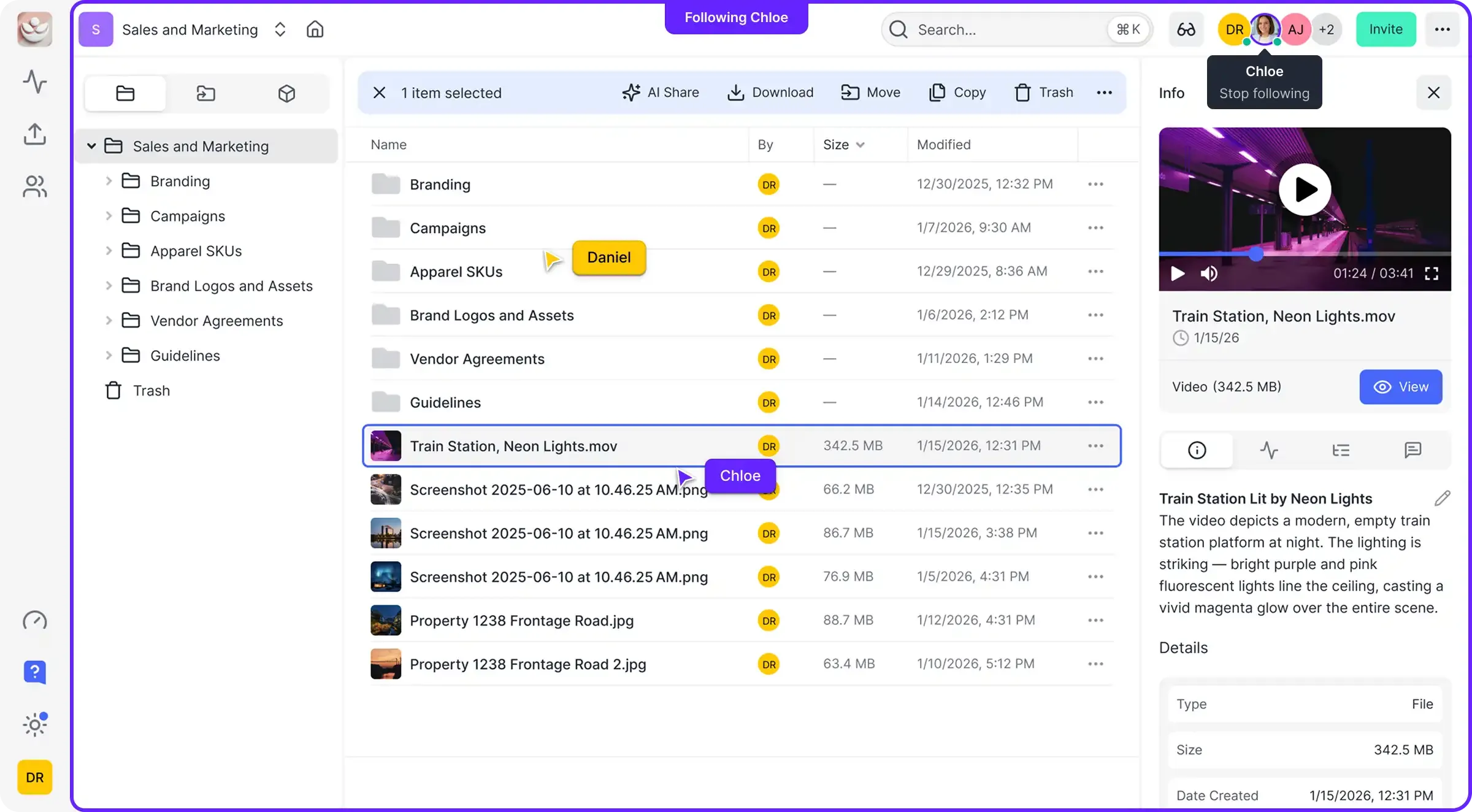
In a large workspace, multiple people or automated agents might try to use the same file at once. To coordinate concurrent access cleanly, Fastio provides advisory per-file locks alongside complete version history.
An agent or collaborator acquires an advisory lock before writing, heartbeats it while working, and releases it when finished. If another user or agent attempts to lock the file, the server returns HTTP 409 so the caller can wait or read. Because locks are advisory rather than exclusive, version history serves as the safety net: every write is versioned automatically, and the activity log records who modified what. If a holder goes offline, the lock expires automatically or can be taken over by anyone with write permission.
Security and compliance
Security is the foundation of enterprise file transfer. When you handle sensitive corporate data, you need more than just encryption. An enterprise system should encrypt data at rest and in transit, while providing granular workspace permissions and long-lived, scoped API keys.
While platforms may not hold specialized compliance certifications, robust encryption and access controls protect sensitive assets. For example, detailed activity logs that track every file access provide visibility for reviews. Advisory file locks and comprehensive version history keep data clean and coordinated in multi-user environments.
Access should be controlled with scoped API keys and per-workspace permissions, ensuring immediate revocation when needed.
Audit logging for regulatory preparedness
For companies in legal or financial sectors, an audit log is a legal record. Every share, download, and permission change needs a timestamp and user ID.
These logs should be impossible to change and exported to a separate secure location. During an audit or a security incident, having a clear, tamper-proof history of all file operations can save an enterprise from massive fines and legal fees.
Intelligent workflows: How AI changes file management
The future of enterprise file transfer is intelligence. As AI agents join business processes, storage has to become an "intelligent workspace." Files are no longer just static blobs of data; they are searchable assets you can query.
When Intelligence is enabled on a workspace, teams can use built-in RAG (Retrieval-Augmented Generation) to "chat" with their data. A legal team can find a specific clause across multiple documents instantly. A construction firm can query thousands of blueprints for a part number. This only works when your file transfer system is integrated with AI.
Define clear tool contracts and fallback behavior so agents fail safely when dependencies are unavailable. This improves reliability in production workflows.
Human-agent collaboration
The most effective companies will be those that get the handoff between humans and AI agents right. In a shared workspace, an agent can do the heavy lifting, such as sorting and summarizing terabytes of data, before handing it off to a human for the final check.
This approach uses the strengths of both. The agent handles the volume and repetitive tasks, while the human provides oversight and approval. This works best in a workspace that supports both human interaction and agentic tools.
Case study: Scaling media workflows
Imagine a global media house. A single production can generate petabytes of raw video. In the past, they shipped physical hard drives between offices. It took days and risked losing everything.
By using an API-driven system, they automated the whole ingestion process. As soon as footage is filmed, it's uploaded to a local server and synced to a cloud workspace. Automated agents then create low-res "proxies" for editors while archiving high-res masters. Global media leaders have seen manual work reduced after switching to these automated, API-driven architectures.
This change cut their post-production timeline by three weeks. It also reduced data transfer costs compared to traditional on-premise setups through automated deduplication and cloud efficiency. Most of all, it gave directors and editors instant access to the footage from anywhere in the world.
What the data shows
The benefits of moving to a cloud-native, automated file transfer system are real. Data shows real gains in efficiency and cost savings. Organizations that use cloud-native setups report a 37% faster time-to-market for new services. This speed comes from removing manual hurdles in the data pipeline.
Moving from old on-premise systems to automated cloud solutions can cut IT infrastructure costs by 30% to 40%. You don't have to maintain expensive hardware or pay for capacity you don't use. Instead, you scale costs with your data volume. Automation also reduces IT management time by 45%, letting your team focus on higher-level work instead of watching file transfers. According to Statista, over 60 percent of all corporate data now resides in cloud storage as of 2025.
Sources
References used to verify factual claims in this guide.
-
Automation can reduce IT management time by up to 45 percent. Migrating to automated cloud-based MFT can lead to 30 to 40 percent reductions in IT infrastructure costs.
-
Half of all global data is projected to be stored in the cloud by 2025. Organizations that use cloud-native setups report a 37 percent faster time-to-market for new services.
-
Over 60 percent of all corporate data now resides in cloud storage as of 2025.
-
Enterprises with high-volume workloads often process one petabyte or more of data transfer per month.
Frequently Asked Questions
What is the best enterprise cloud file transfer solution?
The best choice depends on your volume and needs. For most enterprises, a cloud-native API that supports high volumes and works with your existing tools is better than traditional storage. Look for URL imports, real-time event feeds, and strong security controls.
How do you handle file transfers exceeding multiple terabytes per month?
At this scale, manual transfers don't work. You need an API-driven approach that supports multipart uploads and direct URL imports. This lets you move data between clouds without bandwidth issues, ensuring fast delivery of massive data sets.
Can I automate file transfers with an API?
Yes, automation is the main reason to use an enterprise API. You can trigger transfers, create secure shares, and sync data between platforms. Using MCP integrations simplifies this by providing a standard way to handle file operations.
What security features are required for enterprise transfers?
You'll need encryption, granular access controls, and detailed audit logs for enterprise-grade security. For high volumes, specific permissions and expiration dates on shared links are also necessary to keep data secure.
How does cloud transfer reduce manual labor?
Cloud transfer reduces manual work by automating how files move between systems. Instead of workers uploading or downloading data, APIs and automated event feeds do the work. This can cut IT management time by 45% and reduce manual tasks in high-volume environments according to industry case studies.
Related Resources

Run enterprise cloud file transfers on Fastio
Stop manual uploads and scale data operations. Connect a consolidated MCP toolset and start a 14-day Business Trial (credit card required; see /pricing/).