How to Connect OpenAI Codex to Google Drive via MCP Server
Connecting OpenAI Codex to Google Drive gives coding agents access to project documentation, API schemas, and architecture plans without blowing prompt context. Direct file downloads and local sync stubs cause rate limits, expired OAuth tokens, and 0-byte read errors. Syncing Google Drive folders into an intelligent Fastio workspace lets Codex query indexed project files over remote Model Context Protocol tools.

The Context Dilemma: Why Direct Google Drive Streaming Fails Codex
Pointing OpenAI Codex directly at a cloud storage bucket or streaming raw Google Drive files into an agent session triggers immediate context exhaustion, file reading failures, or expired OAuth credentials. An autonomous coding agent inspecting technical specifications, database migration scripts, or OpenAPI schemas needs targeted access to specific code passages, not unindexed multi-megabyte payloads that saturate prompt buffers.
A Codex Google Drive MCP integration connects OpenAI Codex to Google Drive storage via the Model Context Protocol, enabling the coding agent to search, read, and reference cloud files as tools during code generation. In modern software engineering, essential architectural context lives outside version-controlled git repositories. Product requirement documents, software architecture decision records, data dictionary spreadsheets, and API contracts frequently reside in Google Drive, Dropbox, Box, or OneDrive.
When a software developer asks OpenAI Codex to implement a microservice endpoint, generate database migration code, or write unit tests, the agent requires direct access to those reference documents. Without grounded context, autonomous agents invent field names, assume incorrect protocol contracts, and generate code that fails continuous integration tests.
Connecting an agent to Google Drive usually follows one of two paths: local filesystem synchronization or direct API connectors. Both models introduce severe failure modes during autonomous coding workflows.
The 0-Byte Placeholder and Virtual Filesystem Trap
Software engineers often attempt local synchronization first because Google Drive for Desktop already mirrors files to their workstation storage. That local path introduces silent file corruption when coding agents execute command-line tasks.
To conserve local disk space, Google Drive for Desktop streams files by default rather than keeping complete local duplicates. The operating system presents these files through virtual filesystem architectures, such as the Apple File Provider domain on macOS or the Cloud Files API on Windows.
In a graphical file manager, placeholder files display normal file sizes, timestamps, and icons. On physical storage blocks, their allocated disk footprint is zero bytes until an application triggers a file hydration request.
When OpenAI Codex runs a shell command, invokes a compiler, or executes a test script against an unhydrated placeholder file, standard POSIX open and read system calls return an empty byte stream or trigger an input-output error. Operating system kernels do not block non-interactive command-line processes while a background desktop daemon downloads the payload over the network.
If Codex attempts to read a database schema stored as a streaming placeholder, it reads zero bytes and treats the file as empty. The agent then writes replacement code based on missing schema definitions or halts execution with unhelpful syntax errors.
Full Document Streaming and Context Window Degradation
The second common approach connects Codex to Google Drive through direct API connectors. When Codex requests a file, the connector downloads the entire document payload and passes it into the active conversation buffer.
Engineering documents are dense. An architectural specification, a security review document, or an enterprise API specification can span dozens of pages. Streaming a complete multi-page PDF or Word document into prompt context injects tens of thousands of tokens in a single tool call.
Dumping raw document bodies into model context produces severe technical penalties:
- Attention Degradation: Transformer models suffer from attention dispersion when context windows fill with large unindexed texts. In what research describes as the lost-in-the-middle effect, models attend strongly to tokens at the beginning and end of long prompts while overlooking critical constraints buried in the middle.
- Rapid Token Exhaustion: Ingesting multi-megabyte files rapidly exhausts token quotas, inflating inference costs on iterative programming loops.
- Inference Latency: Transferring and parsing large document payloads inflates time-to-first-token response times, turning interactive terminal agent loops sluggish.
An autonomous coding agent does not require every paragraph of an extensive document. It requires the specific lines describing an authentication header or database schema definition.
Related guides
- How to Connect Copilot to Google Drive via MCPA Copilot Google Drive MCP setup connects GitHub Copilot agent runtime to Google Drive files via the Model Context...
- How to Connect n8n AI Agents to Google Drive via MCPConnecting n8n AI agents to Google Drive via MCP provides workflow automations with semantic document search...
- Cursor Google Drive Integration: Connect Specs via MCPConnecting Cursor to Google Drive through the Model Context Protocol gives coding agents direct access to technical...
- Codex Dropbox Integration: Connect OpenAI Coding Agents to Dropbox FilesConnecting OpenAI Codex to Dropbox gives coding agents indexed semantic search over repository design files, assets,...
- Connecting Cursor IDE to Google Drive Specs and Docs via MCPConnecting Cursor to Google Drive via Model Context Protocol gives coding agents direct access to technical...
- Codex Google Drive Integration: Connect Coding Agents to Cloud StorageA Codex Google Drive integration links autonomous coding agents to cloud repositories containing project documentation,...
More on this subject: AI Coding Assistants (96 guides)
Direct Google Drive Connectors and API Rate Limits
Developers seeking to avoid local filesystem stubs frequently implement direct API bridges. Third-party platforms such as Composio provide managed tool routers that convert agent intents into Google Drive API calls. Similarly, Google provides a remote Model Context Protocol server in developer preview (https://drivemcp.googleapis.com/mcp/v1) to expose Drive tools to AI applications.
Composio's guide on Codex integration notes: "Now you can interact with Google Drive directly from your terminal, VS Code, or the Codex App using natural language commands."
Google's official Drive documentation confirms: "Google Drive offers a remote Model Context Protocol (MCP) server that allows AI agents to securely interact with Google Drive data."
While direct tool calling works for occasional administrative file lookups, connecting Codex directly to live Google Drive endpoints creates structural bottlenecks during autonomous coding loops.
High-Frequency API Polling and Rate Limits
Autonomous coding agents operate in recursive exploration loops. An agent investigating an unfamiliar codebase or architecture repository lists folders, inspects file metadata, checks dependencies, and reads candidate files.
Sequential directory exploration generates rapid bursts of API requests. Google Drive enforces strict per-user and per-project request quotas. High-frequency API calls trigger HTTP 403 rateLimitExceeded or HTTP 429 status codes. When an agent loop lacks sophisticated backoff logic, repeated retries worsen throttling, stalling development sessions and leaving tasks incomplete.
Authentication Fragility in Local Stdio Servers
Open-source Model Context Protocol servers for Google Drive often rely on local standard input-output (stdio) processes. Setting up a local stdio server requires creating an application in the Google Cloud Console, configuring an OAuth consent screen, downloading a client secret JSON file, and generating local authentication tokens saved to disk.
These local tokens create ongoing maintenance friction:
- Expired Refresh Tokens: OAuth tokens issued in testing status expire periodically, requiring manual re-authentication in a desktop browser.
- Broken Headless Runs: When Codex runs in a remote terminal, continuous integration pipeline, or containerized development environment, local browser-based authentication flows fail because no graphical user interface is present.
- Credential Exposure: Distributing OAuth client secrets and user tokens across developer laptops risks exposing sensitive corporate cloud storage credentials in plain text.
Binary Formatting and Export Latency
Google Drive stores documents, spreadsheets, and presentations in proprietary internal formats rather than raw static files. When an agent attempts to read a native Google Doc, the connector must export the file on the fly to plain text, markdown, or PDF before returning it.
On-the-fly format conversions introduce round-trip latency, strip hierarchical formatting, and often fail on complex spreadsheets or presentation slide decks. Scanned PDF documents containing architectural blueprints or system diagrams return unreadable raw character sequences unless processed through an external optical character recognition pipeline.
Direct Drive API vs. Indexed Fastio Workspaces
The structural differences between querying raw Google Drive endpoints and querying an indexed Fastio workspace are structured below:
Placing an intelligent workspace between Google Drive and Codex replaces multi-file downloading with precise passage retrieval.
Architecture of an Indexed Workspace for Coding Agents
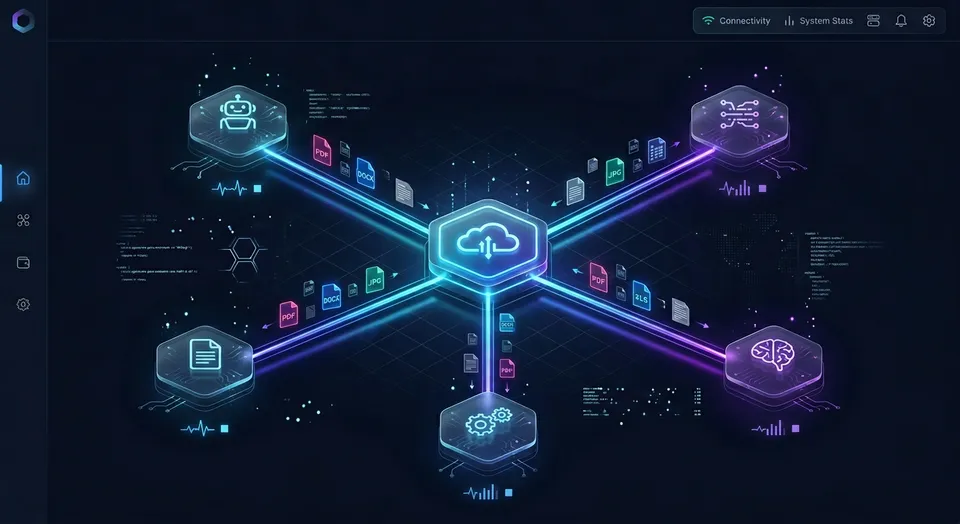
To bypass local disk stubs, prevent token exhaustion, and eliminate API rate limits, engineering teams place an intelligent Fastio workspace between Google Drive storage and OpenAI Codex. The reader keeps their existing storage in Google Drive, Dropbox, Box, OneDrive, or SharePoint. Target folders sync into a Fastio workspace, and Codex connects through a remote Model Context Protocol server. Instead of pulling whole folders across the network, the agent queries indexed files.
Cloud Sync connects Google Drive, Dropbox, Box and OneDrive folders to a workspace, one-way or two-way, on a schedule or on demand. Sync operations run server-to-server in the cloud and are never continuous, live or real-time. SharePoint document libraries connect through the OneDrive connector.
The operational difference between direct storage traversal and indexed workspace search is measurable. Fastio publishes a head-to-head study at Fastio Benchmarks that puts the same multi-document audit through Fastio and through the native connectors of the major cloud storage providers over an identical corpus. Fastio was measured the fastest and the lowest cost of the providers tested.
Direct storage traversal forces an agent to inspect candidate files one by one, multiplying round-trip latency and token burn. Connecting Codex to an indexed workspace removes that overhead by returning exact passages and metadata records directly to the model.
Hybrid Semantic Search and Automated Text Extraction
Fastio indexes workspace files automatically upon arrival. When documents land in a workspace from a synced Google Drive folder, Intelligence Mode extracts text across PDFs, images, code files, and presentations.
An automated optical character recognition pipeline processes scanned documents, system architecture sketches, and circuit diagrams. The extracted text is indexed into a hybrid search engine combining dense semantic vector embeddings with exact keyword matching.
When Codex needs to find an environment variable, an API endpoint signature, or a database configuration constraint, it invokes the search tool. Fastio performs hybrid retrieval and returns the exact paragraphs containing the answer, complete with file paths and line numbers. Codex receives the relevant context in a single turn without consuming thousands of tokens on unrelated text.
Structuring Architecture Specs with Metadata Views
Engineering folders in Google Drive often contain structured configuration manifests, schema definitions, and contract specifications scattered across narrative markdown files and spreadsheets. Asking an agent to parse numerous documents to find database column names or environment variables consumes substantial context.
Fastio provides Metadata Views to convert unstructured workspace documents into live, queryable relational tables:
- Natural Language Schema Generation: Define extraction fields using plain English prompts, such as "Endpoint Route, HTTP Method, Authentication Scope, Request Parameters."
- Seven Typed Column Types: Fastio automatically populates typed data columns across Text, Integer, Decimal, Boolean, URL, JSON, and Date & Time.
- Zero Regex Rule Maintenance: Extraction functions across PDF contracts, markdown specifications, JSON schemas, and technical whitepapers without custom scraping scripts.
- Direct MCP Querying: Codex queries Metadata Views through MCP tools, filtering configuration records by specific column values before reading full document text.
Advisory File Locks for Concurrent Multi-Agent Operations
When multiple autonomous coding agents or human software engineers access shared project workspaces, uncoordinated edits can cause conflicting updates. Fastio provides advisory per-file locks in workspace and share storage.
Coding agents acquire, heartbeat, and release file locks through MCP actions: lock-acquire and lock-release on the storage_manage tool, and lock-status on the storage tool. A lock expires automatically unless it is heartbeated.
Other members and agents can inspect who holds an active lock. An advisory lock never grants exclusive write locks: concurrent writes both land safely, and per-file version history preserves every version.


Connect Google Drive to OpenAI Codex with Intelligent Workspaces
Keep your files in Google Drive, sync folders to an intelligent workspace, and let Codex search indexed project files over a remote MCP server. Start your 14-day free trial with credit card verification.
Step-by-Step Setup: Connecting OpenAI Codex to Google Drive via Fastio
Connecting OpenAI Codex to Google Drive repositories through an intelligent Fastio workspace involves four straightforward configuration steps:
- Sync Google Drive folder to Fastio workspace
- Configure sync schedule and direction
- Configure OpenAI Codex with Fastio remote MCP server
- Query Drive assets using natural language tool calls
1. Sync Google Drive Folder to Fastio Workspace
Sign in to fast.io, create an organization, and create a dedicated workspace for your development project. Organizing code assets, documentation, and design specifications into distinct workspaces keeps project files isolated.
Configure Cloud Sync for Google Drive in the workspace. Fastio prompts you to sign in with your Google account and grant read or write permissions to the specific Google Drive folders containing your technical documents. Fastio connects via standard user-delegated OAuth 2.0 without requiring complex Google Cloud Console project setup or domain-wide administrator approval.
2. Configure Sync Schedule and Direction
Select the specific Google Drive directory containing your project assets. Configure synchronization parameters to match your team's workflow:
- Sync Direction: Choose one-way sync to create a read-only mirror of your Google Drive documentation, or two-way sync to permit Codex to save generated code modules, implementation briefs, and documentation updates back to Google Drive.
- Sync Schedule: Cloud Sync connects Google Drive, Dropbox, Box and OneDrive folders to a workspace, one-way or two-way, on a schedule or on demand. Configure an hourly or daily sync schedule, or trigger an on-demand synchronization whenever your team updates technical specifications.
3. Configure OpenAI Codex with Fastio Remote MCP Server
Fastio provides a remote Model Context Protocol server operating over Streamable HTTP. It requires no local Node.js runtime, no npm packages, and no local background daemons.
Codex installs the Fastio plugin first: in the Codex CLI, run codex plugin add fast-io@openai-curated-remote or open /plugins; in Codex in the ChatGPT desktop app, use the Plugins tab. Sign in to Fastio when prompted.
Its custom MCP server, for the Codex IDE extension (which does not support plugins) or when organizational policy blocks plugins, is https://mcp.fast.io/mcp/operations: run codex mcp add fastio --url https://mcp.fast.io/mcp/operations, then codex mcp login fastio to sign in.
In your Codex agent configuration file or MCP settings, register the remote endpoint:
{
  "mcpServers": {
    "fastio": {
      "url": "https://mcp.fast.io/mcp/operations"
    }
  }
}
After updating your configuration, run codex mcp login fastio to complete authentication in your browser. Review the permissions screen and select the organizations and workspaces Codex can access.
If you execute Codex through a custom Python agent loop, you can communicate with the remote MCP endpoint directly over Streamable HTTP using a standard HTTP client. Generate a scoped API key in the Fastio console, initialize the MCP session, and pass the key as a Bearer token:
import json
import os
import httpx

FASTIO_MCP_ENDPOINT = "https://mcp.fast.io/mcp/code"
FASTIO_API_KEY = os.environ.get("FASTIO_API_KEY")

headers = {
    "Authorization": f"Bearer {FASTIO_API_KEY}",
    "Content-Type": "application/json",
    "Accept": "application/json, text/event-stream"
}

def parse_streamable_response(response):
    if response.headers.get("content-type", "").startswith("text/event-stream"):
        for line in response.text.splitlines():
            if line.startswith("data:"):
                return json.loads(line[5:])
    return response.json()

client = httpx.Client(headers=headers, timeout=30.0)

init_response = client.post(FASTIO_MCP_ENDPOINT, json={
    "jsonrpc": "2.0",
    "id": "0",
    "method": "initialize",
    "params": {
        "protocolVersion": "2024-11-05",
        "capabilities": {},
        "clientInfo": {"name": "codex-drive-connector", "version": "1.0.0"}
    }
})

session_id = init_response.headers.get("Mcp-Session-Id")
if session_id:
    client.headers["Mcp-Session-Id"] = session_id
client.headers["MCP-Protocol-Version"] = parse_streamable_response(init_response)["result"]["protocolVersion"]

client.post(FASTIO_MCP_ENDPOINT, json={
    "jsonrpc": "2.0",
    "method": "notifications/initialized"
})

search_payload = {
    "jsonrpc": "2.0",
    "id": "1",
    "method": "tools/call",
    "params": {
        "name": "search",
        "arguments": {
            "query": "PostgreSQL connection pool timeout configuration",
            "files_scope": ["specs/*.md", "config/*.yaml"]
        }
    }
}

response = client.post(FASTIO_MCP_ENDPOINT, json=search_payload)
results = parse_streamable_response(response)
Detailed setup instructions and client configurations are documented on the Fastio MCP documentation page.
4. Query Drive Assets Using Natural Language Tool Calls
Once connected, Codex retrieves grounded information without downloading whole folders or reading entire codebases into prompt context. When asked to implement a new feature, Codex invokes the Fastio search tool.
Fastio returns relevant code snippets, docstrings, and configuration values with line numbers and file paths. Codex uses these targeted context chunks to write code matching existing project patterns, completing the prompt with minimal token usage.
Production Governance: Multi-Project Boundaries, Version History, and Ownership Transfer
Deploying autonomous coding agents in team environments requires governance mechanisms to manage permissions, track file modifications, and handle administrative transitions.
Workspace Boundaries Across Client Projects
Engineering agencies and development teams regularly balance multiple client engagements or distinct corporate repositories. Pointing a single local sync daemon at multiple client Google Drive accounts creates namespace collisions and risks accidental cross-project commits.
With Fastio, teams isolate projects into dedicated workspaces:
- Client A Workspace: Syncs with Client A's Google Drive engineering specifications folder.
- Client B Workspace: Syncs with Client B's design assets and API contracts directory.
- Core Infrastructure Workspace: Contains internal microservice templates and shared coding standards.
Role-based permissions are set per organization, workspace, and share. Every workspace member accesses the workspace according to their assigned role. Codex connects using scoped credentials tied to specific workspaces, preventing cross-project context leaks while keeping activity records segregated.
Per-File Version History and Change Attribution
When autonomous agents and software developers modify repository files concurrently, uncoordinated writes can overwrite critical logic. Fastio maintains complete per-file version history for every file stored in a workspace.
If Codex writes an updated TypeScript interface or modifies a configuration file, team members can review earlier iterations in the version timeline and restore any prior state. Every version change preserves actor attribution, documenting whether a change was introduced by an engineer or an autonomous agent API key.
Detailed Activity Log
Autonomous agents execute dozens of operations during code generation runs. Engineering managers and security leads require visibility into workspace modifications.
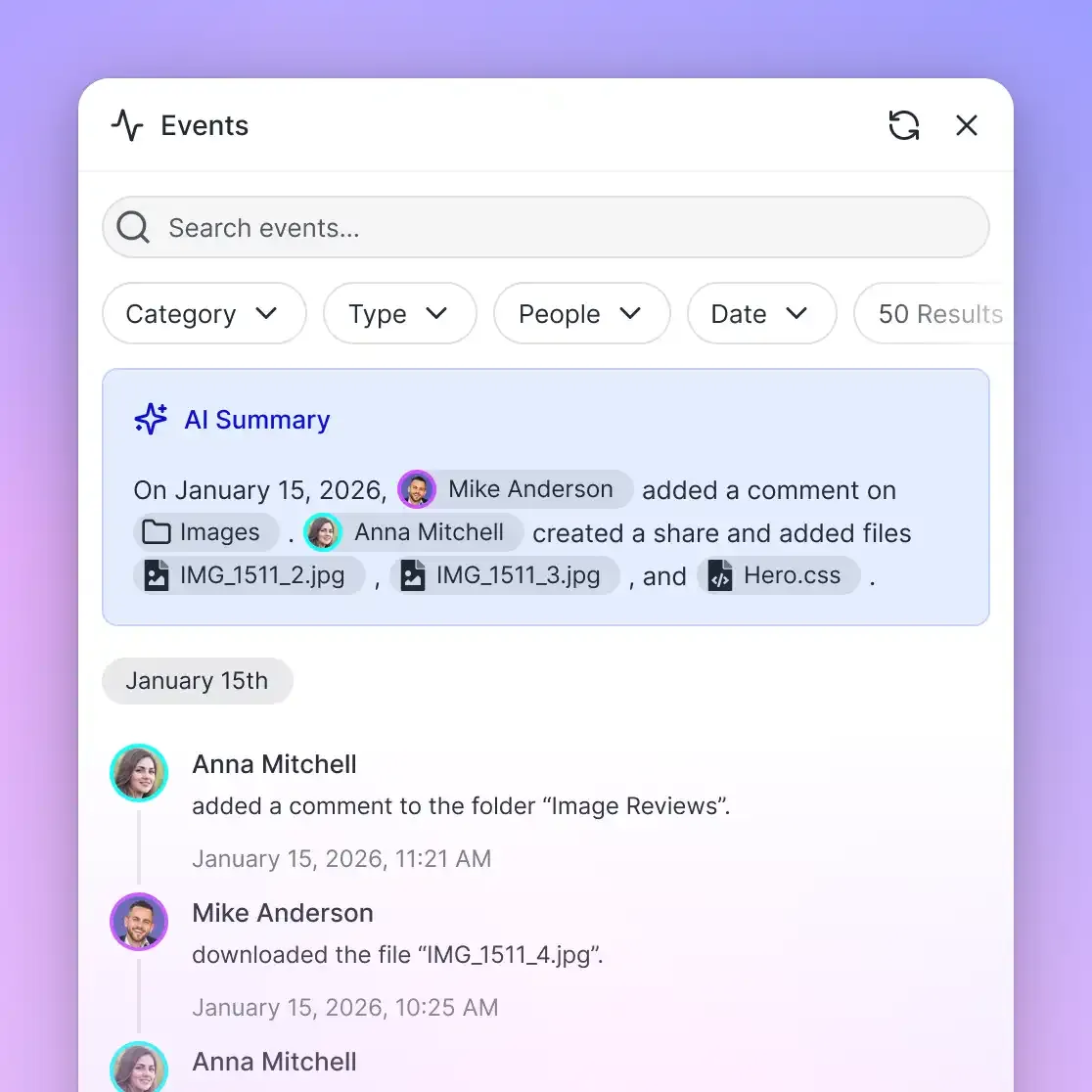
Fastio records workspace modifications in a detailed activity log. The activity log documents uploads, edits, file moves, and deletions, alongside membership updates, permission adjustments, and share creation. Read-only actions like file views or downloads are not tracked. The activity log provides an auditable record of what changed in the organization and who made the change.
Ownership Transfer to Human Stakeholders
In software consultancy and contract development, teams frequently apply an agent-builds-and-hands-off pattern:
- An autonomous agent creates an account, creates a project workspace, and configures Cloud Sync to mirror client Google Drive folders.
- Codex indexes architectural assets, configures Metadata Views, and writes implementation code.
- Upon project completion, the agent creates a claim link for ownership transfer.
- The client's technical lead opens the claim link.
- The client lead accepts the transfer, assuming billing responsibility and administrative control of the organization, while the agent retains scoped access to continue ongoing development tasks.
Fastio runs on cloud infrastructure partners, including Google Cloud Platform and Cloudflare, that are certified to industry-leading security standards. Encryption in transit and at rest protects repository files throughout the development lifecycle.
Subscription Plans and Transparent Pricing
Creating an account on fast.io is free; doing real work requires an organization on a paid subscription. Monthly plans start with a 14-day free trial, which requires a credit card.
Fastio offers predictable plans scaled for engineering teams:
Storage capacity and user seats are included with each plan tier. Credits meter artificial intelligence operations, including semantic search, document text extraction, and chat queries. Overage and additional resource allowances are billed transparently as documented on the pricing page.
Learn more about integrating coding agents on the storage for agents overview and compare options on the pricing page.
Sources
References used to verify factual claims in this guide.
-
Autonomous coding agents like OpenAI Codex can interact with Google Drive through Model Context Protocol integrations using natural language commands.
-
Google Drive provides a remote Model Context Protocol server that allows AI agents to interact with cloud file data.
Frequently Asked Questions
How do I connect OpenAI Codex to Google Drive?
You can connect OpenAI Codex to Google Drive by syncing your Google Drive folder into an intelligent Fastio workspace using Cloud Sync, then connecting Codex via Fastio's remote Model Context Protocol server. Codex installs the Fastio plugin directly or connects to the remote MCP operations endpoint, enabling the agent to search and read indexed files without downloading entire folders.
What is the Google Drive MCP server for coding agents?
A Google Drive MCP server is an integration endpoint implementing the Model Context Protocol, allowing AI coding agents like OpenAI Codex to access Google Drive storage. While native and third-party MCP servers stream full file payloads over raw API connections, an intelligent workspace MCP server indexes Google Drive files for hybrid semantic search, returning targeted passages rather than full documents.
How do I configure MCP servers in Codex CLI?
In the Codex CLI, install the Fastio plugin by running `codex plugin add fast-io@openai-curated-remote` or open `/plugins`. Alternatively, add the custom MCP server by running `codex mcp add fastio --url https://mcp.fast.io/mcp/operations`, followed by `codex mcp login fastio` to complete browser authentication.
Why does downloading Google Drive folders cause agent context overflow?
Downloading entire files from Google Drive streams complete file contents, such as lengthy architecture specifications or extensive data tables, directly into the model's prompt context. This consumes tens of thousands of tokens per tool call, exhausts context limits, degrades model reasoning on mid-document details, and inflates inference latency.
Does Fastio sync with Google Drive?
Yes. Fastio Cloud Sync connects Google Drive, Dropbox, Box and OneDrive folders to a workspace, one-way or two-way, on a schedule or on demand. Synchronization runs server-to-server in the cloud, allowing Codex to query indexed Drive files without requiring local desktop sync clients.
Can Codex write generated code or specifications back to Google Drive?
Yes. By configuring two-way Cloud Sync on your Fastio workspace, any code files, architecture briefs, or documentation generated by Codex and saved to the workspace will synchronize back to the linked Google Drive folder on your schedule or on demand.
Related Resources

Connect Google Drive to OpenAI Codex with Intelligent Workspaces
Keep your files in Google Drive, sync folders to an intelligent workspace, and let Codex search indexed project files over a remote MCP server. Start your 14-day free trial with credit card verification.