Company Brain for Executive Teams: Private Workspaces and Strategic Intelligence
An executive company brain is a secure, isolated workspace where leadership teams centralize strategic documentation, board materials, and executive decisions for permission-bounded human and AI analysis. A restricted workspace keeps C-suite material out of reach of the wider organization while giving leadership cited AI retrieval across financial models, acquisition targets, and governance packets.


Why Executive Leadership Needs Its Own Knowledge Boundary
Two leadership teams evaluating the same corporate acquisition, restructuring, or capital allocation plan can reach contradictory conclusions if their strategic context sits fragmented across personal drives, unindexed spreadsheets, and broad company chat channels. The failure of executive knowledge management is not a shortage of strategic memos; it is the structural risk of placing board materials, financial models, and executive compensation in open repositories where sensitive context leaks across departments or remains stranded in personal inboxes.
A survey by Gartner found that 47% of digital workers struggle to find information or data needed to effectively perform their jobs. For C-suite leaders and executive committees operating on compressed quarterly cycles, that friction compounds. Senior executives lose time tracking down prior board commitments, reconciling discrepancies between financial drafts, and verifying whether an operating narrative aligns with signed partnership agreements.
An executive company brain is a secure, isolated workspace where leadership teams centralize strategic documentation, board materials, and executive decisions for permission-bounded human and AI analysis. Instead of treating organizational memory as a chaotic collection of personal folders or a company-wide wiki where confidential notes risk exposure, an executive company brain establishes a controlled perimeter. Within this boundary, strategic assets are indexed as they arrive (with Intelligence on), queryable in plain English, and accessible to both leadership personnel and authorized artificial intelligence models.
Wikis, Enterprise Search, and Flat Vector Indices
Most conventional approaches to internal knowledge management need careful configuration before they suit executive workflows. Enterprise wikis like Confluence and Notion are built for broad internal collaboration, and both can lock content down: Confluence can restrict who views or edits a page on paid plans, and Notion offers closed and private teamspaces and page-level sharing. Confidentiality there depends on applying those settings to every sensitive page and space; a page left in an open space or a default teamspace is visible to everyone in it.
Enterprise search platforms such as Glean handle the same risk by inheriting permissions from connected apps: Glean states that all data permissions are inherited and strictly enforced, and its remote MCP server is permission-aware, so each person searches with their own access. Results therefore follow source permissions, which means a file overshared in a source app is overshared in search too. A do-it-yourself retrieval-augmented generation (RAG) pipeline that loads company files into one vector index without permission filtering has no such check, and an agent answering an operational question for a junior employee could surface text from a confidential executive compensation memo or an unannounced restructuring deck.
For leadership material, the simplest boundary is membership: private strategy files live in a dedicated workspace, and answers come only from the workspaces and shares the asker belongs to.
The Operational Cost of Fragmented Executive Context
When executive documentation lacks a unified home, institutional memory degrades into personal lore. When signed minutes and board resolution decks sit in one person's desktop folder, product and finance leads can draft growth projections that conflict with margin targets the board already set.
This fragmentation forces leadership teams to repeat strategic debates from scratch. Without an indexed repository of historical decisions, leadership teams waste time re-litigating settled trade-offs, misplacing audit committee findings, and hunting through email threads for legal opinions. An executive company brain anchors leadership conversations in source files, so strategic reviews can build on documented decisions.
Related guides
- How to Build a Company Brain for Customer Success TeamsA company brain for customer success unifies client contracts, onboarding records, and product documentation into an...
- How to Build a Company Brain for Finance Teams: Security, Isolation, and AI RetrievalA company brain for finance teams centralizes accounting policies, vendor agreements, audit files, and financial models...
- How to Build a Company Brain for Legal Teams: In-House Knowledge ManagementA company brain for legal teams centralizes executed agreements, standard clause playbooks, and corporate compliance...
- Building a Company Brain for Marketing Teams: Brand Assets, Messaging, and AI GroundingA company brain for marketing teams unifies brand guidelines, messaging frameworks, customer evidence, and competitor...
- How to Build a Company Brain for Technical Support TeamsA company brain for technical support centralizes verified runbooks, diagnostic guides, and engineering escalations in...
- How to Build a Company Brain Workflow for Competitive IntelligenceA competitive intelligence company brain centralizes competitor teardowns, battlecards, and market research into an...
More on this subject: Agent Memory and Storage (365 guides)
Architecture of an Isolated Executive Workspace
Constructing an executive company brain requires deliberate architectural boundaries. Leadership documentation encompasses the most confidential records an organization generates: cap tables, merger term sheets, audit committee findings, executive performance reviews, and cash runway projections. These files should not share a workspace with general company documentation.
Fastio configures permissions per organization, workspace, and share by member role. Organization roles comprise owner, admin, and member. Workspace roles comprise owner, admin, member, guest, and view. Inside a given workspace, every member accesses all files according to their assigned role; Fastio has no folder-level or file-level permissions. Confidentiality is therefore set at the workspace boundary rather than through nested folder access control lists.
Restricting Workspace Join Policies and Member Roles
By default, a Fastio workspace allows any member of the parent organization to join. For open team initiatives, engineering libraries, or general company handbooks, this open posture accelerates cross-functional discovery. For an executive company brain, that setting must be restricted immediately.
To create a secure leadership enclave, workspace administrators change the join setting to No one can join automatically. With that setting nobody self-joins, and organization members who are not direct members do not see the workspace. Only designated executives (such as the CEO, CFO, COO, General Counsel, and Corporate Secretary) are added. Member management also defaults to letting any workspace member add or remove members, so restrict it to admins and owners.
Role assignments within the executive workspace maintain operational governance:
- Owner: The principal executive (often the CEO or Corporate Secretary) who has full control of the workspace's settings and membership.
- Admin: Senior executives (such as the CFO or General Counsel) with administrative access, who manage members and workspace settings once member management is restricted to admins and owners.
- Member: Executive team participants who read, edit, upload, and comment on strategic documentation.
- View: Board observers or external advisors who require read access to executive files without editing rights.
When ownership needs to shift, Fastio supports ownership transfer: an owner can transfer the workspace to another member, and the previous owner becomes an admin.
Keeping Synced Files Under Workspace Permissions
Executive teams rarely draft all files in a single application. Financial models originate in Excel or Google Sheets, board decks are compiled in PowerPoint, and strategic memos are written in Word. Migrating these files does not require abandoning established productivity suites.
Fastio Cloud Sync connects Google Drive, Dropbox, Box, and OneDrive folders directly to a workspace. It operates one-way or two-way, running on a schedule or on demand. It is never continuous, live, or real-time sync. SharePoint document libraries connect through the OneDrive connector.
In traditional cloud storage, nested folder permissions can expose confidential files: when someone moves a folder or changes a parent folder's access list, inherited permissions can reach groups nobody intended. In Fastio, files synced from an external drive take the Fastio workspace's permissions, and the source drive's sharing settings do not carry over.
If a corporate finance analyst has read access to a Google Drive folder containing preliminary budget models, that access does not extend to the copies in the executive workspace: the analyst cannot view or query them in Fastio unless added as a member. The originals stay in Google Drive under Drive's sharing settings, so restrict the source folder too if the analyst should not see them there.
Strategic Document Intelligence and Structured Extraction
Storing files in an isolated workspace solves the containment challenge, but passive file storage does not solve the retrieval bottleneck. Senior executives do not have time to download multi-hundred-page audit reports, scroll through scanned contracts, or manually cross-check numbers across dozens of spreadsheets. An executive company brain must transform passive files into an active, queryable intelligence layer.
When Intelligence Mode is enabled on an executive workspace, the platform automatically parses and indexes all documents upon arrival. Files are indexed for hybrid search, combining exact alphanumeric matching, semantic meaning-based retrieval, and search by metadata values. Leadership teams and connected artificial intelligence models can query the entire corpus in natural language, receiving synthesized answers backed by direct citations to source files, specific page numbers, and verbatim excerpts.
Hybrid Search with Checkable Document Citations
Executive decision-making requires absolute factual verification. General artificial intelligence chatbots can fabricate statistics or smooth over conflicting data when summarizing complex topics. In an executive company brain, ungrounded answers are unacceptable.
Fastio links each AI answer to its source documents with checkable citations. When an executive asks, "What was our agreed international expansion budget for the upcoming fiscal year, and what contingencies were attached?", hybrid search covers both kinds of match and chat cites what it used:
- Exact Full-Text Matching: Finds exact phrases, account codes, fiscal designations, and proper nouns.
- Semantic Search: Finds relevant passages in strategic narrative memos by meaning, even when the phrasing uses alternative terms like global rollout or overseas capital expenditure.
- Cited Answers: Chat synthesizes the retrieved passages into a concise executive brief and cites the files, pages, and passages it drew on.
Executives click through to the original board deck or signed board resolution to check the context. Citations make an answer checkable; they do not guarantee it is right, so a figure that matters still gets read in its source.
Extracting Strategic Metrics with Metadata Views
Unstructured text retrieval provides narrative context, but leadership teams also require structured, tabular visibility across disparate records. An executive team reviewing dozens of vendor contracts, a set of acquisition prospectuses, or quarterly subsidiary performance summaries needs a unified spreadsheet view, not a separate download for every document.
Fastio Metadata Views turn unstructured documents into live, queryable databases. Rather than building custom optical character recognition (OCR) templates or writing extraction scripts, users describe the target fields in plain English. Fastio designs a typed schema supporting seven field formats: Text, Integer, Decimal, Boolean, URL, JSON, and Date & Time.
The system scans matching documents across the workspace (including PDFs, Word documents, spreadsheets, presentations, scanned pages, and handwritten notes) and populates a structured data grid. Key executive use cases include:
- Board Governance: Extracting meeting dates, committee names, resolution topics, voting tallies, and sign-off statuses from historical board packs.
- Corporate Development: Pulling target enterprise valuations, trailing twelve-month revenues, EBITDA multiples, key employee retention provisions, and governing jurisdictions from merger prospectuses.
- Commercial Agreements: Tracking contract counterparties, renewal notification windows, liability caps, and termination penalties across major enterprise accounts.
Leadership teams can filter, sort, and edit the resulting grid inline, or add new columns without reprocessing existing files. Connected agents work with the same extracted values through MCP: metadata action=fields-list lists the field names, metadata action=search queries their values, and storage_manage action=metadata-extract extracts fields from a file.
Multi-Agent Coordination and Executive Governance
An executive company brain is also a place where leadership teams and AI agents work from the same files. Executives can deploy specialized agents to conduct competitive research, audit financial variance, draft preliminary board slides, and track regulatory filings.
Deploying software agents within an executive environment introduces strict governance demands. If an agent has unrestrained write access or operates without supervision, it risks corrupting strategic models or modifying official governance documentation. Fastio addresses these demands through standardized agent protocol connectivity, scoped authentication, live collaborative notes, and detailed activity tracking.
Connecting Leadership AI Assistants via Remote MCP
Fastio provides a hosted Model Context Protocol (MCP) server running over Streamable HTTP. Rather than running local daemon processes or managing fragile bridge utilities, external artificial intelligence applications connect directly to remote endpoints tailored to their specific operational profile:
https://mcp.fast.io/mcp/toolsconnects general agent runtimes, personal productivity bots like OpenClaw and Hermes Agent, and desktop applications like Claude.https://mcp.fast.io/mcp/operationsconnects custom server configurations in ChatGPT and Codex when the directory plugin is not used.https://mcp.fast.io/mcp/codeconnects coding agents in terminal and integrated development environments, including Claude Code, Cursor, VS Code, and Cline.
Interactive applications authenticate via OAuth in the browser. During connection setup, the user reviews a permissions screen to select Read Only or Read & Write access and specify the exact organizations and workspaces the connection can reach.
For executive teams, configuring agent connections with Read Only access establishes an essential security safeguard. When an agent connects in Read Only mode, tools that modify, move, or delete data are not offered to the model at all. There is no refusal message, error code, or step-up prompt; write tools simply do not exist on the interface.
Headless background agents running automated corporate scans pass a scoped API key as an Authorization: Bearer <api key> header on the connection. The API key carries defined scopes and acts with the exact permissions of the executive user who generated it. Complete setup documentation is available at Fastio MCP documentation.
Collaborative Notes, Advisory Locks, and the Detailed Activity Log
When executive team members and software agents interact within the same private workspace, preventing collisions and maintaining auditability is critical. Fastio provides four coordinated mechanisms to govern multi-party collaboration:
- Collaborative Notes: Fastio Notes are markdown documents kept directly beside the files they describe in the workspace, indexed for artificial intelligence grounding. People and agents can both edit notes, and they co-edit live: when people, or a person and an agent, have the same note open, each sees the other's cursors and edits as they type, with agents displaying labeled cursors. Agent Intents allow a person or agent to announce the specific note or file they are working on before beginning, an advisory signal that helps people and agents avoid duplicated effort without blocking anyone.
- Advisory File Locks: When an agent prepares a complex data update, it can acquire a temporary advisory lease on a target file using the
storage_manageMCP tool with thelock-acquireaction. Other agents and workspace collaborators inspect the lock status through thestoragetool usinglock-status. Advisory locks expire automatically unless heartbeated, and they never grant exclusive write rights: concurrent writes both land, and version history preserves every iteration. - Per-File Version History: Fastio keeps version history for every file. If an automated script overwrites a financial schedule unintentionally, team members can inspect previous revisions and restore a prior version.
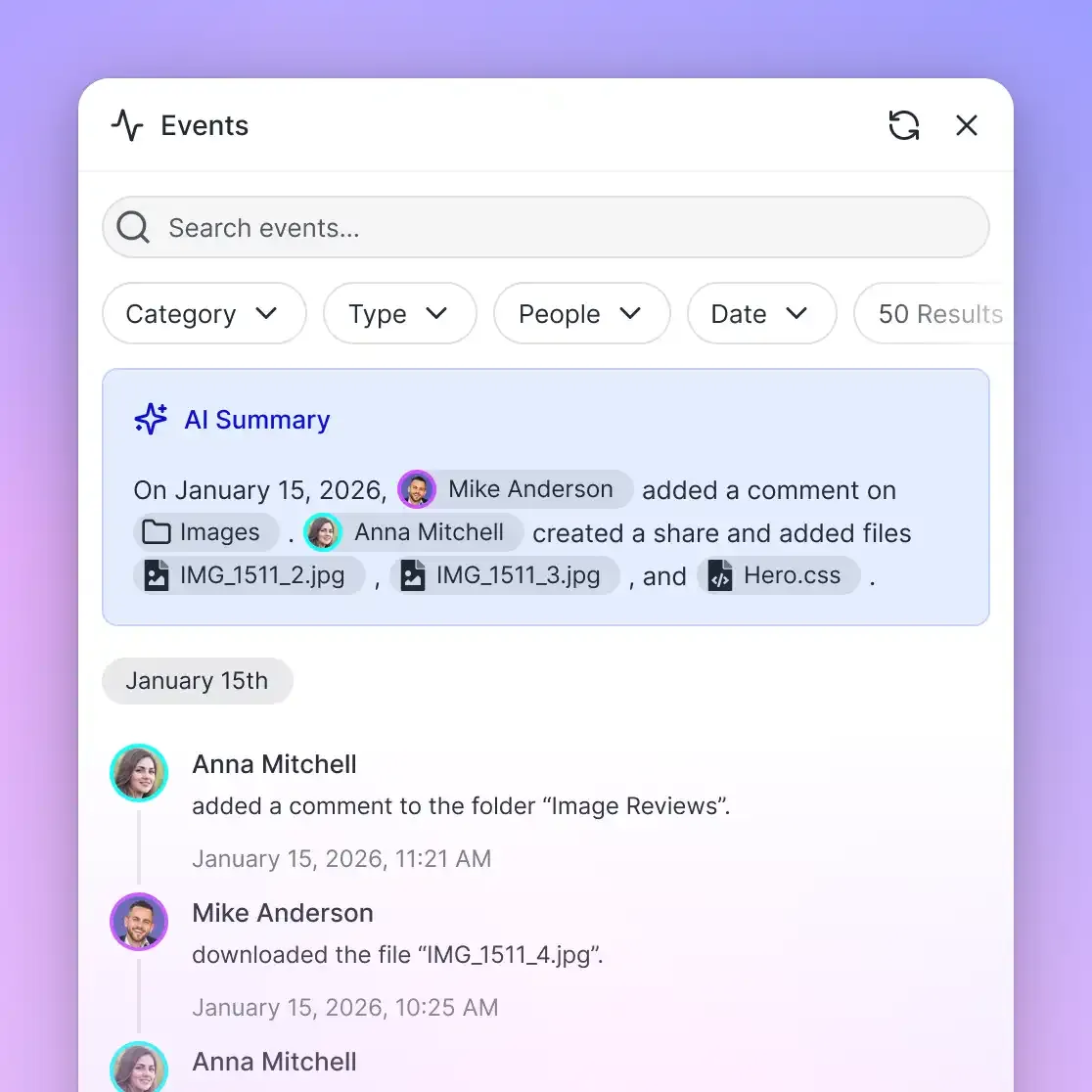
- Detailed Activity Log: Fastio records a detailed activity log of what changed in an organization and who changed it, people and agents alike. The log captures uploads, edits, moves, deletions, membership updates, permission adjustments, and share creations. If an agent creates a new analysis note or updates a shared folder, leadership can review the exact timestamp, actor identity, and operation.


Isolate Executive Strategy in a Cited Company Brain
Centralize board materials, financial models, and strategic memos in a restricted workspace. Connect AI agents via MCP to analyze executive documents with checkable citations. Monthly plans start with a 14-day free trial, credit card required.
A 4-Step Framework for Deploying an Executive Company Brain
Establishing an executive company brain requires a disciplined deployment model that balances executive accessibility with uncompromising confidentiality. Rushing to connect autonomous agents before establishing workspace boundaries creates unnecessary security exposure and risks cross-departmental data leakage. Without deliberate architectural planning, strategic repositories quickly suffer from unmanaged permission inheritance, conflicting document drafts, and fragmented retrieval indices.
Leadership teams can establish a fully operational, permission-bounded executive company brain in four structured steps. This implementation framework moves systematically from foundational boundary isolation to automated repository ingestion, structured schema extraction, and governed agent access. By implementing strict join restrictions and role boundaries before indexing begins, corporate secretaries, legal officers, and technical leads keep executive material cited and confined to the leadership members of the workspace.
Step 1: Establish Isolated Workspaces and Restrict Join Settings
Begin by provisioning a dedicated workspace solely for executive operations. Name the workspace clearly, such as Executive Leadership or Strategic Governance, and immediately open the workspace settings.
Change the workspace join setting from its default (any organization member can join) to No one can join automatically, so other employees in the parent organization cannot see, search, or join the workspace, and restrict member management to admins and owners. Next, add the core leadership group: the chief executive officer, finance leaders, operating chiefs, legal counsel, and the corporate secretary. Assign owner and admin roles deliberately, keeping view-only roles for external advisors or board observers who should not alter files.
Step 2: Ingest Strategic Repositories via Scheduled Cloud Sync
Audit where existing strategic files reside and connect them to the executive workspace using Cloud Sync. Configure connectors for Google Drive, Dropbox, Box, or OneDrive folders containing board archives, financial audits, cap tables, and strategy memoranda.
Run each sync on a schedule or on demand. Files synced into Fastio take the executive workspace's permissions, so broad team access on the source drive does not carry over to the copies in the executive workspace; the originals keep their sharing settings in the source drive, so review those links there. For proprietary record sets, board meeting video recordings, or extensive due diligence archives, use chunked uploads for large files (up to 25 GB per file on Starter, 50 GB on Business, and 100 GB on Enterprise).
Step 3: Enable Intelligence Mode and Configure Metadata Views
Activate Intelligence Mode within the workspace settings. Fastio will automatically initiate document parsing and indexing across the ingested repository, indexing files for hybrid search across full-text and semantic queries.
Next, create targeted Metadata Views across document-dense sub-collections. For board packs, configure fields for meeting quarter, committee, primary agenda topic, and action item status. For commercial agreements, set fields for counterparty, renewal deadline, contract value, and governing law. Fastio extracts these parameters automatically, giving leadership a live, queryable spreadsheet view across unstructured corporate records.
Step 4: Provision Scoped Agent Access and Audit Governance
Connect leadership artificial intelligence tools using the Fastio remote MCP server. For executive assistants, connect Claude through a custom connector or ChatGPT through the Fastio plugin, then sign in to Fastio in the browser and, on the Review Permissions screen, choose Read Only and only the executive workspace.
For automated research agents or background analysis pipelines, generate an API key with explicit read scopes and pass it as a Bearer token over Streamable HTTP to https://mcp.fast.io/mcp/tools or https://mcp.fast.io/mcp/code. Establish an ongoing governance review: designate the corporate secretary or an operations lead to review the detailed activity log periodically, monitoring membership changes and tracking newly created files.
What Documents Belong in an Executive Company Brain
Determining what documents belong in an executive company brain requires distinguishing between daily operational noise and enduring strategic context. Ingesting routine department chat logs, transient bug tickets, or early product drafts clutters the semantic index and dilutes retrieval quality. An executive company brain should hold authoritative records that guide organizational direction, define legal commitments, and measure corporate performance.
Centralizing governance records in one workspace makes past minutes, charters, and financial exhibits searchable instead of scattered across inboxes and desktops.
The following catalog details the core document categories suitable for an executive company brain, along with their primary formats and analytical utility:
When leadership teams need to share specific documents with external stakeholders, such as providing board packets to outside directors or due diligence binders to prospective buyers, they should not invite them as permanent workspace participants. Instead, administrators create branded Shares (Send, Receive, or Exchange). Shares can be configured with password protection, expiration dates, and disabled file downloads, ensuring that external parties review materials securely without gaining visibility into internal company workspaces.
Cataloging Critical Leadership Documentation
To maintain high retrieval precision, leadership teams should organize executive documents into functional groups within the workspace. Placing board materials in a dedicated governance area and financial statements in a treasury area helps human users navigate the directory while allowing search filters to narrow queries by scope when needed.
Maintaining clear file naming conventions further assists both human executives and artificial intelligence models. Adopting structured formats like YYYY-MM-DD_Board_Pack_Q3_Final.pdf or 2026-Q3_Audited_Financial_Statement.xlsx provides an immediate temporal anchor that artificial intelligence models can reference when answering time-sensitive strategic questions.
Maintaining Context Freshness and Version Hygiene
An executive company brain is an active operating environment, not a digital graveyard. If outdated drafts and superseded financial models accumulate without oversight, artificial intelligence agents can retrieve stale guidance.
Organizations should conduct a quarterly audit of workspace assets. Operating executives should archive obsolete working drafts into an archive subfolder or delete superseded working files. Because Fastio preserves per-file version history, teams can safely update working spreadsheets and strategy notes without fearing the loss of prior iterations. Earlier versions can be restored from version history.
Sources
References used to verify factual claims in this guide.
-
A survey by Gartner found that 47% of digital workers struggle to find information or data needed to effectively perform their jobs.
Frequently Asked Questions
How do executive teams use an AI company brain?
Executive teams use an AI company brain as a centralized, secure repository where strategic memos, financial models, board decks, and governance records are indexed (with Intelligence on) for hybrid full-text and semantic search. Leadership members and connected artificial intelligence agents query the workspace in plain English to summarize past board decisions, audit quarterly financial variances, and draft strategic briefs backed by direct citations to source files and page numbers.
How can leadership teams keep sensitive documents private from general AI search?
Leadership teams maintain privacy by establishing dedicated workspaces with restricted join settings. In Fastio, permissions are enforced per organization, workspace, and share by member role, with no folder-level or file-level permissions within a workspace. By setting the executive workspace's join setting to No one can join automatically and adding members directly, general organization members and their AI tools cannot reach the workspace, and answers come only from the workspaces and shares the asker belongs to. Connected AI agents reach only the workspaces and shares their user belongs to, within the organizations and workspaces chosen at sign-in or an API key's scopes.
What documents belong in an executive company brain?
An executive company brain should house authoritative corporate records with enduring strategic value. These include quarterly board packets and committee minutes, audited financial models and cash runway projections, corporate development and merger prospectuses, executive compensation schedules and succession plans, and core legal filings such as bylaws, cap tables, and material contracts.
How does Cloud Sync handle permissions for sensitive executive files?
Cloud Sync connects Google Drive, Dropbox, Box, and OneDrive folders to a Fastio workspace on a schedule or on demand. When files are synced into an executive workspace, the copies in Fastio take the workspace's role permissions, and the source drive's sharing settings do not carry over. Employees who can open the source folder cannot reach or query those copies in the restricted executive workspace unless they are members, though they can still open the originals in the source drive.
How do AI agents access an executive workspace without risking unauthorized writes?
AI agents connect to Fastio via a remote Model Context Protocol (MCP) server over Streamable HTTP. When an interactive tool connects through browser-based OAuth, the person signing in can choose Read Only on the Review Permissions screen. Under Read Only access, tools that modify, move, or delete files are not offered to the model at all. For programmatic agents, API keys carry explicit scopes and act with the exact permissions of the user who generated them.
Can external board directors access materials without joining the full workspace?
Yes. Administrators can create branded Shares (Send, Receive, or Exchange) that expose only specific board packets or committee binders to external directors. Shares can be configured with password protection, expiration dates, and disabled file downloads, allowing directors to review materials securely in their browser without consuming organization user seats or accessing internal workspaces.
What plans and trials are available for deploying Fastio?
Fastio subscriptions are organized into Starter, Business, and Enterprise plans structured around organization seats, storage, workspaces, and monthly credits that meter artificial intelligence operations. Starter is $29 a month or $290 a year (5 seats, 1 TB, 10 workspaces), Business is $99 a month or $990 a year (20 seats, 10 TB, 100 workspaces), and Enterprise is $299 a month or $2,990 a year (50 seats, 50 TB, 300 workspaces). Monthly plans begin with a 14-day free trial that requires a credit card. An agent can create an account and then hand off to a human who creates or joins an organization to start the trial.
Related Resources

Isolate Executive Strategy in a Cited Company Brain
Centralize board materials, financial models, and strategic memos in a restricted workspace. Connect AI agents via MCP to analyze executive documents with checkable citations. Monthly plans start with a 14-day free trial, credit card required.