How to Build a Company Brain Workflow for Architecture Decision Records
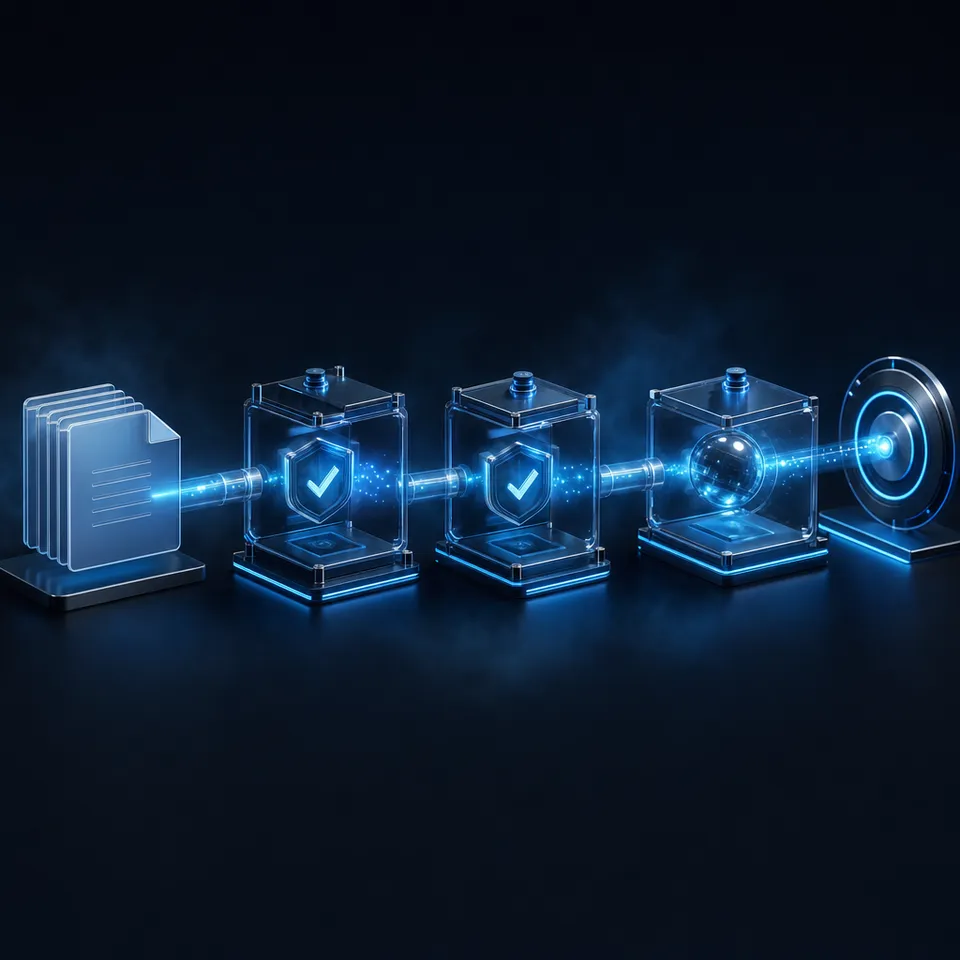
An Architecture Decision Record (ADR) company brain workflow is a structured system for indexing finalized software design decisions, context, and consequences so human developers and coding agents can query prior technical trade-offs. Centralizing Markdown records in an intelligent workspace puts decisions from Git repositories and cloud documentation folders in one place, where IDE agents reach them through MCP and semantic search.

Why Git-Buried Architecture Decision Records Fail Modern Engineering Teams
Two coding agents pointed at the same service architecture can recreate solved problems unless they can retrieve the design trade-offs that shaped the system. Storing Architecture Decision Records as plain Markdown files in scattered Git repositories can leave decisions where neither new engineers nor IDE agents think to look during implementation.
Michael Nygard coined the term Architecture Decision Record in a 2011 article about a problem every long-lived project has: teams lose the rationale behind critical system constraints. In his foundational analysis on documenting architecture decisions, Nygard observed that tracking motivation is among the hardest challenges across a project lifecycle. Without the rationale, he wrote, a new person on the project has only two choices: blindly accept the decision or blindly change it.
Engineering organizations embraced the format by storing documents inside repository paths such as docs/adr/. When systems expanded from single monoliths to dozens of distributed services and polyrepo architectures, this localized storage model broke down. Core decisions about database selection, event streaming formats, distributed transaction protocols, and security boundaries became fragmented across separate version control repositories. An engineer building an order processing worker may never see an ADR committed two years earlier inside an inventory service repository.
The arrival of autonomous coding agents compounds this fragmentation. Tools such as Cursor, Claude Code, Cline, and Copilot work mainly from the project they have open. When an agent receives an instruction to refactor a persistence layer or implement an API client, it inspects local repository files. If architectural boundaries and trade-offs sit in an unindexed repository, the agent can invent its own design patterns: code that uses unapproved libraries, breaks concurrency rules, or adds caching layers that earlier engineering teams explicitly rejected.
An Architecture Decision Record (ADR) company brain workflow is a structured system for indexing finalized software design decisions, context, and consequences so human developers and coding agents can query prior technical trade-offs. By aggregating decision records into a centralized company brain hosted in Fastio workspaces that serve people through search and cited chat in the browser and agents through the Model Context Protocol, teams turn a static archive into decisions that people and agents can check before they write code.
Related guides
- How to Build a Company Brain Workflow for Engineering RFCs and Architecture DecisionsAn engineering RFC company brain workflow unites architecture proposals, decision records, and technical specs inside...
- How to Build a Company Brain Workflow for Board ReportingA board reporting company brain workflow centralizes financial models, department scorecards, and strategy memos in a...
- How to Build a Company Brain Workflow for Competitive IntelligenceA competitive intelligence company brain centralizes competitor teardowns, battlecards, and market research into an...
- How to Build a Company Brain Workflow for Customer OnboardingA customer onboarding company brain workflow unifies architecture diagrams, API specifications, and implementation...
- How to Build a Company Brain Workflow for Due DiligenceA company brain workflow for due diligence centralizes corporate charters, financial audits, and commercial contracts...
- How to Build a Company Brain Workflow for Employee OnboardingAn employee onboarding company brain workflow centralizes handbooks, standard operating procedures, and team playbooks...
More on this subject: Agent Memory and Storage (365 guides)
How to Structure Machine-Readable Architecture Decision Records
An effective company brain workflow requires ADRs formatted so both human engineers and language models can extract clear constraints without ambiguity. While traditional freeform wiki entries produce narrative sprawl, structured Markdown templates enforce consistency across services and teams.
Every record should capture five core elements: title, status, context, decision, and consequences. Adding structured YAML frontmatter at the top of each document allows indexing engines and autonomous tools to parse metadata programmatically:
---
id: "ADR-0024"
title: "Adopt Event-Driven Streaming for Audit Logging"
status: "Accepted"
date: "2026-04-12"
deciders: ["Platform Team", "Data Platform Lead"]
consulted: ["Security Operations", "Core Backend"]
tags: ["logging", "events", "compliance", "storage"]
supersedes: "ADR-0008"
superseded_by: null
---

### Title: Adopt Event-Driven Streaming for Audit Logging

### Context
Our synchronous audit logging pipeline writes audit payloads directly to relational database tables inside the primary transaction loop. At peak checkout traffic, audit writes generate database lock contention and degrade API latency. We evaluated buffering audit records in local memory versus publishing structured event payloads to a managed stream before durable archive persistence.

### Decision
We will route all state mutation audit records through an asynchronous event stream before persisting them to cold storage. Service workers will publish structured audit payloads using standardized JSON envelopes.

### Consequences
Positive:
- Database transaction lock contention is removed from the checkout path.
- Audit record persistence scales independently from primary database compute.

Negative:
- Audit records are subject to eventual consistency with delivery delays up to 2 seconds.
- Service clients must handle local stream connection failures gracefully.
Separating RFCs From ADRs
Engineering teams often confuse Requests for Comments (RFCs) with Architecture Decision Records. Maintaining clear boundaries between these document types prevents outdated proposals from polluting the company brain:
- Requests for Comments (RFCs): Collaborative, exploratory documents written to propose changes, solicit feedback, debate alternatives, and build consensus. RFCs change frequently during review and contain unvalidated hypotheses.
- Architecture Decision Records (ADRs): Short records of a single decision: the agreed outcome, the rationale that justified it, and the known consequences. An ADR can be filed as Proposed while the decision is discussed, and it becomes a fixed historical record once Accepted.
Once an ADR reaches the Accepted status, it is never edited in place to reflect new decisions. If the platform team subsequently replaces the event stream with an alternative transport, they create a new record that explicitly marks ADR-0024 as superseded. This immutability preserves the evolutionary history of the architecture, allowing AI agents to understand not only what the system does today, but why earlier designs were replaced.
How to Build a Company Brain Workflow for Architecture Decision Records
Storing Markdown files across twenty separate GitHub repositories makes cross-service discovery hard, because an engineer has to know which repository holds a decision. A company brain centralizes architectural records into a single persistent workspace where full-text search, semantic retrieval, and structured data extraction operate across every document.
Rather than forcing developers to abandon their preferred workflows, teams connect cloud documentation folders directly to a shared workspace. Cloud Sync connects Google Drive, Dropbox, Box, and OneDrive folders to a workspace, one-way or two-way, on a schedule or on demand. When an engineer saves a document to a synced design directory, the file reaches the workspace at the next scheduled or on-demand sync, without a manual upload. ADRs kept in Git repositories can be uploaded with the Fastio CLI, for example from a CI job, or by an agent through the MCP upload tools.
Company Brain (Fastio Intelligent Workspace)
├── Architecture/
│   ├── Core-Services/ (ADR-0001 to ADR-0045)
│   ├── Data-Platform/ (ADR-0001 to ADR-0028)
│   └── Security-Identity/ (ADR-0001 to ADR-0019)
├── Guidelines/
│   ├── Database-Conventions.md
│   └── API-Versioning-Rules.md
└── Active-Notes/
    ├── Migration-Checklist-ADR-0024.md (note)
    └── Kafka-Partition-Runbook.md (note)
When files arrive in a workspace with workspace intelligence enabled, Fastio indexes them automatically for keyword matching, semantic search, and citation-backed Q&A. The workspace processes text without requiring teams to provision standalone vector databases, manage embedding models, or write custom chunking pipelines.
Extracting Typed Schemas With Metadata Views
Managing hundreds of ADRs requires structured classification alongside semantic search. Fastio Metadata Views turn unstructured Markdown files and technical PDFs into a queryable data grid. Instead of writing custom regular expressions or parsing scripts, teams define extraction fields in plain English. The extraction layer matches documents and creates a typed schema:
Engineers can filter Metadata Views by status to isolate active architectural constraints, locate every decision affecting a specific database engine, or inspect all records created within a specific timeframe. Agents query the same extracted fields through the MCP server: metadata action=search on /mcp/tools, or the matching API call through execute on /mcp/code. The underlying files remain intact, and the extracted fields sit beside them.
Beside these files, teams maintain Collaborative Notes directly in the workspace. Notes co-edit live, with labeled cursors for people and agents. When an engineering team drafts a migration plan based on an ADR, human developers and agents collaborate within the same note, recording live checklists without switching to third-party text editors.


Give Developers and Coding Agents Access to Every Architectural Decision
Connect your Architecture Decision Records to an intelligent workspace with semantic retrieval, Cloud Sync, and an official MCP server. Monthly plans start with a 14-day free trial with credit card required.
How to Connect Coding Agents to Architecture Decisions Through MCP
The primary limitation of traditional knowledge bases is that developers must remember to search them manually. Modern software development pairs human engineers with coding agents running inside editors like Cursor, VS Code, and Claude Code. A company brain becomes effective when agents query architectural decisions autonomously during planning and code generation.
Fastio provides an official remote Model Context Protocol (MCP) server over Streamable HTTP. Coding agents connect directly to https://mcp.fast.io/mcp/code, enabling tools to discover, search, and inspect architectural records through standardized interfaces. Review the MCP documentation for full client connection setup.
Configuring IDE and Terminal Agents
To connect Cursor to the company brain, add the server configuration to your user or project settings in ~/.cursor/mcp.json or .cursor/mcp.json:
{
  "mcpServers": {
    "fast-io": {
      "url": "https://mcp.fast.io/mcp/code"
    }
  }
}
For terminal workflows with Claude Code, register the connection using the command line:
claude mcp add --transport http fast-io https://mcp.fast.io/mcp/code
After adding the server, run /mcp inside Claude Code to complete the browser-based OAuth authentication flow. On the Review Permissions screen, the person signing in chooses Read Only or Read & Write and which organizations and workspaces the connection can reach. Scoped API keys can also authenticate headless workers or continuous integration jobs by supplying an Authorization: Bearer <api_key> header on the connection.
Query Protocols for Coding Agents
Once connected, coding agents incorporate architectural retrieval into their execution flow before modifying code:
User Prompt in Cursor / Claude Code:
"Add a caching layer to our user profile service to reduce database read load."
                     │
                     ▼
Step 1: MCP Tool Search
Agent calls search on https://mcp.fast.io/mcp/code:
query: "caching strategy user profile database"
                     │
                     ▼
Step 2: Company Brain Retrieval
Fastio Hybrid Search returns:
- ADR-0012: In-Memory Cache Restrictions for Profile Data
- ADR-0029: Redis Cluster Deployment Guidelines
                     │
                     ▼
Step 3: Constraint Verification
Agent inspects ADR-0012 consequences:
"Direct caching of PII in unencrypted Redis clusters is rejected."
                     │
                     ▼
Step 4: Grounded Code Generation
Agent implements encrypted token caching with strict TTLs,
citing ADR-0012 in the pull request description.
When an agent or developer updates architectural documentation, Fastio provides advisory per-file locks in workspace and share storage. On /mcp/tools, a worker takes a lock with the lock-acquire action of the storage_manage tool and releases it with lock-release; on /mcp/code, agents call the same lock endpoints through execute_manage. Other members see who holds the lock and can wait instead of overwriting a draft in progress. The lock is advisory: it expires unless renewed, anyone with write permission can take it over, and unlocked concurrent writes both land, with version history keeping earlier versions of the file.
All workspace modifications appear in a detailed activity log. The log tracks uploads, edits, moves, deletions, and permission changes across the organization, providing an administrative record of human and agent activities.
Architectural Lifecycle Governance and Stakeholder Delivery
An architecture repository that lacks lifecycle governance quickly turns into an untrusted archive. Engineering leaders must establish explicit lifecycle protocols so both human staff and autonomous agents understand the authority of every document in the company brain.
Martin Fowler describes an Architecture Decision Record as capturing a single decision relevant to a product or ecosystem; it should not be modified if the decision is changed, but linked to a superseding decision. Michael Nygard's original format uses four statuses that teams can apply across their ADR catalog:
- Proposed: Under active stakeholder discussion. Coding agents may inspect these documents for upcoming technical direction, but must not treat them as binding constraints.
- Accepted: The authoritative architectural standard. Agents and developers must align all pull requests and system implementations with these decisions.
- Superseded: Replaced by a newer record. The document body remains unmodified, but metadata points directly to the successor ADR ID.
- Deprecated: Changed or reversed by a later ADR and no longer in force. As with Superseded, the record references the later decision.
Onboarding Engineers With Conversational Search
When senior engineers join a distributed team, understanding historical context can mean reading through disparate pull requests, wiki entries, and team chat threads. With an intelligent company brain, onboarding engineers ask direct questions through natural language chat:
- "Why do we prohibit distributed transactions across the billing and order services?"
- "What event envelope schema is required for public webhook payloads?"
- "Which database engine is approved for high-throughput time-series metrics?"
The workspace intelligence engine answers each query with citations to specific files, pages, and snippets, making answers checkable. Instead of relying on tribal knowledge from tenured staff, new hires inspect constraints independently against authoritative source records.
Sharing Decisions Beyond the Core Engineering Team
Architectural decisions frequently impact stakeholders outside the core software team, including technical clients, security auditors, compliance reviewers, and partner agencies. Fastio provides branded shares (Send, Receive, and Exchange) that present curated sets of documents without exposing the broader workspace or underlying source code repositories.
A share can disable file downloads, require a password when it is open to anyone with the link, and, when it holds its own copy of the files rather than a live workspace folder, carry an expiration date. An engineering director can put finalized compliance and architecture records in such a share for an external auditing firm. The auditors search and inspect the records in a branded portal interface, while the primary codebase and draft proposals remain protected inside internal engineering workspaces.
Workspace access controls enforce clean boundaries across teams. Permissions are configured per organization, workspace, and share by member role (owner, admin, member, guest, view). A workspace contains no folder-level or file-level permissions, so every workspace member reaches the workspace contents according to their role. Sensitive architectural records or patent documentation belong in separate workspaces with the join setting restricted, because any organization member can join a workspace by default. Answers then come only from the workspaces and shares each member belongs to.
Sources
References used to verify factual claims in this guide.
-
Tracking the motivation behind technical decisions is one of the hardest challenges in software engineering.
-
Architecture Decision Records capture individual technical decisions and should remain immutable historical records linked to superseding decisions.
Frequently Asked Questions
How should engineering teams organize Architecture Decision Records?
Engineering teams should store ADRs as sequentially numbered Markdown documents with standardized YAML frontmatter, organized by domain or platform service within a dedicated directory. With workspace intelligence on, storing these records in an intelligent company brain workspace lets full-text and semantic search index them as they arrive, while Metadata Views extract key attributes like status, deciders, and impacted services into a sortable data grid.
Can AI coding agents read ADRs?
Yes. Autonomous coding agents like Claude Code, Cursor, and Cline connect to intelligent workspaces using the Model Context Protocol (MCP). By connecting to Fastio's remote MCP server at `https://mcp.fast.io/mcp/code`, coding agents can search the company brain, check architectural constraints, and inspect past technical decisions before generating or refactoring application code.
What is the difference between an RFC and an ADR in a company brain?
A Request for Comments (RFC) is an exploratory document used to propose changes, evaluate alternatives, and gather team feedback during an open debate. An Architecture Decision Record (ADR) records a single decision, the context that justified it, and its technical consequences. It can be filed as Proposed during discussion; once Accepted it is not edited, and a later ADR supersedes it instead.
Does Fastio sync with Google Drive?
Yes. Fastio Cloud Sync connects Google Drive, Dropbox, Box, and OneDrive folders to a workspace. Synchronization runs one-way or two-way, on a recurring schedule or on demand, allowing teams to keep architectural documentation updated across external cloud storage and intelligent workspaces.
How does semantic search differ from keyword search across hundreds of ADRs?
Keyword search requires exact textual matches, which often fails when an engineer searches for 'persistence strategy' while an ADR references 'database storage engines.' Semantic search indexes the underlying conceptual meaning of documents, allowing developers and coding agents to retrieve relevant trade-offs and decisions even when they use different technical terminology.
What subscription plans support engineering workspaces for coding agents?
Fastio provides Starter, Business, and Enterprise subscription tiers for engineering teams connecting agents to persistent workspaces. Organizations can start on monthly billing with a 14-day free trial (credit card required) to evaluate workspace intelligence and MCP connectivity with their development tools. For specific plan details, visit the [Fastio pricing page](/pricing/).
Related Resources

Give Developers and Coding Agents Access to Every Architectural Decision
Connect your Architecture Decision Records to an intelligent workspace with semantic retrieval, Cloud Sync, and an official MCP server. Monthly plans start with a 14-day free trial with credit card required.