How to Add Persistent File Storage to Dify AI Agents
Dify AI file storage connects the Dify open-source LLM platform to persistent cloud storage. This lets agents read, write, and manage files across sessions. Dify offers basic temporary uploads, but complex agents need long-term memory for documents, datasets, and media. This guide explains how to connect Dify to Fastio storage using the Model Context Protocol (MCP).


The Challenge: Why Dify Agents Need External Storage
If you build LLM apps with Dify (50,000+ GitHub stars as of 2026), you know the "amnesia" problem. Most AI agents work in a temporary state. Files you upload during a chat session are temporary inputs. They disappear when the session ends or the context window cycles. Real-world business agents need persistent memory. Developer surveys show the average enterprise LLM app performs 10-50 file operations per session. They read past contracts, add data to logs, or create reports that must last longer than the current conversation.
Dify AI file storage fixes this by connecting your agent to a persistent backend. Instead of using Dify's internal temporary staging, your agent gets a "hard drive" to:
- Read knowledge bases too large for the context window.
- Write output files (PDFs, code, images) for humans to access later.
- Share data securely with other agents or team members.
Helpful references: Fastio Workspaces, Fastio Collaboration, and Fastio AI.

Related guides
- How to Add Persistent File Storage to Relevance AI AgentsRelevance AI is a great no-code platform for building agent workflows. But its built-in storage has limits. You get a...
- How to Integrate Dify AI with External File StorageDify is an open-source platform for building AI applications with visual workflows. Its built-in file handling works...
- How to Migrate AI Agent File Storage: The Complete GuideAgent file storage migration moves AI agent data, outputs, and workspaces between storage systems without disrupting...
- AI Automation Storage API: Persistent Storage for Autonomous AgentsAn AI automation storage API provides programmatic access to persistent file storage that autonomous agents can use to...
- How to Implement Tool Calling with Persistent File State for AI AgentsAI agents that call tools across multiple LLM invocations need durable file state to avoid losing context, repeating...
- How to Add Persistent File Storage to Discord AI BotsDiscord bots are growing into capable AI agents that generate images, write code, and process documents. But they often...
More on this subject: Agent Memory and Storage (263 guides)
Dify Built-in Storage vs. External MCP Storage
Dify handles basic files out of the box, but it is built for simple user uploads, not complex agent workflows. Adding an external solution like Fastio via the Model Context Protocol (MCP) adds more capability.
Best For: Built-in storage works for a quick "chat with PDF" demo. External MCP storage works for autonomous agents that act as employees, managing long-term projects and large datasets.
How to Connect Dify to Fastio (Step-by-Step)
Connecting Dify to Fastio gives your agents persistent workspaces with generous storage and usage-based credits via the 14-day Business Trial. This acts as a shared file system between your AI and your human team. Here is how to set it up using the Model Context Protocol.
Step 1: Create Your Business Trial account
First, your agent needs an identity. Fastio offers a 14-day Business Trial requiring a credit card, with plan details at /pricing/. 1. Go to the Fastio signup page. 2. Create an account for your agent (or use your own). 3. Create a new Workspace (e.g., "Dify-Agent-Workspace").
Step 2: Get Your API Key
Your Dify agent will authenticate using a secure API key. 1. Go to Settings > API Keys in your Fastio dashboard. 2. Generate a new key with "Full Access" or "Read/Write" permissions for the target workspace. 3. Copy this key. You will need it to configure the MCP server.
Step 3: Configure the MCP Server
Dify supports the Model Context Protocol. This creates a standard way for LLMs to talk to tools. You will use the Fastio MCP server. * Server URL: https://mcp.fast.io/mcp/tools
- Transport: Streamable HTTP
- Authentication: Bearer Token (your API Key)
Once connected, your Dify agent gets access to a consolidated MCP toolset, including:
storage(actionlist): Browse directories. *storage(actioncontent): Read the extracted text of documents. *upload: Save generated content. *storage(actionsearch): Find documents using natural language. Now, instruct your agent: "Save the summary of this conversation to the 'Meeting Notes' folder in Fastio." The agent will use the tool, and the file will appear in your cloud workspace, visible to your human team.
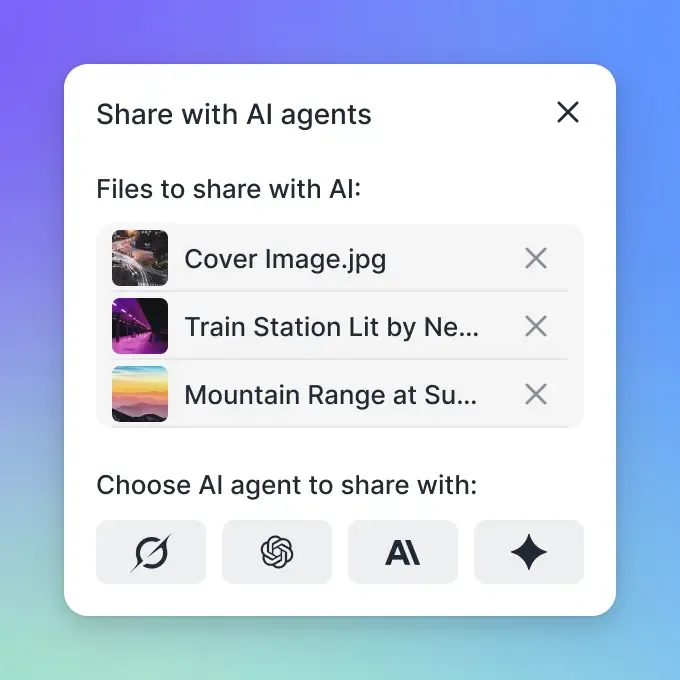


Give Your AI Agents Persistent Storage
Stop losing data when the chat ends. Get persistent, intelligent workspaces for your agents with a 14-day Business Trial.
Advanced Workflows: RAG and Intelligence Mode
Integration means more than just storage. Enabling Intelligence Mode on your Fastio workspace makes your storage searchable.
How it works:
- Auto-Indexing: When you or your agent uploads a file (PDF, DOCX, CSV, MD), Fastio automatically parses and indexes it.
- Semantic Search: Instead of guessing filenames, your Dify agent can ask, "Find the Q3 financial projections regarding the APAC expansion."
- Citation-Backed Answers: The system finds the exact text relevant to the query. Your agent generates answers based on your actual data, not hallucinations. This built-in RAG (Retrieval-Augmented Generation) means you don't need to manage a separate vector database like Pinecone or Weaviate. The storage layer handles the intelligence.
Best Practices for Agent File Management
To keep your Dify agents efficient and your data organized, follow these standards.
Use Structured Directories
Don't dump everything into the root folder. Tell your agent to use a hierarchy:
/inputs: Raw data for the agent to process. */processing: Temporary working files. */outputs: Final deliverables for human review. */archive: Historical logs.
Leverage Advisory File Locks and Version History
If multiple agents (or humans) work in the same space, coordinating writes prevents conflicting updates. An agent can acquire an advisory file lock before editing a shared file, heartbeat the lease while working, and release it when finished. A second agent attempting to acquire the lock receives an HTTP 409 status code and can wait. Because locks are advisory, version history preserves every write and the activity log records each operation.
Use Event Feeds and Activity Polling
Don't make your Dify agent loop blindly. Fastio provides a WebSocket events feed and a realtime activity feed you can poll. For example, monitor the activity feed to trigger your Dify workflow whenever a new file lands in an inbox folder. This creates an event-driven system where your agent wakes up only when there is work to do.

Sources
References used to verify factual claims in this guide.
-
Dify has 50,000+ GitHub stars as of 2026
-
Developer surveys show the average enterprise LLM app performs 10-50 file operations per session
Frequently Asked Questions
How do I add file storage to Dify?
The reliable method is to integrate an external storage provider like Fastio using the Model Context Protocol (MCP). This connects your agent to a persistent cloud workspace where it can read and write files using standard tools, bypassing Dify's internal temporary storage limits.
Can Dify agents save files persistently?
Yes, but only if connected to external storage. By default, Dify's file handling is often session-based. Connecting a Fastio workspace gives the agent a permanent 'hard drive' where files remain safe and accessible indefinitely, even after the chat session ends.
What is the best storage backend for Dify?
For AI agents, Fastio is a strong backend choice because it is built for machine and human collaboration. It offers a remote MCP server with a consolidated toolset, workspaces with per-file version history, and built-in Intelligence that indexes files once enabled for semantic search and RAG.
How do I connect Dify to cloud storage?
You can connect Dify to cloud storage via API integration or MCP. Fastio simplifies this with a direct MCP server (`https://mcp.fast.io/mcp/tools`). You provide your API key, and your agent gains the ability to list, read, write, and search files across your cloud workspaces.
Related Resources

Give Your AI Agents Persistent Storage
Stop losing data when the chat ends. Get persistent, intelligent workspaces for your agents with a 14-day Business Trial.