Best Free Client Portal Tools in 2026
Most free client portal lists skip the fine print. This guide compares seven free client portal tools with their actual limits on storage, users, and branding so you can pick one that fits without surprise paywalls.


What Makes a Good Free Client Portal?
A free client portal is a no-cost tool that lets businesses share files, collect feedback, and communicate with clients through a branded or shared workspace. The catch is that "free" rarely means unlimited. Every tool on this list restricts something, whether that's storage, the number of clients, branding options, or feature access.
Before picking a tool, figure out what matters most for your use case:
- Storage: How many files will you share? 500 MB covers a few documents. 50 GB handles video deliverables and large asset libraries.
- User limits: Some tools cap the number of clients or internal team members on free plans.
- Branding: Can you add your logo and colors, or will the portal show the vendor's brand?
- File collection: Do you need clients to upload files back to you, or just download what you send?
- Permissions: Can you control who sees what, or does everyone get access to everything?
The tools below are ranked by how usable their free tiers actually are for day-to-day client work, not by feature count on a marketing page.
Related guides
- How to Build a Salesforce Client Portal (And What It Actually Costs)Salesforce Experience Cloud lets you build branded customer portals for case management, knowledge bases, and partner...
- Best Client Portal Software for Agencies in 2026Client portal software provides a branded, secure space where businesses share files, collect feedback, and collaborate...
- Best Client Portal Apps for Teams and AgenciesA client portal app is a mobile or web application that gives clients a dedicated space to access files, track project...
- How to Build a Client Portal in ClickUp (And Where It Breaks Down)ClickUp does not ship with a dedicated client portal, but you can assemble one using guest permissions, shared views,...
- How to Build a Client Portal in WordPressA WordPress client portal is a password-protected area on your WordPress site where clients access shared files,...
- How to Create a Client Portal for Your BusinessA client portal is a secure, branded space where businesses share files, collect documents, and communicate with...
More on this subject: Team Collaboration (125 guides)
Free Client Portal Comparison Table
Fastio is a cloud workspace platform built for teams that share files with external clients. Fastio provides a 14-day Business Trial on monthly plans (requires a credit card; see /pricing/) with full access to branded portals, custom logos, colors, and background images.
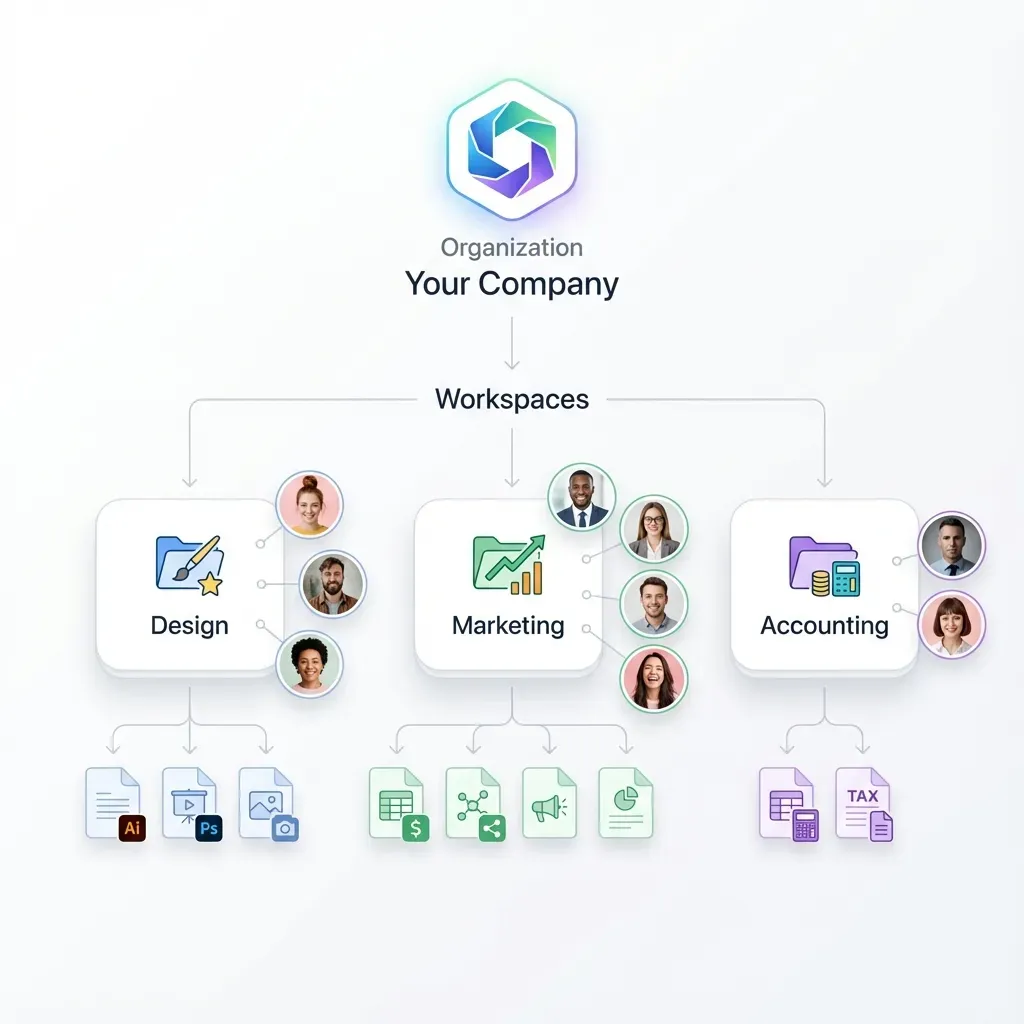
Useful platform features include: per-file version history with restore, granular permissions at the organization, workspace, folder, and file level, and guest access so clients can view and download files without creating an account. If you need client upload capability, Fastio's Receive links let clients upload files directly into a designated folder.
Best for: Teams and agencies that need professional branded client delivery, especially for video, design, or architecture projects with large assets.
Pricing: Starter plan is $9.99/mo (3 seats, 250 GB), Business is $49.99/mo (10 seats, 5 TB), and Enterprise is $199.99/mo (30 seats, 25 TB).
Detailed Look at Each Tool
1. Fastio
Fastio is a cloud workspace platform built for teams that share files with external clients. Fastio offers a 14-day Business Trial on monthly plans, requiring a credit card, giving access to the full feature set of Fastio before choosing a paid plan (Starter $9.99/mo, Business $49.99/mo, Enterprise $199.99/mo; see /pricing/).
What sets it apart from the free options below is the combination of storage volume and portal features. You get branded content portals with custom logo, colors, and background images. Clients access portals without creating an account through auto-expiring access links. The platform also includes an AI assistant called Ripley that answers client questions about shared documents inside portals, turning static file libraries into searchable knowledge bases.
Other useful features on Fastio: file versioning, granular permissions at the org, workspace, folder, and file level, audit trails, and purpose-built sharing modes (Send, Receive, and Exchange). If you work with AI agents, Fastio also offers an MCP server so agents can build and manage portals programmatically.
Best for: Freelancers and small agencies that need serious storage, especially for video, design, or media deliverables.
Usage details: usage-based credits meter AI work according to your plan tier.
2. Ahsuite
Ahsuite is a client portal platform designed for agencies and freelancers. The free plan supports up to 10 portals and 10 clients, which is generous compared to tools that cap you at one project.
Each portal can embed documents, tasks, and third-party apps. You can add your logo and brand colors on the free tier. Ahsuite also includes 256-bit encryption for messages and files, which is a nice security baseline for client-facing work.
Best for: Agencies managing multiple smaller client relationships where per-portal file storage is light.
Limitations: Storage limits on the free tier aren't publicly documented. The free plan lacks white-labeling, public links, and PDF downloads. Paid plans start at $6.50/month.
3. Softr
Softr takes a different approach. It's a no-code app builder that lets you construct a custom client portal from scratch using Airtable or Google Sheets as your database. This gives you more design flexibility than most portal tools, but it also means more setup time.
The free plan supports 10 logged-in users and lets you publish one app. You can gate content by user groups and customize the layout with drag-and-drop blocks. Storage depends on your connected database rather than Softr itself.
Best for: Teams that want a highly customized portal experience and are comfortable connecting their own data source.
Limitations: Building a portal from scratch takes longer than using a purpose-built tool. The 10-user cap is tight for agencies with many client contacts. No built-in file storage.
4. ClickUp
ClickUp's free plan is technically unlimited on users and tasks, which makes it attractive for project management. But as a client portal, it's limited. Storage tops out at 60 MB, which is roughly one large PDF or a handful of images.
You can share views with external guests and create forms for intake, but the free tier doesn't include custom branding. ClickUp works best when your client portal needs are simple: task tracking with occasional file attachments rather than file-heavy delivery workflows.
Best for: Teams already using ClickUp for project management that want to give clients visibility into task progress.
Limitations: 60 MB storage makes it unusable for file delivery. No branding on the free plan. Client-facing features feel bolted onto a project management tool.


Need more than 5 GB for client files?
Fastio's 14-day Business Trial includes branded portals, granular permissions, and AI-powered document search. Set up a portal for your clients in five minutes.
More Free Options Worth Considering
5. Zendo
Zendo is built for service businesses that sell and deliver work through a single platform. The free plan includes one internal user, unlimited clients, and a basic storefront where you can list a productized service.
The portal doubles as an order management system. Clients submit requests, you process them, and files flow through the same interface. This is helpful if your portal is tied to an ongoing service relationship rather than one-off file delivery.
One important caveat: Zendo announced significant changes to its free plan in early 2026. The free tier is now intended for evaluation only, not for running a business. Existing accounts were migrated to the new structure in March 2026, so check the current limits before committing.
Best for: Solo consultants packaging services with built-in order management.
Limitations: Free plan is now evaluation-only after March 2026 changes. Single internal user means no team collaboration on the free tier.
6. SuperOkay
SuperOkay is the fastest portal to set up on this list. You can create a branded portal using template blocks, add project files, and send client access in under 10 minutes. The free plan covers one project with one client, 0.5 GB of storage, and up to 10 documents.
The simplicity is both a strength and a limitation. You get a clean collaboration space quickly, but there's no billing integration and no complex workflows on the free plan.
Best for: Freelancers with a single active client who want a polished portal without setup friction.
Limitations: One project and one client. 500 MB storage. No team members, public links, or advanced features on the free plan.
7. Bitrix24
Bitrix24 packs an entire business suite into its free tier: CRM, project management, communications, and a client portal. The free plan supports unlimited users and includes 5 GB of storage, which is reasonable for document-oriented portals.
The tradeoff is complexity. Bitrix24 tries to do everything, which means the interface can feel overwhelming when all you want is a simple client file sharing space. Branding customization on the free plan is limited compared to dedicated portal tools.
Best for: Small businesses that want CRM and project management alongside a basic client portal in one platform.
Limitations: Steep learning curve. Limited branding on free tier. The all-in-one approach means the portal feature isn't as polished as dedicated tools.
How to Choose the Right Free Portal
The right choice depends on what you're actually sharing with clients and how many relationships you're managing.
If storage is your priority, Fastio's Business Trial and Starter plan (250 GB) are clear leaders for storage capacity. The next closest options are Bitrix24 at 5 GB and SuperOkay at 0.5 GB. For video production, architecture, or design work where files routinely exceed 100 MB each, this gap matters.
If you manage many small clients, Ahsuite's 10-portal free plan gives you more room than tools that cap you at one project. Each portal stays isolated, so Client A never sees Client B's files.
If you want full customization, Softr's no-code builder lets you design exactly the portal you envision, though you'll spend more time building it.
If project management comes first, ClickUp gives you unlimited users and tasks. Just don't expect to deliver large files through it.
If you sell productized services, Zendo wraps the portal into a service delivery workflow, though the free plan is now limited to evaluation.
One approach that works well: start with a 14-day Business Trial on Fastio for file storage and delivery, then layer in a specialized tool if you need project management or CRM features that go beyond file sharing.
Setting Up Your First Client Portal
Getting a portal running takes less time than most people expect. Here's what the setup process looks like with a storage-first tool like Fastio:
- Create an account: Start your 14-day Business Trial at fast.io/pricing/ (credit card required).
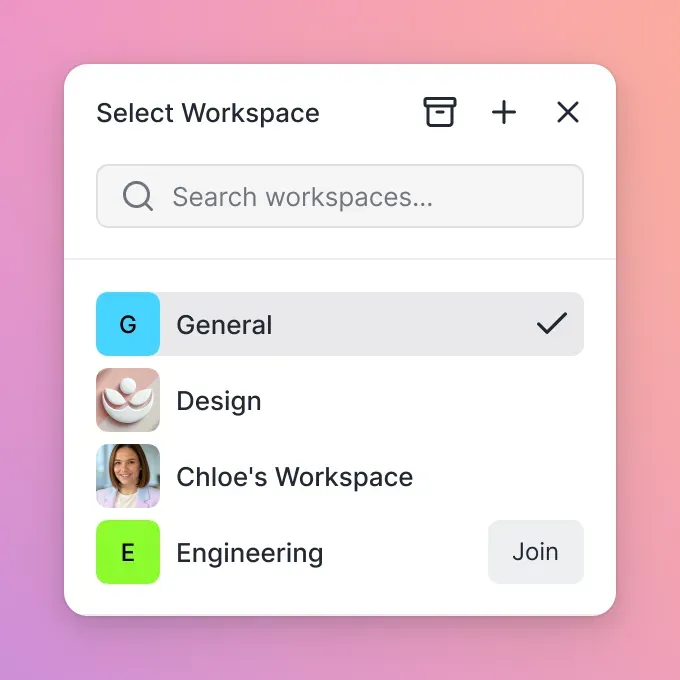
- Create a workspace: This is where your files live. Name it after your client or project.
- Upload your files: Drag and drop files into the workspace. The platform handles previews for PDFs, images, video, and other common formats.
- Create a share: Set up a Send share for delivering files to clients, a Receive share for collecting files from clients, or an Exchange share for two-way collaboration.
- Brand the portal: Add your logo, pick colors, and set a background image. Clients see your brand, not the platform's.
- Send the access link: Share the portal URL with your client. They can access files without creating an account.
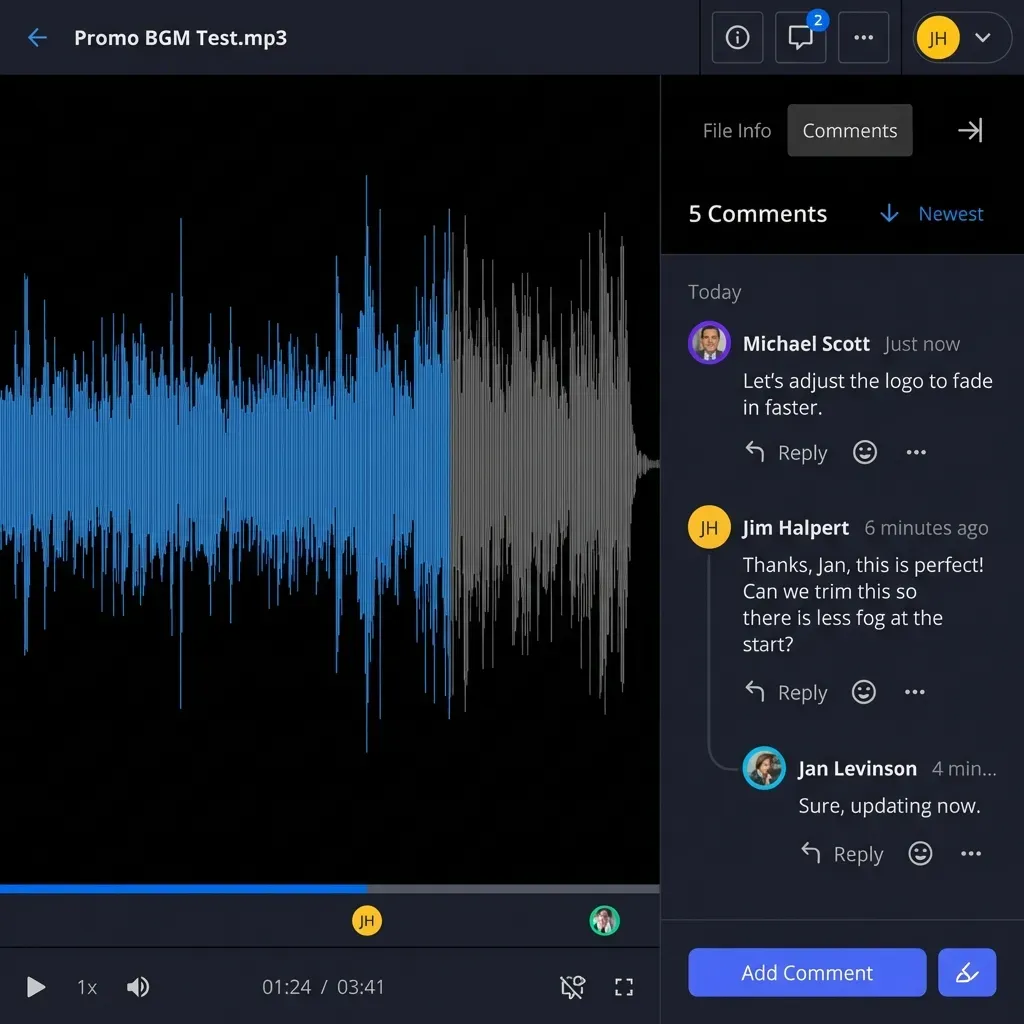
The whole process takes about five minutes for a basic portal. From there, you can enable Intelligence to let clients search and ask questions about shared documents, or use anchored comments and notes for collaborative feedback.
For teams working with AI agents, Fastio's API and MCP server let you automate portal creation and file management programmatically, which is useful when you're setting up portals at scale.
Sources
References used to verify factual claims in this guide.
-
Ahsuite free plan supports up to 10 portals
-
ClickUp free plan includes 60 MB storage
-
SuperOkay free plan includes 1 project, 1 client, 0.5 GB storage
-
Softr free plan supports 10 logged-in users
-
Bitrix24 free plan includes 5 GB storage and unlimited users
-
Zendo free plan limited to evaluation after March 2026
Frequently Asked Questions
Is there a free client portal?
Several tools offer free client portals, including Ahsuite, Bitrix24, and Softr, though storage and branding limits vary widely. Fastio offers a 14-day Business Trial on monthly plans, with full portal branding and large file delivery.
Which client portal tool has the most storage?
Among permanent free plans, Bitrix24 offers 5 GB. Fastio provides 250 GB on its Starter plan ($9.99/mo) and up to 25 TB on Enterprise, evaluated via a 14-day Business Trial.
Can I create a client portal without paying?
Yes. Tools like Ahsuite, Bitrix24, and ClickUp offer free plans that include client portal functionality. Fastio provides a 14-day Business Trial on monthly plans, requiring a credit card.
Do client portals support custom branding?
Some do. Fastio includes branded portals with custom logos, colors, and backgrounds during its 14-day Business Trial and paid plans. Softr and Ahsuite offer basic styling on their free tiers.
Do free client portals include custom branding?
Some do, some don't. Fastio's Business Trial includes branded portals with custom logos, colors, and background images. Ahsuite and Zendo offer basic branding (logo and colors) on their free tiers. ClickUp and Bitrix24 have limited or no branding options on free plans. Full white-labeling typically requires a paid plan on most platforms.
Related Resources

Need more than 5 GB for client files?
Fastio's 14-day Business Trial includes branded portals, granular permissions, and AI-powered document search. Set up a portal for your clients in five minutes.