Gemini 2.0 Pro Context Window: 2M Tokens, Architecture & File Workarounds
The Gemini 2.0 Pro context window spans `2,097,152` input tokens and an `8,192`-token output ceiling. While a `2M` token buffer accommodates massive codebases and multimodal files, dense prompts create latency spikes, attention dilution, and rate limit bottlenecks. Decoupling storage from prompt memory using Fast.io workspaces lets agents search indexed files over MCP while keeping active contexts lean.


What Is the Gemini 2.0 Pro Context Window Architecture?
Stuffing an entire multi-repository codebase or a multi-gigabyte document archive into an active model prompt forces an AI assistant to recalculate attention weights across millions of tokens on every turn, driving up latency and burning through API rate limits. The Gemini 2.0 Pro context window is a 2,097,152-token multimodal input buffer paired with an 8,192-token output generation limit, designed for complex reasoning and long-context processing.
Engineers building autonomous coding agents, document synthesis pipelines, and multimodal analysis tools often view large context windows as the replacement for retrieval systems. In practice, treating a two-million-token window as an ad hoc database introduces severe operational friction. Gemini 2.0 Pro accepts 2,097,152 input tokens, which corresponds to roughly 1,500,000 words of English prose, approximately 50,000 lines of source code, eleven hours of audio, or about one hour of video. However, generating responses remains bounded by a strict 8,192-token completion limit per request.
As documented by Google AI for Developers, the context window defines the combined boundary of input and output tokens across an inference request. The table below outlines technical specifications across major developer models as of October 2026:
Evaluating how Gemini 2.0 Pro compares to other frontier models clarifies where it fits in an engineering stack:
Understanding how input tokens convert across different media formats and how asymmetric generation limits affect agentic loops is necessary before deploying Gemini 2.0 Pro in production pipelines.
Input Token Capacity Versus the 8,192 Output Token Ceiling
The primary architectural constraint that surprises developers implementing Gemini 2.0 Pro is the stark asymmetry between input capacity and output limits. The model accepts 2,097,152 input tokens, yet it caps output completions at 8,192 tokens per request.
This asymmetry shapes what tasks the model can complete in a single inference call:
- Asymmetric Transformations: An application can submit a
900,000-token repository to Gemini 2.0 Pro for architectural review, but the model cannot return an exhaustive refactoring of every file in one prompt. The response terminates after8,192tokens. - Truncation Risks: When a generated code file, structured JSON document, or detailed audit log hits the
8,192-token ceiling before completion, the Gemini API terminates generation with a finish reason ofMAX_TOKENS. In JSON payloads, this hard cutoff leaves unclosed brackets and broken syntax that break downstream parser scripts. - Multi-Turn Accumulation: In multi-turn chat sessions, every token generated in previous turns is re-sent as input in subsequent turns. While the output cap remains fixed at
8,192tokens, conversation history steadily consumes the2,097,152input allowance.
How Multimodal Media Converts to Gemini Tokens
Unlike language models that rely on external optical character recognition (OCR) or speech-to-text microservices, Google Gemini processes multimedia natively within its transformer architecture. Non-text inputs are translated into standardized token representations before processing:
- Standard Text: English prose consumes roughly four characters per token, meaning an average single-spaced document page requires
500to750tokens. - Source Code: Dense programming code with indentation, symbols, and syntax averages three to four characters per token.
- Static Images: Gemini models divide images into standardized visual patches. In standard resolution calls, a static image converts to approximately
258tokens in the prompt payload. - Video Streams: Video files are sampled at a rate of one frame per second by default. Each sampled frame consumes
258visual tokens, plus32audio tokens per second. Together, each second of video consumes roughly290tokens, allowing a one-hour video recording to fit within approximately1,044,000tokens. - Native Audio: Audio streams are tokenized directly at
32tokens per second of audio. One minute of continuous speech equates to1,920tokens, meaning eleven hours of uninterrupted audio consumes approximately1,267,200tokens. - Document Pages: When PDF documents are uploaded, each rendered page requires approximately
258tokens, preserving layout, tables, and typography.
Related guides
- Gemini 2.0 Flash Context Window: 1M Architecture and RAG Best PracticesThe Gemini 2.0 Flash context window spans 1,048,576 input tokens and an 8,192-token output ceiling. While ingesting...
- Gemini Flash Context Window: 1M Token Architecture and Retrieval SpeedsThe Gemini Flash context window is a 1,048,576-token multimodal input buffer designed for high-speed, cost-efficient...
- Amazon Nova Context Window: Token Limits for Micro, Lite, Pro, and PremierAmazon Nova context windows span 128,000 tokens for Nova Micro, 300,000 tokens for Nova Lite and Pro, up to 1,000,000...
- AWS Bedrock Context Window: Token Limits, Model Capacities, and Memory ArchitectureThe AWS Bedrock context window defines the maximum sequence of input and output tokens a hosted foundation model...
- DeepSeek V3 Context Window: Token Limits, Output Caps, and ArchitectureThe DeepSeek V3 context window provides 128,000 tokens for API endpoints and developer integrations, with a maximum...
- GPT-4o Context Window: Token Limits, Architecture, and MCP SearchThe GPT-4o context window is 128,000 tokens, supporting up to 16,384 completion tokens per API request. While 128,000...
More on this subject: Agent Memory and Storage (277 guides)
Why Do Massive Long-Context Prompts Trigger Latency Spikes and Attention Dilution?
Competitor articles frequently highlight the 2,097,152-token headline capacity without addressing the computational realities of full-context inference. In production environments, flooding an LLM prompt with raw files introduces severe operational penalties. Processing a full 2M prompt context incurs quadratic attention compute overhead and severe latency spikes.
When architecting production workflows, engineering teams face three primary hurdles when scaling prompt context toward the two-million-token boundary:
First, latency inflation scales steeply with prompt size. Generating a response from a 5,000-token prompt takes hundreds of milliseconds. Processing a prompt approaching two million tokens requires significant prefill computation before generation begins. As documented by Google AI for Developers, requests with long context queries experience increased time to first token latency, because the attention mechanism must compute relationships across the entire sequence.
Second, attention dilution reduces retrieval accuracy across dense real-world corpora. While benchmarks demonstrate high recall on synthetic needle-in-a-haystack tests, real documents present semantic distractors that degrade reasoning quality.
Third, Tokens Per Minute (TPM) quotas create hard throughput bottlenecks. An application sending multi-megatoken prompts will rapidly exhaust enterprise API rate limits, blocking downstream agent executions.
Time to First Token and Attention Computation
In transformer architectures, processing input tokens requires calculating self-attention weights across the entire token sequence. The computational complexity of standard attention scales quadratically with sequence length. Although modern inference backends employ techniques such as FlashAttention, chunked prefill, and specialized hardware accelerators, evaluating two million tokens in a single request demands immense memory bandwidth and processing time.
The practical consequence for developer applications is a noticeable degradation in Time to First Token (TTFT). For real-time conversational agents, interactive coding assistants, or user-facing chat interfaces, waiting dozens of seconds for the first token creates an unacceptable user experience.
Furthermore, long-context prompts consume substantial server resources during the prefill phase. If an application executes frequent multi-turn agent loops where the entire 2M context is re-evaluated on every cycle, total pipeline execution time balloons from seconds into minutes.
The Retrieval Tradeoff Across Dense Multi-Document Haystacks
A common misconception among software teams is that synthetic needle-in-a-haystack evaluations guarantee perfect retrieval in production. In a standard needle test, a synthetic, unique string (such as an arbitrary password or UUID) is placed inside a large body of neutral text. Models like Gemini 2.0 Pro consistently achieve near-perfect scores on these evaluations because the target information has zero semantic overlap with the surrounding text.
Real-world enterprise corpora present a fundamentally different challenge:
- Semantic Interference: An enterprise codebase or legal repository contains multiple versions of similar functions, conflicting architectural designs, deprecated APIs, and repeated variable names. When hundreds of documents share overlapping terminology, the model's ability to isolate the single correct reference degrades.
- Position Bias: Information located in the middle third of a multi-million-token prompt experiences lower recall than text placed at the beginning or end of the prompt. This effect, often termed the lost in the middle phenomenon, causes the model to overlook critical implementation details buried inside large attachments.
- Multi-Needle Extraction Degradation: In real-world workflows, developers rarely query a single isolated fact. Instead, tasks require synthesizing information across multiple separate files. As Google's official documentation notes, in cases where you have multiple needles or specific pieces of information to locate, the model does not perform with the same accuracy as in single-needle tests.
Tokens Per Minute Quotas and Rate Limit Boundaries
API rate limits are governed by three distinct dimensions: Requests Per Minute (RPM), Requests Per Day (RPD), and Tokens Per Minute (TPM). While developers often focus on request counts, TPM limits are the true bottleneck for long-context architectures.
Consider an enterprise API tier with a quota of 4,000,000 Tokens Per Minute. If an autonomous agent submits a single prompt containing 1,800,000 tokens of codebase context, that one request consumes nearly half of the organization's entire per-minute token budget.
If two developers or two autonomous agent loops trigger full-context queries simultaneously, the system immediately hits the TPM ceiling. Subsequent API calls receive HTTP 429 rate limit exceptions, halting automated pipelines and causing cascading failures across multi-agent workflows. Managing rate limits effectively requires keeping average prompt payloads small and retrieving files on demand rather than attaching entire repositories to every prompt.
Comparing File Upload Limits Across AI Platforms
Understanding file handling constraints across major AI developer platforms helps explain why teams look for external workspace solutions. Every platform imposes strict boundaries on file size, file count, and prompt capacity:
- Anthropic Claude: Individual chat uploads accept maximum 20 files at
500MBeach. Claude Projects accept files up to30MBeach, and the project file count is unlimited, but the total content must fit within Claude's context window. Claude Projects has no fixed file-count cap, so any fixed project file count is false. Reaching the context window ceiling is the practical barrier where teams with large document collections must seek alternative workflows. - OpenAI ChatGPT: Individual file uploads in chats and Custom GPTs support common document and code formats, but total active prompt tokens remain bounded by model limits (
128,000tokens for GPT-4o), with file size caps enforced during upload. - Google AI Studio and Vertex AI: Google's File API allows developers to upload media files up to
2GBper file for prompt ingestion. However, all active files passed into a prompt call are tokenized directly and consume space against the2,097,152token limit.
The fundamental limitation across all generative models is that context windows are working execution buffers, not persistent storage systems. Treating an LLM prompt as an archive forces repetitive token processing, inflates API bills, and creates latency bottlenecks.
Why Context Buffers Cannot Replace File Storage Systems
A context window functions like random-access memory (RAM) in a computer: it provides high-speed, volatile access to data during active computation. In contrast, team collaboration and multi-agent software engineering require persistent storage systems with version control, role-based permissions, and audit logs.
Relying exclusively on prompt attachment leads to several operational failures:
- Volatility: Context loaded into an API session disappears once the inference call completes. In multi-turn sessions, conversation state must be re-transmitted or maintained via persistent session caches.
- Lack of Versioning: If an AI agent modifies a file within its prompt context, there is no automatic version history to track changes, compare diffs, or roll back breaking modifications.
- Collaboration Silos: Files uploaded directly to an AI chat interface or sandbox environment are inaccessible to teammates, external review processes, or parallel AI agents working in different environments.
- Inefficient File Ingestion: Re-tokenizing hundreds of static technical manuals, architectural diagrams, and legal agreements on every request wastes compute resources and generates unnecessary API costs.


Keep Gemini Agent Context Windows Lean with Indexed Workspaces
Connect Gemini and autonomous coding agents to persistent Fast.io workspaces over Streamable HTTP. Enable workspace intelligence to search indexed technical libraries on demand without filling prompt tokens. Starts with a 14-day free trial on monthly plans, credit card required.
Decoupling File Storage from Context Windows with Fast.io Workspaces
The architectural solution to context window bloat is decoupling file persistence from prompt memory. Instead of forcing an AI model to ingest an entire multi-gigabyte corpus into its active context, engineering teams store documents in an external, indexed workspace.
Fast.io provides an intelligent cloud workspace platform designed for agentic teams and human collaborators. Rather than attempting to bypass vendor upload caps, Fast.io leaves every vendor's own upload limit intact. What it adds is an indexed, searchable environment for the files that do not fit inside active model context windows.
By moving technical documentation, project repositories, and media archives into a shared Fast.io workspace, AI agents can query the workspace on demand via the Model Context Protocol (MCP). The assistant retrieves only the specific passages and code snippets needed to resolve a query, keeping prompt payloads compact and response times fast.
When teams need structured document processing rather than free-form search, Fast.io provides Metadata Views (/product/document-data-extraction/). Metadata Views turn unstructured documents, including PDFs, scanned agreements, and technical manuals, into typed, queryable spreadsheets with fields such as Text, Integer, Decimal, Boolean, URL, JSON, and Date & Time without requiring OCR templates or custom extraction code.
Intelligent Workspaces and Automatic Indexing
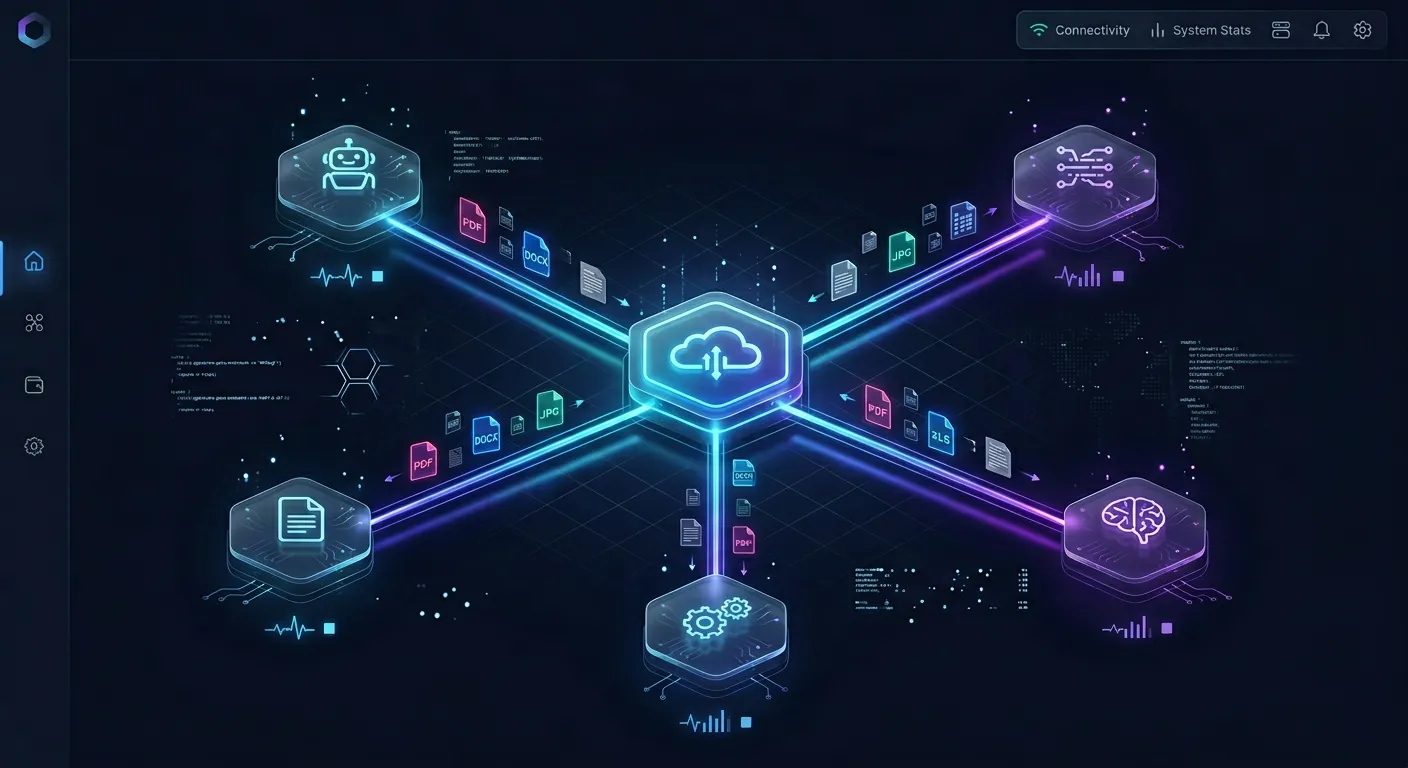
In a standard cloud drive, files sit as passive binary blobs. In an intelligent Fast.io workspace, files are indexed upon arrival for keyword and semantic search once Intelligence Mode is enabled.
When an autonomous agent or human team member uploads files to a workspace, Fast.io automatically processes the content:
- Hybrid Search: The search engine combines full-text search, semantic vector retrieval, and metadata filtering. When an agent queries a workspace, it locates relevant files whether searching by exact function name, conceptual topic, or structured metadata value.
- Grounded Citations: Search results return exact text passages accompanied by verifiable document citations, preventing hallucinated answers and allowing agents to verify source facts before executing code.
- Cloud Sync Integration: Teams can synchronize existing file repositories without manual re-uploads. Cloud Sync connects Google Drive, Dropbox, Box and OneDrive folders to a workspace, one-way or two-way, on a schedule or on demand. SharePoint libraries are supported through the OneDrive connector.
- No Separate Vector Database: Engineering teams avoid the operational overhead of provisioning, maintaining, and chunking data inside dedicated vector databases.
Remote MCP Architecture and Streamable HTTP
Fast.io provides native integration with modern AI models through the Model Context Protocol (MCP). The remote Fast.io MCP server operates over Streamable HTTP, providing dedicated endpoints tailored to specific client environments:
- Coding Agents: Tools like Cursor, Claude Code, Cline, Devin, and Gemini CLI connect directly to
https://mcp.fast.io/mcp/code. On /mcp/code the tools are auth, auth_manage, upload, upload_manage, search, execute, execute_manage and how-to. - Conversational Assistants: Claude Desktop, Claude web, mobile clients, and general personal-agent runtimes connect to
https://mcp.fast.io/mcp/tools. - ChatGPT and Codex: The Fastio plugin is available in the ChatGPT plugin directory for direct installation. For custom MCP setups, the endpoint operates at
https://mcp.fast.io/mcp/operations.
Because Fast.io operates over remote Streamable HTTP, there is no local MCP server package or daemon process to install. Setup instructions and documentation are available at https://mcp.fast.io/docs, while agent guides can be referenced at https://mcp.fast.io/skill.md.
When calling tools on https://mcp.fast.io/mcp/tools, read operations stay on read tools (storage, workspace, share), while file modifications, moves, and deletions use the corresponding manage tools (storage_manage, workspace_manage, share_manage).
Multi-Agent Coordination and Governance Controls
When multiple AI agents collaborate on a codebase or document set, uncoordinated writes can corrupt files. Fast.io builds governance primitives directly into workspace storage:
- Per-File Version History: Every file maintains a complete version history. If an agent produces a faulty code edit or an invalid configuration change, prior versions can be inspected and restored instantly.
- Advisory File Locks: Agents can acquire and release advisory file leases using
lock-acquireandlock-releaseactions on thestorage_managetool. Other agents and human members can checklock-statuson thestoragetool to avoid concurrent editing conflicts. - Detailed Activity Log: A detailed activity log records changes across the organization, tracking uploads, edits, moves, deletions, membership changes, and share creations. It records changes made by humans and agents alike, though it does not record read-only views or downloads.
- Role-Based Access: Permissions are configured per organization, workspace, and share, ensuring agents only access the specific workspaces assigned to their operational scope.
Practical Architecture: Connecting Gemini and Coding Agents to Indexed Workspaces
Implementing an indexed workspace architecture with Gemini 2.0 Pro allows engineering teams to combine the model's complex reasoning capabilities with lean prompt payloads. Instead of transferring two million tokens across the network on every prompt, the agent searches the workspace, extracts precise context, and executes tasks efficiently.
The implementation workflow consists of five clear operational stages:
- Ingesting Files: The team creates an organization-owned workspace in Fast.io and uploads project files or configures scheduled Cloud Sync from existing cloud drives.
- Enabling Workspace Intelligence: Intelligence Mode is activated on the workspace, auto-indexing all documents, source files, and media for hybrid search.
- Connecting the Agent via MCP: The developer configures the MCP client to point at the Fast.io remote endpoint over Streamable HTTP.
- Implementing the Hybrid Prompt Pattern: The agent combines native context caching for static instructions with dynamic MCP retrieval for repository data.
- Setting Up Agent-to-Human Ownership Transfer: Autonomous agents provision project workspaces, populate assets, and hand off ownership to human administrators.
Configuring Remote MCP in Developer Environments
Connecting developer environments to Fast.io requires adding the remote endpoint to the client configuration file. Because Fast.io uses Streamable HTTP, the connection requires no local bridge scripts.
For Cursor users, add the endpoint to ~/.cursor/mcp.json or .cursor/mcp.json:
{
  "mcpServers": {
    "fast-io": {
      "url": "https://mcp.fast.io/mcp/code"
    }
  }
}
For VS Code and GitHub Copilot agent mode, configure .vscode/mcp.json under the servers key:
{
  "servers": {
    "fast-io": {
      "type": "http",
      "url": "https://mcp.fast.io/mcp/code"
    }
  }
}
For Gemini CLI and compatible forks, configure the entry in settings.json using httpUrl to select the Streamable HTTP transport:
{
  "mcpServers": {
    "fast-io": {
      "httpUrl": "https://mcp.fast.io/mcp/code"
    }
  }
}
Clients that support MCP authorization present an OAuth sign-in window in the browser, allowing the user to select permissions and choose accessible workspaces. Headless environments, automated CI jobs, and background server daemons pass an API key as an Authorization: Bearer <api key> header on the connection.
Hybrid Prompt Pattern: Native Context Caching with MCP Retrieval
The most cost-effective production pattern combines Google Gemini's native context caching with Fast.io's indexed retrieval layer.
Native context caching in Gemini requires a minimum prompt threshold of 32,768 tokens. Developers can structure prompts into two distinct layers:
- Static System Layer (Cached): Core system prompts, coding style guidelines, API schemas, and tool definitions (typically
35,000to50,000tokens) are submitted once and cached using Gemini's context caching API with a specified time-to-live (TTL). This reduces input token costs and accelerates time-to-first-token latency for repeated calls. - Dynamic Context Layer (Retrieved via MCP): Rather than caching volatile project files, the agent queries the Fast.io workspace using the
searchtool. When an issue requires inspecting authentication middleware, the agent searches for relevant files, retrieves only the2,000tokens of relevant code, and executes the fix.
This hybrid approach keeps the active dynamic context at roughly 10,000 tokens while maintaining access to a multi-gigabyte technical repository.
Multi-Agent Collaboration and Ownership Transfer
Autonomous workflows often involve agents setting up project infrastructure on behalf of human stakeholders. Fast.io supports clean ownership transfer between agents and people.
An autonomous setup agent can sign up free, create the organization and workspaces, configure Cloud Sync to import legacy documentation, and organize files into branded shares. When the workspace is ready for team use, the agent transfers organization ownership to a human team member with a claim link. The agent retains administrative or member access to continue executing background tasks, while the human assumes billing and governance control.
Fast.io runs on a transparent subscription model. Creating an account is free; doing real work requires an organization on a paid subscription. Monthly plans start with a 14-day free trial, which requires a credit card. Plans are Starter at $9.99/mo, Business at $49.99/mo, and Enterprise at $199.99/mo, with AI usage metered in credits, as detailed on the Fast.io Pricing page. Extra storage is billed at 1.5 cents per GB a month and bandwidth at 4 cents per GB.
Sources
References used to verify factual claims in this guide.
-
Google offers Gemini 2.0 Pro with a 2,097,152 token input context window for coding and complex prompts.
-
Claude Projects accept files up to 30MB each with total content fitting within the model context window ceiling.
Frequently Asked Questions
What is the context window for Gemini 2.0 Pro?
The Gemini 2.0 Pro context window supports `2,097,152` input tokens and an `8,192`-token output generation limit per request. This capacity allows the model to process approximately `1,500,000` words of text, `50,000` lines of code, eleven hours of audio, or one hour of video in a single prompt.
How many tokens can Gemini 2.0 Pro output?
Gemini 2.0 Pro has a maximum output limit of `8,192` tokens per request. If a generated completion reaches this ceiling before finishing, the response terminates with a finish reason of MAX_TOKENS. Generating longer artifacts requires chunked requests or multi-turn generation.
Can Gemini 2.0 Pro process full codebases without context loss?
While Gemini 2.0 Pro can ingest codebases up to `2,097,152` tokens, real-world dense repositories suffer from attention dilution, position bias (lost in the middle), and latency inflation. Production pipelines achieve higher precision and lower latency by using indexed workspaces to retrieve relevant modules on demand.
What happens when a Gemini 2.0 Pro prompt exceeds 2,097,152 tokens?
When a prompt exceeds the `2,097,152`-token input limit, the Gemini API rejects the request and returns an invalid argument error. The payload must be trimmed, chunked, or offloaded to an indexed external storage workspace before resubmission.
How does Gemini 2.0 Pro convert audio and video files into tokens?
Audio is tokenized at approximately `32` tokens per second (`1,920` tokens per minute). Video is sampled at one frame per second, with each visual frame consuming `258` tokens plus `32` tokens for audio, totalling roughly `290` tokens per second (`17,400` tokens per minute).
How does external workspace retrieval compare to native context caching?
Native context caching stores raw prompt tokens in the model's KV cache for an hourly storage fee, requiring a minimum of `32,768` tokens and a static prompt prefix. External workspace retrieval indexes files permanently in cloud storage, allowing agents to search and retrieve targeted passages over MCP without pre-loading massive files into model memory.
Related Resources

Keep Gemini Agent Context Windows Lean with Indexed Workspaces
Connect Gemini and autonomous coding agents to persistent Fast.io workspaces over Streamable HTTP. Enable workspace intelligence to search indexed technical libraries on demand without filling prompt tokens. Starts with a 14-day free trial on monthly plans, credit card required.