GitHub Copilot Models Explained
GitHub Copilot now ships more than two dozen selectable foundation models from OpenAI, Anthropic, Google, Microsoft, and Moonshot AI, each priced through AI credits where one AI request costs one US cent. This guide maps those models to Chat, CLI, and cloud agent surfaces, shows how to switch them, and explains when extended context or higher reasoning is worth the credit spend.


What GitHub Copilot models actually are
GitHub's official supported-models reference currently lists more than two dozen selectable foundation models spanning OpenAI, Anthropic, Google, Microsoft, and Moonshot AI, each converted into AI credits at a documented rate of one AI request equal to one US cent. That catalog is why "github copilot models" draws roughly 1,300 monthly US searches with keyword difficulty around 44 and CPC near $11.05: developers are not looking for a marketing slogan. They need a map from model family to task, surface, and bill.
GitHub Copilot models are the selectable foundation models that power chat, agents, and CLI, each trading off speed, cost, reasoning depth, and context window. Copilot is no longer a single fixed model behind every completion. Inline code completions still run through Copilot's completion path (and do not consume AI credits on paid plans). Chat, agent mode, cloud agent, CLI, code review, and related agent features do consume AI credits, and the model you pick changes how fast those credits drain.
Three practical consequences follow from that design:
- Availability is plan- and surface-dependent. Copilot Free, Pro, Pro+, Max, Business, and Enterprise do not expose the same depth of usage or the same agent surfaces, even when the marketing model list looks long.
- Auto selection is not universal. GitHub documents different Auto model pools for cloud agent, Copilot Chat, Copilot CLI, and the GitHub Copilot app.
- Extended options cost more. Some models support a 1 million token context window and configurable reasoning levels in Visual Studio Code and Copilot CLI. Larger context and higher reasoning burn more tokens, so more credits.
Treat model choice like choosing a compiler flag: defaults are fine for many jobs, but the wrong flag on a hard problem wastes time or money.
Related guides
- How to Connect Devin AI to GitHubDevin AI's GitHub integration is a full GitHub App install with nine read scopes and eight read-write scopes, not a...
- How to Run Cline in GitHub CodespacesRunning Cline in GitHub Codespaces lets developers spin up cloud-hosted container environments containing the AI coding...
- GitHub Copilot Pricing: Plans, Cost Breakdown, and Usage-Based AlternativesGitHub transitioned its Copilot coding assistant to usage-based billing powered by GitHub AI Credits on June 1, 2026....
- GitHub Copilot Status: How to Check and Troubleshoot UptimeDuring the service degradations on April 9, 2026, approximately 84% of new GitHub Copilot coding agent sessions were...
- GitLab Duo vs GitHub Copilot Agent Mode: Platform vs IDE AI CodingSelecting the right AI coding tool requires understanding the divide between local editor autonomy and platform-wide...
- Gemini Code Assist vs GitHub Copilot: Developer ComparisonChoosing between Gemini Code Assist and GitHub Copilot requires assessing how your development team manages workspace...
More on this subject: GitHub Copilot (141 guides)
Model families by job: speed, coding, and reasoning
Official docs group models by provider and release status, and the billing tables add Lightweight, Versatile, and Powerful categories with per-million-token rates. For day-to-day work, it is more useful to think in jobs than in version numbers. The list below is intentionally family-level so it stays useful as individual builds rotate (GitHub notes that model availability can change and publishes a retirement history with suggested alternatives).
Speed and low credit cost
Use these when you want short answers, refactors of a single function, or high-volume Q&A without premium burn:
- GPT-5 mini / GPT-5.4 mini / GPT-5.4 nano (OpenAI): Lightweight pricing. GPT-5 mini is in Auto for Chat, CLI, and the Copilot app, but not for cloud agent Auto.
- Claude Haiku 4.5 (Anthropic): Versatile category with lower token rates than Opus. In Auto for Chat, CLI, and app; not in cloud agent Auto.
- Gemini 3 Flash / Gemini 3.5 Flash (Google): Flash variants sit in the Lightweight category on the pricing table (3 Flash is public preview; 3.5 Flash is GA).
- MAI-Code-1-Flash (Microsoft): Lightweight coding-oriented model included in Auto across cloud agent, Chat, CLI, and app.
- Raptor mini (fine-tuned GPT-5 mini): Low token rates. In Auto for Chat only, not for cloud agent Auto or CLI Auto.
Coding-focused workhorses
Use these for multi-file edits, agent sessions, and code that needs stronger structural judgment:
- GPT-5.3-Codex: Coding-specialized OpenAI model. In Auto for cloud agent, Chat, CLI, and app. Supports extended context and configurable reasoning in VS Code and Copilot CLI.
- GPT-5.4 / GPT-5.6 Terra: Versatile general models with long-context pricing tiers after large input thresholds.
- Claude Sonnet 4.6 / Claude Sonnet 5: Strong default for day-to-day coding chat and agent work. Sonnet 4.6 is in Auto across cloud agent, Chat, CLI, and app. Sonnet 5 carries promotional pricing through August 31, 2026 on the official pricing table.
- Kimi K2.7 Code (Moonshot AI): Code-oriented versatile model on the supported list.
Deep reasoning and hard problems
Use these when architecture, subtle bugs, or large multi-file designs matter more than latency:
- Claude Opus 4.5 through 4.8 (and Opus 4.8 fast mode preview): Powerful category with higher input and output rates. Several Opus builds support 1M context and configurable reasoning.
- GPT-5.5 / GPT-5.6 Sol: Powerful OpenAI models with higher default rates and long-context tiers after large prompts.
- Claude Fable 5: Powerful model with special data-handling notes. Anthropic retains prompts and outputs for safety classifiers when this model is used. Business and Enterprise orgs must explicitly enable it.
- Gemini 2.5 Pro / Gemini 3.1 Pro: Powerful Google options (3.1 Pro remains public preview, with a long-context tier above 200K input tokens).
Quick comparison by use case
Quick answers and cheap iteration: GPT-5 mini family, Haiku 4.5, Flash models, Raptor mini, MAI-Code-1-Flash
- Everyday coding and multi-file edits: GPT-5.3-Codex, Claude Sonnet 4.6 or Sonnet 5, GPT-5.4 / Terra
- Hard reasoning and large-context sessions: Claude Opus line, GPT-5.5 / Sol, Claude Fable 5 (with org enablement), Gemini Pro variants
- Auto selection when you do not want to pick: Enabled models from the Auto pool for that surface; GitHub chooses based on availability and rate limiting
Do not treat this as a permanent scoreboard. GitHub's retirement table already shows GPT-4.1, GPT-5.2, Claude Sonnet 4, Gemini 3 Pro, and several Codex variants rotating out through 2026 with named replacements. Prefer the current supported-models page over any blog post that still ranks o3 or Claude Sonnet 3.7.

How models map to Chat, CLI, and cloud agent
The gap most outdated SERP pages leave open is surface mapping. The same model name is not available everywhere, and Auto is not a single global pool.
Copilot Chat
Chat is where most people first discover model switching. You open the model dropdown at the bottom of the chat panel on github.com, in Visual Studio Code, Visual Studio, JetBrains IDEs, Eclipse, or Xcode, and pick a model (or Auto). Changing the chat model does not change the model used for inline completions. Those are a separate completion path.
Chat Auto currently includes models such as GPT-5 mini, GPT-5.3-Codex, GPT-5.4, GPT-5.4 mini, Claude Haiku 4.5, Claude Sonnet 4.6, MAI-Code-1-Flash, and Raptor mini. Org policies can narrow that list further on Business and Enterprise.
Copilot CLI
Terminal workflows use the same credit system as chat and agents. CLI Auto overlaps Chat for many models, with at least one documented exception: Raptor mini is in Chat Auto but not CLI Auto. Extended context and configurable reasoning are available in Copilot CLI for supported models, same as VS Code.
CLI is a natural home for scripted tasks, local commits, and longer agent loops. It is also where credit burn becomes obvious, because multi-step tool use multiplies tokens even when the prompt looks short.
Copilot cloud agent
Cloud agent is the "assign work and get a pull request" surface. Copilot Free marketing excludes cloud agent. Paid individual plans that include it still draw from a tighter Auto pool. Per GitHub's Auto table, cloud agent Auto includes GPT-5.3-Codex, GPT-5.4, Claude Sonnet 4.6, and MAI-Code-1-Flash, and excludes GPT-5 mini, GPT-5.4 mini, Claude Haiku 4.5, and Raptor mini from Auto.
That matters when you assume "cheapest chat model" will also be the cloud agent default. It will not. Cloud agent sessions also tend to consume more tokens because they plan, edit, and iterate without you manually pruning context.
IDE and client matrix
GitHub documents per-client availability for github.com, Copilot CLI, VS Code, Visual Studio, Eclipse, Xcode, and JetBrains. Not every GA model appears in every client on day one. Always check the "Supported AI models per client" table when a model is missing from your picker.
Business and Enterprise admins can also gate model switching entirely. If your picker is locked, the issue is often policy, not product bugs.

How to change the Copilot model and control credits
Switching models is simple. Managing the bill is the hard part.
Switch models in chat
On github.com:
- Click the Copilot icon in the top right.
- At the bottom of Copilot Chat, open the current-model dropdown.
- Select the model you want.
- Optionally regenerate a response with the retry control after a reply; the new attempt uses your selected model and keeps conversation context.
In Visual Studio Code:
- Open Copilot Chat from the title bar.
- Open the model dropdown at the bottom of the chat view.
- Pick a model, or choose Auto so Copilot balances availability and rate limits.
- Use Manage Models if you need to add provider keys or AI Toolkit models (Business/Enterprise may need the "Bring Your Own Language Model Key in VS Code" policy enabled).
In Visual Studio (2022 17.12+), JetBrains, Eclipse, and Xcode: open Copilot Chat, then change the model from the chat footer dropdown. JetBrains also exposes a Thinking Effort submenu on reasoning models that support configurable effort.
What does not change when you switch chat models
- Inline completions and next edit suggestions stay on the completion path.
- Extensions can override the model you selected.
- Org policy can hide premium models or block switching.
- Experimental models may not honor every content filter the same way, including public-code matching filters.
How AI credits work
Interactions bill on input tokens, output tokens, and cached tokens. Rates are published per 1 million tokens by model. The total converts to GitHub AI Credits, where one AI request equals one US cent. Individual subscriptions (Free, Pro, Pro+, Max) include different monthly credit allowances. Business and Enterprise pool per-user allowances at the billing entity.
Practical pricing instincts from the official tables:
- Lightweight models such as GPT-5 mini (about 0.25 USD input / 2.00 USD output per 1M tokens) and GPT-5.4 nano (about 0.20 / 1.25 USD) stretch allowances.
- Versatile models such as Claude Sonnet 4.6 (about 3.00 / 15.00 USD, plus cache write) sit in the middle.
- Powerful models such as Claude Opus 4.8 (about 5.00 / 25.00 USD) or GPT-5.5 default tier (about 5.00 / 30.00 USD) burn credits quickly in long agent loops.
- Long-context tiers often roughly double input pricing after a threshold (for example GPT-5.4 and GPT-5.5 above 272K input tokens).
Code completions and next edit suggestions are not billed in AI credits on paid plans. Chat, agent mode, code review, cloud agent, CLI, and related agent features are.
A credit-aware workflow that actually works
- Start on Auto or a lightweight model for triage.
- Promote to Sonnet or Codex-class models for multi-file implementation.
- Escalate to Opus or powerful GPT builds only when the cheaper model fails twice with a clear failure mode.
- Leave 1M context and high reasoning off until you truly need a large-repo session.
- Watch usage alerts (GitHub documents budget alerts at 75%, 90%, and 100% when budgets are configured).
Copilot Free reality check: Free includes limited chat and agent usage, 2,000 completions per month, and access marketed as Haiku 4.5, GPT-5 mini, and more. Free does not include cloud agent, and Free users do not purchase additional AI credits the way Pro and above can. If you need sustained model selection across agent surfaces, you need a paid Copilot subscription, not Free.


Keep Copilot plans and patches where the team can find them
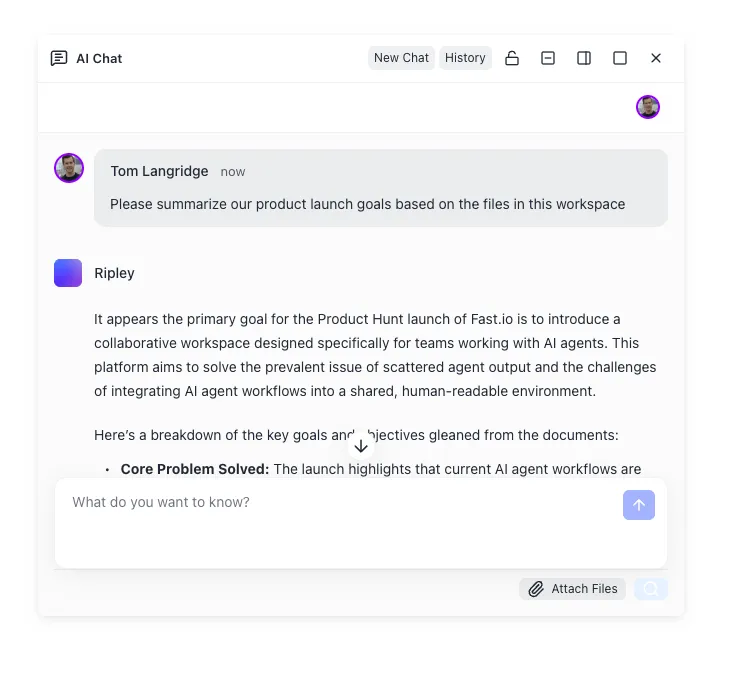
Use a shared Fast.io workspace with Intelligence Mode, version history, and MCP access so agent outputs outlive the chat session. Start with a 14-day free trial.
Which Copilot model is best for coding
There is no single best model. There is a best default for a class of work, then a promotion path when quality stalls.
Default recommendations
Autocomplete and next edit while typing: leave completions alone. They do not use the chat model picker and stay unlimited on paid plans.
- Explain this function / write a unit test / rename carefully: GPT-5 mini, Haiku 4.5, Gemini Flash, or Auto.
- Implement a feature across several files in the IDE: Claude Sonnet 4.6 or Sonnet 5, GPT-5.3-Codex, or GPT-5.4.
- Terminal-driven agent loop with tests and commits: GPT-5.3-Codex or Claude Sonnet in CLI; enable higher reasoning only if the loop is thrashing.
- Cloud agent assigned issue to PR: prefer models in the cloud agent Auto set (Codex, GPT-5.4, Sonnet 4.6, MAI-Code-1-Flash) unless your plan and policy expose a better manual choice.
- Architecture review or gnarly production bug: Claude Opus family or a powerful GPT model, with standard context first. Expand context only if the model is missing files you know matter.
- Multimodal or long-document heavy work: check Gemini Pro variants and models that advertise extended context on the supported list.
Failure modes that look like "bad model" but are not
- Missing context: the model never saw the package that owns the bug. Fix retrieval first, then escalate model tier.
- Policy lock: Business orgs can disable model switching. Escalate to an admin, not the model picker.
- Extension override: a Copilot Extension may force its own model.
- Stale muscle memory: people still ask for o3 or Claude Sonnet 3.7. Those are retired. Use the retirement table's suggested alternatives.
- Long-context waste: dumping an entire monorepo into a 1M window is expensive and often worse than targeted file attachment.
A simple decision rule
If the task is reversible and local, optimize for speed and credits. If the task is irreversible or high blast radius (migrations, auth, payments, data deletion paths), optimize for reasoning quality and human review. Model choice is only one control. Diff review, tests, and a shared place to keep the artifacts still matter.
Keep Copilot outputs in a shared workspace
GitHub Copilot models generate code, plans, and review notes inside an IDE session or cloud agent run. That is the right place for authoring. It is a weak place for long-lived team memory.
Teams usually start with local disks, git remotes, or general cloud storage such as Google Drive, Dropbox, or an S3 bucket. Those work until agent runs produce specs, design notes, generated patches, and review packets that need to live beside the repo without drowning the PR itself. At that point you want a shared workspace that humans and agents can both reach.
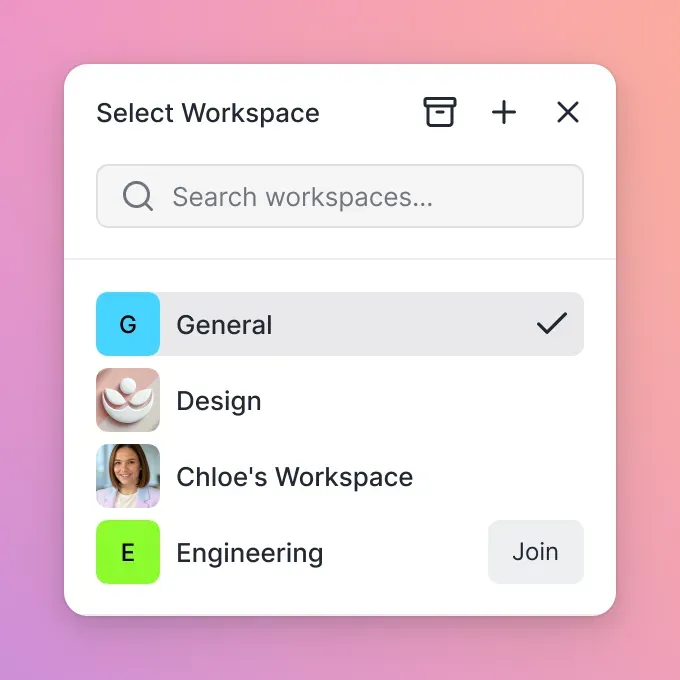
Fast.io is built for that layer. Agents and people share org-owned workspaces with per-file version history, granular permissions, and a detailed activity log. Enable Intelligence Mode so files are indexed for hybrid search and citation-backed chat. Agents connect through a consolidated MCP toolset over Streamable HTTP at /mcp or legacy SSE at /sse. When an agent finishes scaffolding a deliverable, ownership transfer hands the org to a human while the agent can keep admin access.
A concrete pattern that pairs well with Copilot:
- Use Copilot Chat or CLI with a Sonnet or Codex-class model to implement the change in the repo.
- Export the design note, migration plan, and residual TODOs into a Fast.io workspace (or import related Drive/Dropbox/OneDrive/Box files via cloud import).
- Turn on Intelligence so the team can ask "what did we decide about retry policy?" without grepping chat history.
- Share a branded Send link for external reviewers when needed, with expiry and per-recipient access.
- Keep code review in GitHub; keep durable project memory in the workspace.
Fast.io orgs run on paid plans (Starter $9.99/mo, Business $49.99/mo, Enterprise $199.99/mo); monthly plans start with a trial of up to 14 days that requires a credit card, and annual plans have no trial. Account signup alone is not enough for real work; you need an organization on a paid subscription. Pair that with Copilot's credit model: spend GitHub AI Credits on the right model for the coding task, and keep the resulting files where the rest of the team can find them after the session ends.
Sources
References used to verify factual claims in this guide.
-
GitHub Copilot supports more than two dozen selectable foundation models from OpenAI, Anthropic, Google, Microsoft, and Moonshot AI Some Copilot models support a 1 million token context window and configurable reasoning levels in Visual Studio Code and Copilot CLI, with higher credit consumption Auto model selection includes different model pools for cloud agent, Copilot Chat, Copilot CLI, and the GitHub Copilot app Claude Fable 5 requires Business and Enterprise enablement and has distinct Anthropic data retention behavior for safety classifiers
-
One AI request equals one US cent when Copilot usage is converted into GitHub AI Credits Code completions and next edit suggestions are not billed in AI credits and remain unlimited for paid Copilot plans
-
Changing the Copilot Chat model does not affect the model used for inline suggestions
-
Copilot Free includes 2,000 completions per month and limited chat and agent usage; Free does not include cloud agent
Frequently Asked Questions
What models does GitHub Copilot support?
GitHub Copilot supports a rotating catalog of foundation models from OpenAI (GPT-5 mini through GPT-5.6 variants and GPT-5.3-Codex), Anthropic (Haiku, Sonnet, Opus, Fable), Google (Gemini Pro and Flash lines), Microsoft (MAI-Code-1-Flash), Moonshot AI (Kimi K2.7 Code), and GitHub fine-tunes such as Raptor mini. Availability depends on your plan, client (VS Code, Visual Studio, JetBrains, CLI, github.com, and others), and organization policy. Check GitHub's supported-models reference for the current GA and preview list.
How do I change the GitHub Copilot model?
Open Copilot Chat, then use the model dropdown at the bottom of the chat panel. On github.com, open Copilot from the top-right icon first. In VS Code, Visual Studio, JetBrains, Eclipse, and Xcode, open the chat view and switch from the footer picker. You can choose a specific model or Auto. Changing the chat model does not change inline completion models. Business orgs may need to allow model switching in policy settings.
Which Copilot model is best for coding?
For everyday multi-file coding, Claude Sonnet 4.6 or Sonnet 5 and GPT-5.3-Codex are strong defaults. Use lightweight models (GPT-5 mini, Haiku 4.5, Flash variants) for quick questions. Reserve Claude Opus or powerful GPT builds for hard architecture and stubborn bugs. Cloud agent Auto currently centers on models such as GPT-5.3-Codex, GPT-5.4, Claude Sonnet 4.6, and MAI-Code-1-Flash. Match the model to the surface and the credit budget, not to a single global ranking.
Does Copilot Free include all models?
No. Copilot Free includes limited chat and agent usage, 2,000 completions per month, and marketed access to models such as Haiku 4.5, GPT-5 mini, and more. Free does not include cloud agent, and Free users cannot buy additional AI credits the way Pro and higher subscriptions can. Full day-to-day model selection across agent surfaces requires a paid Copilot subscription.
Do different Copilot models cost different amounts?
Yes. Chat, agents, CLI, and related features consume GitHub AI Credits based on input, output, and cached tokens. Official pricing tables list rates per 1 million tokens by model, and one AI request equals one US cent. Lightweight models cost less per token than Powerful models. Extended 1M context windows and higher reasoning levels also increase consumption. Code completions on paid plans are not billed in AI credits.
What is Auto model selection in GitHub Copilot?
Auto lets Copilot choose a model from a surface-specific pool based on availability and rate limiting. The Auto pool for Chat is not identical to the Auto pool for cloud agent or CLI. For example, Raptor mini appears in Chat Auto but not CLI Auto or cloud agent Auto. Org model policies can further limit which Auto candidates are allowed.
Does switching the chat model change inline suggestions?
No. GitHub documents that changing the model used by Copilot Chat does not affect the model used for inline suggestions. Completions and next edit suggestions use a separate path and remain unlimited on paid plans without drawing from AI credits.
Related Resources

Keep Copilot plans and patches where the team can find them
Use a shared Fast.io workspace with Intelligence Mode, version history, and MCP access so agent outputs outlive the chat session. Start with a 14-day free trial.