How to Integrate Fastio API with CrewAI Workflows
Set up Fastio API with CrewAI workflows to create a shared workspace for agents. They upload outputs, acquire advisory file locks, and query indexed content with built-in AI. Use these steps: authenticate with an API key, build a custom Fastio tool, and assign it to agents in your crew.


Why Integrate Fastio with CrewAI?
Fastio workspaces offer API access to versioned files and advisory locks for concurrent use. Once Intelligence is enabled for the workspace, files are indexed for semantic search and Ripley AI chat. File locks coordinate parallel work while version history protects every update.
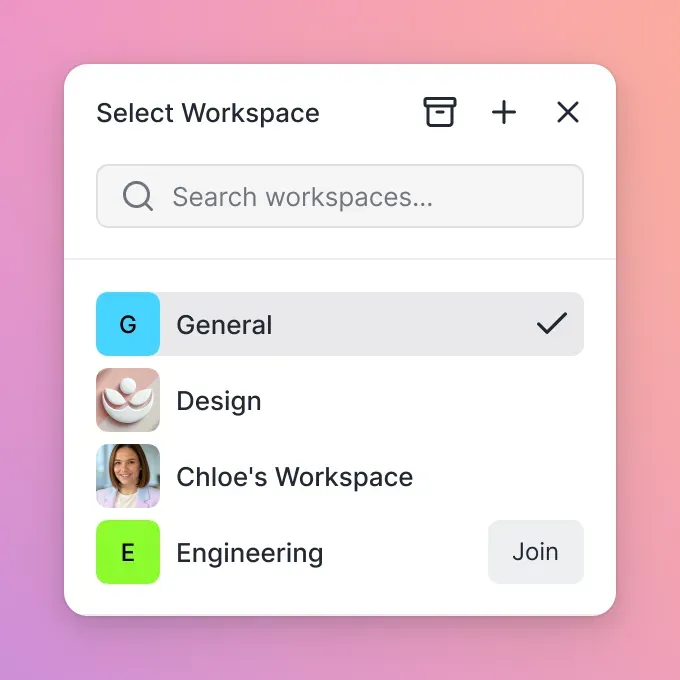


Enable Shared Storage for CrewAI Agents
Shared persistent storage for CrewAI agents. Agents use a consolidated toolset for full workspace control.
Related guides
- How to Integrate the Fastio API with n8n WorkflowsGuide to integrate fast api with n8n workflows: Connect n8n workflows to Fastio's API to automate file storage and...
- How to Integrate Fastio API with LangChain ToolsConnect Fastio's API to LangChain tools. AI agents then get lasting file storage, RAG across multiple files, and...
- LangGraph vs CrewAI: Which Multi-Agent Framework to Choose in 2026LangGraph and CrewAI are the two most-searched multi-agent frameworks heading into 2026. This comparison goes beyond...
- Connecting CrewAI Multi-Agent Teams to Box StorageA CrewAI Box connector enables autonomous multi-agent teams to query enterprise records without loading entire...
- How to Connect CrewAI to Dropbox: Multi-Agent Cloud Storage ArchitectureConnecting CrewAI to Dropbox provides autonomous multi-agent systems with direct, indexed access to cloud files,...
- How to Connect CrewAI to Google Drive FilesConnecting CrewAI agents directly to Google Drive often floods prompt context windows and triggers API rate limits...
More on this subject: Multi-Agent Systems (62 guides)
Prerequisites
Extend BaseTool to handle uploads, listings, and version history.
import os
import requests
from crewai_tools import BaseTool

class FastioTool(BaseTool):
    name: str = "Fastio Workspace Tool"
    description: str = "Interact with Fastio workspace: upload, list, and inspect versions for CrewAI agents."

def _run(self, action: str, **kwargs) -> str:
        api_key = os.getenv("FASTIO_API_KEY")
        base_url = "https://api.fast.io/current"
        headers = {"Authorization": f"Bearer {api_key}"}
        workspace_id = kwargs.get("workspace_id")
        node_id = kwargs.get("node_id")

if action == "upload":
            return f"Uploaded {kwargs.get('file_path')}"
        elif action == "list_files":
            resp = requests.get(f"{base_url}/workspace/{workspace_id}/storage/root/list/", headers=headers)
            return f"Files: {resp.json()}"
        elif action == "get_versions":
            resp = requests.get(f"{base_url}/workspace/{workspace_id}/storage/{node_id}/versions/", headers=headers)
            return f"Versions for {node_id}: {resp.json()}"
        return "Unknown action"
Step 1: Authenticate with Fastio API
Use Bearer token authentication. Store FASTIO_API_KEY as an environment variable.
Test the connection:
import requests
headers = {"Authorization": f"Bearer {os.getenv('FASTIO_API_KEY')}"}
response = requests.get("https://api.fast.io/current/user/", headers=headers)
print(response.json())
The response shows your user and org details. Create a workspace with POST /current/org/{org_id}/create/workspace/.
Create Agent Org and Workspace
org_data = {"domain": "my-crewai-agent", "name": "CrewAI Workspace Org"}
org_resp = requests.post("https://api.fast.io/current/org/create/", data=org_data, headers=headers)
org_id = org_resp.json()["org"]["id"]
ws_data = {"folder_name": "crewai-workflow", "name": "CrewAI Shared Files", "perm_join": "Member or above", "perm_member_manage": "Admin or above"}
ws_resp = requests.post(f"https://api.fast.io/current/org/{org_id}/create/workspace/", data=ws_data, headers=headers)
workspace_id = ws_resp.json()["workspace"]["id"]
Step 2: Build Custom Fastio Tool for CrewAI
In multi-agent architectures, advisory file locks and automatic version history coordinate parallel access safely. An agent acquires a file lock before writing, heartbeats it while working, and releases it when finished. If another agent tries to lock the same file, it receives an HTTP 409 and can wait or read.
Instead of webhooks, Fastio provides a realtime activity feed you can poll and a WebSocket events feed to notify agents of file modifications instantly.

Step 3: Assign Tool to CrewAI Agents
Set up your agents and crew.
from crewai import Agent, Task, Crew
from langchain_openai import ChatOpenAI

llm = ChatOpenAI(model="gpt-4o")

researcher = Agent(
    role="Researcher",
    goal="Research topics and save reports to Fastio",
    backstory="Expert researcher using shared storage.",
    llm=llm.
    tools=[FastioTool()],
    verbose=True
)

analyst = Agent(
    role="Analyst",
    goal="Analyze reports from workspace",
    backstory="Data analyst coordinating with team.",
    llm=llm.
    tools=[FastioTool()],
    verbose=True
)

task1 = Task(description="Research AI trends, upload report.", agent=researcher)
task2 = Task(description="Lock report, analyze, save summary.", agent=analyst)

crew = Crew(agents=[researcher, analyst], tasks=[task1, task2])
result = crew.kickoff()
Call crew.kickoff() to run the workflow.
Multi-Agent Coordination with Locks and Event Feeds
Advisory locks keep parallel access coordinated. The researcher, for example, acquires a file lock before editing it and releases it when finished.
Instead of webhooks, Fastio provides a realtime activity feed you can poll and a WebSocket events feed to alert agents to changes.
Enable intelligence mode for RAG queries across workspace files.
Example query code:
### Add to tool
elif action == "query_files":
    scope = kwargs.get('scope', 'root')
    resp = requests.post(f"{base_url}/workspaces/{workspace_id}/ai/chat/",
                         data={'type': 'chat_with_files', 'query_text': kwargs['question'], 'folders_scope': scope},
                         headers=headers)
    return resp.json()['messages'][-1]['text']
Agents share file state this way.
Define clear tool contracts and fallback behavior so agents fail safely when dependencies are unavailable. This improves reliability in production workflows.
Troubleshooting and Best Practices
For rate limits, use pagination and retries.
Chunk large file uploads.
Monitor credits: GET /org/{id}/billing/usage/.
Test in local setup before going to production.
Sources
References used to verify factual claims in this guide.
-
Fastio provides a 14-day Business Trial requiring a credit card
-
Fastio provides a consolidated toolset for agent workflows
Frequently Asked Questions
How do CrewAI agents share files?
Use Fastio workspaces via API. Agents upload to shared folders, acquire advisory file locks for edits, and rely on version history and audit logging across runs.
Can I use Fastio with CrewAI?
Yes. A custom tool wraps the Fastio REST API for uploads, listings, and version history. The 14-day Business Trial provides full access to test agent workspaces.
What about file conflicts in multi-agent?
Fastio provides advisory file locks so agents can coordinate before writing. If another agent tries to lock the same file, it receives an HTTP 409 and can wait, while automatic file version history ensures all updates are preserved and recoverable.
Does it support AI queries on files?
Enable intelligence on workspace for RAG chat across documents.
What is included in the Fastio trial?
Fastio offers an official 14-day Business Trial requiring a credit card, providing access to shared workspaces, granular permissions, and developer APIs.
Related Resources

Enable Shared Storage for CrewAI Agents
Shared persistent storage for CrewAI agents. Agents use a consolidated toolset for full workspace control.