Is Cline Free? Pricing, BYOK, and Usage Costs
Cline's open source extension is free for individual developers, and official pricing makes that explicit. You still pay for AI inference through your own API keys, prepaid Cline credits, optional ClinePass at $9.99 per month, or custom Enterprise options. This guide breaks down each cost path, including local models that can bring per-request spend to zero.


Yes: Cline is free to install
Official Cline pricing states the product is free for individual developers, with pay-only-for-inference usage and no seat subscription on the open source path [Cline Pricing]. That is the clean answer to "is Cline free." Keyword research for this guide still shows about 170 monthly US searches on the exact phrase, which is enough commercial intent to justify a full cost breakdown rather than a one-line yes.
Cline is an open source coding agent that runs as a VS Code extension (with CLI options). The software itself does not charge a license fee for individual use. You install it, pick a model provider, and only pay when a model runs. Cline's own FAQ answers "Is Cline free?" with: yes for the open source extension; you pay for AI inference on a usage basis, with no vendor lock-in on that path.
The confusion comes from conflating three different bills:
- The extension/CLI software (free for individuals)
- The model inference (almost always paid unless you use free-tagged models or local runtimes)
- Optional productized options such as ClinePass or Enterprise (paid when you need them)
Use this cost map when you evaluate "cline free" claims online:
That table is the whole pricing story at a glance. The rest of this article explains each row so you can predict monthly spend before you paste an API key.
Related guides
- Claude Code Pricing: Plans, Costs, and Usage Limits ExplainedAnthropic doubled Claude Code's five-hour usage caps in May 2026, but most pricing guides still lump chat and coding...
- Hermes Agent Pricing: What It Costs to Run in 2026Hermes Agent from Nous Research is MIT-licensed and free to download, but "free" software still costs money to run. The...
- Cline Pricing and Cost Guide: Free vs. Enterprise PlansWhile a standard developer subscription to a closed AI coding assistant charges a flat $20.00 per month, developers...
- Google Vertex AI Pricing & Cost Comparison for Cline DevelopersUsing Vertex AI with Cline allows developers to execute LLM calls under enterprise GCP pricing structures, which can be...
- How to Use Cline with Ollama for Local AI CodingCline reports 4,672,635 Visual Studio Marketplace installs, yet many teams still send proprietary code to cloud APIs...
- How to Use Cline Rules and Custom InstructionsMany writeups blur rules with skills or memory-bank patterns. Cline Rules are project-level markdown instruction files...
More on this subject: Cline (106 guides)
BYOK, Cline credits, and what inference actually costs
Cline does not bundle unlimited frontier model usage into a free seat. Official docs describe three common provider paths: Cline usage-billing (sign in, add credits), ClinePass (flat monthly subscription for selected open models), and bring your own key (BYOK) for cloud or local providers.
BYOK (bring your own key) means you paste credentials from a model vendor into Cline settings. Supported cloud options documented by Cline include OpenRouter, Anthropic, OpenAI, Google Gemini, AWS Bedrock, DeepSeek, and others, plus many more listed on the pricing FAQ (OpenRouter, Bedrock, Vertex, Groq, Cerebras, Vercel AI Gateway, and similar). Your invoice comes from the model provider, not from a Cline seat fee. That is the "cline byok cost" people ask about: the cost is token price times how aggressively the agent reads files, runs tools, and retries.
Agentic sessions spend more than chat autocomplete. A single Cline task may send repeated turns with growing context: file reads, diffs, terminal output, and prior messages. A light refactor might stay in cents. A multi-file investigation with long logs can climb quickly on high-priced frontier models. Practical controls that stay within how Cline is designed:
- Start tasks with a tight scope instead of "fix the whole repo"
- Prefer cheaper models for exploration, then switch for hard reasoning
- Use providers with prompt caching when available so repeated prefixes cost less
- Watch provider dashboards or Cline usage views so spend does not surprise you mid-sprint
Cline usage-billing is the managed alternative. Docs describe signing in with Google, GitHub, or email, adding Cline credits from the dashboard, and selecting the Cline provider so one balance covers supported models. Setup is faster because you avoid copying keys across vendors. Credits are pay as you go for paid models; the model selector can also surface options tagged FREE when available.
Neither path changes the software price. Both keep the extension free while making inference explicit. If a blog says "Cline is free" without mentioning tokens, it is incomplete. If it says "Cline always costs $X," it is wrong. Your rate depends on model choice and how many agent turns you run.

Running Cline for free with local models
You can push per-request model cost to zero by running local inference. Cline's authorization docs state that local runtimes such as Ollama and LM Studio need no API key when the runtime is running. The local models overview also documents Atomic Chat as another local path, with hardware guidance that scales from smaller quantized models on 16-32GB RAM machines up to larger models on 64GB+ systems.
That answers "Can you run Cline for free with local models?" with a careful yes: the extension remains free, and local inference does not bill per token. You still pay in electricity, GPU/RAM hardware, and model quality tradeoffs. Local models are often strong enough for refactors, boilerplate, and well-scoped edits, but they can lag frontier models on complex multi-step reasoning.
A practical local setup, following Cline's documented flow:
- Install Ollama, LM Studio, or Atomic Chat and start its local server.
- Pull or load a coding-capable model that fits your machine.
- In Cline settings, choose the matching provider and select the model.
- Enable Use Compact Prompt in Cline Features so local context stays smaller and faster.
- Keep tasks focused and start a new task when context balloons.
Free-tagged models through Cline usage-billing are another low-cost path when you do not want to host inference yourself. Availability changes, so treat FREE tags as opportunistic, not as a permanent entitlement.
Local and free-tagged options are ideal for experimentation, private codebases that should not leave the machine, and learning agent workflows without a surprise cloud bill. When quality requirements rise, most teams mix paths: local for drafts, BYOK or credits for production-critical work.
ClinePass, Enterprise, and when free stops being enough
Free install does not mean every product surface is free. Two paid layers exist for people who outgrow pure BYOK or local-only setups.
ClinePass is an optional $9.99 per month subscription provider. Official docs position it as access to curated open coding models with 2-5x API rate limits relative to standard access, which matters when long agent sessions hit throttling. Documented models include families such as GLM, Kimi, DeepSeek, MiMo, MiniMax, and Qwen under ClinePass model IDs. ClinePass is separate from Cline usage-billing; you can use either independently. Usage is measured against rolling 5-hour, weekly, and monthly limits, so "flat fee" still implies quotas, not unlimited compute.
Choose ClinePass when:
- You want predictable monthly pricing for open coding models
- Long multi-turn agent runs hit rate limits on public endpoints
- You prefer not to assemble a patchwork of open-model providers
Stick with BYOK or credits when you need a specific frontier model family, already have enterprise cloud commitments, or your monthly token spend is already lower than $9.99.
Enterprise is custom-priced for organizations. The public pricing page lists add-ons beyond the open source individual path, including JetBrains extension access, centralized billing, role-based access control, limits on which inference providers are allowed, team management dashboards, authentication logs, SLA, and dedicated support. Some advanced config and fine-grained permission features are marked as coming soon. Enterprise is the right conversation when finance needs one invoice, security needs admin controls, and support needs a named escalation path.
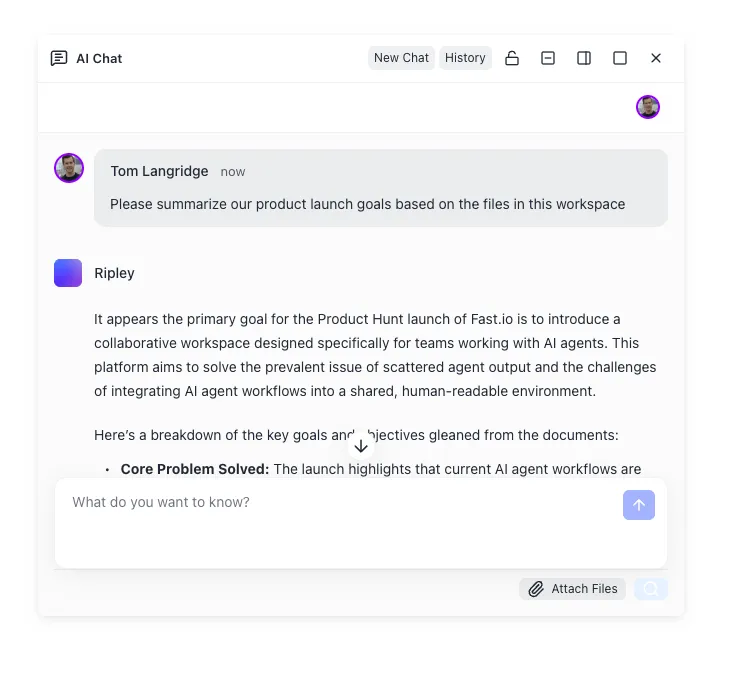
After model spend, the next cost is usually coordination: where agent output lives, who can review it, and how you hand work to humans. Local folders work for solo use. Object storage such as Amazon S3 works for durable blobs if you wire your own keys and review UI. Consumer drives such as Google Drive or Dropbox work for simple sharing, but they are not built as an agent-native workspace with version history, semantic search, and MCP access. Fast.io workspaces sit in that gap: org-owned shared storage where agents and people use the same files, with Intelligence Mode for RAG-style chat and hybrid search, per-file version history, and a detailed activity log. Plans are Starter $9.99/mo, Business $49.99/mo, or Enterprise $199.99/mo on the pricing page; monthly plans start with a trial of up to 14 days (credit card required), and annual plans have no trial.
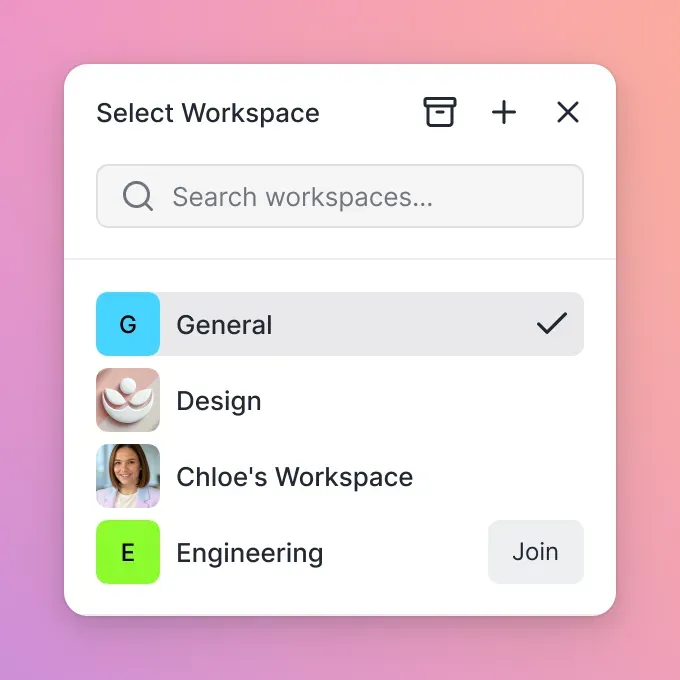


Store Cline work where your team can review it
Put agent patches, plans, and exports in a shared Fast.io workspace with MCP access, version history, and Intelligence Mode search. Start a 14-day trial on a monthly plan and keep IDE work and human review in one place.
Keeping Cline outputs shareable without raising token spend
Cline runs where your editor runs. That is good for latency and control. It is weak for multi-developer handoff if every agent dump lives only on one laptop. Treat storage as a separate decision from model billing.
Local project folders remain the default. They are free and fast. They fail when a teammate needs the patch set on another machine, or when you want a durable review trail.
Git remotes are excellent for final code. They are a poor dump ground for intermediate agent artifacts: partial plans, debug logs, screenshots, export dumps, and "try this branch of the idea" files that should not spam pull requests.
Cloud object storage scales well. You manage buckets, credentials, and a review surface yourself.
For agent-heavy teams, a shared intelligent workspace is usually cleaner. With Fast.io, you can point MCP-capable tooling at Streamable HTTP (/mcp) or legacy SSE (/sse) so agents read and write the same org workspaces humans use in the UI. Enable Intelligence Mode so uploads become searchable by meaning, not only by filename. Use branded shares when clients need a Send, Receive, or Exchange flow without full workspace membership. Ownership transfer covers the agent-to-human handoff path: an agent can help scaffold structure, then a human owns the org on a paid subscription after the trial.
Storage choices also affect inference cost indirectly. Dumping entire directories into every agent prompt burns tokens. Prefer targeted retrieval: hybrid search over indexed docs, Metadata Views when you need structured fields extracted into a queryable table (document data extraction), and smaller task scopes inside Cline. Less context per turn means lower BYOK bills even when the software remains free.
Quick decision guide:
- Try Cline for free this afternoon: install the extension, pick a free-tagged or local model, run a narrow task.
- Daily professional use: BYOK or Cline credits on a model you trust; watch token spend weekly.
- Long agent sessions on open models: evaluate ClinePass at $9.99/month.
- Company rollout: talk to Cline about Enterprise, and put shared workspaces and audit trails around the agent, not only inside the IDE.
Cline free means free software. Inference, subscriptions, and team ops are separate line items. Budget them that way and the pricing model stays honest.
Sources
References used to verify factual claims in this guide.
-
Cline is free for individual developers and you pay only for AI inference on a usage basis, with no subscriptions or vendor lock-in on that open source path
-
ClinePass is a $9.99/month subscription provider with access to selected open coding models and 2-5x API rate limits
-
Cline usage-billing uses prepaid Cline credits and can surface free-tagged models; ClinePass is a separate provider
-
Local runtimes such as Ollama and LM Studio need no API key and can run with zero per-request model cost when hardware is sufficient
Frequently Asked Questions
Is Cline completely free?
The open source extension is free for individual developers. Official pricing says you only pay for AI inference on a usage basis for that path, with no seat subscription required. Optional products such as ClinePass and Enterprise are paid when you choose them.
Do you need an API key for Cline?
Not always. BYOK providers need an API key. Cline usage-billing uses a sign-in flow and Cline credits instead of pasting many vendor keys. Local providers such as Ollama and LM Studio need no key when the local runtime is running.
Can you run Cline for free with local models?
Yes for per-request inference cost. Pair free Cline software with a local runtime and you avoid cloud token bills. You still invest in hardware capable of running the model, and quality may trail frontier APIs on hard tasks.
What is Cline BYOK cost?
BYOK cost is whatever your model provider charges for the tokens Cline sends and receives. There is no fixed Cline seat fee on the open source individual path. Heavy agent loops with large contexts cost more than short, scoped tasks.
What is ClinePass and is it required?
ClinePass is an optional $9.99 per month provider for curated open coding models with higher rate limits (documented as 2-5x). It is not required to use Cline. You can stay on BYOK, usage-billing credits, or local models instead.
When do teams need Cline Enterprise?
When you need organization-level controls such as centralized billing, team management dashboards, role-based access, authentication logs, JetBrains support, SLA, and dedicated support. Pricing is custom through sales.
Does free Cline include unlimited Claude or GPT usage?
No. Frontier models are billed by their providers or by Cline credits when you route through usage-billing. Free refers to the open source client for individuals, not unlimited hosted inference.
Related Resources

Store Cline work where your team can review it
Put agent patches, plans, and exports in a shared Fast.io workspace with MCP access, version history, and Intelligence Mode search. Start a 14-day trial on a monthly plan and keep IDE work and human review in one place.