Kilo Code vs Cline: Open-Source Coding Agent Comparison
Cline is free for individual developers under Apache 2.0, with its public repo past 64,000 GitHub stars, while pairwise US search interest for "kilo code vs cline" sits around 110 monthly queries. Kilo Code and Cline are open-source-oriented AI coding agents; the choice turns on IDE surface area, mode structure, autonomy controls, provider routing, and how you govern teams. This comparison walks those workflow-level criteria instead of burying Kilo in a multi-tool roundup.


Why this pairwise choice matters now
Cline's public repository is past 64,000 GitHub stars under an Apache 2.0 license, and Cline's pricing page states the open-source extension is free for individual developers who pay only for model inference. Community scale plus zero seat fee made editor-native coding agents a default install. Against that backdrop, DataForSEO US keyword metrics put "kilo code vs cline" at about 110 monthly searches, enough commercial intent for a real head-to-head instead of another five-tool listicle.
Kilo Code and Cline solve the same job: an agent that reads the repo, edits files, runs commands, and works with tools through the Model Context Protocol. Shapes diverge after that baseline. Cline emphasizes a plan/act loop with approval gates, a mature VS Code presence, CLI and headless runs, an SDK for custom agents, and enterprise packaging. Kilo Code emphasizes specialized modes (Code, Plan, Ask, Debug, Review), JetBrains and CLI on the free individual offering, a multi-model gateway with zero markup, cloud agents, and team plans below full enterprise deals.
Lineage matters for the fork debate: Kilo started as a Roo Code fork in 2025 and later rebuilt its VS Code path on an OpenCode-based engine. Roo grew out of the broader Cline-family ecosystem. Kilo is not a rename of the Cline repo. Treat them as peers with shared ancestry. The sections below compare day-to-day workflow, then where shared team storage fits after the agent finishes writing files.
Helpful references: Fast.io Workspaces, Fast.io Collaboration, and Fast.io AI.

Related guides
- Best Devin AI Alternatives: Open-Source and Terminal Coding AgentsA 2026 study of over 128,000 GitHub projects shows that up to 28.66% of repositories now deploy active coding agents...
- Hermes Agent vs Devin AI: Autonomous Agent or Coding EngineerHermes Agent and Devin AI solve different problems despite both carrying the "autonomous agent" label. Hermes is a...
- What Is Cline? Open-Source AI Coding Agent ExplainedCline reports 8.0M+ installs across platforms and ships as Apache 2.0 open source, which is why developers keep asking...
- Cline vs Trae: Open-Source Coding Agent vs ByteDance AI IDE ComparedCline and ByteDance's Trae represent two divergent philosophies for agentic software engineering. Cline embeds a...
- Cline vs Aider: IDE Agent vs Git CLI PairingCline vs Aider is less a quality contest and more a control-model choice. Cline is an approval-gated multi-surface...
- Cline vs OpenCode: In-Editor Agent or Terminal Agent?Cline and OpenCode represent two distinct design models for open-source AI coding agents: in-editor assistance and...
More on this subject: Cline (106 guides)
Kilo Code vs Cline at a glance
Use this snapshot when you need a fast filter. Details and caveats sit in the sections after the table-style breakdown.
Licensing and source
- Cline: Apache 2.0 (GitHub
cline/cline) - Kilo Code: MIT (GitHub
Kilo-Org/kilocode)
Individual cost (agent software)
- Cline: Free for individuals; pay providers for inference (BYOK or Cline-hosted usage). Optional ClinePass at $9.99/month for selected open coding models with higher rate limits.
- Kilo Code: Free and open source for individuals; pay for inference via BYOK, free/local routing, pay-as-you-go gateway credits, or Kilo Pass credit subscriptions starting at $19/month.
Primary surfaces
- Cline: VS Code extension and CLI on the open individual package; JetBrains and broader org controls listed under Enterprise on Cline pricing.
- Kilo Code: VS Code, JetBrains, and CLI on the free individual offering, plus web Cloud Agents.
Agent structure
- Cline: Plan mode and Act mode, with optional auto-approve; multi-agent teams and Kanban-style parallel work as productized expansions; project rules via
.clinerules. - Kilo Code: Built-in Code, Plan, Ask, Debug, and Review agents, plus custom agents; parallel subagents and Agent Manager worktrees in the rebuilt stack.
Autonomy default
- Cline: Human-in-the-loop by default. File edits and terminal commands require approval unless you turn on auto-approve.
- Kilo Code: Interactive permission rules (allow/ask/deny patterns). Fully autonomous
kilo run --autoexists for trusted CI environments and disables permission prompts.
Model access
- Both: Multi-provider. Anthropic, OpenAI, Google, OpenRouter-class gateways, cloud hosters, and local runtimes such as Ollama or LM Studio appear in official materials for both projects.
- Kilo marketing emphasizes 500+ models through Kilo Gateway at provider rates with zero markup, plus Auto Model routing tiers (Frontier, Balanced, Free, Efficient).
- Cline emphasizes BYOK, Cline usage billing with free model options on the fast setup path, and broad provider coverage documented in the GitHub README.
Team packaging
- Cline: Individual free path; Enterprise custom (centralized billing, role-based access, team management, authentication logs, provider limits, dedicated support).
- Kilo Code: Teams at $15/user/month (usage analytics, shared modes, centralized billing, shared BYOK, priority support); Enterprise custom with audit logs, identity provider controls, model/provider limits, and SLA language on the pricing page.
Community scale (mid-2026 public GitHub)
- Cline: about 64.7k stars
- Kilo Code: about 26.3k stars
Stars are not quality scores. They do tell you which ecosystem you will find more third-party tutorials for on day one.
How Cline and Kilo Code workflows differ week to week
Feature grids hide friction. What matters is how a full feature cycle feels under each agent.
Planning before edits
Cline's Plan and Act split is straightforward. Plan mode explores the codebase, asks clarifying questions, and drafts a strategy. Act mode executes with your approval on each edit and command, or with auto-approve if you widen the blast radius. That model is easy to teach: plan first, then ship under review.
Kilo Code splits work across specialized agents: Plan, Code, Ask, Debug, and Review. You switch agents when the job changes instead of toggling one plan/act flag. Teams that already think in roles often prefer this. Teams that want one continuous chat with a clear gate between research and mutation often prefer Cline.
Approvals, auto-run, and CI
Cline's default is control: actions require explicit approval unless you change that policy. Diffs appear for review, and checkpoints let you undo agent work. That default is safer on shared machines and regulated repos.
Kilo documents allow/ask/deny permission rules, including glob-based shell and edit policies. For pipelines, official docs describe kilo run --auto as fully autonomous with prompts disabled, only for trusted environments. Cline's CLI supports headless runs for scripting and CI (npm i -g cline). Both can live in automation. Cline markets human-in-the-loop first; Kilo markets modes plus optional full auto for CI.
Surfaces, rules, and MCP
On VS Code-heavy teams, either agent works; Cline's Marketplace history is larger. If your backend team lives in IntelliJ or GoLand, Kilo's JetBrains plugin on the free individual path is a practical edge, since Cline pricing places JetBrains under Enterprise. Both ship CLIs. Kilo adds Cloud Agents for browser runs without a local machine. Cline adds Kanban for parallel agents with per-card worktrees, plus an SDK (@cline/sdk) for embedding the core in internal tools.
Cline loads project guidance from .clinerules. Kilo centers on AGENTS.md and agent markdown under .kilo/agents/. Both extend through MCP for databases, APIs, and cloud tooling. MCP is how the agent reaches tools, not how your org stores durable multi-human artifacts.
Practical example: auth refactor
Same task: "Add refresh-token rotation, update tests, summarize risk."
On Cline, start in Plan, approve investigation reads, switch to Act, approve installs and tests, review diffs, then request a summary. One continuous task with clear gates.
On Kilo, run Plan for design, Code to implement, Debug if tests fail, then Review before merge. With Agent Manager worktrees, a second agent can draft docs while Code edits src/auth without colliding on the same files.
Cline reduces mode proliferation. Kilo reduces context pollution by giving each role its own prompt and tool policy.
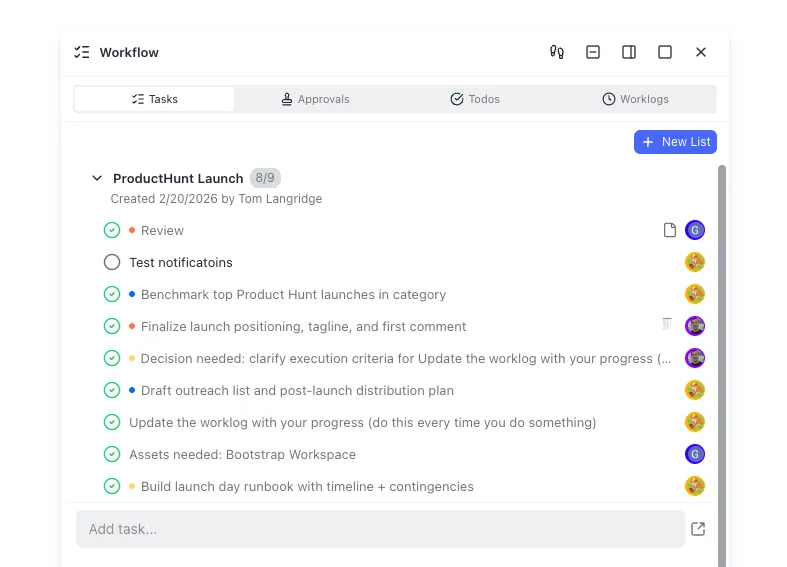


Keep agent output in one shared workspace
Pair Cline or Kilo Code with Fast.io workspaces, MCP access, version history, and Intelligence Mode so generated files stay searchable for humans and agents. Start with a 14-day Business Trial requiring a credit card.
Pricing, providers, and team governance
Open-source coding agents still bill someone for tokens. The software seat is only half the spreadsheet.
Individual developers
Cline: free for individuals, usage-based inference only, no seat fee on the open-source path. BYOK for Anthropic, OpenAI, Google, and others, or Cline's provider path. ClinePass is $9.99/month for selected open coding models with 2-5x API rate limits on the documented plan.
Kilo: free open-source agent software; inference is separate. Start with free gateway models where available, BYOK, or local models. Kilo Gateway is pay-as-you-go at provider rates with zero markup. Kilo Pass credit subscriptions start at $19/month (Pro $49, Expert $199 on the public calculator). Auto Model routes work across capability and cost tiers so you are not hand-picking a model every turn.
With existing Anthropic or OpenAI spend, both are cheap to try. Install, point at keys, and measure token burn on a real repo for a week.
Teams and enterprises
Cline puts org features in Enterprise: JetBrains packaging, centralized billing, team management, role-based access, authentication logs, provider limits, and dedicated support, with additional governance items described on the pricing FAQ. Contact sales for custom pricing.
Kilo splits mid-market and enterprise. Teams is $15/user/month with a 14-day trial on that plan, usage analytics, shared agent modes, centralized billing, shared BYOK, and priority support. Enterprise is custom, with audit logs, identity-provider controls, model and provider limits, and SLA language.
For five engineers who want shared billing and analytics without a large custom deal, Kilo Teams is the clearer list price. If you already standardize on Cline and need org policy, Cline Enterprise is the documented path.
What neither agent is
Neither product is the system of record for design docs, client packages, or long-lived knowledge bases. Local disks, git, S3-style buckets, and Drive/Dropbox/OneDrive/Box still hold most of that residue. Those options get awkward when agents write continuously, humans need citation-backed search, and you want durable shares without emailing zip files.
An intelligent workspace fills that gap after you pick an agent. Fast.io is one option: org-owned workspaces, per-file version history, granular permissions, a detailed activity log, branded Send/Receive/Exchange shares, Intelligence Mode for indexing and RAG chat with citations, hybrid search, Metadata Views for structured extraction, a WebSocket events feed, realtime activity polling, and a consolidated MCP toolset over Streamable HTTP at /mcp (legacy SSE at /sse). Plans are Starter $9.99/mo, Business $49.99/mo, and Enterprise $199.99/mo, and monthly plans start with a Business Trial of up to 14 days that requires a credit card. Agents can build workspaces and transfer ownership to a human while keeping admin access.

What to do with agent output after the coding session
Choosing Kilo Code or Cline answers how code gets written. It does not answer how artifacts stay shared after the terminal closes.
A common failure mode: the agent writes an architecture note, a migration script, PR copy, and sample data. Those files sit in one worktree or a personal Drive folder. Reviewers cannot find the latest version. A second agent overwrites an unversioned PDF. Nobody can answer who changed the client package last Tuesday.
Common mitigations:
- Git plus PR review: strong for source, weak for binaries, large media, and non-engineer stakeholders.
- S3 or team Drive: strong for bulk storage, weak for semantic search and agent-native APIs without glue.
- Chat pastes: fine for awareness, poor as an archive.
A stronger pattern: the agent works in the IDE against a local clone, then publishes durable artifacts into a shared workspace humans and agents can both use. With Fast.io, enable Intelligence so files are indexed for meaning-based search and citation-backed chat. Use Metadata Views when you need typed fields extracted from contracts, invoices, or scans. Use version history when two agents edit the same brief overnight. Use branded shares when a client needs one package without joining your org.
Configure either agent to call Fast.io's MCP endpoint for workspace operations (capability-level pairing, not a claim of a built-in marketplace listing), upload design notes and test reports after a green CI run, and leave review in your normal process. Keep .clinerules (Cline) or AGENTS.md and .kilo/agents/ (Kilo) in git. Requirements, datasets, and release media still need a workspace outside the repo.
How to choose between Cline and Kilo Code
There is no universal winner. Match the agent to constraints you can name.
Choose Cline when
- You want the largest open-source coding-agent community and the longest trail of VS Code tutorials.
- Human-in-the-loop approval as the default mental model matches your risk posture.
- You need a documented SDK (
@cline/sdk) to embed the same agent core in internal tools. - You plan to buy enterprise governance from the same vendor that ships the agent, and custom Enterprise pricing is acceptable.
- Your primary surface is VS Code or CLI, and JetBrains can wait for an enterprise rollout.
- You like Plan then Act as a two-step teaching model for the whole team.
Choose Kilo Code when
- You need JetBrains and VS Code parity without jumping to an enterprise SKU on day one.
- Specialized modes (Plan, Code, Ask, Debug, Review) match how your team already divides labor.
- You want a published Teams price ($15/user/month) with analytics and shared modes before full enterprise.
- Multi-model routing with zero-markup gateway pricing and Auto Model tiers is a first-class requirement.
- Cloud Agents matter because some work should run without a local IDE session.
- You are migrating from the Roo Code lineage and want config paths and modes that map from that ecosystem.
Try both for a week
Install both extensions (or CLIs) against the same non-production repo. Give each the same three tasks: a multi-file refactor, a failing-test fix, and a docs pass. Measure token cost, number of approval interruptions you actually wanted, and whether the agent stayed inside your architecture rules. Keep the winner's project rules in git. Point whichever you keep at a shared workspace for anything that leaves the repo boundary.
Kilo Code and Cline are open-source-oriented AI coding agents; the choice often turns on IDE support, autonomy controls, provider ecosystem, and team governance. Once that choice is stable, invest the next hour in where files live after the agent stops typing. That is usually where multi-person projects win or lose.
Sources
References used to verify factual claims in this guide.
-
Cline's GitHub repository shows on the order of 64.7k stars under an Apache 2.0 license as of mid-2026.
-
Cline is free for individual developers; they pay only for AI inference on a usage basis, with no seat subscription required for the open-source path.
-
Cline is an AI coding agent in the editor and terminal that can read and write files, run commands, and use a browser, with explicit approval as the control model, plus Plan/Act modes and multi-provider support. ClinePass is $9.99/month for selected open coding models with 2-5x API rate limits on the documented setup path.
-
DataForSEO US search volume for the query kilo code vs cline is about 110 monthly searches in the topic research pack dated 2026-07-16.
-
Kilo Code is an open-source AI coding agent for VS Code, JetBrains, and CLI, MIT licensed, with specialized agents (Code, Plan, Ask, Debug, Review), 500+ models, BYOK, and autonomous CI mode via kilo run --auto.
-
Kilo Code individual software is free and open source; Teams is $15/user/month; inference is separate via BYOK, gateway credits, or Kilo Pass plans starting at $19/month.
-
Kilo began as a Roo Code fork in 2025 and later rebuilt its VS Code extension on a shared engine; migration materials document that shared history with Roo.
Frequently Asked Questions
Is Kilo Code better than Cline?
Neither is universally better. Cline wins if you want the larger VS Code-centric community, plan/act with approval-first defaults, and an SDK-backed agent core. Kilo Code wins if you need multi-mode agents, JetBrains on the free individual path, published team pricing, and multi-model gateway routing. Run the same three tasks on both for a week and keep the one that matches your risk and IDE mix.
Is Kilo Code a Cline fork?
Not directly. Kilo began as a Roo Code fork in 2025 and later rebuilt parts of its stack on an OpenCode-based engine. Roo itself came from the wider Cline-family extension ecosystem, so the products share ancestry and UX patterns without being the same repository. Kilo's CLI also documents OpenCode lineage. Evaluate features and licenses on current official docs rather than assuming drop-in compatibility.
Which is better for teams, Kilo Code or Cline?
For mid-size teams that want a list price, Kilo Teams at $15/user/month includes shared modes, centralized billing, analytics, and shared BYOK. Cline's free path is excellent for individuals, while org controls (team management, role-based access, centralized billing, provider limits) sit on Cline Enterprise custom pricing. Pick based on whether you need a mid-market SKU now or a full enterprise contract with the Cline vendor stack.
Do Kilo Code and Cline support MCP?
Yes. Official materials for both describe Model Context Protocol support so agents can connect to external tools and data sources. Configure MCP servers in each product's documented settings. For shared file operations beyond the local disk, point MCP at a workspace platform such as Fast.io's Streamable HTTP endpoint at /mcp.
How do Kilo Code and Cline pricing compare for solo developers?
Both charge $0 for the open-source agent software for individuals. You pay model providers for tokens via BYOK or hosted usage. Cline offers optional ClinePass at $9.99/month for selected open models. Kilo offers free/local routing, pay-as-you-go gateway credits at provider rates, and Kilo Pass credit plans starting at $19/month. Your inference bill will dominate either way.
Can I use local models with these agents?
Yes. Cline documents Ollama and LM Studio among supported local runtimes. Kilo documents local models through Ollama or LM Studio and free gateway routing options. Local models trade latency and quality for privacy and offline use. Keep secrets and production data policies in mind either way.
Where should Cline or Kilo store files the whole team needs?
Use git for source. For design packs, datasets, client deliverables, and long-lived docs, use shared storage: S3-style buckets, Drive/Dropbox/OneDrive/Box, or an intelligent workspace. Fast.io adds version history, permissions, audit logging, Intelligence Mode search, Metadata Views, and MCP access so agents and humans share one org-owned workspace after the coding agent finishes.
Related Resources

Keep agent output in one shared workspace
Pair Cline or Kilo Code with Fast.io workspaces, MCP access, version history, and Intelligence Mode so generated files stay searchable for humans and agents. Start with a 14-day Business Trial requiring a credit card.