LangChain SharePoint Connector: Ingesting Enterprise Libraries via MCP
A LangChain SharePoint connector enables autonomous agents to query enterprise document libraries, but direct batch loading quickly triggers Microsoft Graph API rate limits. Instead of pulling raw files across the network, teams can synchronize SharePoint libraries to an intelligent workspace and query indexed documents through MCP. This architecture enables hybrid semantic search while avoiding local parsing overhead, tenant scope creep, and request throttling.

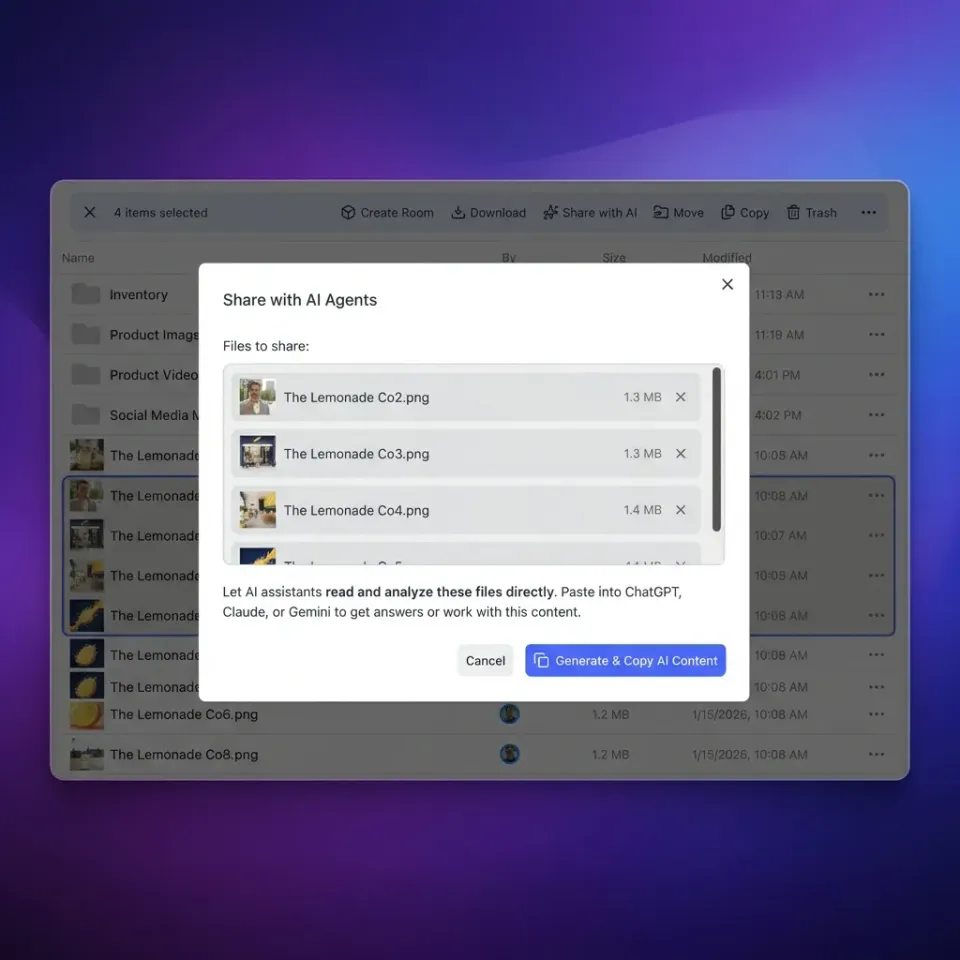
Why Direct Graph Ingestion Breaks Down in Enterprise Environments
Point an autonomous agent directly at an enterprise SharePoint tenant, and the first bulk ingestion job will either exhaust your API quota or stall in an HTTP 429 retry loop. Enterprise document libraries hold decades of project archives, dense PDFs, and spreadsheets that quickly overwhelm direct REST polling. The problem is not whether LangChain can read a file; it is how an LLM application discovers and retrieves relevant enterprise context without downloading the entire document library into memory.
A LangChain SharePoint connector enables LangChain LLM applications and autonomous agents to query, extract, and index documents stored in Microsoft SharePoint libraries. In production enterprise stacks, documents rarely sit in clean, dedicated buckets. Teams keep their working files across Microsoft SharePoint, OneDrive, Google Drive, Dropbox, and Box. When developers build retrieval-augmented generation (RAG) pipelines or autonomous agents with LangChain, the standard approach involves writing a document loader that crawls these libraries through the Microsoft Graph API.
This direct loader pattern introduces immediate operational hurdles. A naive batch ingest requires the agent to authenticate against Microsoft Entra ID, traverse folder hierarchies, pull binary blobs across the network, parse varying file extensions locally, split text into chunks, generate embeddings, and store them in an external vector database. When a document library contains thousands of files, this pipeline creates three points of friction:
- Request throttling: Recursive directory walks and repeated file download calls trigger application-level rate limits on the Microsoft Graph API.
- Permission scope inflation: Corporate security teams resist granting broad tenant-level read permissions to developer scripts or headless agent runtimes.
- Compute and storage waste: Downloading large binary files to a local Python environment consumes substantial network bandwidth and memory, only to discard most of the content after vectorization.
Decoupling storage management from runtime retrieval resolves these friction points. Instead of forcing LangChain to act as a full-scale ingestion and synchronization engine, developers can synchronize enterprise libraries to an intelligent Fastio workspace on a schedule and expose indexed documents to agents through the Model Context Protocol (MCP).
Related guides
- Claude Cowork SharePoint: Connecting Document Libraries via MCPConnecting Claude Cowork to SharePoint document libraries allows AI agents to query enterprise knowledge without broad...
- Connecting Cursor IDE to Enterprise SharePoint Document LibrariesA Cursor SharePoint connector links Cursor IDE to Microsoft SharePoint document libraries, enabling Cursor Composer and...
- LangChain SharePoint Integration: How to Query Enterprise DocumentsA LangChain SharePoint integration connects autonomous agents and retrieval chains to Microsoft SharePoint libraries,...
- OpenAI SharePoint Connector: Connecting Enterprise Documents to OpenAI AgentsAn OpenAI SharePoint connector bridges Microsoft SharePoint repositories with OpenAI models and the Assistants API,...
- How to Use the LangChain File System for Persistent DataThe LangChain file system integration enables AI agents to read, write, and organize files on local disks or cloud...
- How to Use LangChain Document LoadersDocument loaders are the first step in any RAG pipeline. They pull data from over 100 sources into a standard format...
More on this subject: Agent File and Document Workflows (346 guides)
Why the Native LangChain SharePoint Connector Fails at Scale
In the LangChain ecosystem, the standard entry point for Microsoft 365 storage is SharePointLoader, located within langchain_community.document_loaders. Built on top of the Python O365 library, this loader interacts with Microsoft Graph to locate site collections, enumerate document libraries, and load file contents into LangChain Document objects.
A minimal implementation requires registering an application in Microsoft Entra ID, generating client credentials, and providing the target document library identifier:
from langchain_community.document_loaders.sharepoint import SharePointLoader

loader = SharePointLoader(
    document_library_id="01ABCDEF-2345-6789-ABCD-EF0123456789",
    folder_path="Shared Documents/Engineering",
    auth_with_token=False,
)

documents = loader.load()
While this code functions in small proofs of concept with dozens of files, enterprise deployments encounter three architectural barriers.
Microsoft Graph API Throttling and HTTP 429 Errors
Microsoft Graph protects tenant infrastructure by enforcing strict request limits based on operation type, user context, and application load. During bulk scans, SharePointLoader sends consecutive HTTP requests to list folders, query drive items, and stream binary payloads. When these requests exceed regional or tenant thresholds, Microsoft Graph responds with HTTP status code 429 (Too Many Requests).
Each 429 response includes a Retry-After header indicating how many seconds the client must wait before retrying. If the ingestion script fails to honor this duration and continues firing requests, Microsoft Graph prolongs the backoff penalty. In a library containing thousands of multi-megabyte PDFs or technical specifications, cumulative retry delays can turn a routine synchronization task into a process that spans multiple hours or crashes unexpectedly.
Authentication Fragility and Scope Boundaries
Microsoft Entra ID supports two primary authentication models: delegated permissions and application permissions. Both introduce trade-offs in autonomous agent workflows:
- Delegated permissions: The loader acts on behalf of a specific human user. While this respects the user's existing SharePoint access rights, delegated OAuth tokens expire after 60 to 90 minutes. Refreshing tokens non-interactively requires caching refresh tokens or running daemon authentication flows, which frequently fail during unattended agent execution.
- Application permissions: The loader acts as an independent background service using
Sites.Read.AllorFiles.Read.All. Security teams routinely reject requests for these scopes because they grant read access across every site collection and library in the entire Microsoft 365 tenant, violating the principle of least privilege.
Local Parsing and Vector Synchronization Overhead
When SharePointLoader retrieves files, it transfers raw bytes into the Python process memory. The host running LangChain must execute format-specific parsers for .pdf, .docx, .xlsx, and .pptx documents. This parsing requires substantial CPU and RAM, especially when dealing with complex formatting, embedded tables, or scanned pages.
Maintaining vector database accuracy also requires continuous delta synchronization. If an engineer edits a document in SharePoint, a direct LangChain loader must either re-read the entire library or maintain complex delta change tracking using Graph delta tokens. The developer ends up building and maintaining a custom document synchronization pipeline rather than focusing on agent logic.
How Cloud Sync and MCP Re-Architect Document Retrieval
Solving enterprise ingestion requires separating document synchronization from agent execution. Enterprise teams do not need to move away from their existing file systems. Employees continue drafting, editing, and sharing documents within their established SharePoint libraries and OneDrive folders.
Instead of writing polling logic in LangChain, teams connect their enterprise storage to a Fastio workspace using Cloud Sync. Cloud Sync connects Google Drive, Dropbox, Box and OneDrive folders to a workspace, one-way or two-way, on a schedule or on demand. SharePoint document libraries connect through the OneDrive connector. Because synchronization runs on a schedule or on demand rather than continuous background polling, it respects enterprise API boundaries and avoids triggering Graph rate limits.
Once files land in a Fastio workspace, the platform provides automated indexing and structured data extraction:
- Intelligence Mode: Documents are automatically parsed and indexed for hybrid search, combining full-text keyword matching, semantic vector search, and search-by-metadata-value. When an agent queries the workspace, it retrieves relevant passages with source citations directly from the platform, eliminating the need to configure and manage a separate vector database.
- Metadata Views: For documents with structured records, such as contracts, invoices, or specifications, Metadata Views uses natural language schemas to extract typed fields (Text, Integer, Decimal, Boolean, URL, JSON, Date & Time) without manual OCR rules. Agents can inspect structured tables directly rather than parsing unstructured paragraphs.
This architecture directly alters retrieval performance. In the published connector benchmark, Fastio was measured the fastest and lowest cost provider tested across native cloud connectors. Because the indexing and search layer runs inside the workspace infrastructure, autonomous agents avoid downloading large binary files over the network. Using dedicated storage for agents, the agent connects to a remote Model Context Protocol (MCP) server and issues precise search queries, receiving only the extracted passages needed to complete its task.


Connect SharePoint Document Libraries to Autonomous Agents
Index enterprise repositories into persistent workspaces with hybrid search and an MCP endpoint for LangChain. Start with a 14-day free trial.
Steps to Connect LangChain Agents to Fastio via MCP
The Model Context Protocol establishes a standard interface for LLM applications to access tools, storage, and contextual data. Fastio hosts a remote MCP server over Streamable HTTP. LangChain applications connect to this server using standard adapters, allowing agents to search workspace documents, read file details, and manage outputs without local file system dependencies.
For autonomous agents and framework integrations that execute programmatic tool calls, Fastio provides the /mcp/tools endpoint. Clients connect with a scoped API key passed via the Authorization: Bearer <api key> header.
Installing Required Packages
To set up the integration, install LangChain and the official MCP adapters:
pip install langchain langchain-community langchain-mcp-adapters langchain-openai httpx
Configuring the Remote MCP Connection
Fastio exposes a consolidated MCP toolset. The storage tool handles read operations with specific actions: search performs hybrid semantic queries, details inspects metadata, and list browses directory contents. Modifying workspace resources uses the storage_manage tool with actions such as move or delete.
The following Python script configures a LangChain application to query synced SharePoint documents through Fastio MCP:
import os
import asyncio
from langchain_openai import ChatOpenAI
from langchain_mcp_adapters.client import MultiServerMCPClient

FASTIO_API_KEY = os.environ.get("FASTIO_API_KEY")
OPENAI_API_KEY = os.environ.get("OPENAI_API_KEY")

async def run_sharepoint_query():
    client = MultiServerMCPClient({
        "fastio": {
            "transport": "http",
            "url": "https://mcp.fast.io/mcp/tools",
            "headers": {
                "Authorization": f"Bearer {FASTIO_API_KEY}",
            },
        }
    })
    tools = await client.get_tools()
    llm = ChatOpenAI(model="gpt-4o", api_key=OPENAI_API_KEY)
    agent = llm.bind_tools(tools)
    query = "What are the compliance requirements outlined in the 2026 engineering policy?"
    response = await agent.ainvoke([
        {"role": "user", "content": f"Search the workspace for documents regarding: {query}"}
    ])
    print("Agent Tool Call Decision:")
    print(response.tool_calls)

if __name__ == "__main__":
    asyncio.run(run_sharepoint_query())
Executing Direct Search Tool Calls
When an agent calls the storage tool with the search action, Fastio executes a hybrid search across all indexed files in the workspace. The agent receives structured snippets with document titles, relevance scores, and file paths. Instead of ingesting raw PDF binaries across the network into the LLM context window, the model processes only verified excerpts necessary to answer the prompt.
Detailed documentation for endpoint setup, authentication patterns, and parameter definitions is available in the Fastio MCP documentation. For programmatic agent workflows, review the Fastio developer guide.
Enterprise Governance: Scoped Permissions and Detailed Activity Logging
Deploying autonomous agents in enterprise environments requires strict boundaries around data access and visibility. Connecting an agent directly to Microsoft Graph with wide scopes often triggers corporate governance reviews that stall projects. Fastio provides an administrative layer that isolates agent access while keeping every action accountable.
Role-Based Workspace Boundaries
Fastio sets permissions per organization, workspace, and share through member roles. Every workspace member reaches all contents inside that workspace according to their assigned role. To establish clear boundaries for autonomous agents:
- Workspace isolation: Instead of exposing an entire SharePoint site collection to an agent, administrators configure Cloud Sync to bring only the required folders into a dedicated workspace.
- Role assignment: The agent is added to the workspace with member roles that define its capabilities. A research agent can be restricted to read tools, while an authoring agent can be granted write capabilities through
storage_manage. - Targeted sharing: When team members or external clients need access to specific agent deliverables, administrators can create a branded share (Send, Receive, or Exchange) pointing to those files without exposing the rest of the workspace. Shares can disable file downloads.
Activity Tracking and Team Collaboration
Enterprise teams must verify how agent decisions affect files over time. Fastio records every change in a detailed activity log:
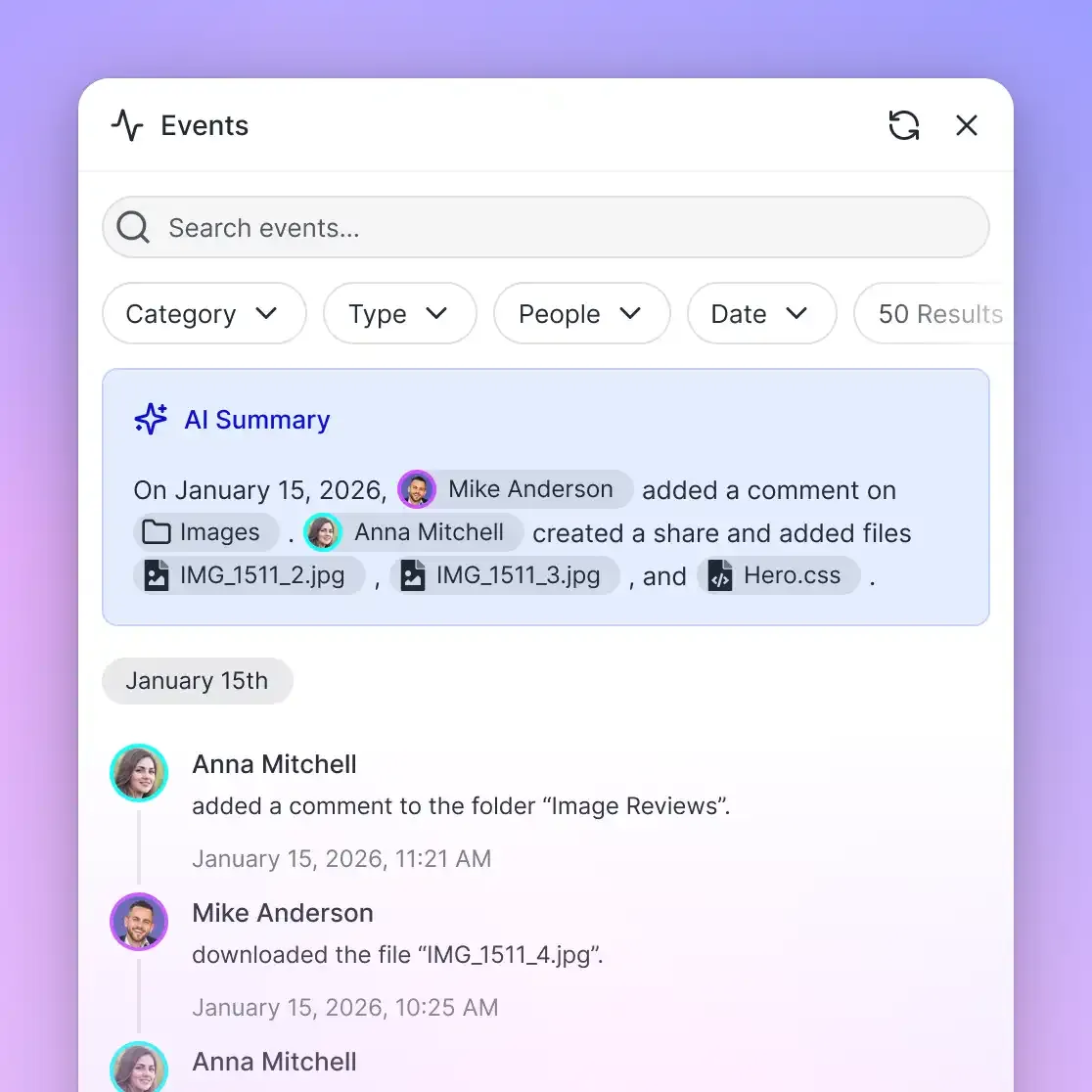
- Change tracking: The detailed activity log records file creations, edits, renames, deletions, membership adjustments, and share configurations. Every action is attributed to the specific human user or agent credential that initiated it.
- Collaborative Notes: Agents can record research summaries, execution logs, or review notes in Collaborative Notes stored directly beside the files. Notes use version-checked saves rather than real-time co-editing, allowing humans and agents to leave asynchronous updates without accidental overwrites.
- Per-file version history: Every file maintains a full version history. If an agent refactors a document or outputs a new iteration, previous versions remain intact and can be restored at any time.
Subscription Plans and Implementation
Fastio offers structured subscription tiers designed for teams collaborating with autonomous agents:
Monthly plans start with a 14-day free trial, which requires a credit card. Credits meter AI operations like workspace intelligence and document data extraction, and additional credits or storage can be added as workspace demands grow. Full plan specifications and subscription management are available on the Fastio pricing page.
Sources
References used to verify factual claims in this guide.
-
Microsoft Graph returns an HTTP 429 status code to throttle applications that exceed operational thresholds.
Frequently Asked Questions
How do I connect LangChain to Microsoft SharePoint?
You can connect LangChain to SharePoint either by using the native SharePointLoader in langchain_community to pull raw files via Microsoft Graph API, or by syncing SharePoint libraries to a Fastio workspace and querying indexed documents through the Model Context Protocol (MCP).
How does LangChain handle SharePoint document library permissions?
Direct Graph API loaders use Azure Entra ID credentials that require either short-lived delegated tokens or broad tenant-wide application permissions. Connecting through Fastio MCP allows teams to enforce role-based access controls set per organization, workspace, and share, ensuring agents only query files in designated workspaces.
Why does Microsoft Graph API throttle LangChain SharePoint loaders?
Microsoft Graph enforces concurrency and volume limits to protect infrastructure. When LangChain document loaders perform recursive folder scans or rapid binary file downloads, request spikes trigger HTTP 429 Too Many Requests responses requiring exponential backoff.
What is the difference between direct SharePoint batch loading and MCP search?
Direct batch loaders download raw binary files to the host machine, requiring local CPU parsing, chunking, and external vector database management. MCP search queries an already-indexed workspace over Streamable HTTP, returning only relevant text excerpts and citations directly into the agent context.
Does Fastio sync with Google Drive, OneDrive, and SharePoint?
Yes. Cloud Sync connects Google Drive, Dropbox, Box and OneDrive folders to a workspace, one-way or two-way, on a schedule or on demand. SharePoint document libraries connect directly through the OneDrive connector.
Related Resources

Connect SharePoint Document Libraries to Autonomous Agents
Index enterprise repositories into persistent workspaces with hybrid search and an MCP endpoint for LangChain. Start with a 14-day free trial.