How to Manage Fastio File Metadata with Prisma ORM
Managing Fastio file metadata with Prisma ORM involves setting up a schema matching Fastio's file and workspace IDs. Poll the activity feed or consume WebSocket events to keep your database current. You can then query files with app data using Prisma's type-safe client. Prisma is trusted by more than 500k monthly active developers and works well for workspace-file relationships. Developers use it to track agent uploads, check usage, or build dashboards. Start with the Prisma schema, followed by the event handler.


Managing Fastio File Metadata with Prisma ORM: Why Sync?
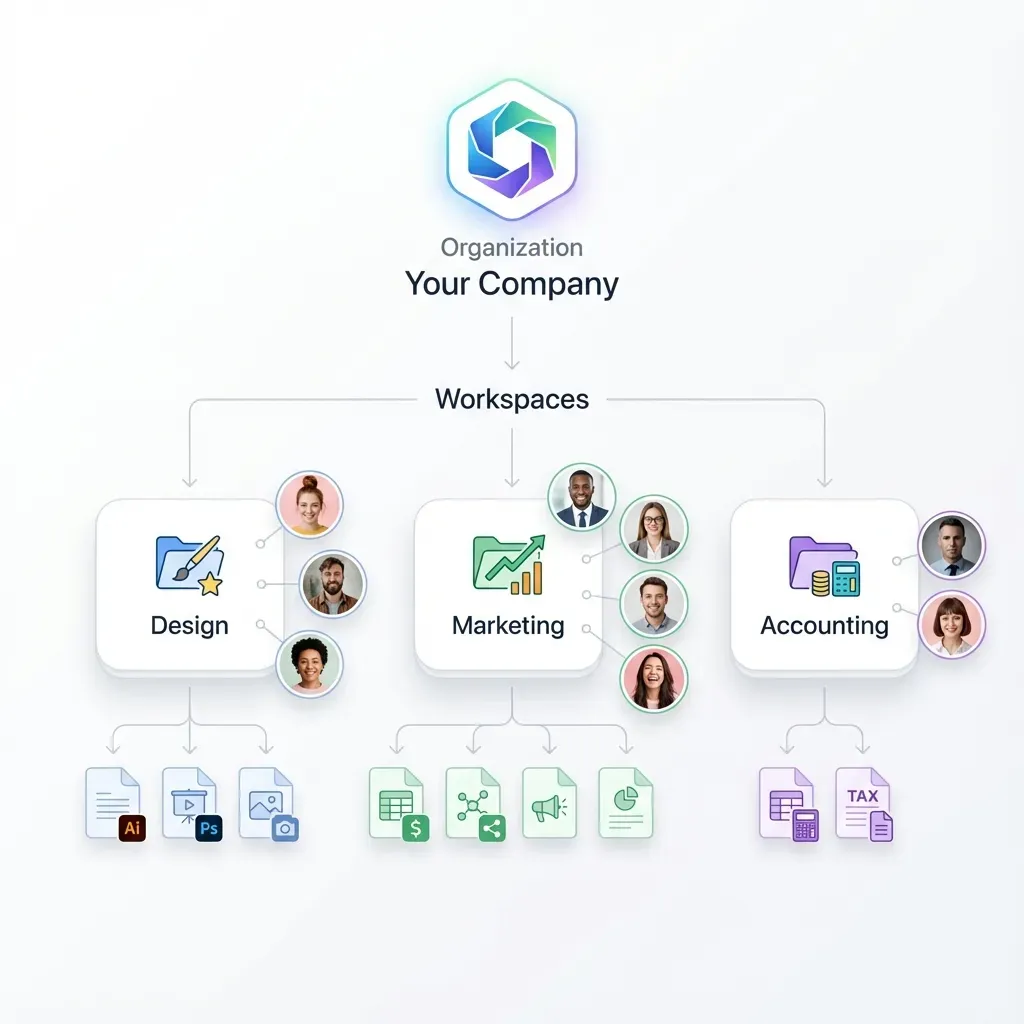
Fastio workspaces store files with details like names, sizes, MIME types, and upload times. Agent apps need this data next to user records or analytics in their database. Polling the realtime activity feed or connecting to the WebSocket events feed syncs changes reliably. Prisma lets you run quick queries. It works for other storage services too. Fastio events for uploads, updates, and access fit right in. The setup can handle thousands of files across agent-driven workflows. Helpful references: Fastio Workspaces, Fastio Collaboration, and Fastio AI.

Related guides
- How to Manage Custom File Metadata with Fastio APICustom file metadata in Fastio allows developers to attach application-specific key-value pairs to files to improve...
- How to Implement API File Versioning: A Complete Developer TutorialFile versioning with the Fastio API lets applications programmatically store, track, and roll back document iterations...
- How to Manage Google AI Studio FilesGoogle AI Studio lets developers upload documents, images, and video for Gemini's large context window. But the file...
- How to Manage Files with Google ADK AgentsGoogle ADK (Agent Development Kit) provides a structured way for agents to manage binary data through the Artifacts...
- How to Upload Files: Fastio API File Upload TutorialFollowing a Fastio API file upload tutorial is the fast way to get your applications talking to intelligent agent...
- How to Manage Files with the Gemini APIGoogle's Gemini API offers powerful multimodal capabilities, allowing you to analyze images, audio, and video directly....
More on this subject: Agent File and Document Workflows (325 guides)
Prisma Schema for Fastio Files
Start with a schema for key Fastio file details. Use their node IDs as unique keys.
generator client {
  provider = "prisma-client-js"
}

datasource db {
  provider = "postgresql"
  url      = env("DATABASE_URL")
}

model Workspace {
  id          String   @id @default(uuid())
  fastioId    String   @unique // Fastio workspace profile ID
  name        String
  description String?
  createdAt   DateTime @default(now())
  files       File[]
}

model File {
  id           String     @id @default(uuid())
  fastioId     String     @unique // Fastio node opaque ID (f..., d...)
  name         String
  sizeBytes    BigInt
  mimeType     String
  uploadedAt   DateTime?
  workspaceId  String
  workspace    Workspace  @relation(fields: [workspaceId], references: [id])
  metadata     Json?      // Custom or AI-extracted metadata
  createdAt    DateTime   @default(now())
  updatedAt    DateTime   @updatedAt
}
Run npx prisma db push to apply it. This sets up one-to-many workspaces to files, using Fastio IDs to avoid duplicates.


Build Agent Workspaces with File Sync
Get generous storage and included credits for agents. Sync metadata and query with Prisma in your workflows.
How to Stream Fastio Events
Connect to Fastio's WebSocket events feed or poll the realtime activity feed via the REST API at https://api.fast.io/current/. The feed reports changes like file uploads, updates, and removals. Each entry includes file details and the unique node ID.
Verify incoming event payloads and upsert records in Prisma on receipt. This approach ensures data consistency across your database.
Example payload:
{
  "event": "file.uploaded",
  "workspace_id": "1234567890123456789",
  "node_id": "f3jm5-zqzfx-pxdr2-dx8z5-bvnb3-rpjfm4",
  "name": "report.pdf",
  "size_bytes": 2048000,
  "mime_type": "application/pdf"
}
How to Build the Event Sync Handler
Create an event processing handler. Extract event details, find or create the workspace, then upsert the file record.
import { PrismaClient } from '@prisma/client';

const prisma = new PrismaClient();

export async function handleFastioEvent(payload: any) {
  const { event, workspace_id: fastioWorkspaceId, node_id: fastioFileId, name, size_bytes, mime_type, uploaded_at } = payload;

// Upsert workspace
  const workspace = await prisma.workspace.upsert({
    where: { fastioId: fastioWorkspaceId },
    update: {},
    create: { fastioId: fastioWorkspaceId, name: 'Workspace' }
  });

// Upsert file
  await prisma.file.upsert({
    where: { fastioId: fastioFileId },
    update: {
      name,
      sizeBytes: BigInt(size_bytes),
      mimeType: mime_type,
      uploadedAt: new Date(uploaded_at || Date.now()),
      workspaceId: workspace.id
    },
    create: {
      fastioId: fastioFileId,
      name,
      sizeBytes: BigInt(size_bytes),
      mimeType: mime_type,
      uploadedAt: new Date(uploaded_at || Date.now()),
      workspaceId: workspace.id
    }
  });
}
Run this handler whenever your application consumes events from Fastio's WebSocket feed or activity polling loop.

Querying Synced Metadata
Data in place? Time to query.
Large files: prisma.file.findMany({ where: { sizeBytes: { gt: 100000000n } } })
Recent uploads in a workspace:
const recent = await prisma.file.findMany({
  where: {
    workspace: { fastioId: 'your-workspace-id' },
    uploadedAt: { gt: new Date(Date.now() - 7 * 24 * 60 * 60 * 1000) }
  },
  include: { workspace: true },
  orderBy: { uploadedAt: 'desc' }
});
By MIME type totals: prisma.file.groupBy({ by: ['mimeType'], _sum: { sizeBytes: true } })
Tie it into user records or agent analytics for a full picture. For example, join files with user accounts to track uploads per developer or agent session.
Advanced: Fetch Full Details and Handle Deletes
Events cover basics like file name and size. For complete metadata such as preview URLs and AI extraction status, query Fastio's REST API using the node ID.
Add this to the handler:
// Fetch full details if needed
const details = await fetch(`https://api.fast.io/current/storage/${workspace.fastioId}/${fastioFileId}/details/`, {
  headers: { Authorization: `Bearer ${process.env.FASTIO_TOKEN}` }
}).then(r => r.json());
// Update with details.preview_url, details.ai_state, etc.
On file.deleted: prisma.file.update({ where: { fastioId: fastioFileId }, data: { deletedAt: new Date() } }) or soft delete.
For edge cases, check updated_at for idempotency, batch for rate limits, use transactions for conflicts.
Error Handling and Idempotency
Event handlers must handle network retries and transient failures gracefully.
export function isDuplicateEvent(existingUpdatedAt: Date, incomingTimestamp: string): boolean {
  return new Date(incomingTimestamp) <= existingUpdatedAt;
}
For retries, use exponential backoff on transient errors. Prisma Client retries some operations internally, but for high-throughput workloads consider connection pooling. Implement idempotency by checking the incoming event timestamp against your stored updatedAt value before writing.
Dead-letter queues such as Redis, SQS, or another durable queue can capture permanent failures for inspection.
Scaling Sync for Production
Agents can generate high event volume. Offload processing to queues like BullMQ or AWS SQS instead of doing every write inline with the worker. This keeps latency low during traffic spikes from multiple agents.
Batch upserts with Prisma transactions:
await prisma.$transaction(
  files.map((fileData) =>
    prisma.file.upsert({
      where: { fastioId: fileData.fastioId },
      create: fileData,
      update: fileData,
    })
  )
);
For initial bootstrap, list the existing files from Fastio and seed your tables before connecting the event stream. Then measure sync lag by comparing stored update timestamps against the latest event time.

Agent Integration and MCP
Fastio's MCP server gives agents direct upload, search, and sharing access, so the same agent can trigger uploads and your sync handler can persist the metadata into Prisma.
A practical workflow looks like this: an agent creates or joins a workspace, uploads a report, your sync handler stores the metadata in Prisma, and then a downstream process reads Prisma for analytics or audit reporting. Prisma queries enable joining file metadata with agent execution logs for end-to-end traceability.
Use the Fastio MCP marketing page for agent setup guidance, not the raw MCP endpoint URL, when you link this article to product pages.
Sources
References used to verify factual claims in this guide.
-
Trusted by more than 500k monthly active developers globally
Frequently Asked Questions
How do I store file metadata in a database?
Link Fastio file IDs to Prisma records. Upsert event data for name, size, MIME type, and extras in JSON. Relate files to workspaces or users.
How to sync external API data with Prisma?
Listen to Fastio's WebSocket events feed or poll activity. Upsert records by ID and fetch additional details via the REST API if needed.
What Fastio events trigger metadata sync?
File uploads, modifications, and deletions recorded in the events feed. Payloads include node ID for matching.
Can agents manage this sync?
Yes, agents interact with Fastio via the MCP server or REST API while background workers persist metadata to Prisma. Point readers to /pricing/ for plans.
How to handle large-scale sync?
Batch upserts in Prisma transactions. Use queues like BullMQ for volume. Efficiently manage queries to the Fastio REST API.
Related Resources

Build Agent Workspaces with File Sync
Get generous storage and included credits for agents. Sync metadata and query with Prisma in your workflows.