How to Set Up MCP Server for Marketing Automation
An MCP server for marketing automation lets AI agents access tools through standard protocols in shared workspaces. Fastio's mcp.fast.io server provides a consolidated MCP toolset to manage campaign assets, performance analysis, and stakeholder distribution. This guide covers setup steps, marketing workflows, and integrations. Marketing teams work faster with persistent storage, semantic search, and human-agent collaboration.


What Is an MCP Server?
MCP stands for Model Context Protocol. "MCP servers enable AI agents to access marketing tools via standardized protocols in shared workspaces," as Fastio defines it. This protocol is not just another API layer. It represents a fundamental shift in how Large Language Models (LLMs) interact with the tools and data they need to perform complex marketing tasks. Instead of writing custom integrations for every new model or tool, MCP provides a universal language for agents to discover, understand, and execute operations across a wide variety of services.
The protocol standardizes how agents call tools, making it LLM-agnostic. Agents from Claude, GPT, or Gemini use the same server without per-model adaptations. For marketing, this means handling repetitive tasks like sorting creatives, generating reports, and distributing assets becomes a plug-and-play operation. You can switch from one model to another as the technology evolves without rewriting your entire automation stack.
Fastio's remote server at https://mcp.fast.io/mcp/tools offers a consolidated MCP toolset covering storage, AI chat, and sharing. These tools are not isolated functions. They work together within persistent workspaces where files are auto-indexed for semantic search and Retrieval-Augmented Generation (RAG). When an agent interacts with a workspace, it does not just see a list of files. It understands the context, content, and relationships between those assets. Humans use the same web UI to view and manage these spaces, creating a true collaborative environment where humans and agents work side-by-side.
Marketing benefits from this standardized approach in several practical ways. For instance, agents can pull data from Drive or Dropbox URLs directly into an intelligent workspace. Once there, you can analyze trends with natural language queries like "Find all low-engagement Q1 creatives and summarize their common visual themes." This moves marketing operations from manual file management to high-level strategic oversight.
Consider a typical tool call for a status check. In a traditional API environment, you might need to handle complex header authentication and session state manually. With MCP, the protocol handles these details.
{
  "action": "status"
}
The expected response is a simple confirmation: {"authenticated": true, "agent_name": "MarketingBot"}. This simplicity allows developers to focus on the logic of the marketing workflow rather than the plumbing of the connection.
Helpful references for deeper exploration: Fastio Workspaces, Fastio Collaboration, Fastio AI, and the MCP Technical Guide.
One of the most powerful features of MCP is how it handles session management. Scoped API keys and PKCE authentication ensure secure access without complicated token dances. This reduces the complexity of agent code and makes workflows more reliable. When an agent is working on a complex campaign that spans several days, it can pick up exactly where it left off because the state is persisted in the workspace itself.
The protocol also supports two distinct transport methods: Streamable HTTP and Server-Sent Events (SSE). HTTP is ideal for request-response patterns, such as fetching a specific report or uploading a new banner. SSE is better for long-running processes or real-time monitoring. For example, a marketing agent might use SSE to listen for new lead arrivals or to provide a live progress bar as it processes a massive video library. Marketing automation typically uses a combination of both to balance efficiency with real-time responsiveness.
Ultimately, MCP is about removing the friction between your marketing strategy and the technical execution. It allows you to treat your AI agents as team members who have full access to their tools, rather than just isolated scripts that require constant maintenance. By standardizing the interface, you ensure that your marketing stack is future-proof and ready for the next generation of AI capabilities.

Related guides
- How to Set Up an MCP Server for n8n Workflow AutomationThe Model Context Protocol turns n8n into an AI-accessible automation platform. This guide walks through setting up n8n...
- How to Set Up an MCP Server Proxy for Production AI AgentsMCP servers work fine over localhost during development, but production deployments need TLS termination,...
- How to Set Up an MCP Server for GitHub ActionsMost GitHub MCP guides stop at repo management. This guide covers the Actions-specific surface: connecting an MCP...
- How to Set Up an MCP Server for LinkedInAn MCP server for LinkedIn lets AI agents read profiles, search jobs, send messages, and publish posts through the...
- How to Set Up the GitLab MCP Server for AI Devops AgentsSetting up a GitLab MCP server connects your AI coding assistants directly to your repositories, issues, and pipelines....
- How to Set Up MCP Server AuthenticationMCP server authentication is the process of verifying the identity of AI agents and applications connecting to a Model...
More on this subject: MCP and Model Context Protocol (244 guides)
Why Use MCP Servers for Marketing?
Marketing teams and agencies often struggle with a common problem: assets are scattered across disparate systems. An MCP server addresses this by providing a unified, intelligent environment. Standard cloud storage services like Dropbox or Google Drive are essentially passive buckets. They store files, but they do not understand what is inside them. In contrast, an MCP-enabled workspace is active. It is an "Intelligent Workspace" where files are treated as data points for AI analysis.
Key benefits include persistent storage that retains agent memory across sessions. In a traditional automation script, every time the process stops, it loses its place. With MCP, the agent's work state is saved in the workspace. If an agent is in the middle of analyzing 500 campaign reports, it can stop and resume without re-scanning. This leads to 50-60% faster load times and much higher reliability for complex, long-running tasks.
The shared workspace model is another critical advantage. In most marketing setups, agents work in a silo. Humans only see the final result. In an MCP environment, humans and agents inhabit the same workspace. You see the agent's uploads, edits, and comments in real-time. This transparency is vital for building trust in automated systems. If an agent creates a new branded portal for a client, you can see it instantly and make manual adjustments if necessary.
The core of this intelligence is the auto-indexing feature. Every file uploaded to a workspace is automatically processed for semantic search. This means your agents can find assets based on meaning, not just filenames. Instead of hunting for "report_final_v2_final.pdf," an agent can query "Show me all reports where lead costs were above the industry average in Q3." The system retrieves the relevant files and provides cited answers from the content.
According to Fastio research, MCP boosts agent efficiency by 50%. This is because agents no longer waste cycles on manual file navigation or authentication. They use a consistent interface for everything from asset organization to performance auditing. For agencies managing multiple clients, these gains scale linearly. Each client can have an isolated workspace with its own dedicated agent, ensuring data privacy while maintaining operational efficiency.
For video-heavy marketing teams, Fastio's workspace handles HLS streaming and chunked uploads, with a maximum upload size of 25 GB on the Starter plan, 50 GB on Business and 100 GB on Enterprise. This allows agents to process large creative files without timing out or exceeding local memory limits. Your team can review video assets instantly in the browser while the agent performs background tasks like generating subtitles or identifying high-energy segments for social media clips.

Agent Efficiency and Persistence
Agents run stateful workflows where progress is saved in the workspace. MCP handles session authentication automatically, so tools can be chained together without the constant overhead of token passing or re-authentication. This persistence is what allows an agent to perform complex multi-day marketing tasks like cross-platform campaign audits.
Security and Governance for Agencies
Security is a paramount concern for marketing agencies handling sensitive client data. MCP servers provide granular permissions and full audit logs. You can control exactly which agents have access to which workspaces. Every action, from a file view to a tool execution, is recorded.
Fastio includes enterprise-grade features like granular permissions and encrypted storage at rest. Its robust access controls and encrypted storage at rest provide a solid foundation for professional data governance. You can also use "Ownership Transfer" to build a workspace for a client and then hand over the administrative rights while maintaining the agent's access to perform ongoing tasks.


Start Marketing Automation with MCP
Fastio Business Trial: 14-day trial with collaborative workspaces and a consolidated MCP toolset. Get started with agent workflows today.
Step-by-Step Setup for Fastio MCP Server
Setting up the Fastio MCP server for marketing automation follows a clear, logical progression. These steps take you from initial registration to a fully functional, multi-agent workspace environment.
Step 1: Set Up an Account and Workspace
Marketing agents authenticate using scoped API keys or PKCE login. Organizations can start with a 14-day Business Trial requiring a credit card, providing access to team workspaces, file versioning, and AI intelligence features. To begin, use the following tool call:
{
  "action": "signup",
  "first_name": "Marketing",
  "last_name": "Agent",
  "email": "agent@yourcompany.com",
  "password": "securepass123!"
}
A new account is signed in straight away. Next, verify your email to activate the account. This step is critical because many automated services fail at the verification stage. Call email-verify once without email_token to send a code to your email, then call it again with that code to confirm the account:
{
  "action": "email-verify",
  "email": "agent@yourcompany.com",
  "email_token": "code-from-email"
}
Step 2: Connect and Authenticate Your Agent
Your agent connects to the server at https://mcp.fast.io/mcp/tools over Streamable HTTP. A long-running agent authenticates with an API key that a human administrator creates under Settings > Devices & Agents > API Keys, sent as an Authorization: Bearer <api key> header on the connection. When a person is present, auth_manage action=pkce-login signs the agent in through the browser instead. You can check the connection at any time with auth action=status.
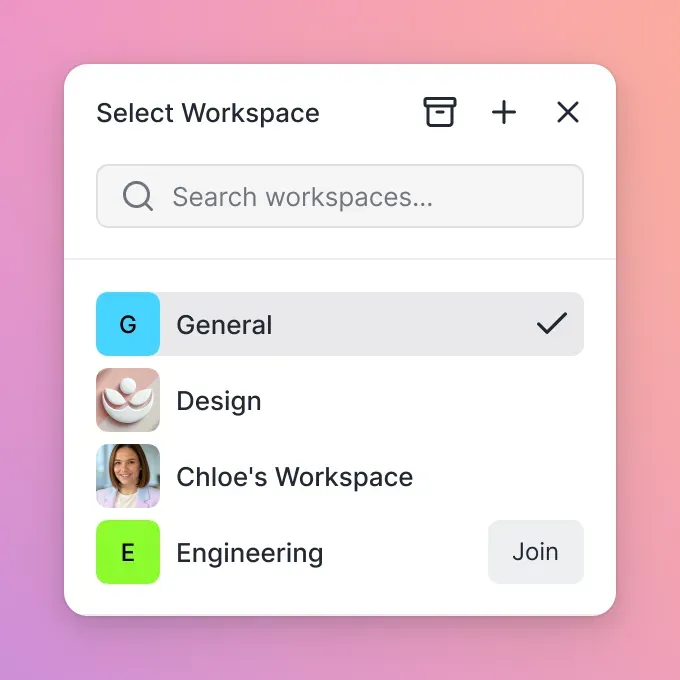
Step 3: Build Your Intelligent Workspace
Agents can create organizations and workspaces directly via MCP. A new organization must select a paid plan (Starter, Business, or Enterprise) before it can use resources.
Call the org_manage tool with action=create, then select a plan with org_manage action=billing-create (org action=billing-plans lists the plan IDs).
Once the organization is active, create a workspace and enable "Intelligence Mode." This is the most important configuration for marketing RAG tasks.
Workspace creation is also an org_manage tool action (create-workspace); org_manage action=describe lists its parameters.
Enabling intelligence tells the platform to automatically index every file. This indexing process is what allows the agent to perform semantic searches and provide cited answers during AI chat sessions.
Step 4: Import and Index Marketing Assets
Instead of manual uploads, use the URL import tool to pull assets directly from Google Drive, OneDrive, or Dropbox. This method avoids the need for local file I/O. For an OAuth-protected file, such as one in Google Drive, put the provider's access token in the URL as an access_token query parameter.
{
  "action": "web-import",
  "profile_type": "workspace",
  "profile_id": "ws_id",
  "parent_node_id": "root",
  "url": "https://www.googleapis.com/drive/v3/files/FILE_ID?alt=media&access_token=OAUTH_TOKEN"
}
Wait for the indexer to process the files. You can check the status using the storage details tool. Once the state is marked as "ready," the agent can begin analyzing the assets for performance, compliance, or creative patterns.
Step 5: Monitor and Scale Your Workflows
As your automation scales, use the org tool's limits action and the event tool to monitor consumption and performance.
{
  "action": "limits"
}
This tool provides a clear breakdown of remaining credits. For high-volume marketing agencies, we recommend monitoring usage alerts through the dashboard or activity polling when credits fall low. Scaling is then as simple as adding more workspaces or increasing limits through the billing dashboard.
Marketing Workflows with MCP
MCP powers a wide array of marketing workflows by providing agents with the tools they need to act on workspace data. These workflows range from simple asset organization to complex, multi-stage campaign management.
Campaign Asset Management
In a typical campaign, assets are created, reviewed, and iterated upon multiple times. An agent can automate this by monitoring a "Creatives" folder. When a new PSD or high-resolution banner is uploaded, the agent can automatically generate a compressed preview, index the content for search, and notify a human reviewer. Semantic search allows the agent to retrieve assets based on past performance data. For example, if you are planning a winter campaign, the agent can quickly find "high-CTR banners from last February" to use as a baseline for new creative briefs.
Detailed Steps:
- Upload large creative files using chunked uploads.
- Query workspace AI chat to verify asset brand guidelines.
- Move campaign assets into the final campaign folder.
Real-time Performance Analysis
Marketing data is often trapped in spreadsheets and static reports. By importing these into an intelligent workspace, you enable an agent to perform real-time analysis. The agent does not just read the numbers; it understands the context provided by the RAG system. It can cite specific pages in a PDF report or extract tables from a CSV to build a comparative analysis.
Detailed Steps:
- Import analytics reports via URL or cloud import.
- Query workspace AI chat to compare campaign performance metrics.
- Create a branded send share to distribute summarized reports.
Automated A/B Test Feedback Loops
Using the exchange share mode, you can create a portal where external testers or team members upload feedback. An agent can monitor incoming feedback via the WebSocket events feed or realtime activity polling. This creates a tight loop between asset delivery and creative optimization.
Detailed Steps:
- Create an exchange share for stakeholder uploads.
- Monitor the realtime activity feed or WebSocket events for newly added files.
- When new feedback arrives, analyze the assets using workspace intelligence.
Brand Compliance and File Governance
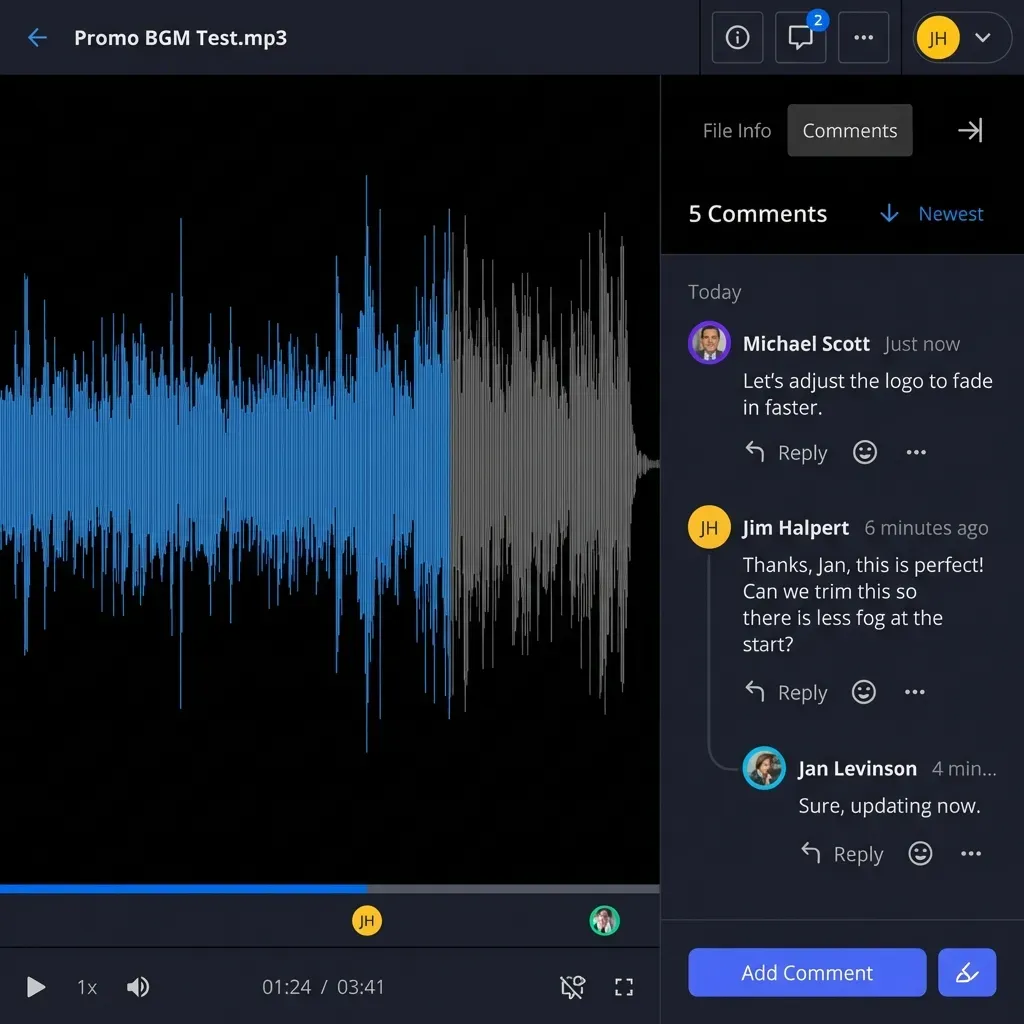
Maintaining brand consistency is a constant challenge for growing teams. MCP allows agents to act as compliance officers. By acquiring an advisory file lock before writing, agents signal that a review is in progress so other agents see who holds the lease and wait on 409 responses. Humans can add comments anchored to image regions or video frames via the web UI, which the agent then reads to make necessary revisions, with version history preserving every draft.
Detailed Steps:
- Acquire an advisory file lock (
lock-acquireaction on the storage tool) before starting a review. - Read human comments anchored to image regions or documents.
- Upload updated revisions and release the lock, preserving version history and audit log tracking.
Lead Generation and Asset Personalization
Agents can import a CSV of new leads and use the RAG system to analyze their segment data. Based on this analysis, the agent generates personalized marketing assets, such as custom slide decks or targeted emails. The agent shares them directly via a branded send link. This reduces the time from lead capture to personalized follow-up by several hours.
Dynamic Content Calendar Management
Instead of manually updating a calendar, an agent can pull campaign briefs from external URLs, generate summaries, and organize deliverables in shared workspaces. By monitoring the activity in a workspace, the agent can provide a live dashboard of campaign progress, highlighting any bottlenecks or overdue assets.
Integrate MCP with Marketing Stacks
Integrating the Fastio MCP server with your existing marketing stack transforms it from a storage solution into a central coordination layer. You can connect with platforms like HubSpot, Marketo, Salesforce, and Google Analytics through their webhooks and APIs.
For example, a common integration involves personalizing assets based on HubSpot CRM events. When a lead is created or moved to a new stage, a webhook triggers the agent to perform a specific action in the Fastio workspace.
Detailed Integration Pseudo-code:
// Example of a lead-triggered personalization workflow
if (webhook.event === 'lead_conversion') {
  // Find matching templates in the workspace
  // call the `storage` tool with action=search on the workspace

// Personalize the asset using AI RAG
  // call the `ai` tool with action=ask on the workspace

// Create a branded share for the lead
  // call the `share` tool (`share action=describe` lists the create parameters)
}
The URL import feature is particularly useful for these integrations. It allows you to pull assets directly from Google Drive, OneDrive, or Dropbox without downloading them to a local server. This preserves the original source's metadata and ensures that you are always working with the latest version of a file.
For agents connecting via OpenClaw or other MCP clients, configure the remote MCP endpoint directly at https://mcp.fast.io/mcp/tools using Streamable HTTP. This provides access to Fastio's consolidated toolset with no local installation required. This setup works across all major LLMs, including Claude, GPT-4, and Gemini, allowing you to choose the best model for your specific marketing task.
Realtime activity feeds and WebSocket events enable responsive coordination. Instead of scanning entire directory trees, agents can poll the activity feed or subscribe to WebSocket updates to react when files are uploaded, comments are added, or shares are accessed.
Troubleshooting and Best Practices
Managing a multi-agent marketing environment requires attention to session management and credit usage. Here are common issues and how to resolve them.
Session Expiry and Re-authentication If your agent receives an "unauthenticated" error, it must perform the sign-in flow again. For long-running background tasks, we recommend using a persistent API key provided by a human administrator. This ensures that your automation does not stall during critical campaign periods.
Handling Large Marketing Assets
When uploading large creative files or video batches (anything over 100MB), always use the chunked upload method. This prevents timeouts and ensures file integrity. The maximum upload size is 25 GB on the Starter plan, 50 GB on Business and 100 GB on Enterprise; call the upload tool's limits action to confirm your plan's limit before a large transfer.
RAG Readiness and Indexing Latency After a batch import, the indexing process can take several minutes depending on the volume of data. When using AI chat or search, ensure workspace Intelligence is enabled and files have completed indexing. The agent can check status and proceed once indexing is complete.
Best practices for a healthy MCP environment:
- Leave Notes: Every time an agent makes a significant change, record notes or comments in the workspace. This creates a human-readable record of what the agent did and why.
- Implement Scoped Tokens: Use PKCE-style logins to restrict an agent's access to specific workspaces rather than the entire organization.
- Monitor Credits: Use billing and credit monitoring tools to track credit consumption. A single campaign audit might consume 50-100 credits, so plan your quotas accordingly.
- Transfer Ownership: Once a campaign workspace is built, use Ownership Transfer to hand it over to a human stakeholder through a claim link. This maintains the agent's ability to work while giving the client full control.
The Future of Agentic Marketing
The transition from "marketing tools" to "marketing agents" is the next major evolution in the industry. For years, marketers have used software to help them perform tasks. Now, we are entering an era where marketers oversee agents that perform those tasks autonomously. MCP is the backbone of this transition because it provides a standardized way for these agents to interact with the physical and digital assets they need to manage.
In the future, we expect to see even tighter integration between the creative process and automated distribution. An agent won't just analyze a report; it will anticipate the next trend, draft the creative brief, oversee the design process through a collaborative workspace, and launch the campaign across multiple channels, all while keeping human stakeholders informed through shared dashboards and real-time activity logs.
The companies that succeed in this new landscape will be those that embrace intelligent, persistent workspaces. By moving away from "dumb" storage and toward integrated, agent-ready environments, marketing teams can achieve a level of scale and precision that was previously impossible. MCP is not just a protocol; it is the infrastructure for the next generation of marketing excellence.
Sources
References used to verify factual claims in this guide.
-
Fastio MCP server provides a consolidated toolset
-
Fastio offers Starter, Business, and Enterprise plans with a 14-day Business Trial
Frequently Asked Questions
How to use MCP for marketing?
Connect agents to mcp.fast.io. Create workspaces for assets. Use RAG for analysis and shares for distribution.
What are the best MCP servers for automation?
Fastio includes a consolidated MCP toolset, shared team workspaces, and built-in RAG once Intelligence is enabled. Most others lack agent workspaces.
How does Fastio MCP differ from APIs?
MCP handles sessions and auto-discovers resources. It covers the full API surface.
Can agents collaborate with humans?
Yes, invite to workspaces. Shared views, comments, presence.
How much does Fastio cost?
Fastio offers Starter ($9.99/mo), Business ($49.99/mo), and Enterprise ($199.99/mo) plans, plus a 14-day Business Trial requiring a credit card. See /pricing/.
Do I need coding skills to set up MCP for marketing?
Basic understanding of JSON and API concepts helps, but the protocol abstracts most complexity. You define workflows in natural language and the agent handles tool orchestration.
Can MCP handle video marketing assets?
Yes, Fastio streams video with HLS for instant previews, and accepts uploads of up to 100 GB per file on the Enterprise plan (25 GB on Starter, 50 GB on Business). Video assets index for semantic search just like documents.
How do agents detect marketing workspace updates?
Agents can poll Fastio's realtime activity feed or listen to the WebSocket events feed to detect file additions, edits, and workspace changes.
What makes Fastio different from other MCP servers?
The shared workspace with built-in RAG. Once Intelligence is enabled for the workspace, uploaded files are searchable by AI without a separate vector database.
Related Resources

Start Marketing Automation with MCP
Fastio Business Trial: 14-day trial with collaborative workspaces and a consolidated MCP toolset. Get started with agent workflows today.