How to Manage Mistral AI Agent Storage
Mistral AI agent storage handles files, tool results, and state for reliable agent workflows. Mistral's Agents API maintains conversation state across sessions. Production setups still need external storage for files and artifacts. This guide shares best practices, compares options, and shows Fastio setup steps.


What Mistral Agents Store and Why It Matters
Mistral agents keep conversation history, tool results, generated files, and retrieved documents. The API holds persistent state across turns. Files from tools like code interpreters or image generators need external storage.
Without reliable storage, agents lose context between sessions. Developers face repeated downloads or state drift in multi-agent systems. Reliable storage lets agents pick up right where they left off.
Mistral handles multimodal inputs and tools like web search and document library. Files from these tools need permanent storage for handoffs and long-running tasks.
Mistral's Agents API provides persistent conversation state. For production workflows, developers often pair it with persistent file storage. According to Mistral docs, agents support built-in tools for code execution, web search, image generation, and a beta document library for RAG. Generated artifacts like charts, reports, or processed images require external persistence for multi-turn conversations, human checks, and agent handoffs.
Common storage needs include:
- Tool outputs: Code interpreter results, generated images, scraped data
- User uploads: Documents for RAG, datasets for analysis
- Intermediate state: Versioned drafts, processed files during workflows
- Final deliverables: Reports, exports shared with humans

Persistent State vs File Storage
Mistral maintains conversation persistence natively. Files need external handling. External storage provides versioning, sharing, and multi-agent access beyond single conversations.
Related guides
- How to Manage AI Research Agent StorageResearch agents create huge amounts of data. This guide shows how to structure, store, and retrieve findings...
- How to Manage Amazon Bedrock Agent File StorageAmazon Bedrock agent file storage determines how AI agents interact with your documents and where they save their work....
- How to Manage Retail Inventory Storage for AI AgentsAI agent retail inventory storage enables real-time stock tracking and SKU file management in shared workspaces. Retail...
- How to Manage Financial AI Agent Document StorageFinancial AI agent document storage is the secure management of financial documents, such as statements, contracts,...
- How to Manage LlamaIndex Storage for Production RAG ApplicationsLlamaIndex storage handles the persistence of document embeddings, index metadata, and raw document nodes required for...
- Mistral Context Window: Token Limits Across Models and MCP Storage WorkaroundsThe Mistral context window defines the upper token capacity for prompt ingestion and generation across Mistral AI...
More on this subject: Agent Memory and Storage (263 guides)
Challenges with Ephemeral Storage in Mistral Agents
Ephemeral storage, typical for API uploads, deletes data after processing. Mistral's document library is beta and limited to conversations. This setup doesn't scale for production.
Problems include:
- Data loss on agent restarts
- No collaboration between agents and humans
- High costs from re-uploading large files
- No versioning or audit trails
Persistent workspaces provide version history, activity feeds, and shared access.
In practice, developers report issues with state drift when tools generate files during long-running tasks. Re-fetching or re-generating data wastes tokens and time. Production agents need persistent storage with advisory file locks for concurrent access and event feeds for reactive flows. Storage solutions like Fastio handle these with MCP tools and built-in AI features.
Top Storage Solutions for Mistral Agents
Fastio supports MCP, which Mistral agents handle natively.
OpenAI Files API pros: Integrated with Assistants.
Cons: Ephemeral, limited file sizes, tied to OpenAI ecosystem.
AWS S3 pros: Scalable, durable.
Cons: Requires custom SDK integration, no built-in agent tools or RAG.
Fastio pros: MCP-native (consolidated toolset), built-in RAG, Business Trial, human handoff.
Cons: maximum upload size is 25 GB on the Starter plan, 50 GB on Business and 100 GB on Enterprise.
Pinecone pros: Vector search optimized.
Cons: Embeddings only, no full file storage.
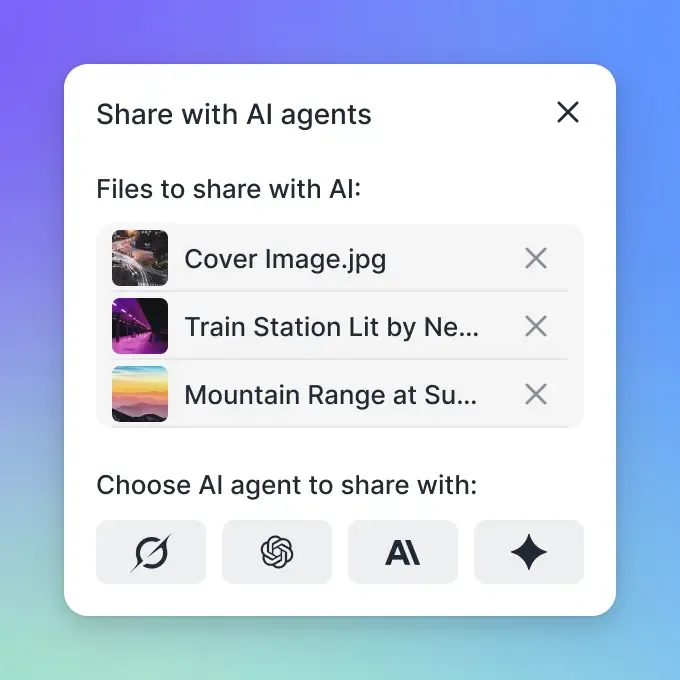


Give Your AI Agents Persistent Storage
Fastio gives teams shared workspaces, MCP tools, and searchable file context to run mistral ai agent storage workflows with reliable agent and human handoffs.
Step-by-Step Mistral Agent Storage Setup
Sign up for Fastio: creating an account is free, then start a 14-day trial (card required) or subscribe. Starter includes 3 seats and 250 GB of storage.
Create workspace: Use the MCP
orgtool, which handles workspace creation.Configure MCP endpoint: Point Mistral agent to the Fastio MCP server at
https://mcp.fast.io/mcp/toolsfor a consolidated MCP toolset, sending your Fastio API key as a Bearer token in the Authorization header. Mistral supports MCP natively per docs. See AI product page for more.Enable Intelligence Mode: Toggle on workspace for auto RAG indexing.
Monitor activity: Poll the realtime activity feed or WebSocket events feed for file change events.
Example MCP tool call in Mistral Agents API:
{
  "tool": {
    "type": "mcp",
    "mcp_server": "https://mcp.fast.io/mcp/tools"
  },
  "params": {
    "tool": "storage",
    "params": {"action": "list", "profile_type": "workspace", "profile_id": "YOUR_WORKSPACE_ID"}
  }
}
Connect via MCP: Use Streamable HTTP at https://mcp.fast.io/mcp/tools for natural language file management.
Full Python example:
from mistralai.client import MistralClient
client = MistralClient(api_key="your_key")
agent = client.agents.create(...)
### Agent uses MCP tools automatically
Verification Steps
After setup, test the upload_manage tool with a sample image. Check audit logs with events-search.
Advanced File Management for Mistral Agents
Advisory file locks and per-file version history with restore coordinate multi-agent work. Ownership transfer lets agents build workspaces and hand them off to humans through a claim link.
URL import (web-upload) pulls files from Google Drive, Box, Dropbox via OAuth. No local I/O needed for agents. Activity polling and WebSocket events track file changes for reactive workflows, like processing new uploads automatically.
Intelligence Mode (/product/ai/) auto-indexes files for semantic search and RAG with source citations. Supports multimodal: HLS video streaming (50-60% faster load times), universal previews for PSD/AI/RAW/CAD.
Best practices:
- Scope one workspace per agent task or project
- Use advisory file locks before writing, and file version history to recover previous edits in multi-agent setups
- Use activity feeds to chain workflows (upload -> process -> notify)
- Transfer ownership after agent completes build phase

Cost Optimization and Monitoring
Fastio bundles storage and seats into the plan, then meters AI work in credits: chat, document ingestion, and agent runs all draw down the monthly allowance, at a pace that depends on the size of each job.
Monitor usage with the MCP org tool's limits action. Full audit logs via the event tool track all access. Starter includes 100,000 credits a month, and anything past the allowance costs $10 per 100,000 additional credits.
Cost comparison:
- AWS S3: Pay-per-use storage, plus SDK integration time
- OpenAI Files: Token-based, ephemeral limits re-processing costs
- Fastio: flat plans from $9.99 a month cover prototypes to production pilots, with seats bundled rather than billed per user. See pricing for details.
Tip: Use activity feeds to trigger cleanups, minimizing storage costs.
Security Best Practices for Agent Storage
Implement granular permissions at organization, workspace, folder, and file levels. All data encrypted at rest and in transit. Supports organization and workspace access controls with scoped credentials.
Agent-specific: Generate scoped API keys per workspace. Use advisory file locks, version history, and granular permissions for multi-agent safety. Ownership transfer maintains agent admin post-handoff.
Audit everything: Logs capture views, uploads, downloads, permission changes. Query them with the MCP event tool, which also produces AI activity summaries.
Fastio focuses on practical security features without unsubstantiated compliance claims. Pair with your risk model for production.
Checklist:
- Rotate API keys regularly
- Limit workspaces per agent
- Monitor logs for anomalies
- Test version restore in multi-agent sims
- Regularly query the
eventtool for audit logs to spot anomalies early.
- Regularly query the
Sources
References used to verify factual claims in this guide.
-
Fastio MCP server provides a consolidated toolset Fastio offers a 14-day Business Trial Fastio supports branded shares for team collaboration Consolidated MCP toolset available.
-
Fastio plans include monthly usage credits
-
Mistral Agents support MCP tools
-
Supports multimodal: HLS video streaming (50-60% faster load times)
-
Fastio provides a remote MCP server for natural language file management
Frequently Asked Questions
What storage do Mistral agents need?
Persistent cloud storage like Fastio for files and state. Mistral handles conversation persistence, but tools need external storage.
Does Mistral support persistent file storage?
Yes, through conversations and document library (beta). For production, use MCP-compatible storage.
How to integrate MCP with Mistral agents?
Mistral supports MCP natively. Point to the [Fastio MCP server](/storage-for-agents/) at `https://mcp.fast.io/mcp/tools` for a consolidated toolset including file operations.
What are the storage limits for AI agents?
The Starter plan is $9.99/mo for 3 seats, 250 GB of storage, and 100,000 credits a month. Monthly plans start with a trial of up to 14 days (credit card required); annual plans have no trial.
Best persistent memory for Mistral agents?
Workspaces with RAG indexing and activity feeds last beyond session state.
How does Fastio RAG work with Mistral?
Enable Intelligence Mode on workspace. Files auto-indexed, query via ai-chat-create for cited answers.
What is the MCP server URL?
https://mcp.fast.io/mcp/tools for Claude, most MCP clients and agent code, and https://mcp.fast.io/mcp/code for coding agents, all over Streamable HTTP, while ChatGPT connects through the Fastio plugin, with https://mcp.fast.io/mcp/operations as an alternative custom MCP server. A consolidated MCP toolset is available.
Can agents share files with humans?
Yes, create shares (send/receive/exchange), transfer ownership, invite as collaborators.
Related Resources

Give Your AI Agents Persistent Storage
Fastio gives teams shared workspaces, MCP tools, and searchable file context to run mistral ai agent storage workflows with reliable agent and human handoffs.