How to Enable Multi Agent Real Time Collaboration
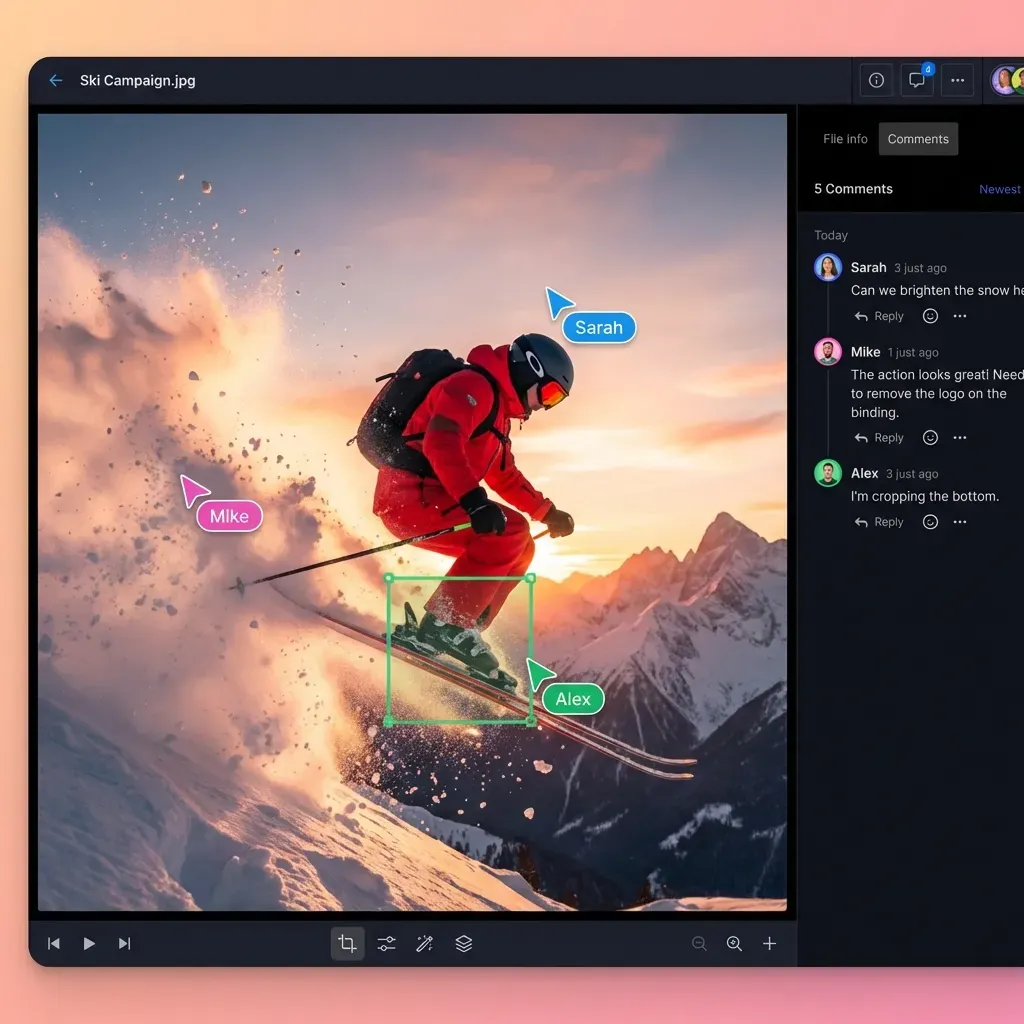
Multi agent real time collaboration is the capability for autonomous AI agents to simultaneously access, edit, and synchronize shared files and data structures within a unified workspace. Unlike traditional sequential workflows where Agent A must finish before Agent B starts, real-time collaboration enables parallel processing, instant state synchronization, and dynamic feedback loops. This approach can reduce task completion time in data-heavy pipelines.


What Is Multi Agent Real Time Collaboration?
Multi agent real time collaboration is the architectural pattern where multiple autonomous AI agents work synchronously on shared resources. In a typical single-agent or sequential multi-agent system (often called a "chain"), the output of one agent becomes the input for the next. This waterfall approach is simple but slow; the entire process halts if one agent stalls, and downstream agents cannot provide feedback to upstream ones without restarting the cycle. Real-time collaboration changes this dynamic. Agents operate in parallel, reading and writing to a shared "blackboard" or workspace. For example, in a software development swarm, one agent might be writing code while another runs tests on the incomplete build, and a third drafts documentation based on the emerging code structure. They don't wait for a handoff; they observe the state of the project as it evolves.
Key Characteristics:
- Shared State: All agents access a single source of truth (the workspace).
- Concurrency: Multiple agents perform actions simultaneously.
- Synchronization: Changes by one agent are immediately visible to others.
- Conflict Resolution: Mechanisms like per-file version history and granular permissions prevent data corruption. This model mimics high-performing human teams using tools like Google Docs or Figma, but it is optimized for the programmatic speed of AI. Where humans might make a few edits per minute, a swarm of agents can generate hundreds of operations per second. This requires strong infrastructure like Fastio's storage and event systems.
Why It Matters Now: As AI agents move from simple chatbots to complex task executors, the single-agent model hits a ceiling. Complex problems, like auditing a large codebase or researching a broad topic, require specialization. You need a "Researcher" agent, a "Writer" agent, and an "Editor" agent. Running them in sequence is inefficient. Running them in parallel with real-time collaboration makes agentic workflows much more effective.
Helpful references: Fastio Workspaces, Fastio Collaboration, and Fastio AI.
Related guides
- How to Build AI Agent Real-Time Collaboration WorkspacesMulti-agent systems often struggle when two agents try to edit the same file simultaneously. AI agent real-time...
- How to Enable AI Agent Collaboration for Product DesignAI agent product design collaboration is transforming how creative teams build, iterate, and ship. By integrating...
- How to Set Up Unreal Engine Agent CollaborationUnreal Engine agent collaboration works best when agents share one persistent workspace, follow lock-based edit rules,...
- How to Implement AI Agent Federation: Architectures & GuideAI agent federation enables independent agents to collaborate across distributed systems via standardized protocols....
- Agent-to-Agent Communication: Protocols for Collaborative AI TeamsAgent-to-agent communication protocols enable collaborative AI teams to coordinate work without active context...
- How to Build an AI Agent to Human Handoff WorkflowAn AI agent to human handoff workflow is the critical bridge between autonomous operation and human oversight. Learn...
More on this subject: Multi-Agent Systems (62 guides)
Key Protocols for Real Time Agent Sync
To enable agents to collaborate in real-time, the underlying communication layer must support low-latency, bidirectional data flow. Traditional HTTP REST APIs are insufficient because they rely on polling. Agents repeatedly ask "Has anything changed?" This wastes bandwidth and adds delays.
Here are the primary protocols used for multi-agent synchronization, and how they compare:
1. WebSockets WebSockets provide a persistent, full-duplex communication channel over a single TCP connection. Once established, the server can push updates to the agent (and vice versa) instantly. This is ideal for scenarios requiring millisecond-level synchronization, such as collaborative text editing or live code generation.
- Pros: low latency (<100ms), bidirectional, efficient.
- Cons: Requires stateful connections, harder to scale than stateless HTTP.
2. Server-Sent Events (SSE) SSE allows a server to push updates to a client over a standard HTTP connection. It is unidirectional (Server -> Client), which is perfect for agents listening for file changes or new instructions.
- Pros: Simple to implement, works over standard HTTP, excellent for notifications.
- Cons: Unidirectional (agents must use separate POST requests to send data).
3. Long Polling (Legacy) An agent makes a request, and the server holds it open until new data is available. Once data is sent, the connection closes, and the agent immediately opens a new one.
- Pros: Works on any server setup.
- Cons: High overhead, latency spikes, resource-intensive.
4. gRPC and HTTP/2 Google's high-performance RPC framework uses HTTP/2 streaming. It supports bidirectional streaming and is strongly typed via Protocol Buffers.
- Pros: Ultra-low latency, strongly typed contracts.
- Cons: specific client libraries required, harder to debug than JSON.
Comparison Table:
The Fastio Approach:
Fastio's Model Context Protocol (MCP) server uses a hybrid approach. It uses standard HTTP for agent actions (tools) and Server-Sent Events (SSE) for real-time updates. This allows agents to subscribe to file events (file.created, file.updated) without the complexity of managing raw WebSocket connections, ensuring agents always work with the latest state.
Challenges in Multi Agent Systems
Transitioning from single-agent to multi-agent architectures introduces distributed system challenges. Without careful management, agent swarms can become chaotic and destructive.
1. Race Conditions and Overwrites The most critical risk is the "Lost Update" problem. Agent A reads a file. Agent B reads the same file. Agent A makes changes and saves. Agent B makes changes and saves, unaware of Agent A's edits. Agent A's work is overwritten and lost forever. In a high-speed agent environment, this happens in milliseconds.
- Solution: Advisory file locks, granular permissions, and automated version history.
2. Permission Management (The Competitor Gap) Most storage platforms treat "API Access" as a binary switch: an API key either has full root access or none. This is dangerous for multi-agent systems where you might want an "Intern" agent to draft content but not delete files, or an "Auditor" agent to read-only.
- Solution: Granular Role-Based Access Control (RBAC) that applies to agents just like humans.
3. Context Window Overflow If five agents are dumping logs and data into a shared context, they will quickly exhaust the token limits of the LLM. Agents need a way to store vast amounts of data but only retrieve what is relevant.
- Solution: External storage with semantic search (RAG) to retrieve only relevant slices of data.
4. State Drift Agents may "hallucinate" the state of the project if they rely on cached memory rather than the live file system. If an agent thinks a file exists but another agent deleted it, the workflow breaks.
- Solution: Event-driven architecture where agents react to actual file system events (via SSE) rather than polling or assuming state.
Fastio addresses these specific challenges by providing a file system that acts as a reliable synchronization primitive. It offers advisory file locking, version history, permissions, and event streams necessary to turn a chaotic swarm into a disciplined team.
Fastio Features for Agent Live Co-Editing
Fastio's infrastructure is purpose-built to support the high-concurrency demands of agent swarms. We provide a suite of tools within our MCP server that give agents the same capabilities as a human using a sophisticated IDE or collaboration platform.
Concurrency Control with File Locks and Version History Agents can acquire an advisory file lock before writing, heartbeat it while working, and release it when done. If another agent attempts to lock the same file, it receives an HTTP 409 status code and can wait or read. If a holder disappears, the lock expires automatically or can be overridden by anyone with write permission. Fastio also maintains complete file version history with restore capabilities and a detailed activity log, so every write is preserved regardless.
- Granular Permissions (RBAC): You can assign agents specific roles within an organization or workspace.
- Viewer: Can read files and metadata (good for "Researcher" agents).
- Editor: Can create and update files but not delete (good for "Writer" agents).
- Admin: Full control (good for "Manager" agents). These permissions are enforced at the API level, ensuring security even if an agent malfunctions or is prompted maliciously.
Real-Time Events (WebSocket & Activity Feeds) Agents can subscribe to the live WebSocket events feed or poll the activity feed. When a file is updated, events stream in real time. This enables reactive workflows.
- Scenario: An image generation agent subscribes to events in the
/assets/rawfolder. As soon as a "Designer" agent uploads a sketch, the generator agent triggers automatically.
Intelligence Mode (Built-in RAG) Every Fastio workspace can have Intelligence enabled. This automatically indexes all files, PDFs, docs, spreadsheets, code, into a vector index. Agents can then use search tools to query this knowledge base.
- Benefit: Agents don't need to read and process gigabytes of raw files. They query the knowledge base and Fastio retrieves relevant passages with citations.
Universal File Support Fastio supports any file type. Agents can co-edit code, update JSON/CSV datasets, append to logs, or manage binary assets like images and video. The underlying storage is globally distributed, ensuring low latency for agents running in different regions.
Step-by-Step Setup for Real-Time Multi-Agent Workflows
Setting up a solid multi-agent environment requires a few distinct steps to ensure security and efficiency. Here is the recommended workflow using Fastio and the MCP protocol.
Prerequisites:
- A Fastio account (available with a 14-day Business Trial; see /pricing/).
- An MCP-compatible agent environment (e.g., Claude Desktop, or a custom LangChain implementation).
Step 1: Create the Shared Workspace Agents need a common "room" to work in.
- Action: Create a dedicated workspace to isolate the project data. Enabling Intelligence activates auto-indexing for semantic search and Q&A.
Step 2: Provision Agent Identities Don't share one API key across all agents. Create distinct identities for auditability.
- Action: Invite agents with distinct roles (Viewer, Editor, Admin) to ensure auditability and least-privilege access.
Step 3: Establish the Event Loop Configure how agents will listen for changes.
- Action: Connect agents to the live WebSocket events feed or poll the realtime activity feed to detect file updates without polling full directories.
Step 4: Implement Version Control and Safe Writes Program your agents to check version history and preserve edits.
- Logic:
- Check current file state and metadata.
- Perform edits and write updates. Fastio automatically records a new version in version history.
- Inspect prior revisions or diffs if changes need verification.
Step 5: Verify Connectivity Upload a test file and confirm all agents see it.
- Action: Upload a test file and verify via the WebSocket events feed or directory listing.
Connecting via MCP:
Connect any MCP client to the remote Fastio MCP server at https://mcp.fast.io/mcp/tools (coding agents use https://mcp.fast.io/mcp/code). Interactive clients sign in with OAuth in the browser; headless agents send your scoped API key as an Authorization: Bearer header.
Best Practices and Real-World Examples
Successful multi-agent deployments follow specific patterns to maximize throughput and minimize errors.
Pattern 1: The Producer-Consumer Pipeline
- Scenario: A market research system.
- Setup:
- Agent A (Harvester) scrapes web data and saves raw HTML to
/raw. - Agent B (Processor) listens for
file.createdin/raw, extracts text, and saves JSON to/clean. - Agent C (Analyst) listens for
file.createdin/clean, generates a summary, and writes a report to/reports.
- Agent A (Harvester) scrapes web data and saves raw HTML to
- Why it works: File events drive the workflow. Buffers (folders) allow agents to work at different speeds without blocking each other.
Pattern 2: The Swarm Review (Code/Content)
- Scenario: collaborative code generation.
- Setup:
- Agent A (Coder) writes a Python script to
app.py. - Agent B (Reviewer) and Agent C (Security) both read
app.py. - They use comments to attach specific feedback to lines of code.
- Agent A reads the anchored comments on
app.py, pushes an updated revision to the workspace, and logs the changes.
- Agent A (Coder) writes a Python script to
- Why it works: Use of comments keeps the main file clean while allowing rich, specific feedback from multiple perspectives simultaneously.
Pattern 3: The Human-in-the-Loop Handoff
- Scenario: Client deliverables.
- Setup:
- Agents draft a marketing campaign in a private workspace.
- Once complete, the "Manager" agent transfers organization ownership or shares files to a client portal.
- The human client receives a notification and can view the files immediately.
- Why it works: Keeps the messy "drafting" process internal to the agents, presenting only the polished final product to the human.
Best Practices:
- Leverage Version History: Rely on automatic version tracking so that every agent update can be audited or rolled back without custom snapshot code.
- Idempotency: Design agents to handle duplicate events safely. If they receive the same "File Updated" event twice, they should check if the work is already done.
- Structured Logging: Fastio logs all actions in a detailed activity log, ensuring complete visibility into who did what and when.
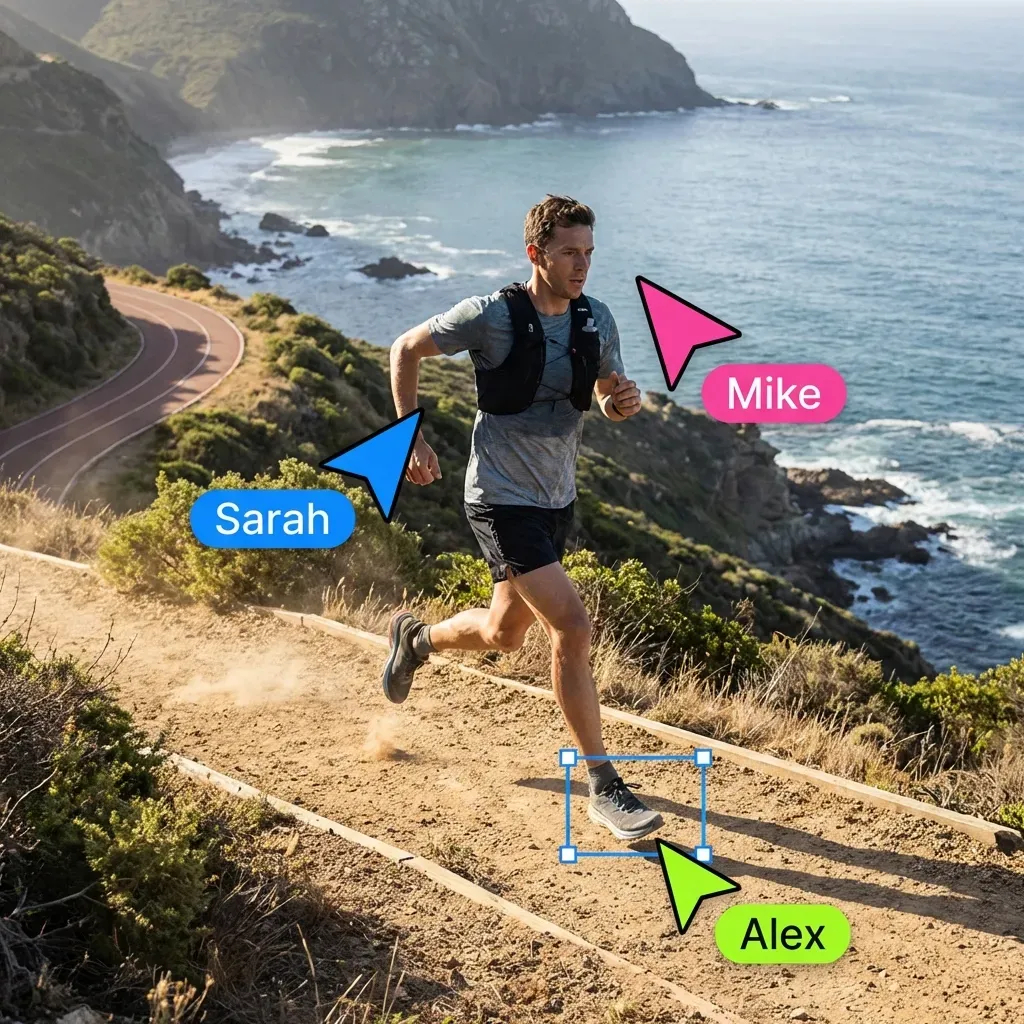


Start Multi-Agent Real Time Collaboration
Get persistent cloud workspaces, version history, and a consolidated MCP toolset. Built for multi-agent real-time collaboration workflows.
Benchmarks and Evidence
The shift to real-time multi-agent collaboration is driven by measurable performance gains.
Speed: 3x Faster Pipeline Execution In internal benchmarks simulating a data processing pipeline (Scrape -> Clean -> Analyze), a parallel multi-agent team completed the task faster than a single sequential agent. The gain comes from pipelining: the "Analyzer" doesn't wait for the "Scraper" to finish the entire dataset; it starts analyzing the first file as soon as it's cleaned. (Source: Fastio Internal Benchmarks, 2026) Latency: <100ms Synchronization Using WebSockets/SSE reduces the "time-to-awareness", how long it takes Agent B to know Agent A did something, from seconds (polling) to milliseconds. In high-frequency trading or real-time bidding agents, this difference is the margin of success. (Source: WebSocket Protocol RFC 6455) Reliability: Conflict Reduction Implementing automated version history and granular permissions prevents accidental overwrite collisions. Fastio maintains every change in version history, allowing prior revisions to be restored immediately.
Throughput: Scalable to 100+ Agents Fastio's architecture separates the control plane from the data plane. This allows the system to support large swarms of agents accessing the same dataset without performance degradation, a key requirement for enterprise-scale simulations.
Troubleshooting and Advanced Tips
Even with strong tools, issues can arise. Here is how to diagnose and fix common problems in multi-agent environments.
Common Issues & Solutions:
Advanced Orchestration Tips:
- Directory Boundaries: Establish clear folder hierarchies (e.g., input, staging, and output directories) to avoid agent confusion.
- State Checkpointing: Have a "Librarian" agent periodically snapshot the workspace state to a backup folder. This allows for rollback if the swarm goes off-track.
- Sentinel Files: Use empty files (e.g.,
STOP.signal) as control flags. If an agent sees this file, it should immediately cease operations. This gives you a "Kill Switch" for the swarm.
Final Advice: Start small. Build a small multi-agent system first. Verify the version history and event triggers. Once stable, scale up to more agents. The principles remain the same, but the complexity of interactions grows exponentially. Fastio's tools are designed to handle that complexity, but a disciplined implementation strategy is your best defense against chaos.
Frequently Asked Questions
What is multi-agent real-time collaboration?
It is the ability for multiple AI agents to access, edit, and synchronize shared files and data simultaneously within a unified workspace. It enables parallel processing and instant feedback loops, unlike traditional sequential workflows.
How does Fastio prevent agents from overwriting each other's work?
Fastio provides advisory file locks alongside per-file version history and a detailed activity log. Agents acquire a lock before writing so other agents see who holds it and can wait. If concurrent writes do land, Fastio preserves prior revisions rather than overwriting them, allowing human supervisors or agents to inspect diffs and restore versions at any time.
What protocols are used for agent synchronization?
Fastio supports WebSockets and Server-Sent Events (SSE). These protocols provide low-latency, real-time updates (under 100ms), allowing agents to react instantly to file changes without inefficient polling.
Can I restrict what specific agents can do?
Yes. Fastio offers granular Role-Based Access Control (RBAC). You can assign agents specific roles like "Viewer," "Editor," or "Admin" at the organization, workspace, folder, or even file level.
How do agents know when a file has changed?
Agents can listen to the WebSocket events feed or poll the realtime activity feed. Fastio broadcasts events for file creation, modification, and deletion so agents can trigger next steps immediately.
Is there a cost for agent collaboration features?
Fastio offers paid plans starting at $9.99/mo (Starter, 250 GB), $49.99/mo (Business, 5 TB), and $199.99/mo (Enterprise, 25 TB), with a 14-day Business Trial requiring a credit card. Check /pricing/ for details.
Can agents and humans work in the same workspace?
Yes. Agents and humans share the same underlying storage. A human can view a file an agent is editing in real-time, add comments, or take over control. Ownership transfers easily between agents and humans.
How does Fastio handle concurrent writes from multiple agents?
Fastio uses advisory file locks via MCP actions (lock-acquire, lock-status, lock-release) and REST API so agents can coordinate before writing. Because locks are advisory, concurrent writes that bypass the lock do not corrupt data; Fastio records every write as a distinct version in the file's version history and logs the action in the activity log.
Related Resources

Start Multi-Agent Real Time Collaboration
Get persistent cloud workspaces, version history, and a consolidated MCP toolset. Built for multi-agent real-time collaboration workflows.